Assignment #10: Java Programming Project

Verified

Added on  2019/09/16

|2
|386
|194
Practical Assignment
AI Summary
This assignment involves two parts. The first part requires completing Programming Project 6.22 (not detailed here). The second part focuses on modifying the 'Splat' program from Chapter 4. Students must enhance the existing program to include labeled circles, using a dialog box to obtain the number of circles from the user. The program should then generate a random number of circles with random colors and labels, storing them in an ArrayList. The paintComponent method needs to be updated to iterate through the ArrayList and draw each circle. The final output should resemble a screen filled with randomly generated, labeled circles.
Document Page
Assignment #10
Two projects: Programming Project 6.22 and the following modification to the Splat
program.
Splat, Revised
Start with the "Splat" program from Ch. 4, Listings 4.7, 4.8, and 4.9. Create a Java project
with these three files, and run it to be sure it works.
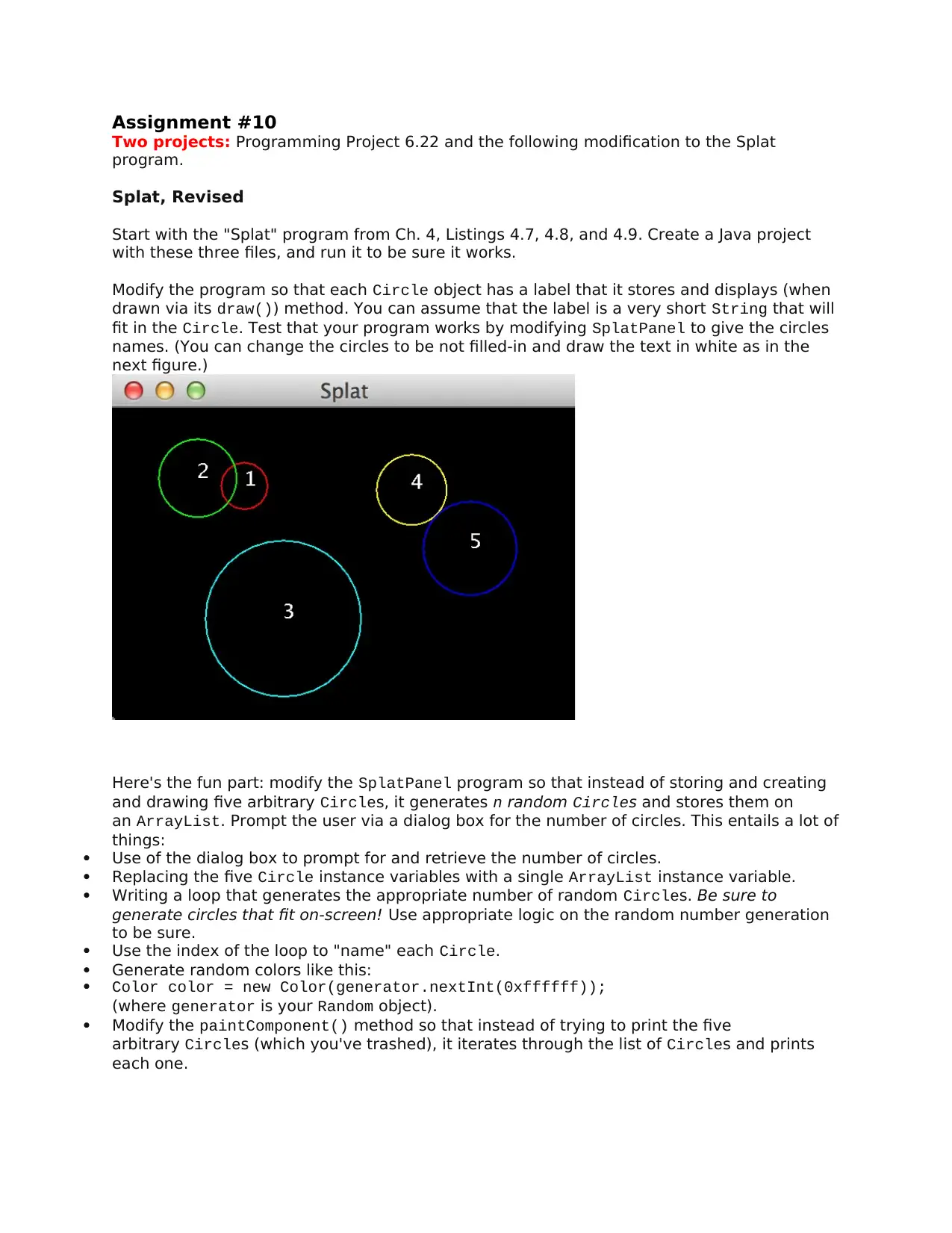
Modify the program so that each Circle object has a label that it stores and displays (when
drawn via its draw()) method. You can assume that the label is a very short String that will
fit in the Circle. Test that your program works by modifying SplatPanel to give the circles
names. (You can change the circles to be not filled-in and draw the text in white as in the
next figure.)
Here's the fun part: modify the SplatPanel program so that instead of storing and creating
and drawing five arbitrary Circles, it generates n random Circles and stores them on
an ArrayList. Prompt the user via a dialog box for the number of circles. This entails a lot of
things:
Use of the dialog box to prompt for and retrieve the number of circles.
Replacing the five Circle instance variables with a single ArrayList instance variable.
Writing a loop that generates the appropriate number of random Circles. Be sure to
generate circles that fit on-screen! Use appropriate logic on the random number generation
to be sure.
Use the index of the loop to "name" each Circle.
Generate random colors like this:
Color color = new Color(generator.nextInt(0xffffff));
(where generator is your Random object).
Modify the paintComponent() method so that instead of trying to print the five
arbitrary Circles (which you've trashed), it iterates through the list of Circles and prints
each one.
tabler-icon-diamond-filled.svg

Paraphrase This Document

Need a fresh take? Get an instant paraphrase of this document with our AI Paraphraser
Document Page
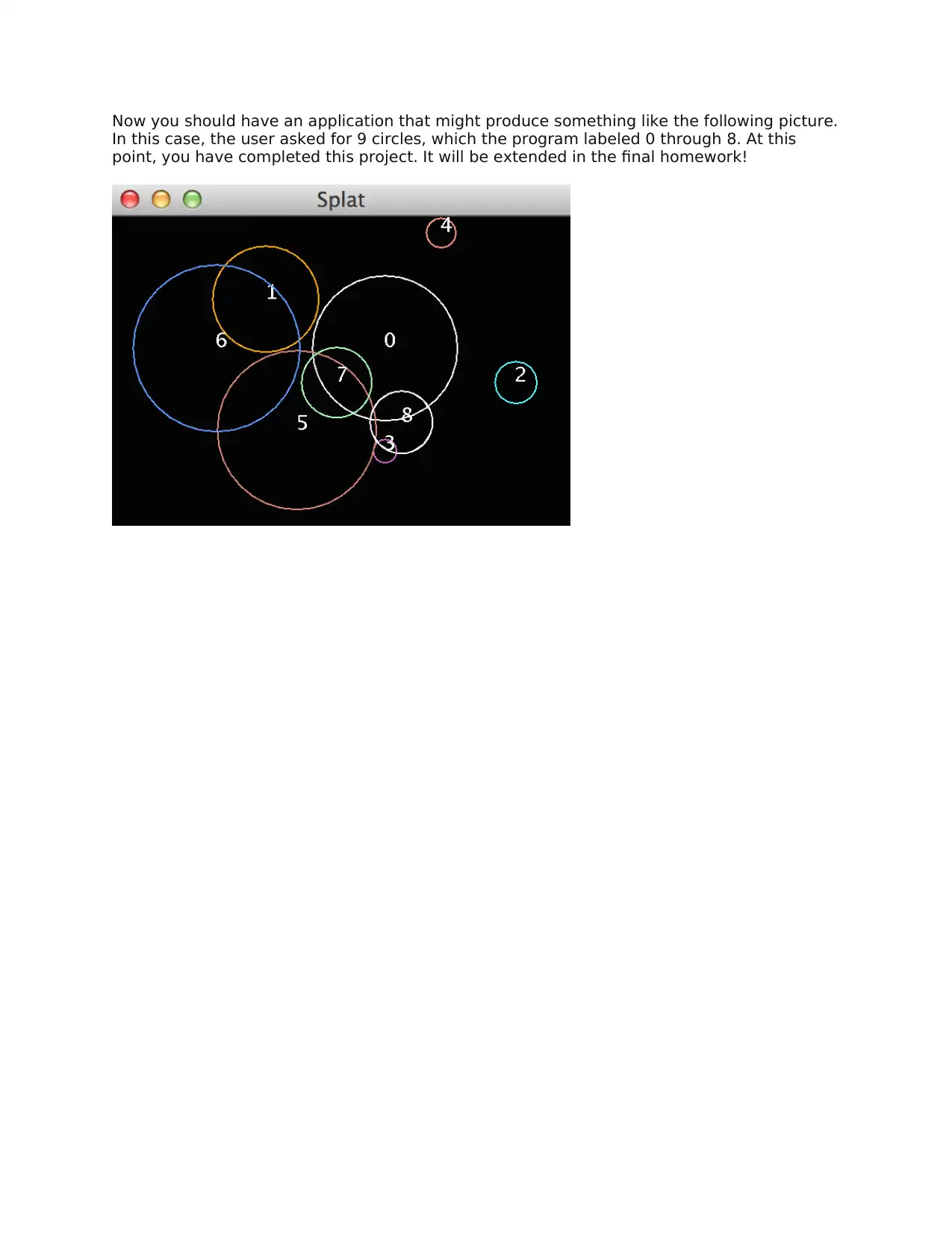
Now you should have an application that might produce something like the following picture.
In this case, the user asked for 9 circles, which the program labeled 0 through 8. At this
point, you have completed this project. It will be extended in the final homework!
chevron_up_icon
1 out of 2
circle_padding
hide_on_mobile
zoom_out_icon
[object Object]