Cloud Security Module: AWS Cloud System Design for mCloud Multimedia

Verified

Added on  2023/04/10

|24
|3385
|185
Report
AI Summary
This report outlines the technical details for mCloud Multimedia's migration to AWS Cloud, focusing on building a secure cloud system. The company, with headquarters in England and branches worldwide, aims to centralize administration and provide real-time storage. The report details the setup of EC2 instances in multiple regions, including the configuration of proxy servers, web servers, and DHCP. It covers the creation of Virtual Private Clouds (VPCs) with subnets, internet gateways, route tables, Network ACLs, and DHCP settings to ensure network security and management. Storage configuration using S3 is detailed, with emphasis on access control and the creation of storage buckets and objects. Furthermore, the report explores load balancing and database instances within the AWS environment, providing a comprehensive overview of the cloud infrastructure designed to meet mCloud Multimedia's business requirements. The report also includes discussions on security tools and configurations, including security groups, and snapshots.
Document Page
Name of university
Cloud Security Module
Part 1 and 2 using AWS Cloud
Student ID
Student Name
[Pick the date]
Tutor
tabler-icon-diamond-filled.svg

Paraphrase This Document

Need a fresh take? Get an instant paraphrase of this document with our AI Paraphraser
Document Page
Table of Contents
Part 1: Building the Cloud system for mCloud Multimedia \using AWS....................................3
1. Introduction.........................................................................................................................3
2. AWS Cloud Setup Initialization and Registration..................................................................3
2.1 Regions and available zones.........................................................................................................4
2.2 EC2 instances................................................................................................................................5
3. Virtual Private Cloud (VPC)..................................................................................................8
3.1 VPC management console............................................................................................................9
3.2 Internet gateway........................................................................................................................10
3.3 Route table.................................................................................................................................10
3.4 Network ACL...............................................................................................................................11
3.5 DHCP settings..............................................................................................................................12
4. Storage configuration for Singapore-Asia region................................................................14
4.1 Access Control Settings...............................................................................................................17
5. Load Balancer in AWS........................................................................................................18
6. Database instance in AWS.................................................................................................19
Part 2: Discussion on security tools........................................................................................20
References.............................................................................................................................21
2
Document Page
Part 1: Building the Cloud system for mCloud Multimedia \using
AWS
1. Introduction
The report provides the technical details for mCloud Multimedia which has planned to
move their system to AWS Cloud. The company has its headquarters in England and
has 4 branches, 1 in the USA, 1 in Asia and 2 in Europe. The company decides to
configure a secure cloud using AWS services and facilities and this report provides the
technical details to sow the different cloud configurations as desired by their business
operations. All the administration services are centralized and provided from their HQ in
England. All the branches have storage systems in real time.
The summary of the cloud system is given below:
ï‚· The EC2 instances are launched in their respective regions.
ï‚· The EC2 instance at HQ will have a proxy server, web server, DHCP and will
manage the storage in other locations
ï‚· To create a VPC network with two subnets, one for private and one for the public
in four different AWS regions (2 in Europe, 1 Asia, 1 America)
ï‚· Security is enabled in all EC2 instances, VPC and storage
ï‚· Load balancing is configured to check all EC2 instances
ï‚· Cloud storage is created at all locations, objects and folders are created with
local access and for remote access.
ï‚· The snapshot of storage is available at HQ
ï‚· The image folders are available only for read access
ï‚· Customer support is available at the respective locations
2. AWS Cloud Setup Initialization and Registration
In the first step towards building the AWS cloud, the free tier account is used in AWS to
register the user name and password. When registration is successful, AWS will provide
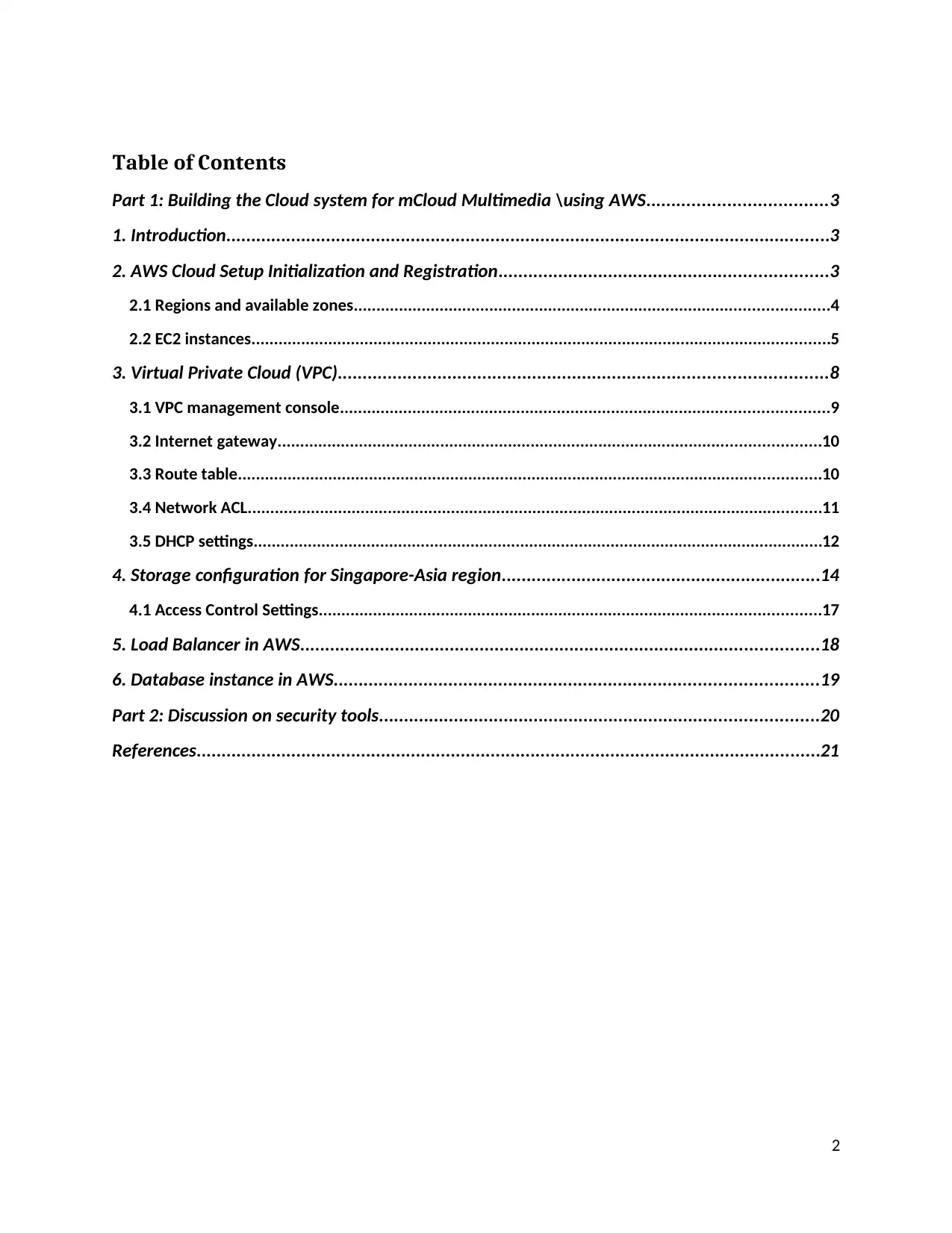
a confirmation email and also after login, the AWS Management Console is shown in
figure 1 below:
3
Document Page
Figure 1: AWS management console showing different cloud services
Since the company has 4 locations apart from their HQ in London, the other locations
are in Singapore in Asia, North California in the USA and in Europe, they have
operations at Frankfurt and in Stockholm. From the AWS Services console, virtual
private cloud is created for all these four locations. These four regions are selected from
the AWS management console and a VPC at each location is enabled and configured.
The configurations for the four locations are discussed below separately.
2.1 Regions and available zones
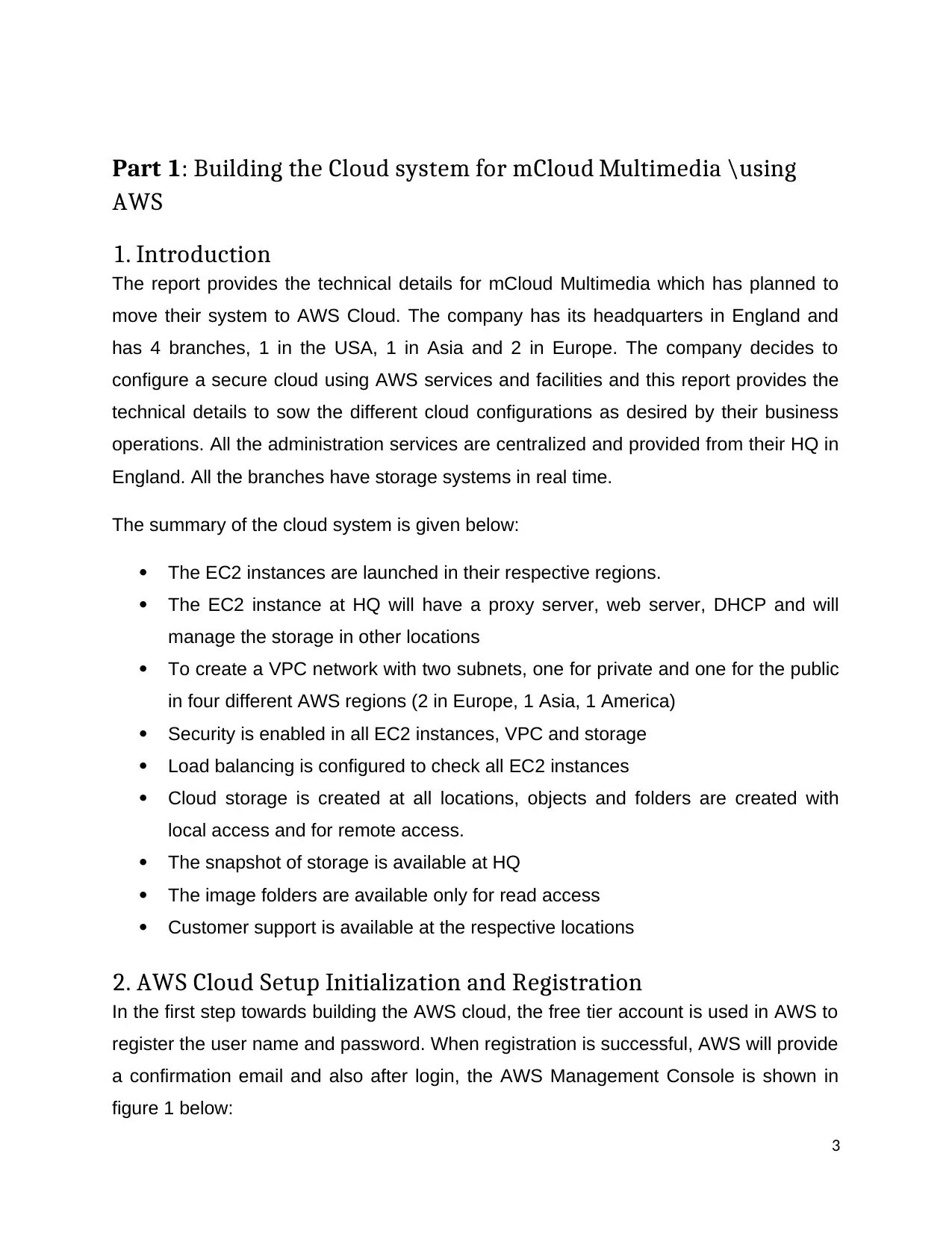
The EC2 dashboard provides the EC2 resources that are running in the Europe region.
4
tabler-icon-diamond-filled.svg

Paraphrase This Document

Need a fresh take? Get an instant paraphrase of this document with our AI Paraphraser
Document Page
The EC2 dashboard showing events
It may be noted there are 4 running instances, 5 volumes, 1 key pair, 4 snapshots, 1
load balancer and 7 security groups are created in the system.
2.2 EC2 instances
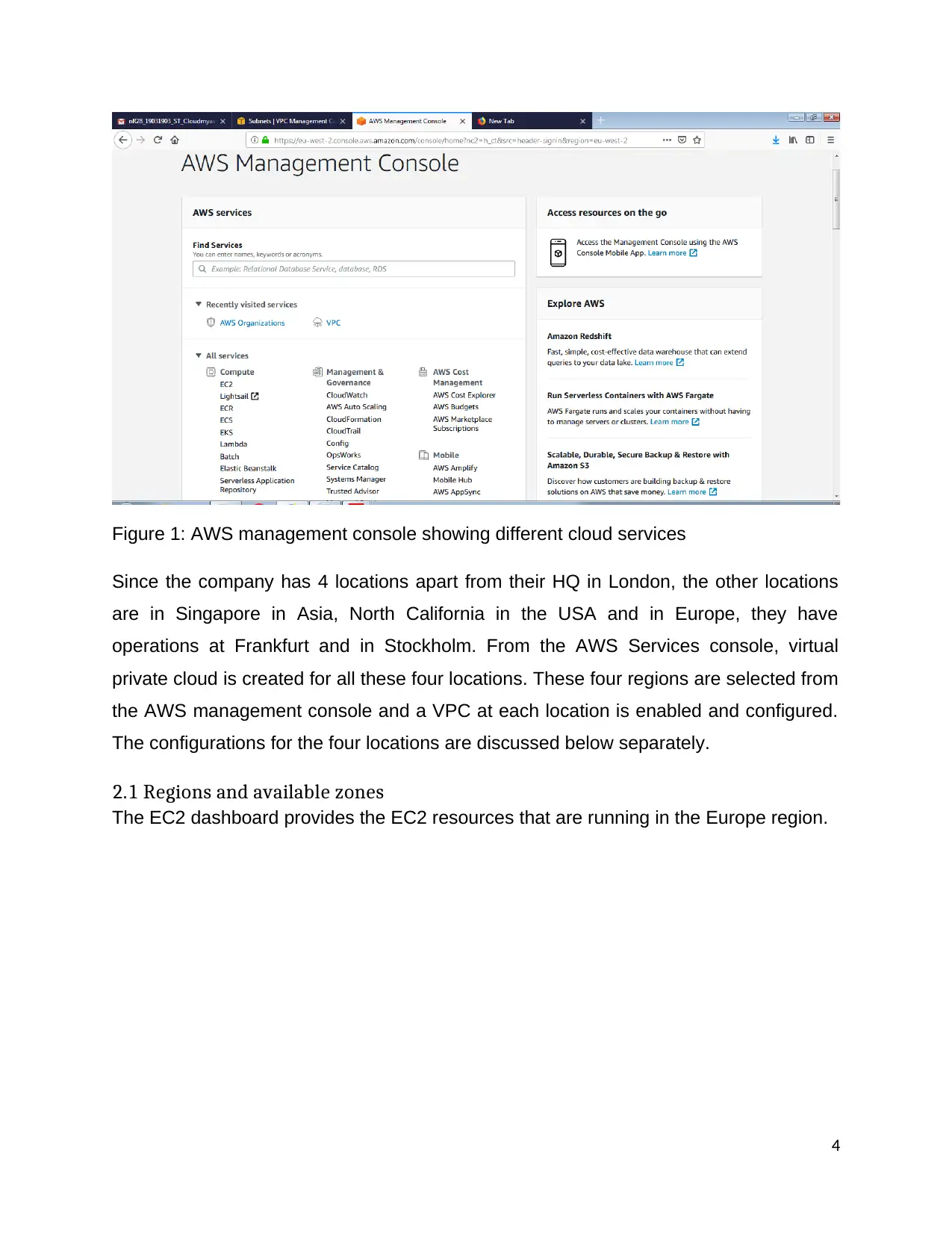
The EC2 instance is set up and launched for London HQ location as shown in figure 2.
5
Document Page
Figure 2: EC2 instance and server setup launched
From figure 2, it may be noted the AWS EC2 provides different instance types to select
hardware that includes compute and memory resources, storage volumes and network
bandwidth that is required for applications. EC2 provides support for on-demand
instances or reserved instances. In EC2, every instance is supported with an elastic
block store (EBS) or has an instance store as backup. The AMI based on the type of
root volume is selected. Also commands to be run are allowed from remote and secure
locations to manage the configuration of EC2 instances (AWS, 2019). The servers
created for HQ location are the proxy server, DHCP, and web server.
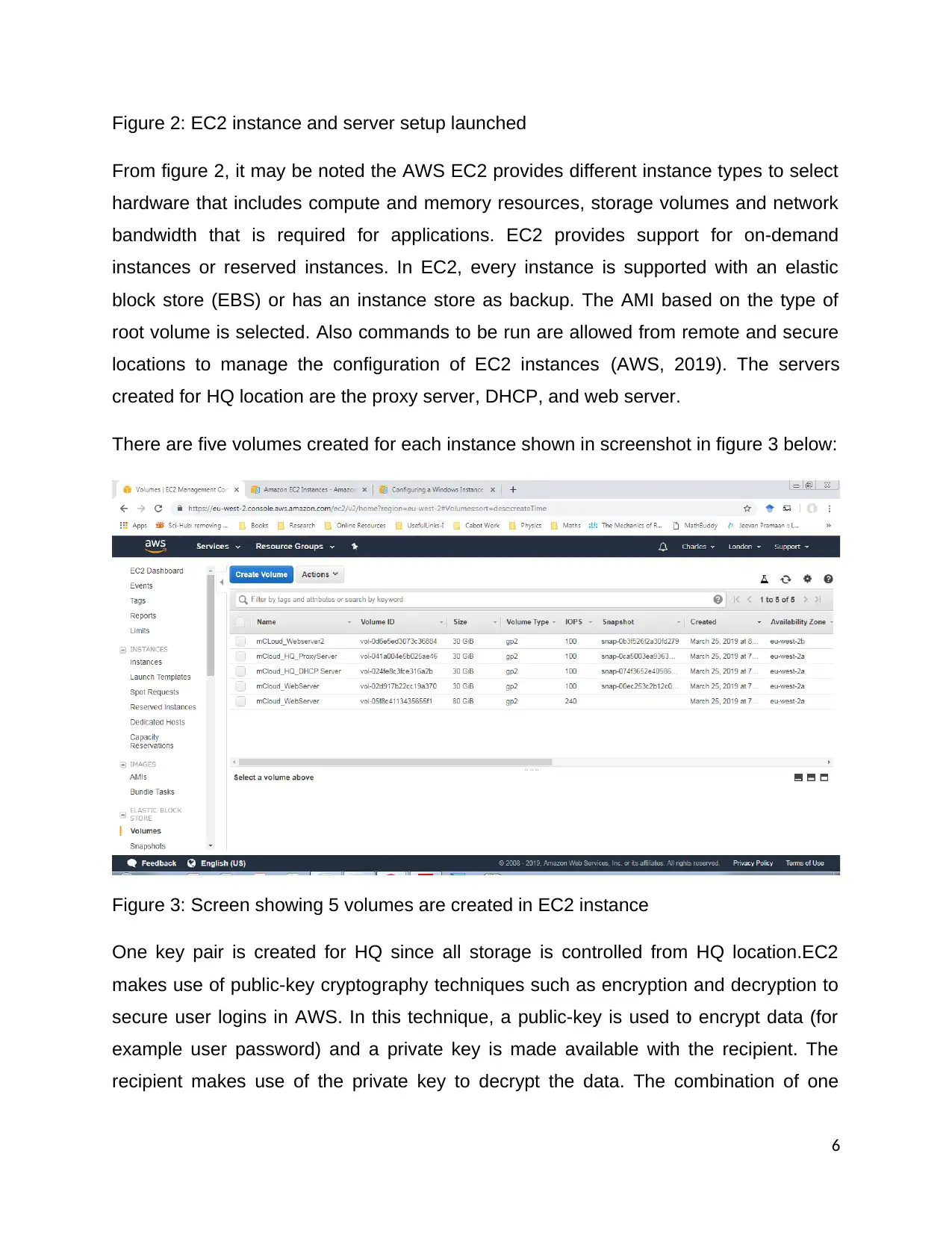
There are five volumes created for each instance shown in screenshot in figure 3 below:
Figure 3: Screen showing 5 volumes are created in EC2 instance
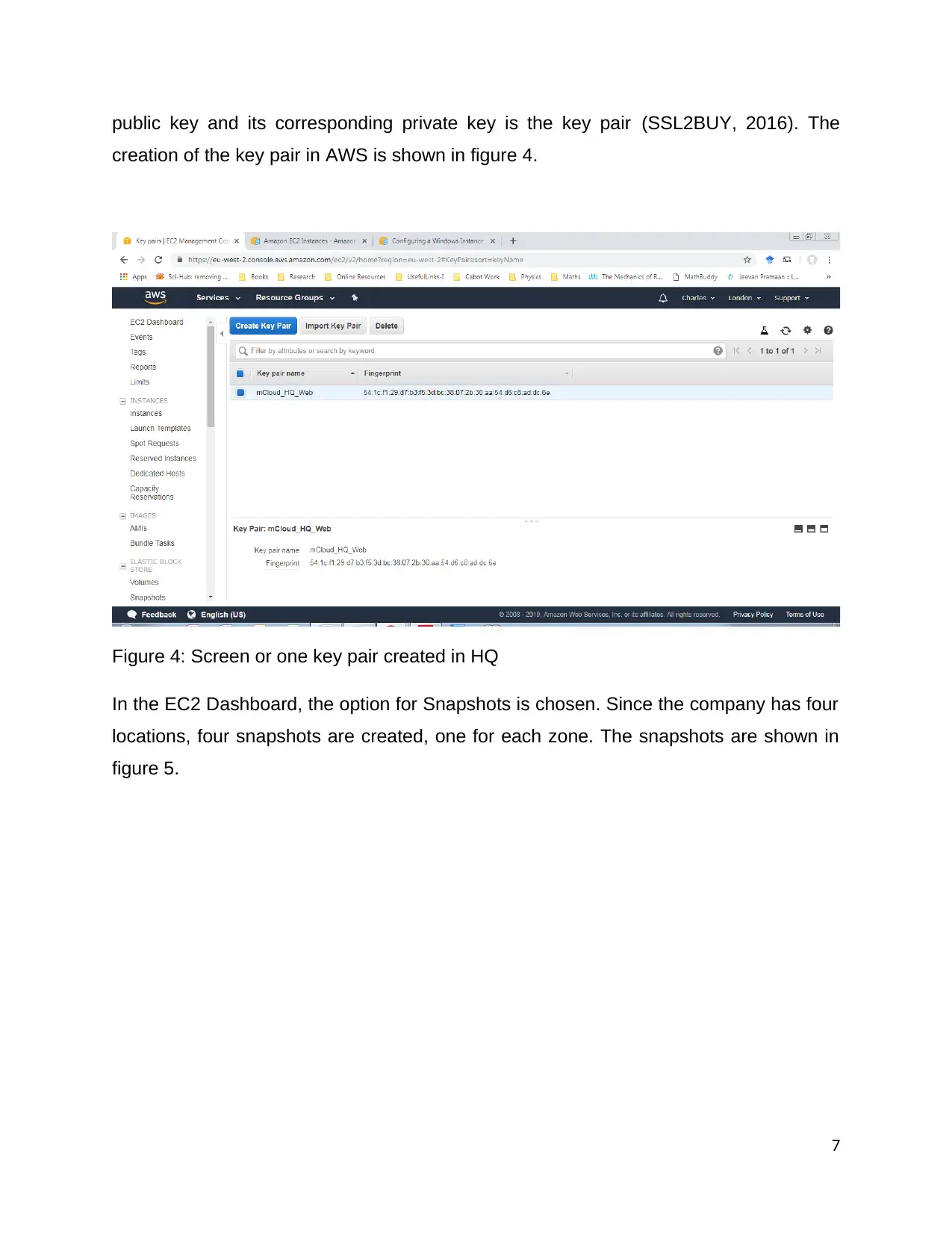
One key pair is created for HQ since all storage is controlled from HQ location.EC2
makes use of public-key cryptography techniques such as encryption and decryption to
secure user logins in AWS. In this technique, a public-key is used to encrypt data (for
example user password) and a private key is made available with the recipient. The
recipient makes use of the private key to decrypt the data. The combination of one
6
Document Page
public key and its corresponding private key is the key pair (SSL2BUY, 2016). The
creation of the key pair in AWS is shown in figure 4.
Figure 4: Screen or one key pair created in HQ
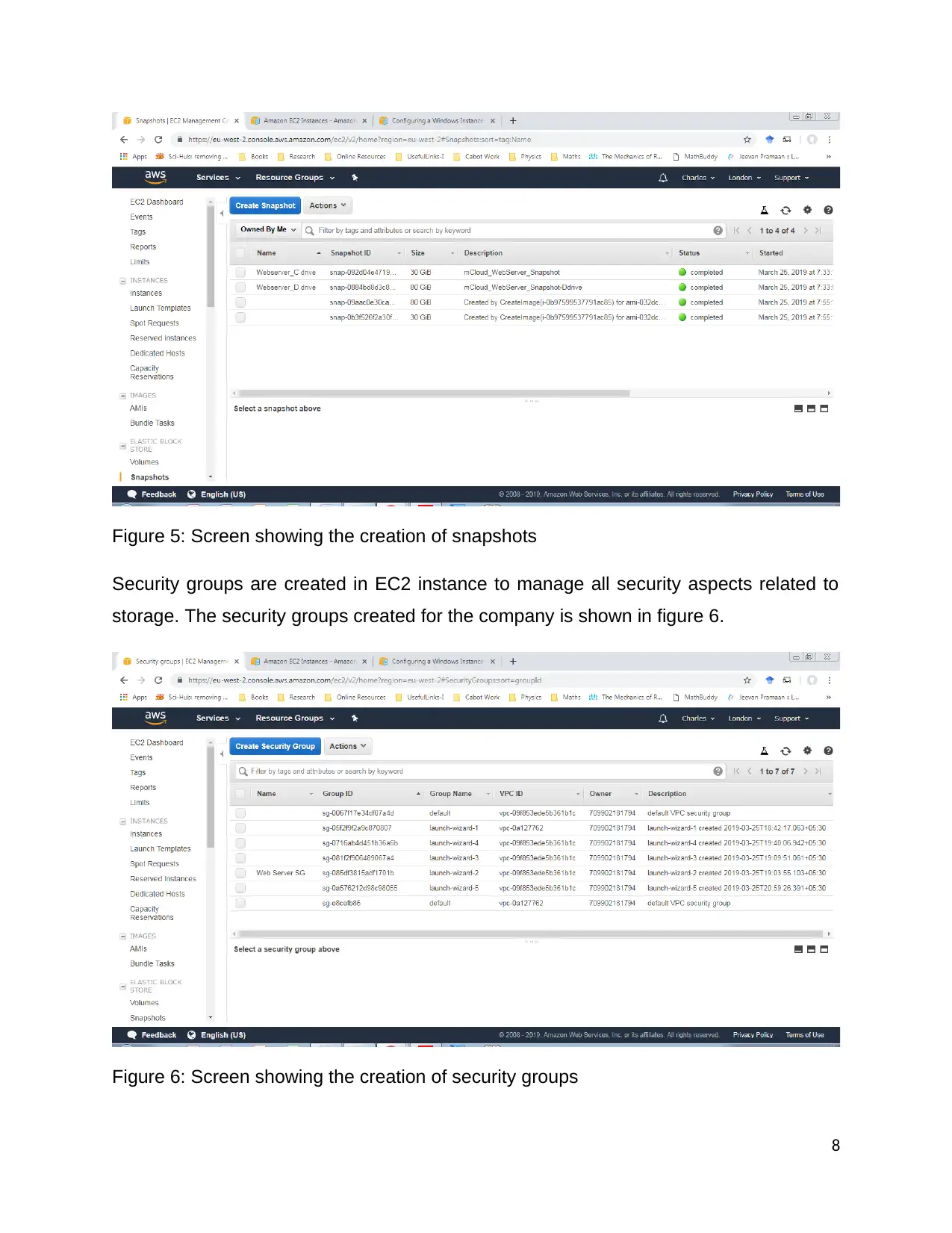
In the EC2 Dashboard, the option for Snapshots is chosen. Since the company has four
locations, four snapshots are created, one for each zone. The snapshots are shown in
figure 5.
7
tabler-icon-diamond-filled.svg

Paraphrase This Document

Need a fresh take? Get an instant paraphrase of this document with our AI Paraphraser
Document Page
Figure 5: Screen showing the creation of snapshots
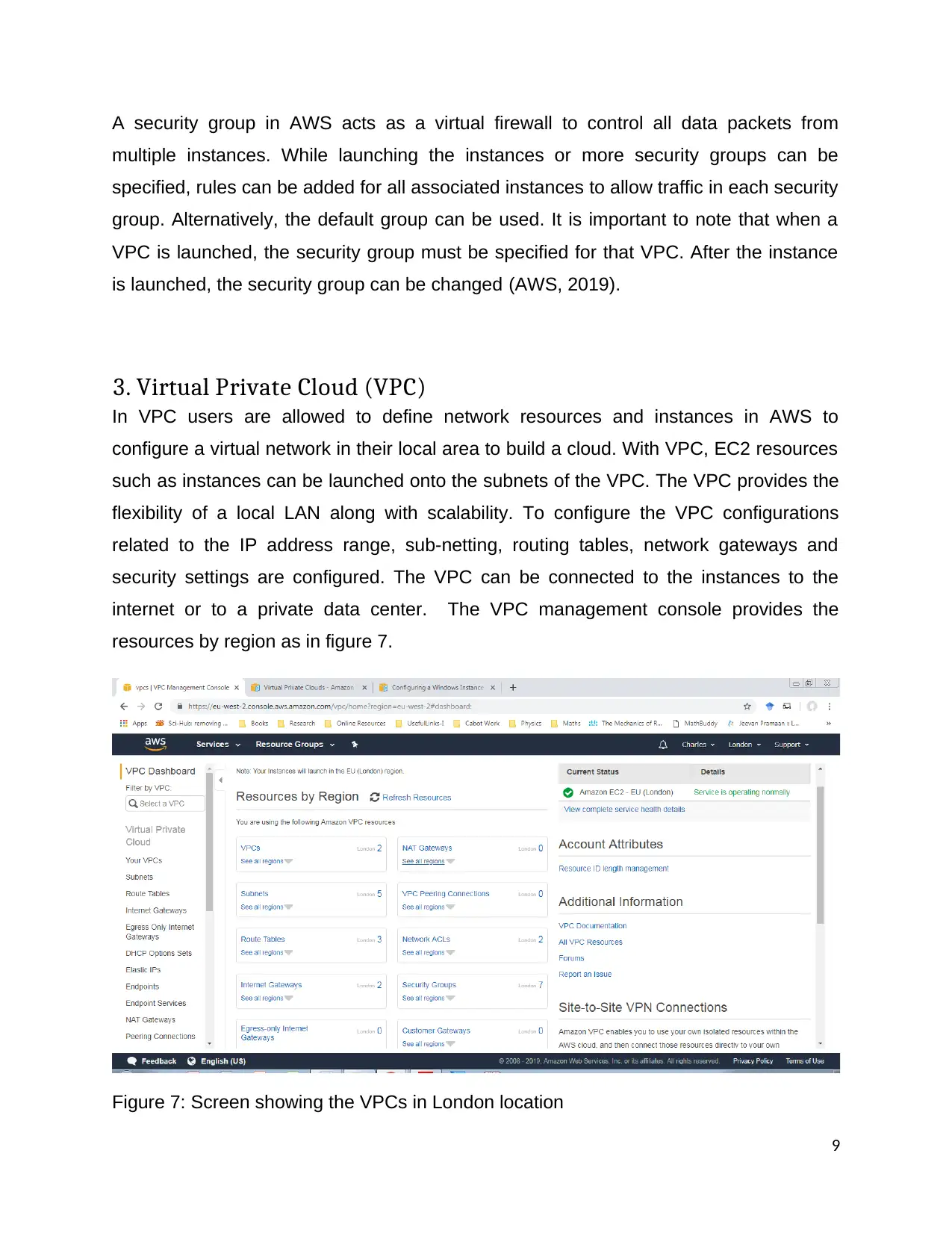
Security groups are created in EC2 instance to manage all security aspects related to
storage. The security groups created for the company is shown in figure 6.
Figure 6: Screen showing the creation of security groups
8
Document Page
A security group in AWS acts as a virtual firewall to control all data packets from
multiple instances. While launching the instances or more security groups can be
specified, rules can be added for all associated instances to allow traffic in each security
group. Alternatively, the default group can be used. It is important to note that when a
VPC is launched, the security group must be specified for that VPC. After the instance
is launched, the security group can be changed (AWS, 2019).
3. Virtual Private Cloud (VPC)
In VPC users are allowed to define network resources and instances in AWS to
configure a virtual network in their local area to build a cloud. With VPC, EC2 resources
such as instances can be launched onto the subnets of the VPC. The VPC provides the
flexibility of a local LAN along with scalability. To configure the VPC configurations
related to the IP address range, sub-netting, routing tables, network gateways and
security settings are configured. The VPC can be connected to the instances to the
internet or to a private data center. The VPC management console provides the
resources by region as in figure 7.
Figure 7: Screen showing the VPCs in London location
9
Document Page
3.1 VPC management console
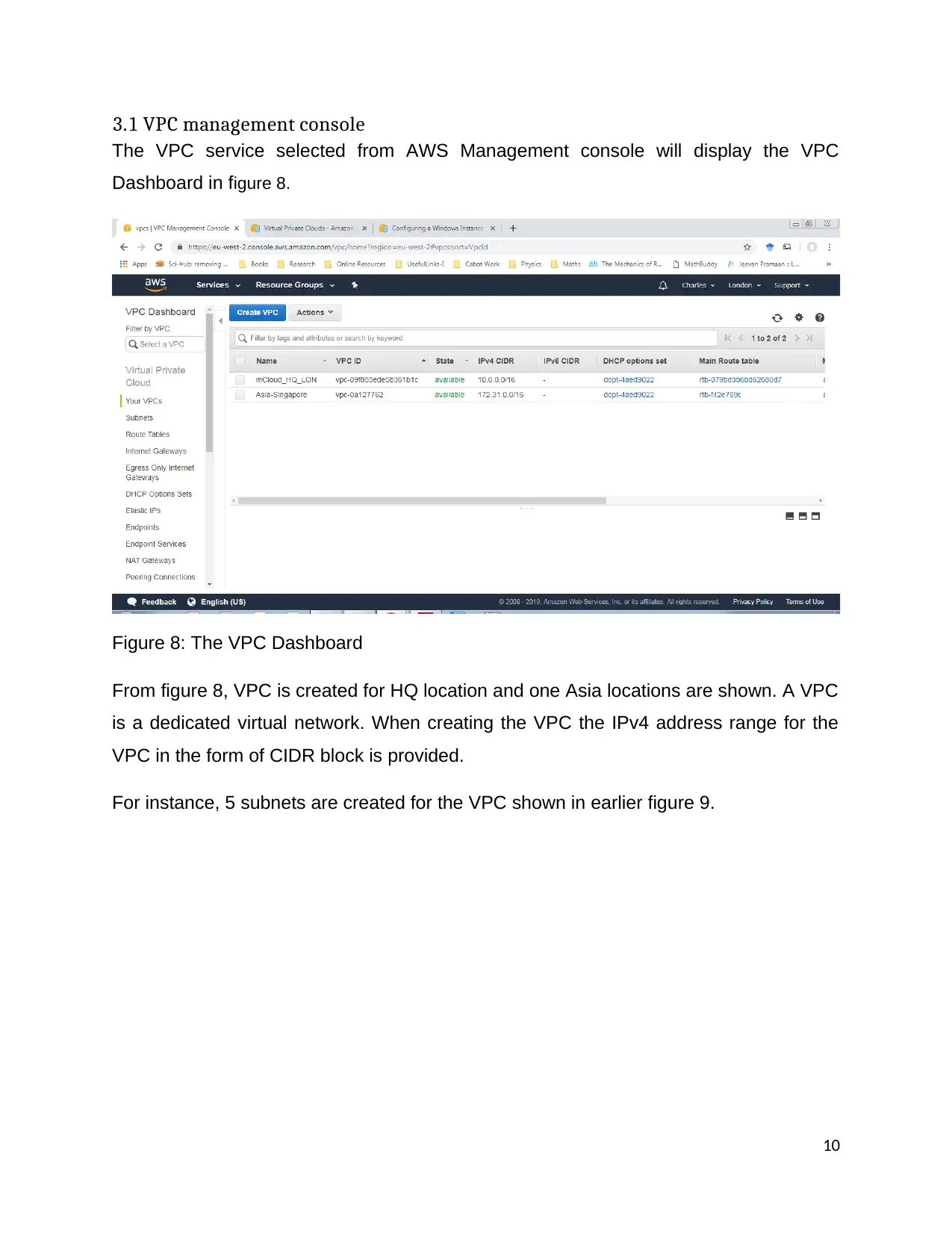
The VPC service selected from AWS Management console will display the VPC
Dashboard in figure 8.
Figure 8: The VPC Dashboard
From figure 8, VPC is created for HQ location and one Asia locations are shown. A VPC
is a dedicated virtual network. When creating the VPC the IPv4 address range for the
VPC in the form of CIDR block is provided.
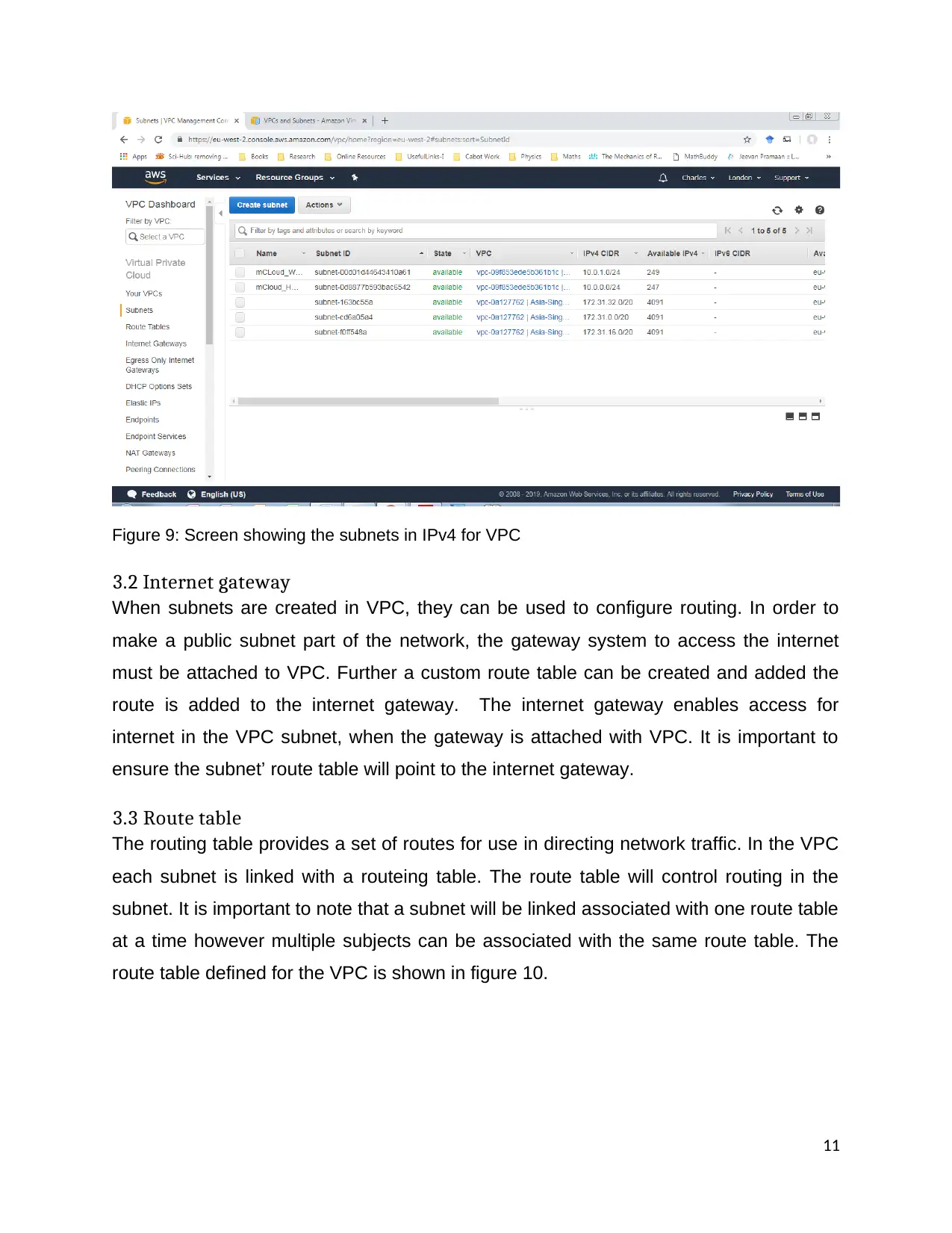
For instance, 5 subnets are created for the VPC shown in earlier figure 9.
10
tabler-icon-diamond-filled.svg

Paraphrase This Document

Need a fresh take? Get an instant paraphrase of this document with our AI Paraphraser
Document Page
Figure 9: Screen showing the subnets in IPv4 for VPC
3.2 Internet gateway
When subnets are created in VPC, they can be used to configure routing. In order to
make a public subnet part of the network, the gateway system to access the internet
must be attached to VPC. Further a custom route table can be created and added the
route is added to the internet gateway. The internet gateway enables access for
internet in the VPC subnet, when the gateway is attached with VPC. It is important to
ensure the subnet’ route table will point to the internet gateway.
3.3 Route table
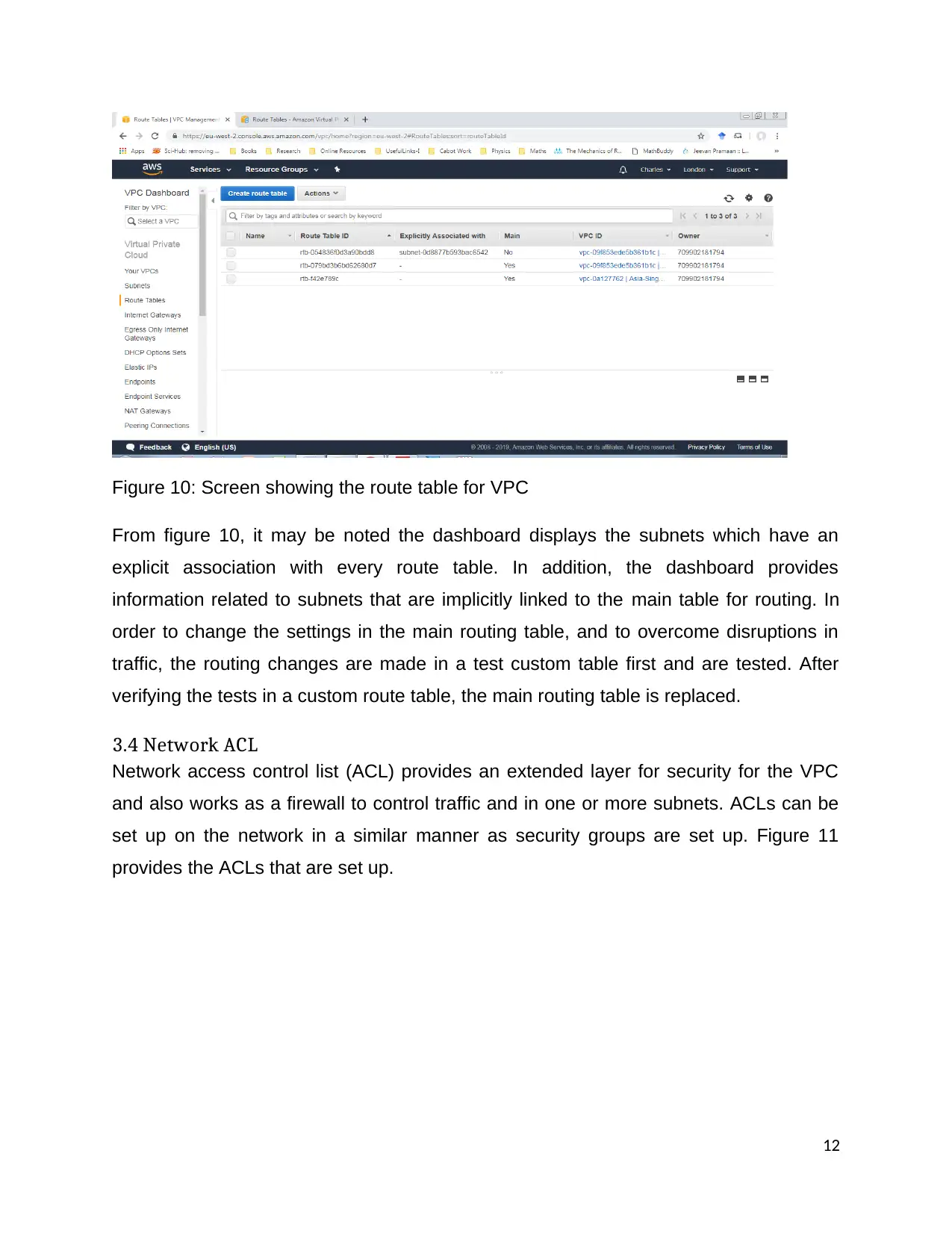
The routing table provides a set of routes for use in directing network traffic. In the VPC
each subnet is linked with a routeing table. The route table will control routing in the
subnet. It is important to note that a subnet will be linked associated with one route table
at a time however multiple subjects can be associated with the same route table. The
route table defined for the VPC is shown in figure 10.
11
Document Page
Figure 10: Screen showing the route table for VPC
From figure 10, it may be noted the dashboard displays the subnets which have an
explicit association with every route table. In addition, the dashboard provides
information related to subnets that are implicitly linked to the main table for routing. In
order to change the settings in the main routing table, and to overcome disruptions in
traffic, the routing changes are made in a test custom table first and are tested. After
verifying the tests in a custom route table, the main routing table is replaced.
3.4 Network ACL
Network access control list (ACL) provides an extended layer for security for the VPC
and also works as a firewall to control traffic and in one or more subnets. ACLs can be
set up on the network in a similar manner as security groups are set up. Figure 11
provides the ACLs that are set up.
12
chevron_up_icon
1 out of 24
circle_padding
hide_on_mobile
zoom_out_icon
[object Object]