Photoshop Design Assignment: Image Editing and Background Removal

Verified

Added on  2022/10/14

|4
|416
|61
Practical Assignment
AI Summary
This assignment focuses on practical Photoshop design, specifically image editing, background removal, and layering. The student uses the magic wand and lasso tools to remove the background from a portrait of Catherine the Great. The assignment details the process of selecting the background, using the shift and alt buttons, and unsharpening the mask. The student then softens the edges of the selected image using the brush tool and adds a classroom environment as a background. The opacity of the background and foreground images is adjusted, and the images are scaled to fit. The content-aware scaling feature is used to resize the image while preserving its quality, and the contrast is adjusted to match the background. The assignment includes a bibliography referencing the images used and practical Photoshop resources.
Document Page
Running head: DESIGN
Photoshop Design
Name of the Student
Name of the University
Author’s Note
tabler-icon-diamond-filled.svg

Paraphrase This Document

Need a fresh take? Get an instant paraphrase of this document with our AI Paraphraser
Document Page
1
DESIGN
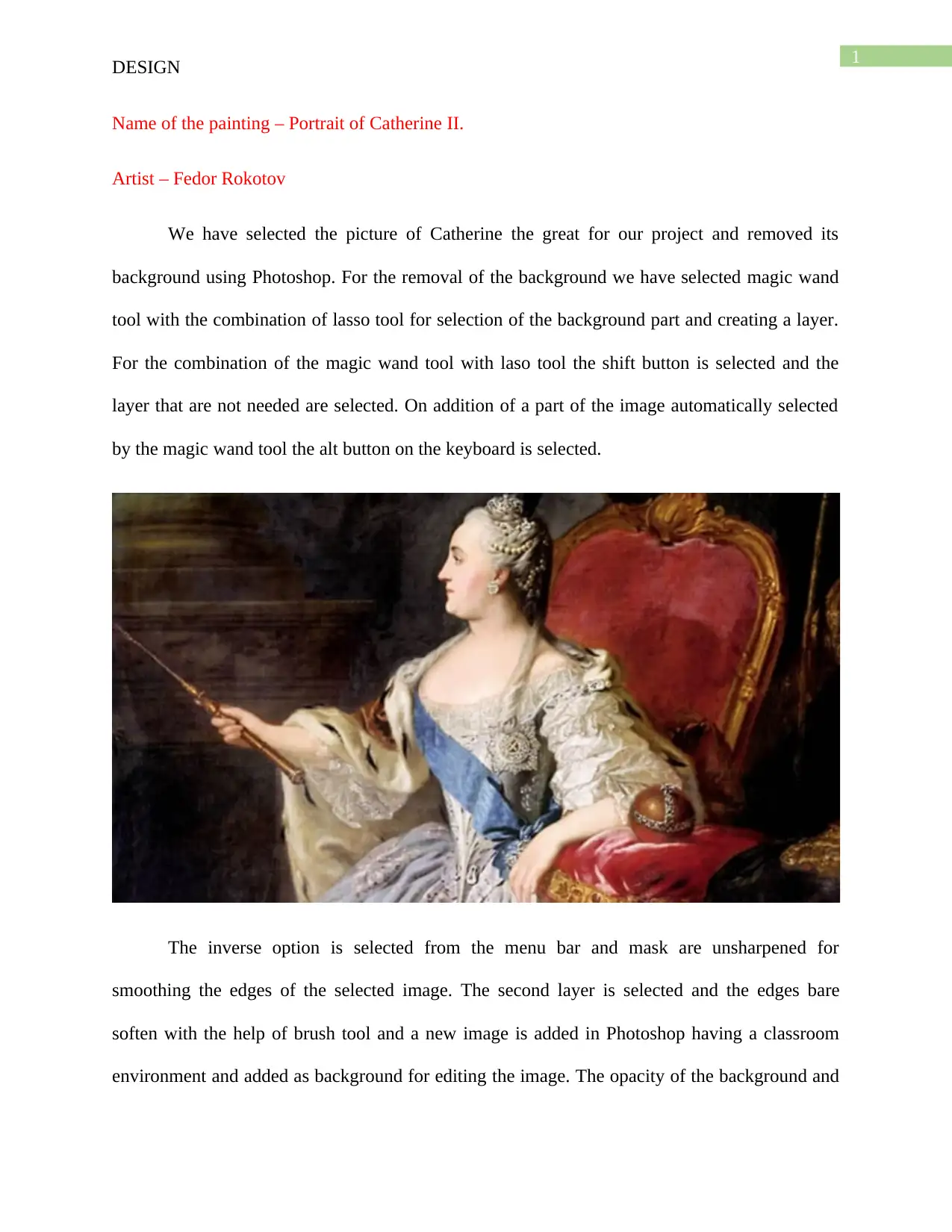
Name of the painting – Portrait of Catherine II.
Artist – Fedor Rokotov
We have selected the picture of Catherine the great for our project and removed its
background using Photoshop. For the removal of the background we have selected magic wand
tool with the combination of lasso tool for selection of the background part and creating a layer.
For the combination of the magic wand tool with laso tool the shift button is selected and the
layer that are not needed are selected. On addition of a part of the image automatically selected
by the magic wand tool the alt button on the keyboard is selected.
The inverse option is selected from the menu bar and mask are unsharpened for
smoothing the edges of the selected image. The second layer is selected and the edges bare
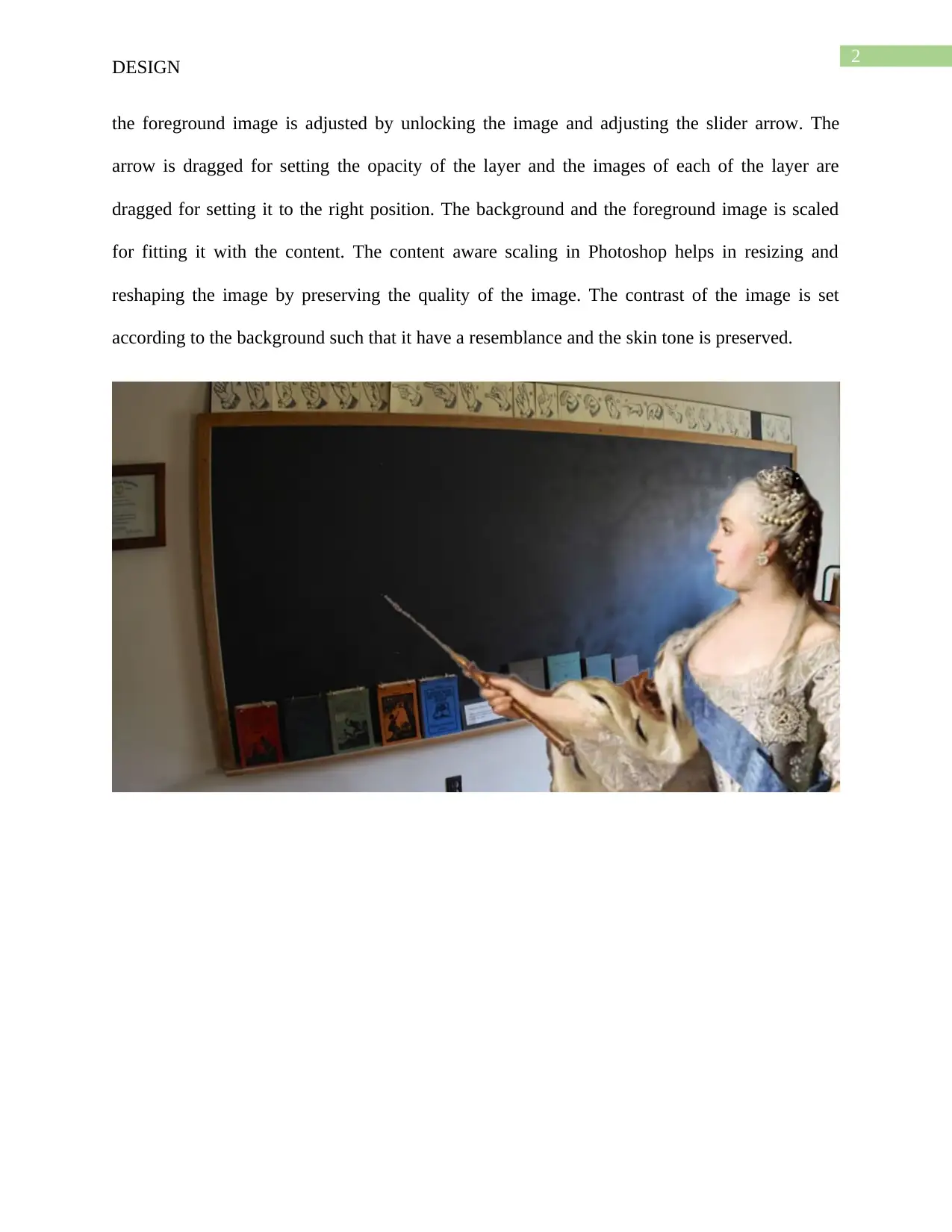
soften with the help of brush tool and a new image is added in Photoshop having a classroom
environment and added as background for editing the image. The opacity of the background and
Document Page
2
DESIGN
the foreground image is adjusted by unlocking the image and adjusting the slider arrow. The
arrow is dragged for setting the opacity of the layer and the images of each of the layer are
dragged for setting it to the right position. The background and the foreground image is scaled
for fitting it with the content. The content aware scaling in Photoshop helps in resizing and
reshaping the image by preserving the quality of the image. The contrast of the image is set
according to the background such that it have a resemblance and the skin tone is preserved.
Document Page
3
DESIGN
Bibliography
Commons.wikimedia.org. (2019). File:Profile portrait of Catherine II by Fedor Rokotov (1763,
Tretyakov gallery).jpg - Wikimedia Commons. [online] Available at:
https://commons.wikimedia.org/wiki/File:Profile_portrait_of_Catherine_II_by_Fedor_Rokotov_
(1763,_Tretyakov_gallery).jpg [Accessed 25 Sep. 2019].
Danslee.files.wordpress.com. (2019). [online] Available at:
https://danslee.files.wordpress.com/2016/11/15469793314_92b79b997d_b.jpg [Accessed 25
Sep. 2019].
Laird, D., 2018. Practical Photoshop CC 2018 Level 2.
Shaath, M.Z., Al-Hanjouri, M., Naser, S.S.A. and ALdahdooh, R., 2017. Photoshop (CS6)
intelligent tutoring system.
chevron_up_icon
1 out of 4
circle_padding
hide_on_mobile
zoom_out_icon
[object Object]