NIT1204: Web Application and Server Management PHP Lab Report - Sem 1

Verified

Added on  2022/09/08

|8
|605
|20
Report
AI Summary
This report is a PHP framework lab assignment for the NIT1204 Web Application and Server Management course. The assignment focuses on coding a PHP application, addressing comprehension questions, and completing exercises from Murach and Harris (2014). The report details the step-by-step procedures for setting up the PHP environment, including the XAMPP server and MySQL database. It includes the implementation of discount and sales tax calculations, along with troubleshooting errors encountered during the development process. The report also provides code snippets, screenshots of the output, and explanations of the changes made to fix errors and improve functionality. The student addresses specific requirements such as adding sales tax calculations, displaying results on the same page, and clearing text boxes after calculations. The report is a practical application of PHP coding, demonstrating the student's understanding of web application development principles and server management.
Document Page
PHP Framework
Lab Report 3
PHP is a coding open source framework for developing web based application. PHP can be
downloaded for free and developers can use it to download form data from the database server.
Coding in PHP is easy as you need to create a php file called .php in the xamp/htdocs and start
xamp server application database system. Xamp htdocs is the directory in C where the web
application servers can be run on and executed correctly.
Step by step procedures
Apache server must be running. The developer will be required to start a xamp server in the
machine. Also MySQL database must be open to allow the data to be retrieved from the database
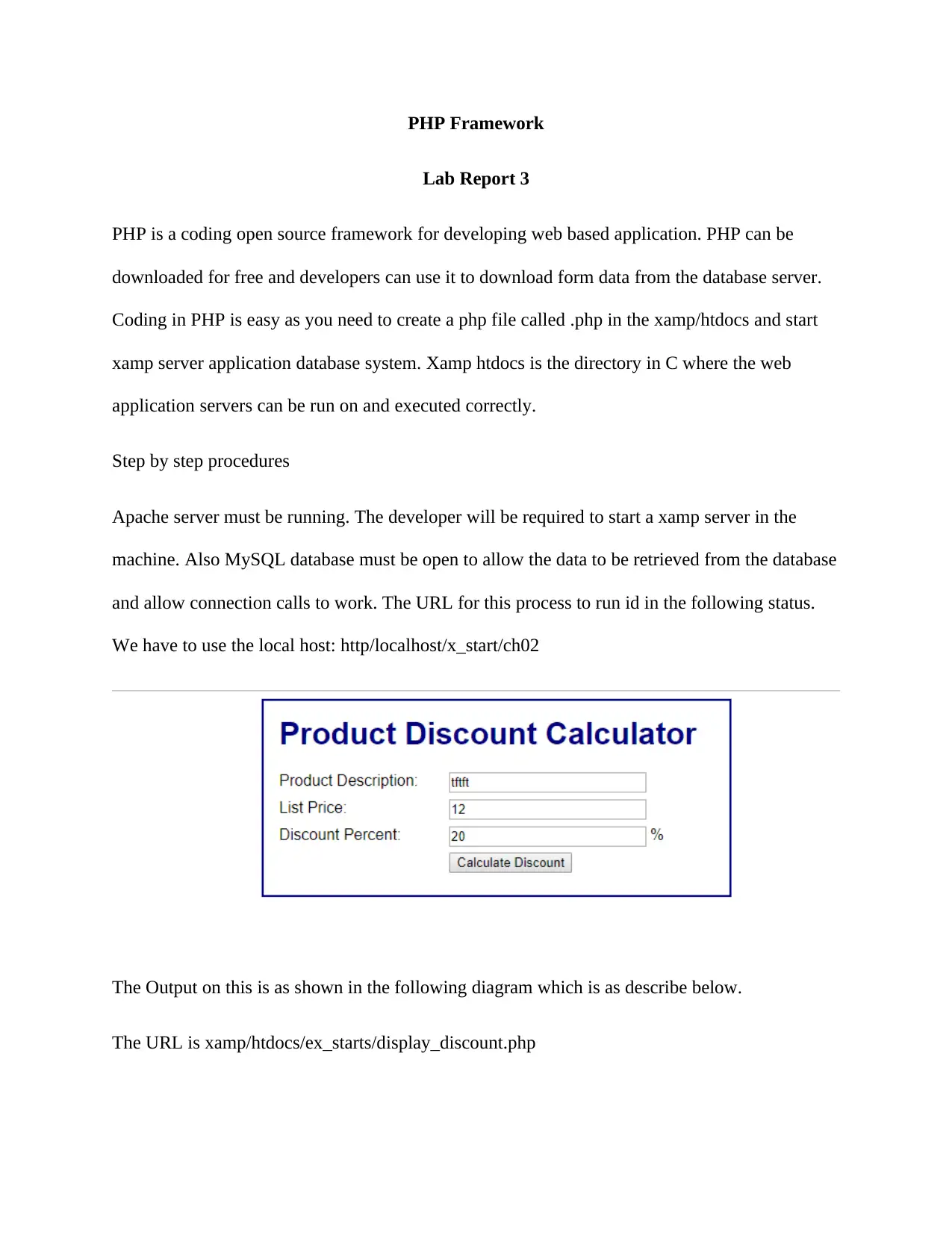
and allow connection calls to work. The URL for this process to run id in the following status.
We have to use the local host: http/localhost/x_start/ch02
The Output on this is as shown in the following diagram which is as describe below.
The URL is xamp/htdocs/ex_starts/display_discount.php
tabler-icon-diamond-filled.svg

Paraphrase This Document

Need a fresh take? Get an instant paraphrase of this document with our AI Paraphraser
Document Page
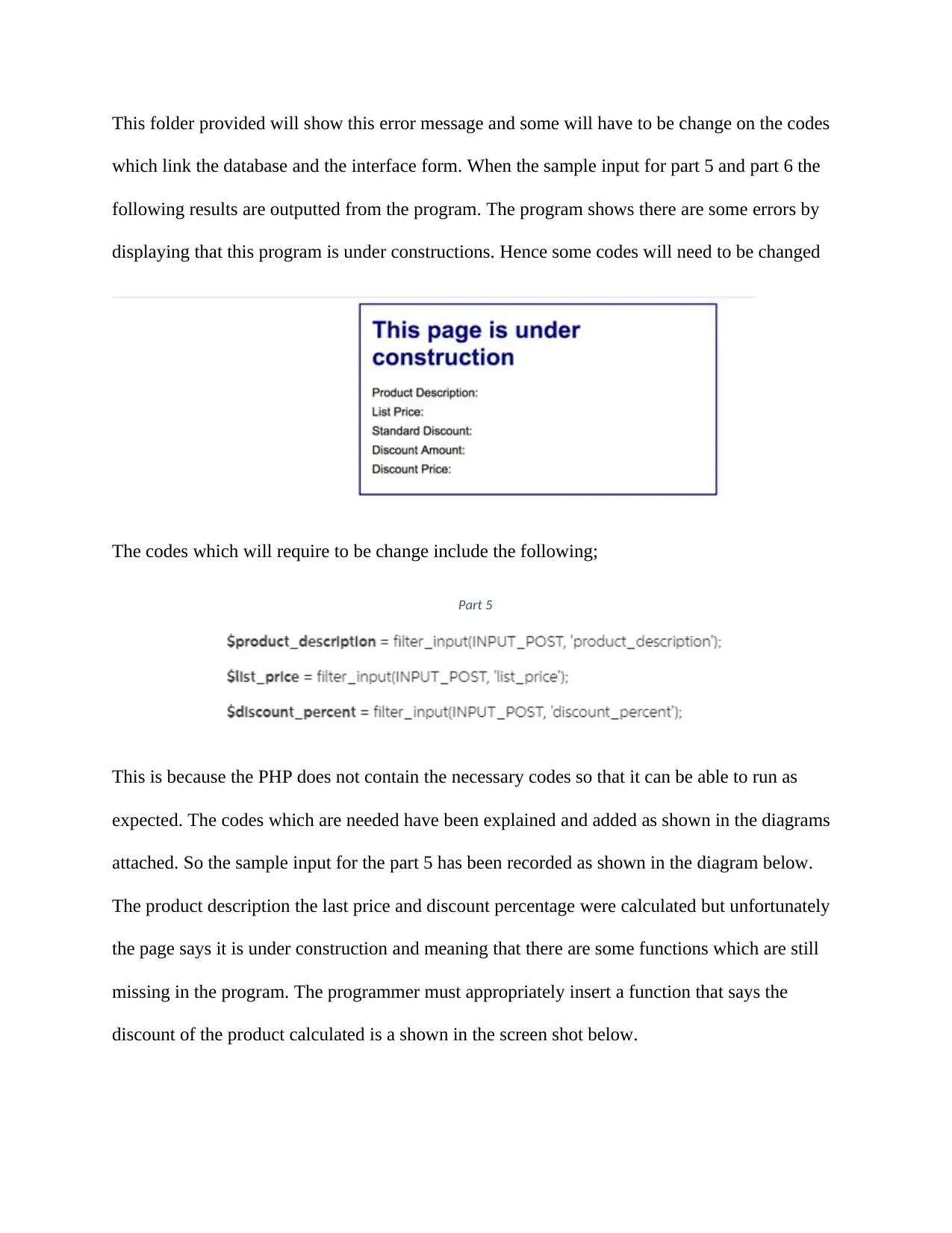
This folder provided will show this error message and some will have to be change on the codes
which link the database and the interface form. When the sample input for part 5 and part 6 the
following results are outputted from the program. The program shows there are some errors by
displaying that this program is under constructions. Hence some codes will need to be changed
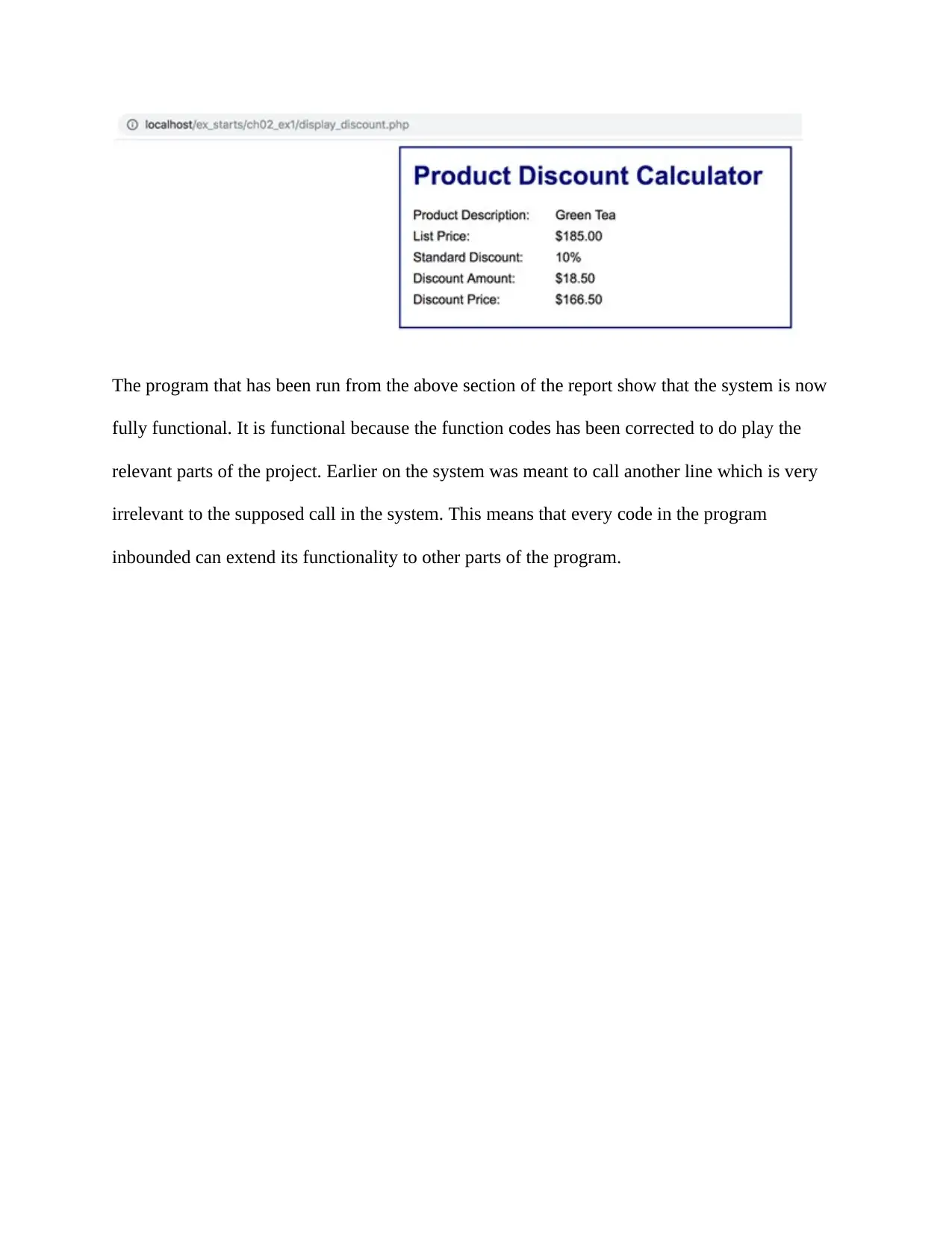
The codes which will require to be change include the following;
Part 5
This is because the PHP does not contain the necessary codes so that it can be able to run as
expected. The codes which are needed have been explained and added as shown in the diagrams
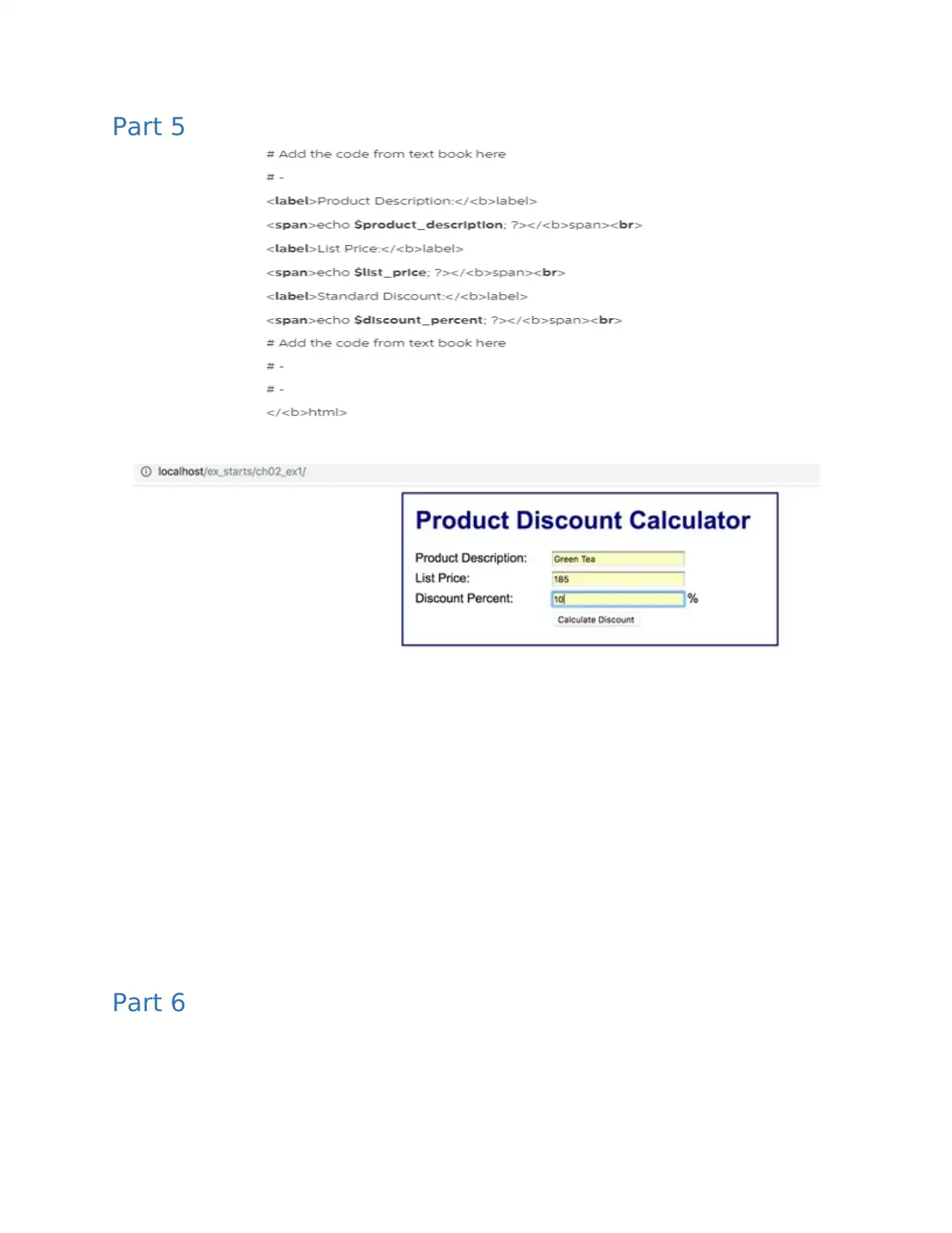
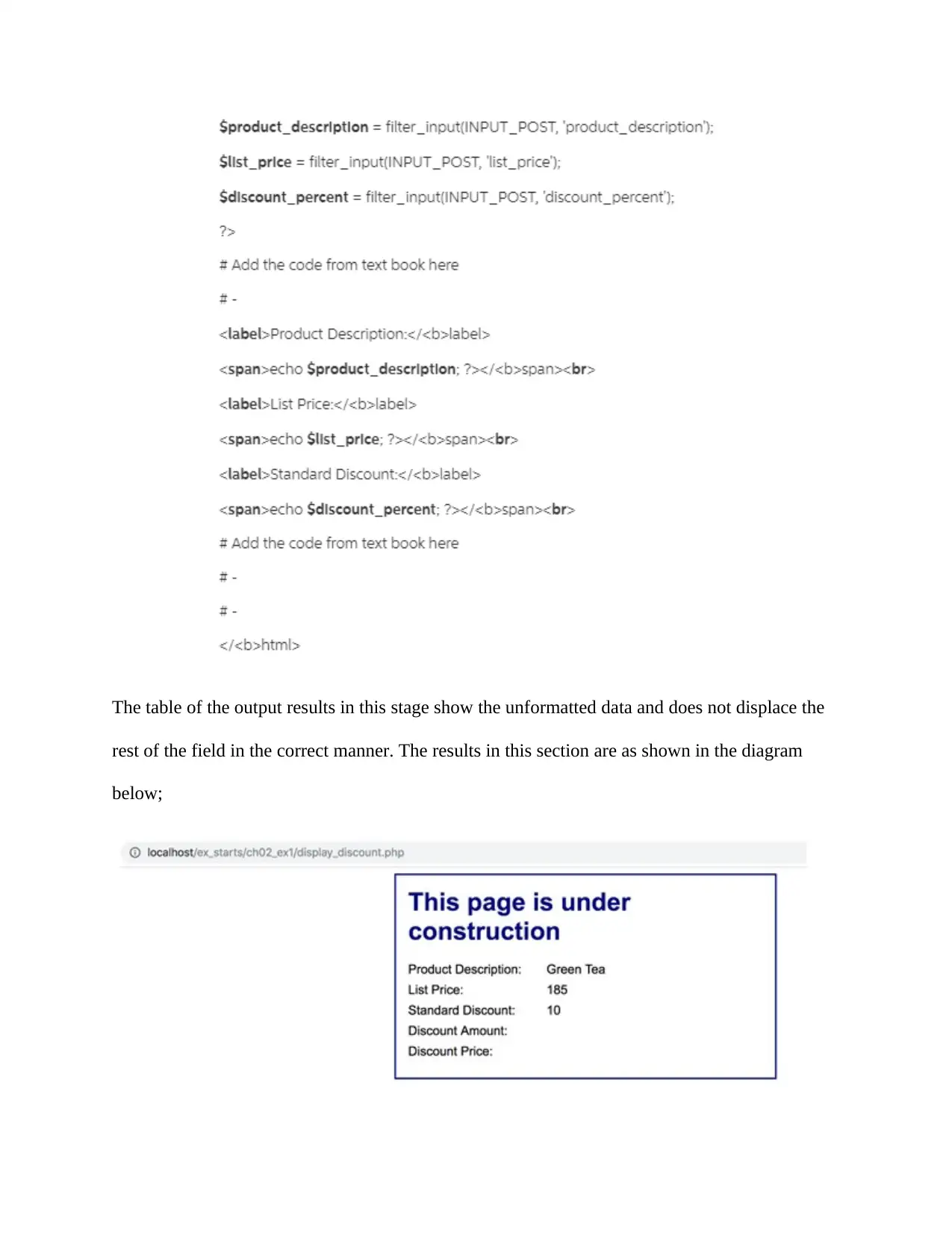
attached. So the sample input for the part 5 has been recorded as shown in the diagram below.
The product description the last price and discount percentage were calculated but unfortunately
the page says it is under construction and meaning that there are some functions which are still
missing in the program. The programmer must appropriately insert a function that says the
discount of the product calculated is a shown in the screen shot below.
Document Page
The program that has been run from the above section of the report show that the system is now
fully functional. It is functional because the function codes has been corrected to do play the
relevant parts of the project. Earlier on the system was meant to call another line which is very
irrelevant to the supposed call in the system. This means that every code in the program
inbounded can extend its functionality to other parts of the program.
Document Page
Part 5
Part 6
tabler-icon-diamond-filled.svg

Paraphrase This Document

Need a fresh take? Get an instant paraphrase of this document with our AI Paraphraser
Document Page
The table of the output results in this stage show the unformatted data and does not displace the
rest of the field in the correct manner. The results in this section are as shown in the diagram
below;
Document Page
Part7
Document Page
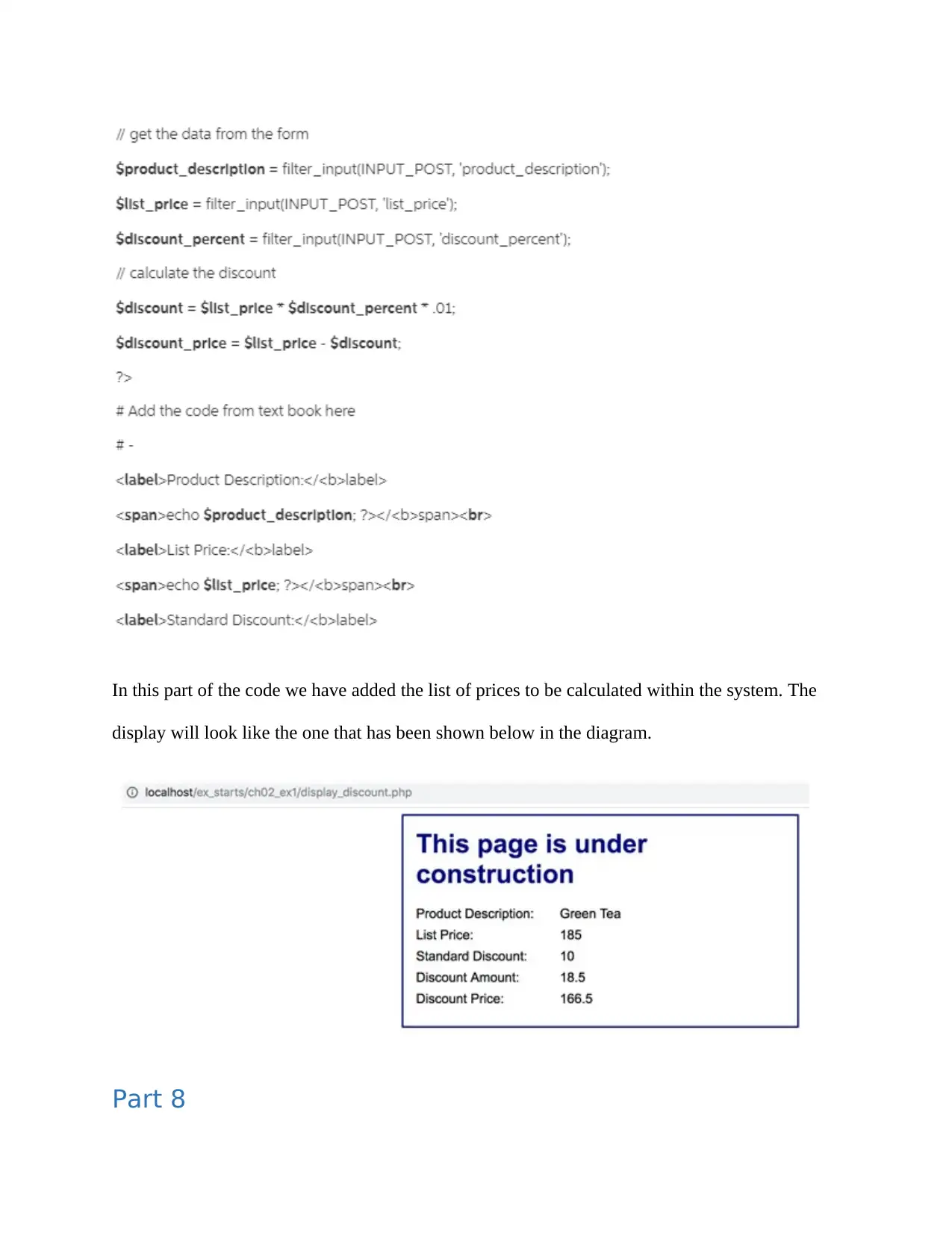
In this part of the code we have added the list of prices to be calculated within the system. The
display will look like the one that has been shown below in the diagram.
Part 8
tabler-icon-diamond-filled.svg

Paraphrase This Document

Need a fresh take? Get an instant paraphrase of this document with our AI Paraphraser
Document Page
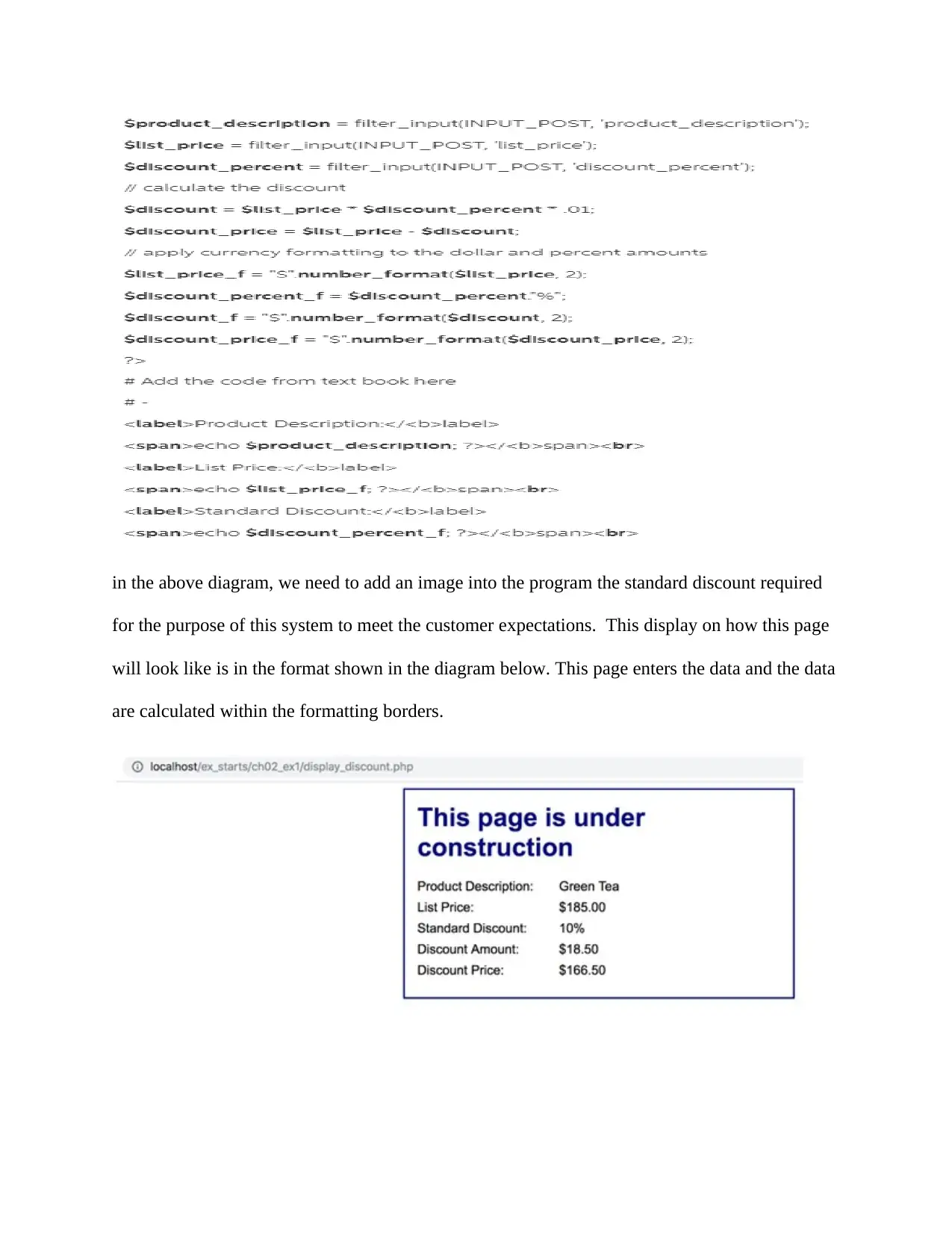
in the above diagram, we need to add an image into the program the standard discount required
for the purpose of this system to meet the customer expectations. This display on how this page
will look like is in the format shown in the diagram below. This page enters the data and the data
are calculated within the formatting borders.
chevron_up_icon
1 out of 8
circle_padding
hide_on_mobile
zoom_out_icon
[object Object]