Finch Robot Zigzag Movement: Pseudocode, Flowchart, and Java Code

Verified

Added on  2022/08/27

|2
|292
|28
Project
AI Summary
This assignment focuses on programming a Finch robot to perform a zigzag movement. The solution includes pseudocode for user input validation, the zigzag movement itself, and file handling. The pseudocode outlines the steps for checking input parameters such as the number and length of zigzag sections, ensuring they meet specified criteria. The Java code, not provided in the prompt, would implement the robot's movement, changing LED colors at each section and pausing. The program also handles data logging to a file, recording the robot's traversal. The overall structure involves user input, validation, robot control, and data storage, providing a comprehensive solution for the Finch robot's zigzag task. The student assignment, available on Desklib, offers a detailed breakdown of the project's requirements and the implemented solution, offering valuable insights for students studying robotics and programming.
Document Page
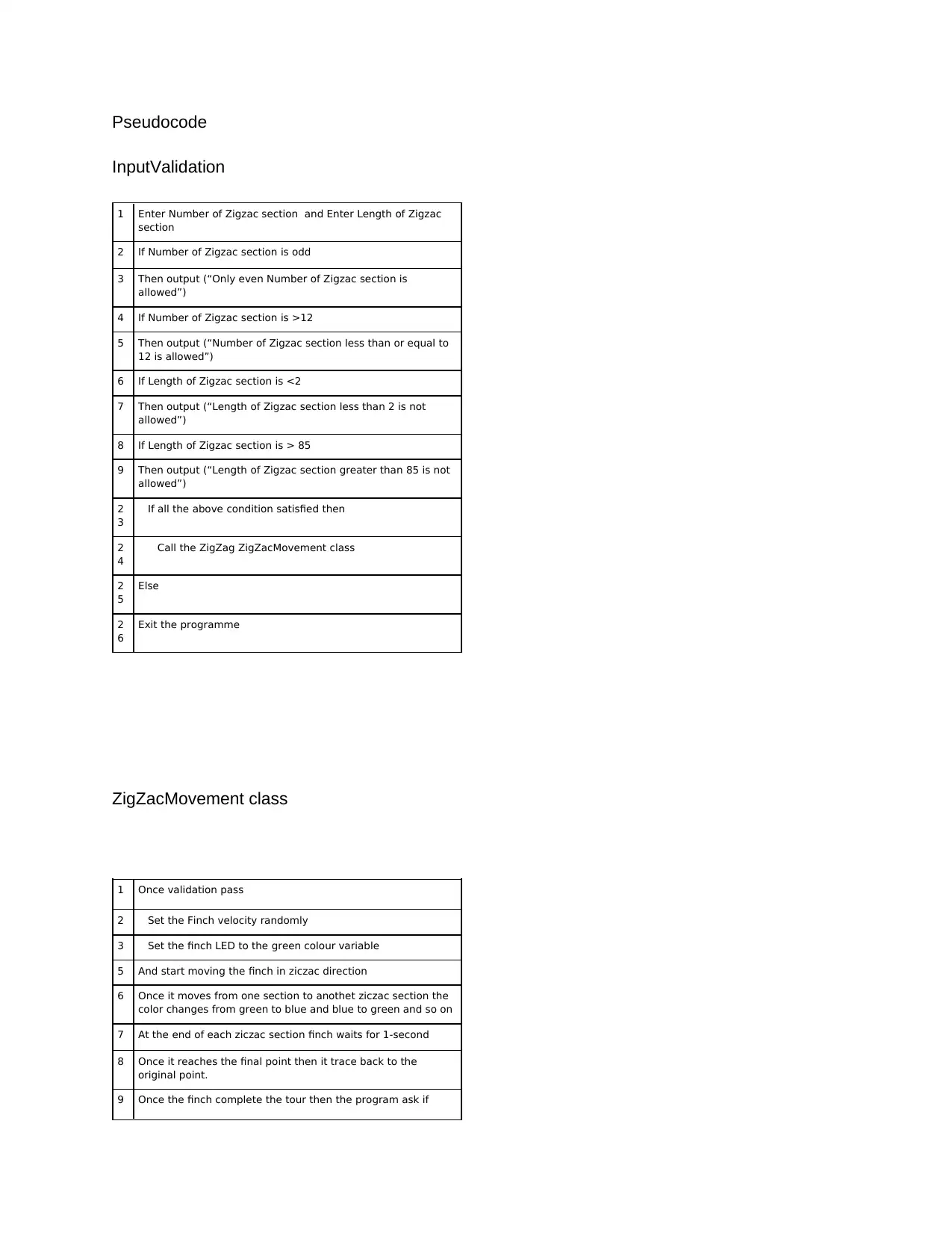
Pseudocode
InputValidation
1 Enter Number of Zigzac section and Enter Length of Zigzac
section
2 If Number of Zigzac section is odd
3 Then output (“Only even Number of Zigzac section is
allowed”)
4 If Number of Zigzac section is >12
5 Then output (“Number of Zigzac section less than or equal to
12 is allowed”)
6 If Length of Zigzac section is <2
7 Then output (“Length of Zigzac section less than 2 is not
allowed”)
8 If Length of Zigzac section is > 85
9 Then output (“Length of Zigzac section greater than 85 is not
allowed”)
2
3
If all the above condition satisfied then
2
4
Call the ZigZag ZigZacMovement class
2
5
Else
2
6
Exit the programme
ZigZacMovement class
1 Once validation pass
2 Set the Finch velocity randomly
3 Set the finch LED to the green colour variable
5 And start moving the finch in ziczac direction
6 Once it moves from one section to anothet ziczac section the
color changes from green to blue and blue to green and so on
7 At the end of each ziczac section finch waits for 1-second
8 Once it reaches the final point then it trace back to the
original point.
9 Once the finch complete the tour then the program ask if
tabler-icon-diamond-filled.svg

Paraphrase This Document

Need a fresh take? Get an instant paraphrase of this document with our AI Paraphraser
Document Page
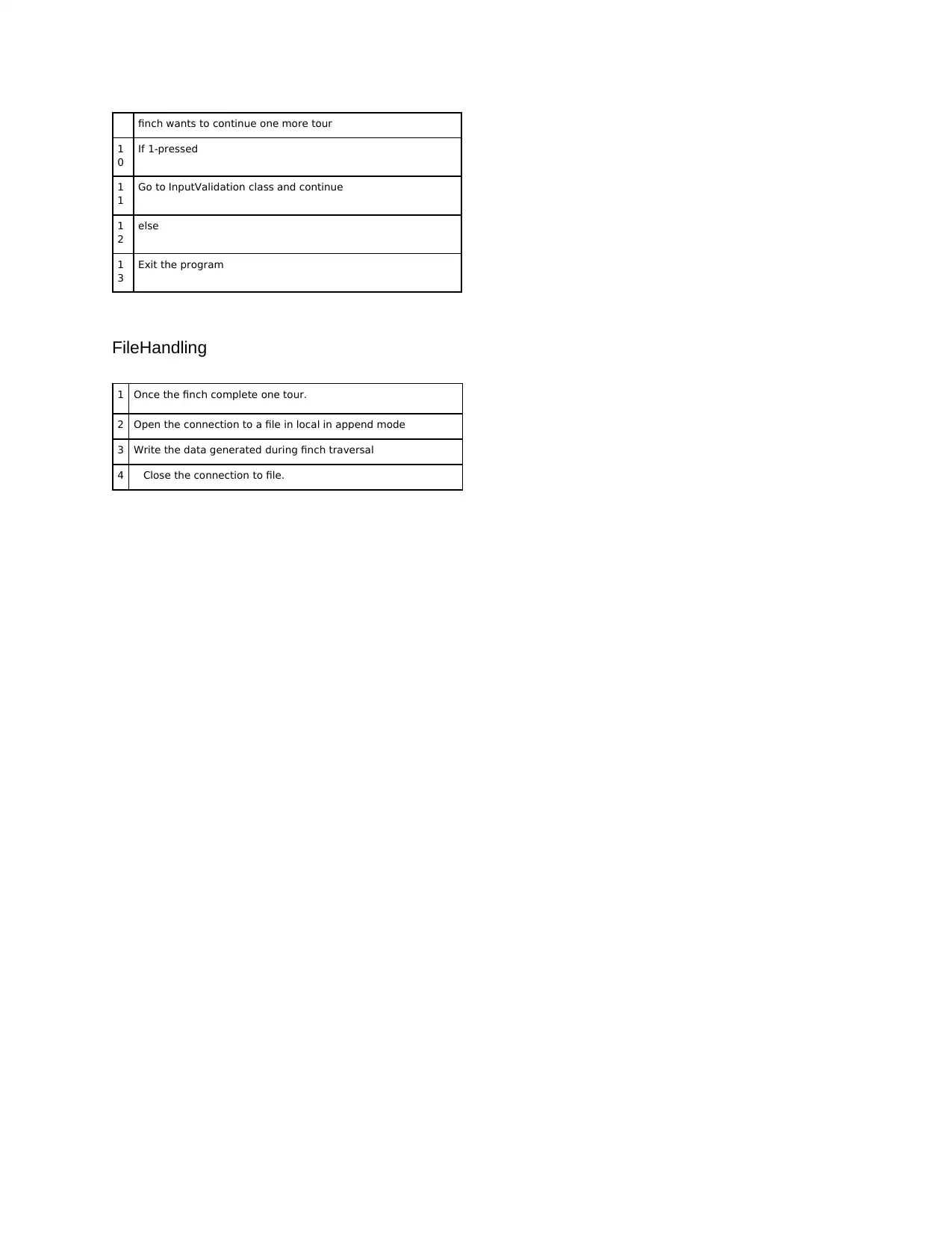
finch wants to continue one more tour
1
0
If 1-pressed
1
1
Go to InputValidation class and continue
1
2
else
1
3
Exit the program
FileHandling
1 Once the finch complete one tour.
2 Open the connection to a file in local in append mode
3 Write the data generated during finch traversal
4 Close the connection to file.
chevron_up_icon
1 out of 2
circle_padding
hide_on_mobile
zoom_out_icon
[object Object]