Car Accessories Shop XML Document Report and CSS Styling

Verified

Added on  2019/09/16

|6
|1607
|364
Report
AI Summary
This report provides a comprehensive analysis of an XML document designed for a car accessories shop. It begins by defining XML and its purpose in data transport and storage, explaining key components like XML declaration, Document Type Declaration (DTD), and the body containing elements and markup. The report details the structure of the XML document, including the use of internal DTD to validate the document's structure and defines elements such as carAccessoriesShop, shopDetail, and carAccessories. The shopDetail element describes shop information, while carAccessories lists various items. The report also explains the development process, including creating the XML document, incorporating shop and item details, and integrating a CSS file for styling. It discusses the limitations of XML and CSS, such as the steep learning curve of XML and the browser-specific alignment issues of CSS. References to relevant research papers are included to support the analysis, providing a solid foundation for understanding XML and its application in web development, specifically in the context of structuring and presenting data for a car accessories shop.
Document Page
REPORT
XML Document?
ANS: XML (Extensible Markup Language). It is a language which was designed to transport the data and
to store the data. It composed of elements and other markup code. One element can contain some other
element. Along with element, markup it may contain some other like comment and processing
Instruction.
It consists of following elements:
XML Declaration
Document Type Declaration (DTD)
Body
XML Declaration: It is a piece of code which is used to identify this an XML document which may
include version and encoding scheme
Document Type Declaration (DTD): DTD follows the xml document. It is used to validate the xml
document. It contains some set of rules defined by the user.
Body: Body contains the xml code which defines what this code is supposed to do. It works with the help
of element that element may contains some further element or may be some other information
What is Document Type Declaration?
ANS: A Document type Definition contains some legal set of blocks that defines the structure of XML
document. A DTD can be declared inside an XML document or can be declared in some other separate
file based on its use naming is provided as Internal DTD or External DTD
XML Document with an internal DTD
tabler-icon-diamond-filled.svg

Paraphrase This Document

Need a fresh take? Get an instant paraphrase of this document with our AI Paraphraser
Document Page
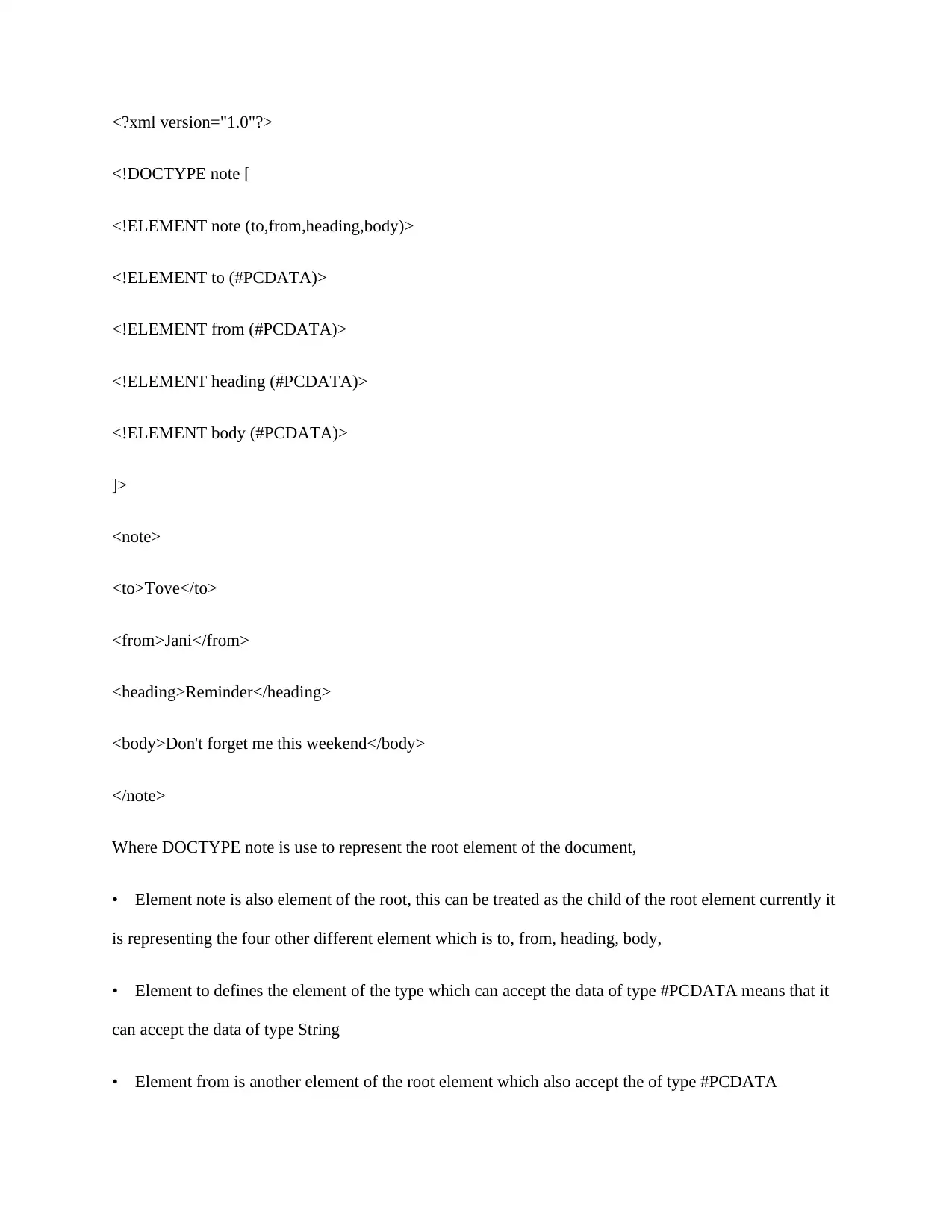
<?xml version="1.0"?>
<!DOCTYPE note [
<!ELEMENT note (to,from,heading,body)>
<!ELEMENT to (#PCDATA)>
<!ELEMENT from (#PCDATA)>
<!ELEMENT heading (#PCDATA)>
<!ELEMENT body (#PCDATA)>
]>
<note>
<to>Tove</to>
<from>Jani</from>
<heading>Reminder</heading>
<body>Don't forget me this weekend</body>
</note>
Where DOCTYPE note is use to represent the root element of the document,
Element note is also element of the root, this can be treated as the child of the root element currently it
is representing the four other different element which is to, from, heading, body,
Element to defines the element of the type which can accept the data of type #PCDATA means that it
can accept the data of type String
Element from is another element of the root element which also accept the of type #PCDATA
Document Page
Element heading is the element of the root which represent the heading of the root element
Element body is one another kind of element of the root element which also accept the type of
#PCDATA
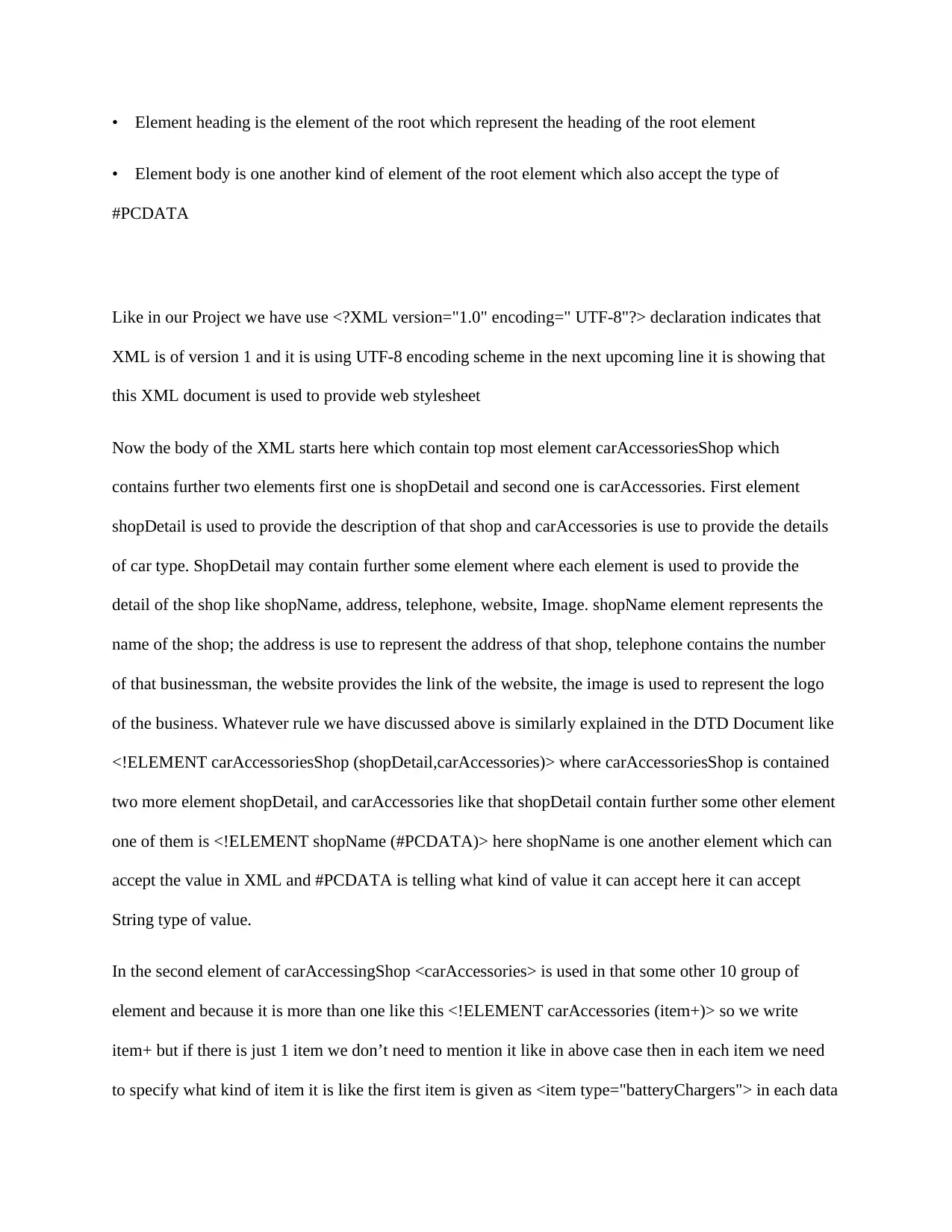
Like in our Project we have use <?XML version="1.0" encoding=" UTF-8"?> declaration indicates that
XML is of version 1 and it is using UTF-8 encoding scheme in the next upcoming line it is showing that
this XML document is used to provide web stylesheet
Now the body of the XML starts here which contain top most element carAccessoriesShop which
contains further two elements first one is shopDetail and second one is carAccessories. First element
shopDetail is used to provide the description of that shop and carAccessories is use to provide the details
of car type. ShopDetail may contain further some element where each element is used to provide the
detail of the shop like shopName, address, telephone, website, Image. shopName element represents the
name of the shop; the address is use to represent the address of that shop, telephone contains the number
of that businessman, the website provides the link of the website, the image is used to represent the logo
of the business. Whatever rule we have discussed above is similarly explained in the DTD Document like
<!ELEMENT carAccessoriesShop (shopDetail,carAccessories)> where carAccessoriesShop is contained
two more element shopDetail, and carAccessories like that shopDetail contain further some other element
one of them is <!ELEMENT shopName (#PCDATA)> here shopName is one another element which can
accept the value in XML and #PCDATA is telling what kind of value it can accept here it can accept
String type of value.
In the second element of carAccessingShop <carAccessories> is used in that some other 10 group of
element and because it is more than one like this <!ELEMENT carAccessories (item+)> so we write
item+ but if there is just 1 item we don’t need to mention it like in above case then in each item we need
to specify what kind of item it is like the first item is given as <item type="batteryChargers"> in each data
Document Page
item it contains the feature of that data item like features of batteryCharges is its name, number,
Description of the item, how much quantity is available in the stock, what is the price of the item
everything behave like an element in each element they further described
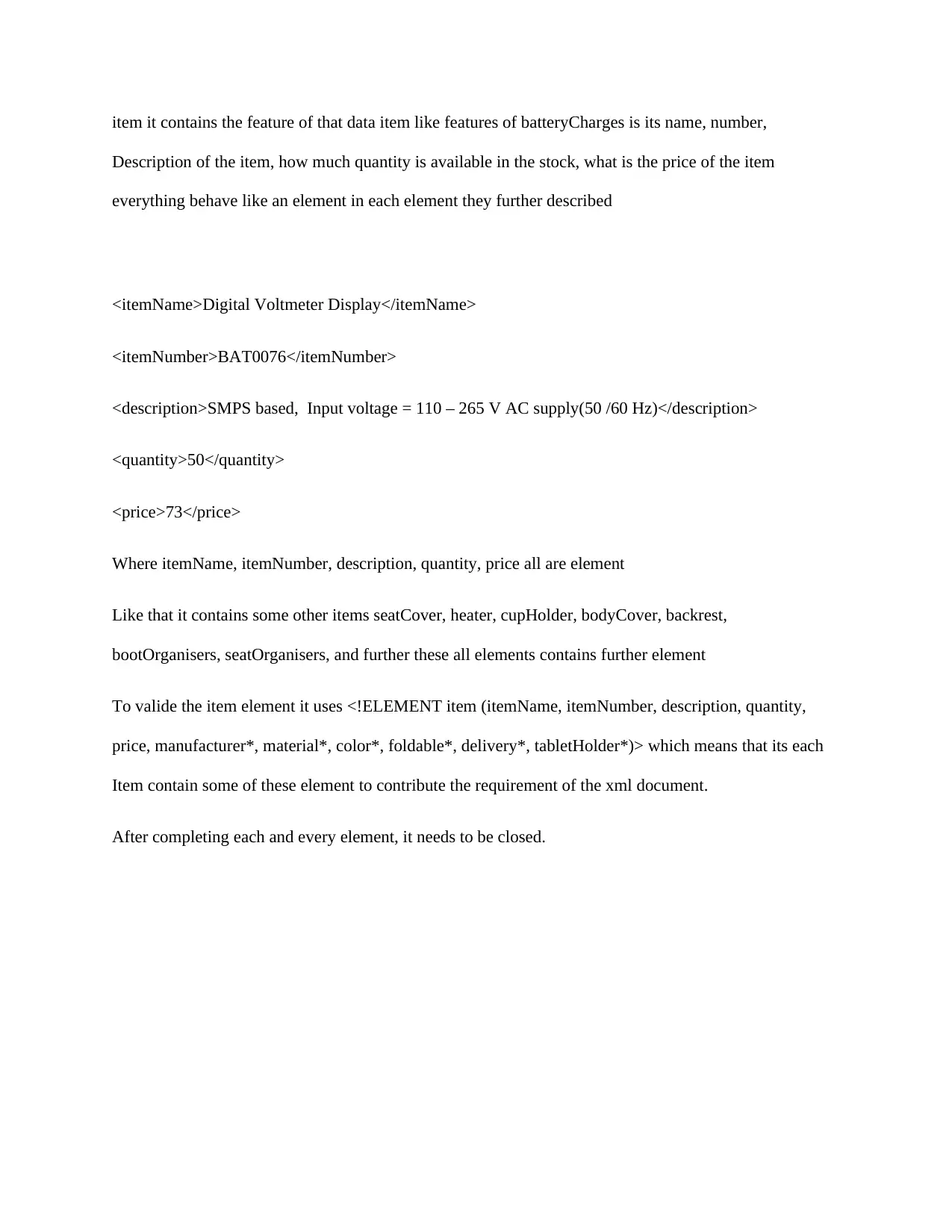
<itemName>Digital Voltmeter Display</itemName>
<itemNumber>BAT0076</itemNumber>
<description>SMPS based, Input voltage = 110 – 265 V AC supply(50 /60 Hz)</description>
<quantity>50</quantity>
<price>73</price>
Where itemName, itemNumber, description, quantity, price all are element
Like that it contains some other items seatCover, heater, cupHolder, bodyCover, backrest,
bootOrganisers, seatOrganisers, and further these all elements contains further element
To valide the item element it uses <!ELEMENT item (itemName, itemNumber, description, quantity,
price, manufacturer*, material*, color*, foldable*, delivery*, tabletHolder*)> which means that its each
Item contain some of these element to contribute the requirement of the xml document.
After completing each and every element, it needs to be closed.
tabler-icon-diamond-filled.svg

Paraphrase This Document

Need a fresh take? Get an instant paraphrase of this document with our AI Paraphraser
Document Page
How you developed the cwk
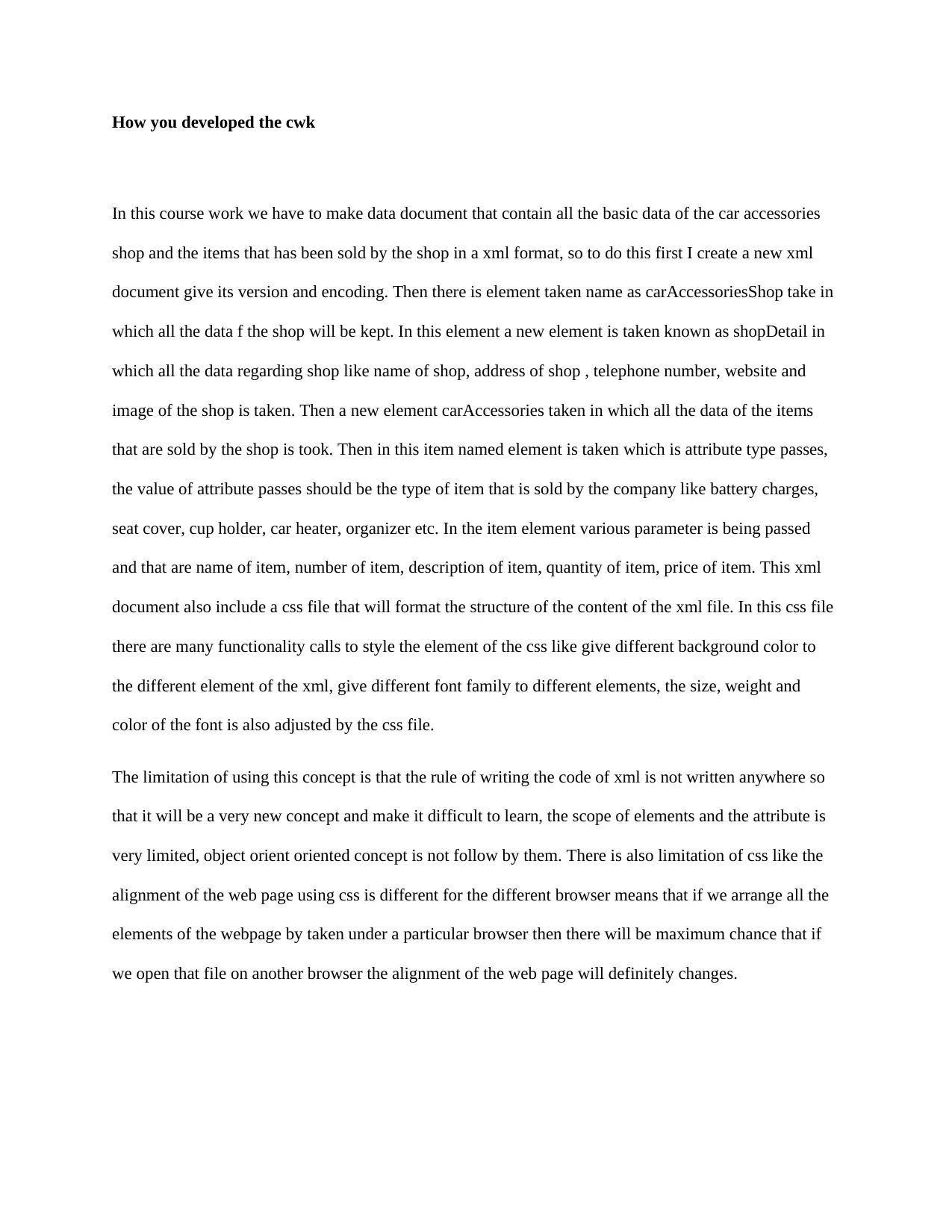
In this course work we have to make data document that contain all the basic data of the car accessories
shop and the items that has been sold by the shop in a xml format, so to do this first I create a new xml
document give its version and encoding. Then there is element taken name as carAccessoriesShop take in
which all the data f the shop will be kept. In this element a new element is taken known as shopDetail in
which all the data regarding shop like name of shop, address of shop , telephone number, website and
image of the shop is taken. Then a new element carAccessories taken in which all the data of the items
that are sold by the shop is took. Then in this item named element is taken which is attribute type passes,
the value of attribute passes should be the type of item that is sold by the company like battery charges,
seat cover, cup holder, car heater, organizer etc. In the item element various parameter is being passed
and that are name of item, number of item, description of item, quantity of item, price of item. This xml
document also include a css file that will format the structure of the content of the xml file. In this css file
there are many functionality calls to style the element of the css like give different background color to
the different element of the xml, give different font family to different elements, the size, weight and
color of the font is also adjusted by the css file.
The limitation of using this concept is that the rule of writing the code of xml is not written anywhere so
that it will be a very new concept and make it difficult to learn, the scope of elements and the attribute is
very limited, object orient oriented concept is not follow by them. There is also limitation of css like the
alignment of the web page using css is different for the different browser means that if we arrange all the
elements of the webpage by taken under a particular browser then there will be maximum chance that if
we open that file on another browser the alignment of the web page will definitely changes.
Document Page
References:
Patwardhan, A., & Patwardhan, R. (2016). XML Entity Architecture for Efficient Software Integration.
arXiv preprint arXiv:1606.07941.
Khan, A. S. (2016). U.S. Patent No. 9,286,275. Washington, DC: U.S. Patent and Trademark Office.
Jollet, F., Torrent, M., & Holzwarth, N. (2014). Generation of Projector Augmented-Wave atomic data: A
71 element validated table in the XML format. Computer Physics Communications, 185(4), 1246-1254.
Suri, P., & Sharma, D. (2016). An Algorithm for Mapping ER Schema into XML DTD with Recursion.
International Journal of Computer Applications, 136(10), 16-17.
chevron_up_icon
1 out of 6
circle_padding
hide_on_mobile
zoom_out_icon
[object Object]