A9 Java Program: Text Histogram

Verified

Added on  2019/09/16

|3
|489
|326
Homework Assignment
AI Summary
This Java assignment requires students to write a program that takes a line of text as input and generates a histogram of the vowels present in the text. The provided solution includes the base functionality of reading the text and displaying a horizontal histogram. Additionally, it outlines the extra credit component, which involves creating a vertical histogram of the vowels. The program is designed to be case-insensitive and adheres to the course's constraints, such as not using arrays or other advanced concepts. The solution is contained within a single Java file named A9.java.
Document Page
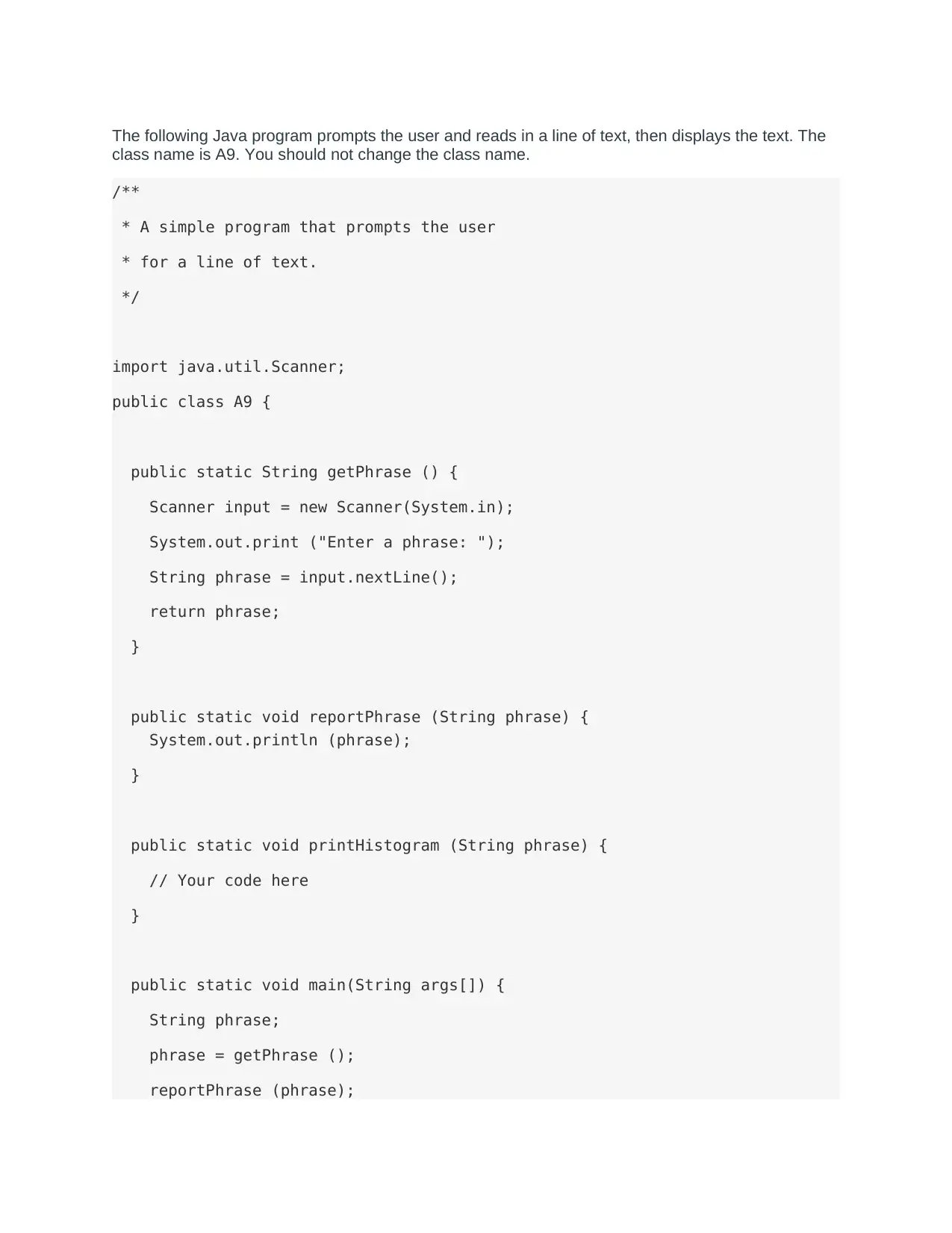
The following Java program prompts the user and reads in a line of text, then displays the text. The
class name is A9. You should not change the class name.
/**
* A simple program that prompts the user
* for a line of text.
*/
import java.util.Scanner;
public class A9 {
public static String getPhrase () {
Scanner input = new Scanner(System.in);
System.out.print ("Enter a phrase: ");
String phrase = input.nextLine();
return phrase;
}
public static void reportPhrase (String phrase) {
System.out.println (phrase);
}
public static void printHistogram (String phrase) {
// Your code here
}
public static void main(String args[]) {
String phrase;
phrase = getPhrase ();
reportPhrase (phrase);
tabler-icon-diamond-filled.svg

Paraphrase This Document

Need a fresh take? Get an instant paraphrase of this document with our AI Paraphraser
Document Page
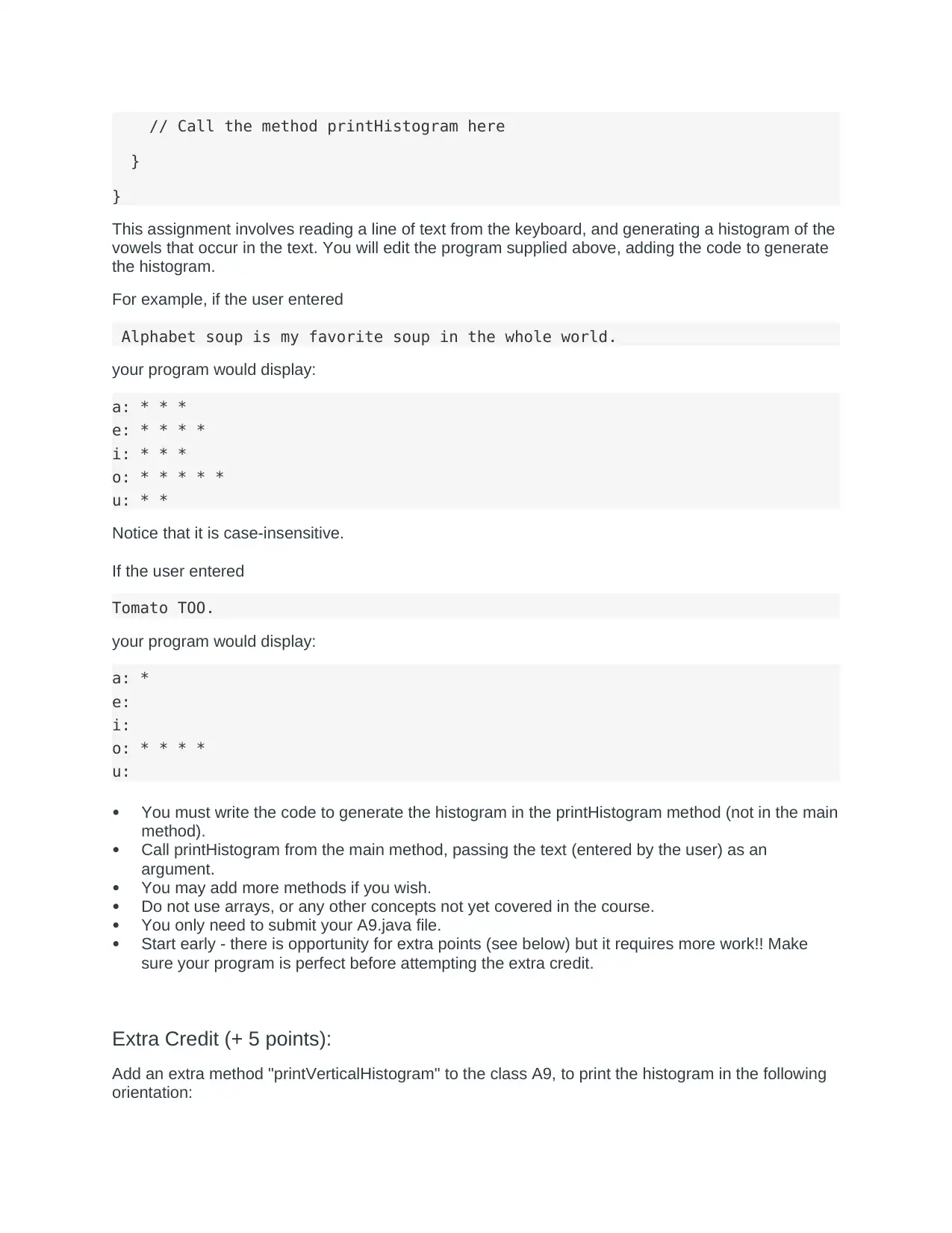
// Call the method printHistogram here
}
}
This assignment involves reading a line of text from the keyboard, and generating a histogram of the
vowels that occur in the text. You will edit the program supplied above, adding the code to generate
the histogram.
For example, if the user entered
Alphabet soup is my favorite soup in the whole world.
your program would display:
a: * * *
e: * * * *
i: * * *
o: * * * * *
u: * *
Notice that it is case-insensitive.
If the user entered
Tomato TOO.
your program would display:
a: *
e:
i:
o: * * * *
u:
You must write the code to generate the histogram in the printHistogram method (not in the main
method).
Call printHistogram from the main method, passing the text (entered by the user) as an
argument.
You may add more methods if you wish.
Do not use arrays, or any other concepts not yet covered in the course.
You only need to submit your A9.java file.
Start early - there is opportunity for extra points (see below) but it requires more work!! Make
sure your program is perfect before attempting the extra credit.
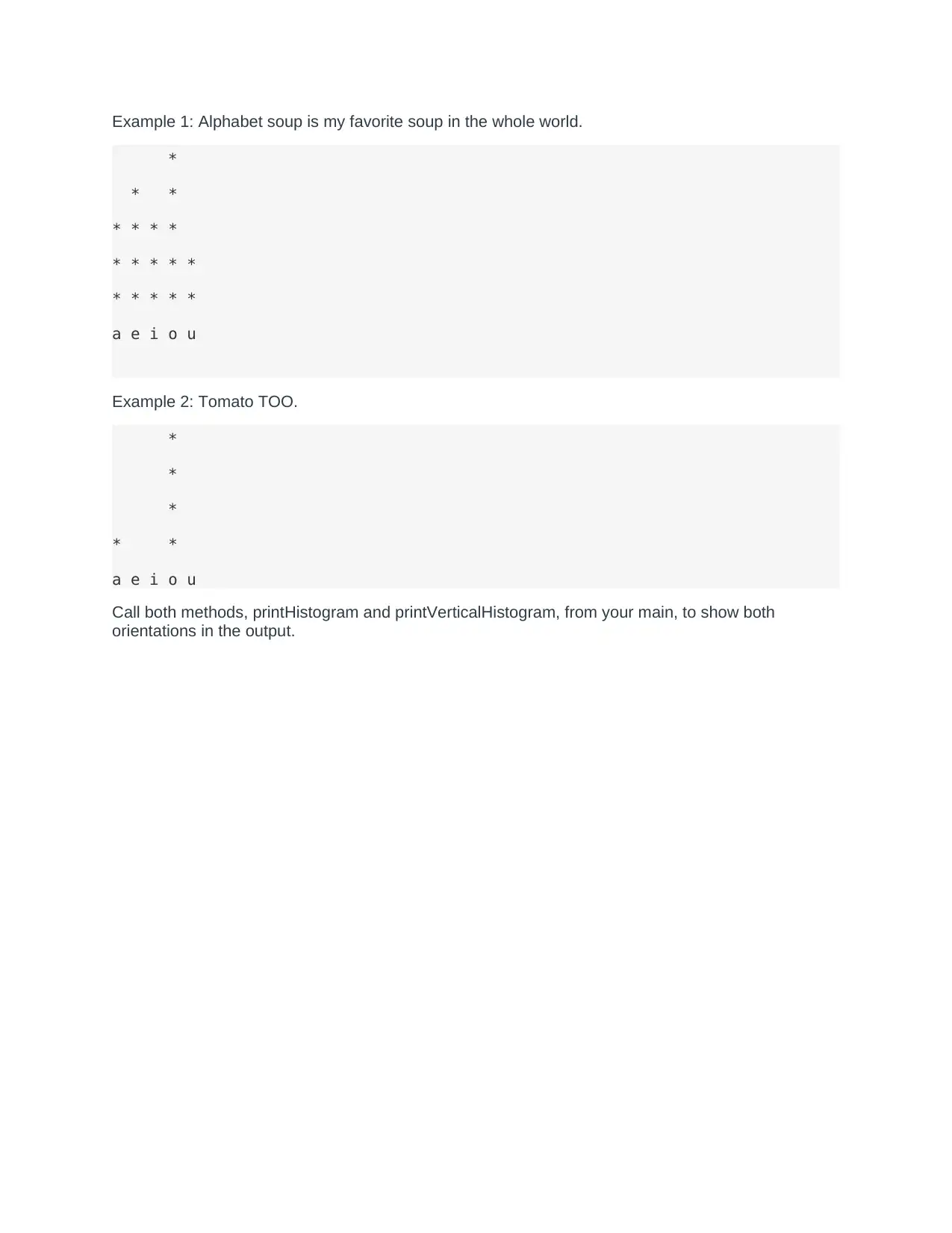
Extra Credit (+ 5 points):
Add an extra method "printVerticalHistogram" to the class A9, to print the histogram in the following
orientation:
Document Page
Example 1: Alphabet soup is my favorite soup in the whole world.
*
* *
* * * *
* * * * *
* * * * *
a e i o u
Example 2: Tomato TOO.
*
*
*
* *
a e i o u
Call both methods, printHistogram and printVerticalHistogram, from your main, to show both
orientations in the output.
chevron_up_icon
1 out of 3
circle_padding
hide_on_mobile
zoom_out_icon
[object Object]