Data Hiding, Steganography, and Anonymity: Techniques and Analysis

Verified

Added on  2023/04/23

|13
|709
|121
Homework Assignment
AI Summary
This assignment delves into the techniques of data hiding, steganography, and anonymity, showcasing practical applications using various methods. It begins with using a hex editor to hide and find information within files, along with examining file properties and hashing to differentiate similar-looking files. The assignment then explores message encoding and decoding using semmamimics, followed by decoding hidden messages using methods like Null Cipher. Finally, it demonstrates data hiding within a JPG file using Invisible Secrets, including the encryption and decryption procedures, complete with file hashing and password protection. The assignment provides a comprehensive overview of different approaches to concealing data and ensuring anonymity.

Document Page
Running head: DATA HIDING, STEGANOGRAPHY AND ANONYMITY
Data Hiding, Steganography, and Anonymity
Name of the Student
Name of the University
Author Note
tabler-icon-diamond-filled.svg

Paraphrase This Document

Need a fresh take? Get an instant paraphrase of this document with our AI Paraphraser
Document Page
1Data Hiding, Steganography, and Anonymity
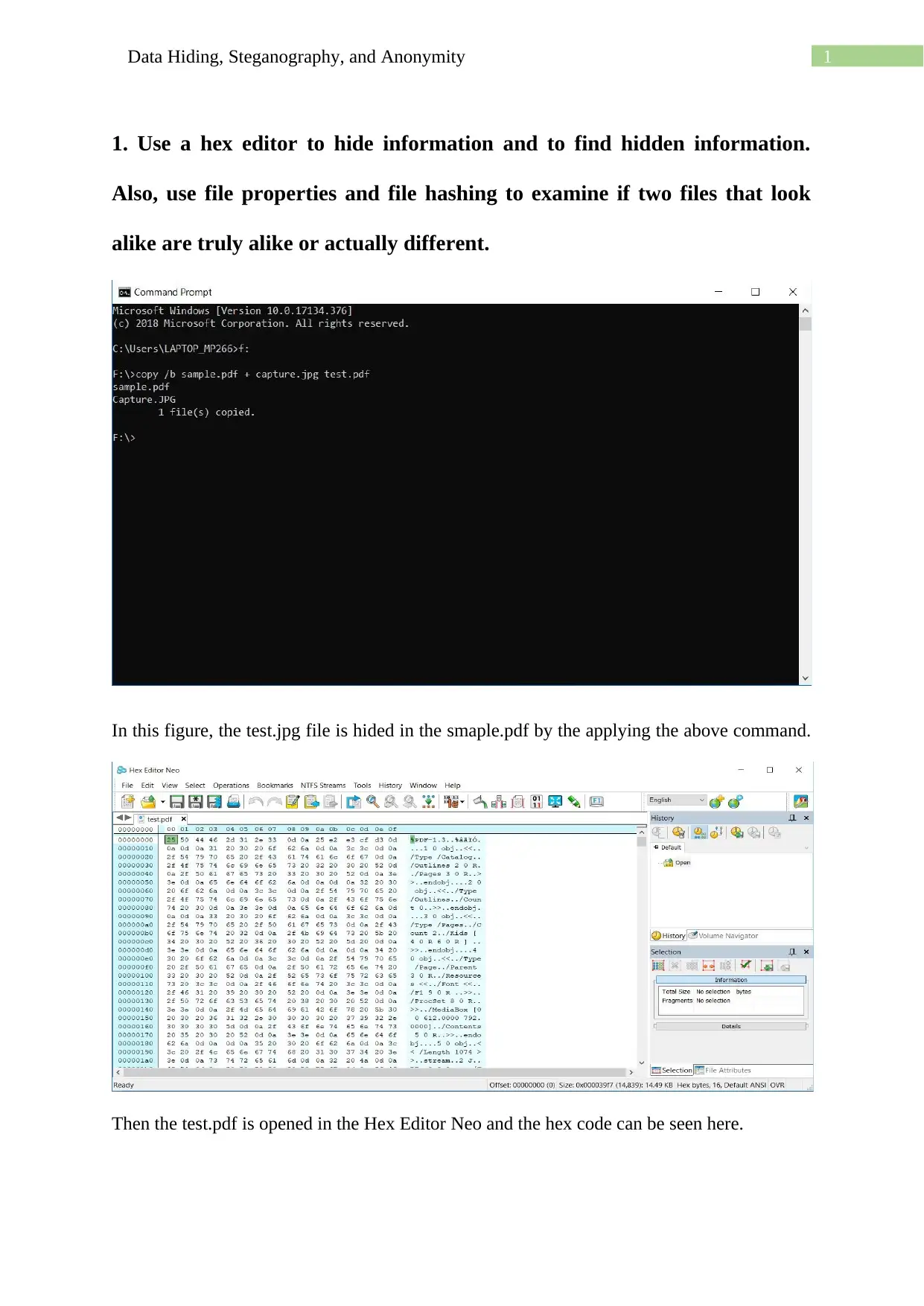
1. Use a hex editor to hide information and to find hidden information.
Also, use file properties and file hashing to examine if two files that look
alike are truly alike or actually different.
In this figure, the test.jpg file is hided in the smaple.pdf by the applying the above command.
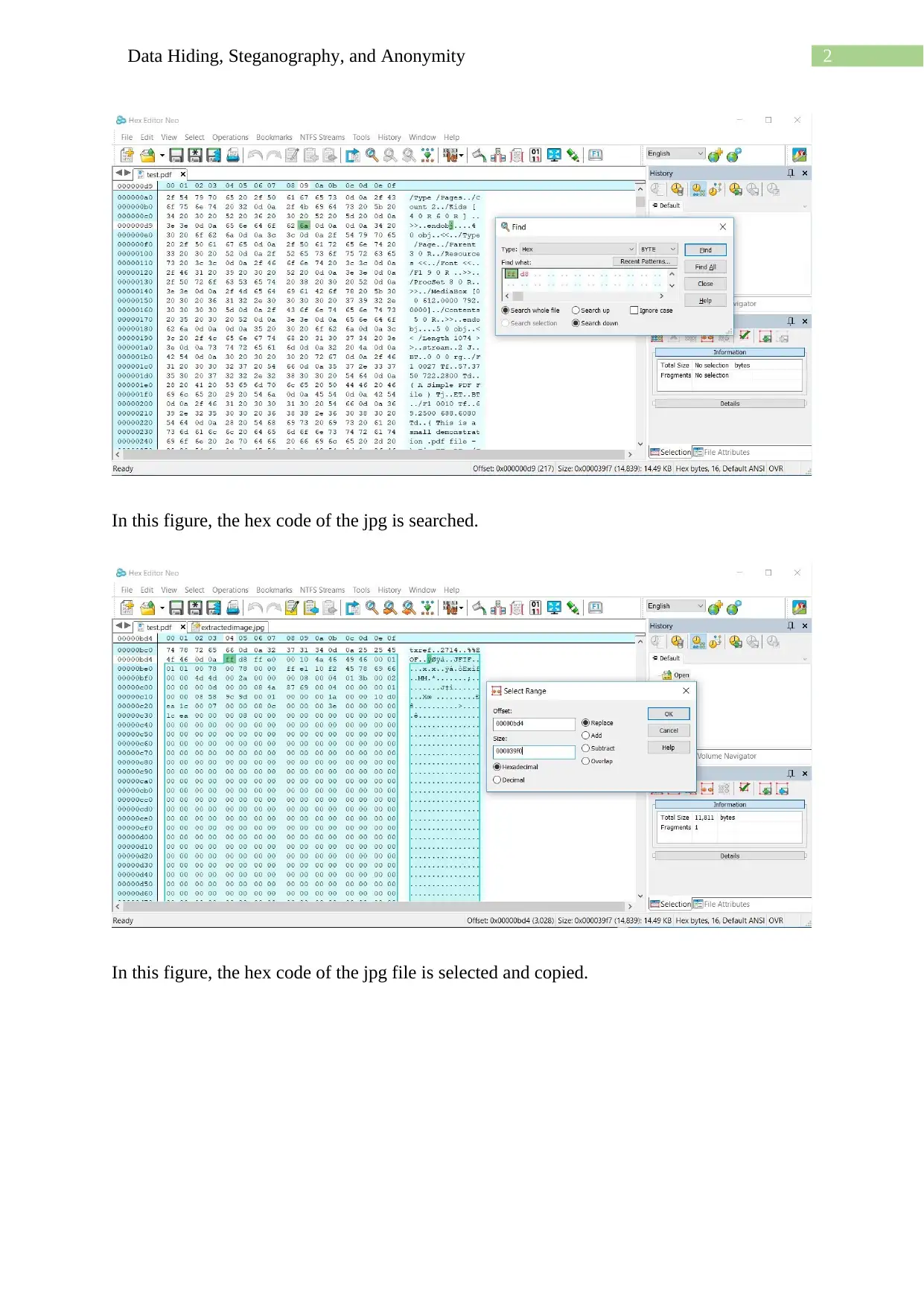
Then the test.pdf is opened in the Hex Editor Neo and the hex code can be seen here.
Document Page
2Data Hiding, Steganography, and Anonymity
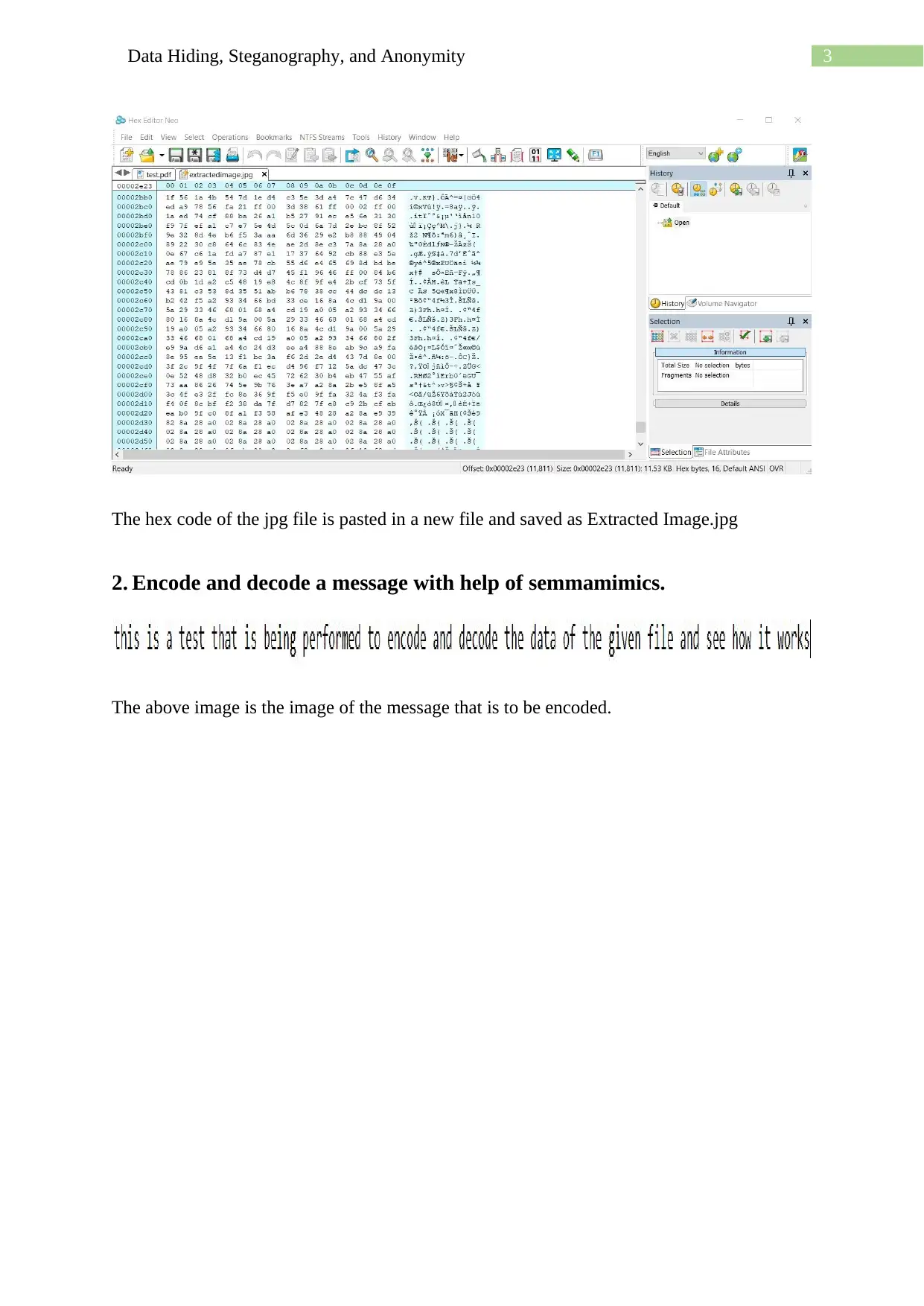
In this figure, the hex code of the jpg is searched.
In this figure, the hex code of the jpg file is selected and copied.
Document Page
3Data Hiding, Steganography, and Anonymity
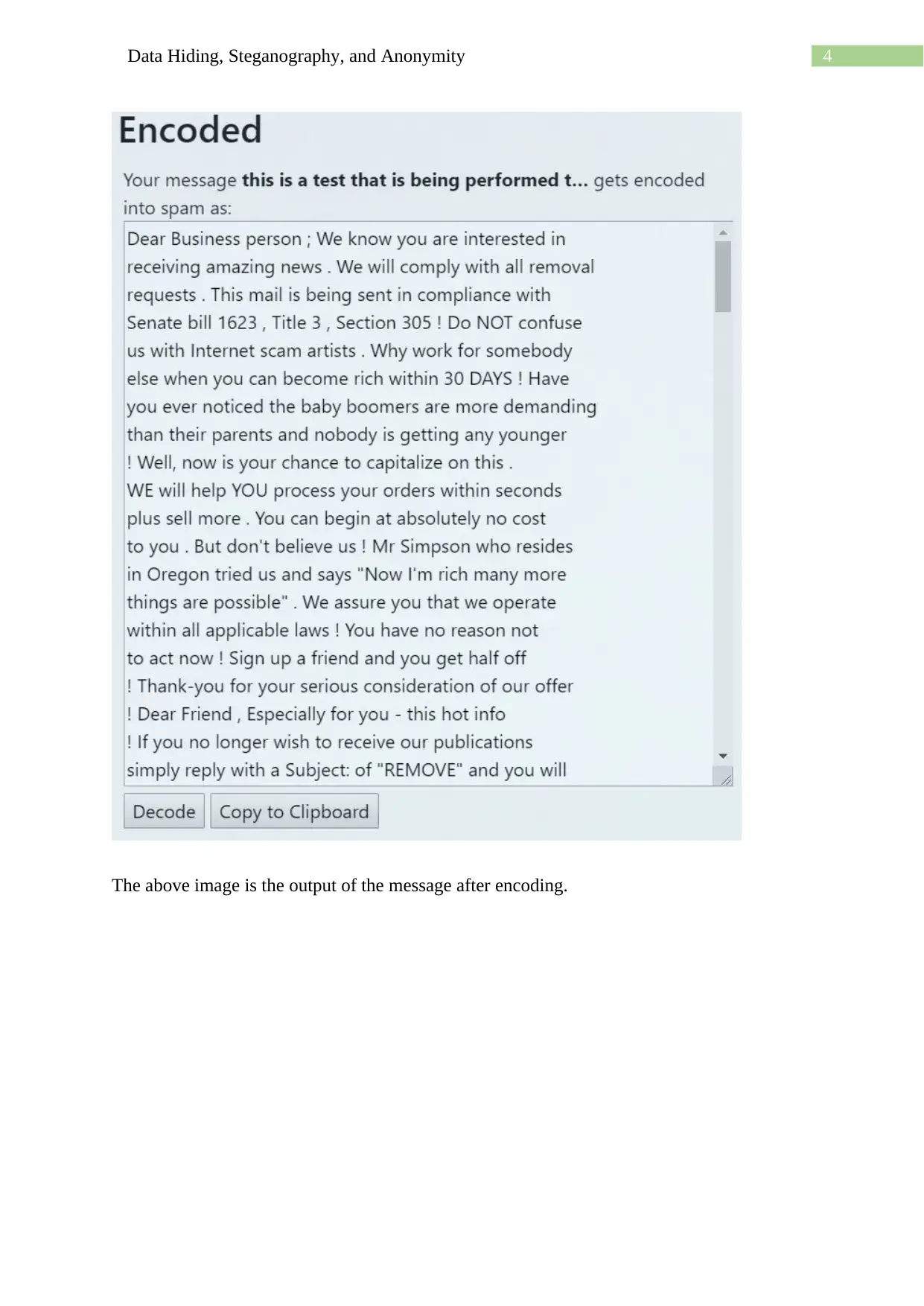
The hex code of the jpg file is pasted in a new file and saved as Extracted Image.jpg
2. Encode and decode a message with help of semmamimics.
The above image is the image of the message that is to be encoded.
tabler-icon-diamond-filled.svg

Paraphrase This Document

Need a fresh take? Get an instant paraphrase of this document with our AI Paraphraser
Document Page
4Data Hiding, Steganography, and Anonymity
The above image is the output of the message after encoding.
Document Page
5Data Hiding, Steganography, and Anonymity
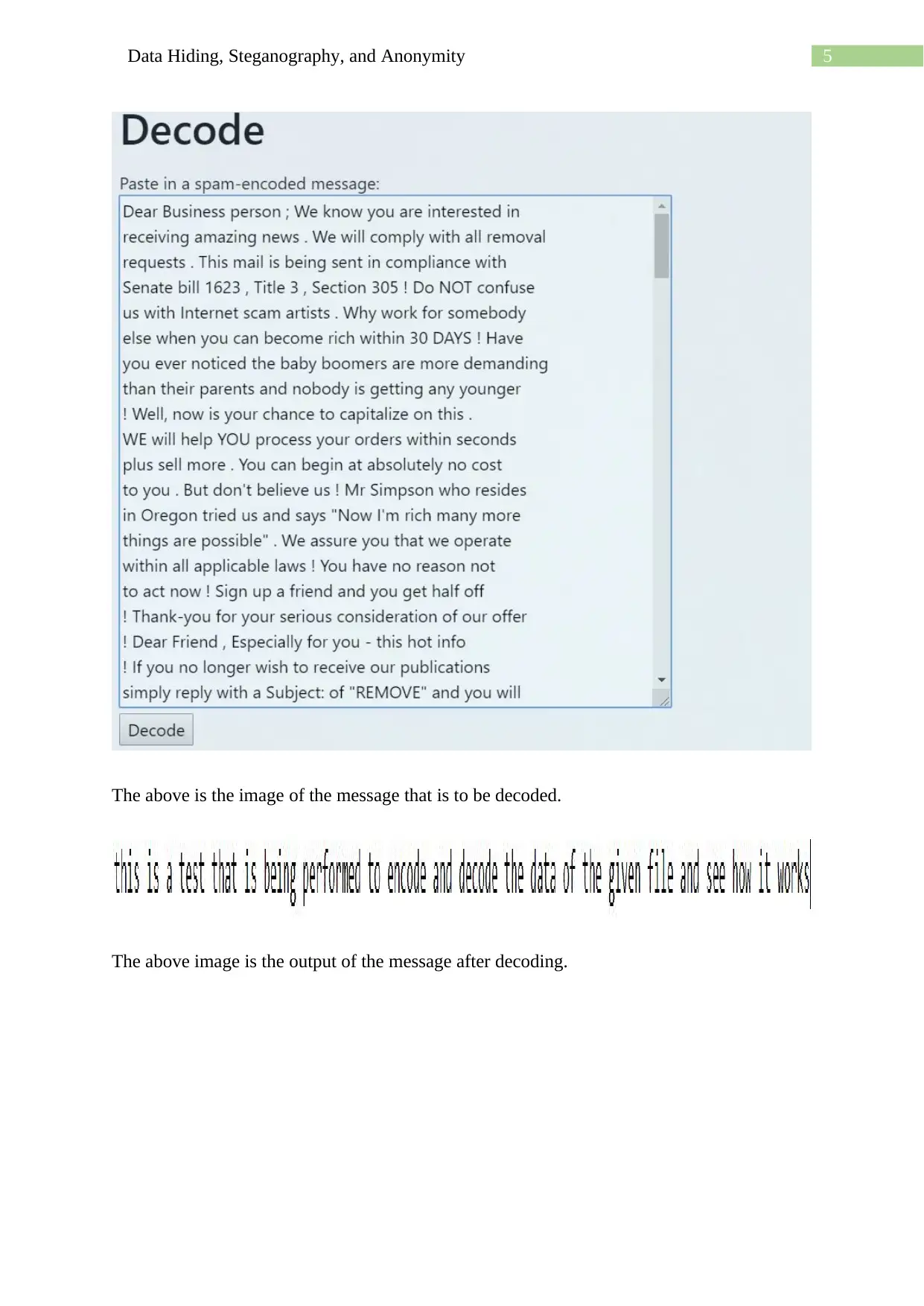
The above is the image of the message that is to be decoded.
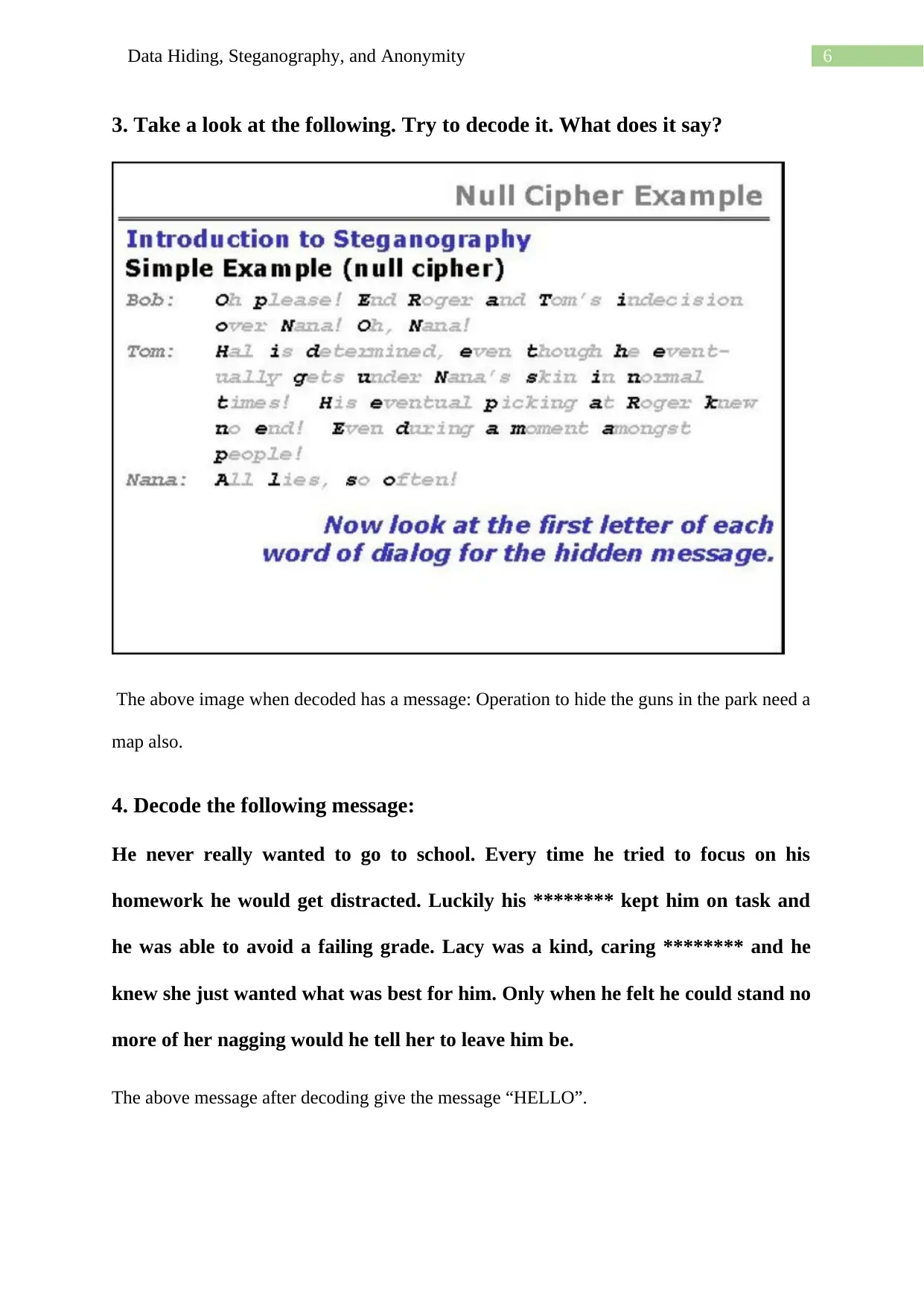
The above image is the output of the message after decoding.
Document Page
6Data Hiding, Steganography, and Anonymity
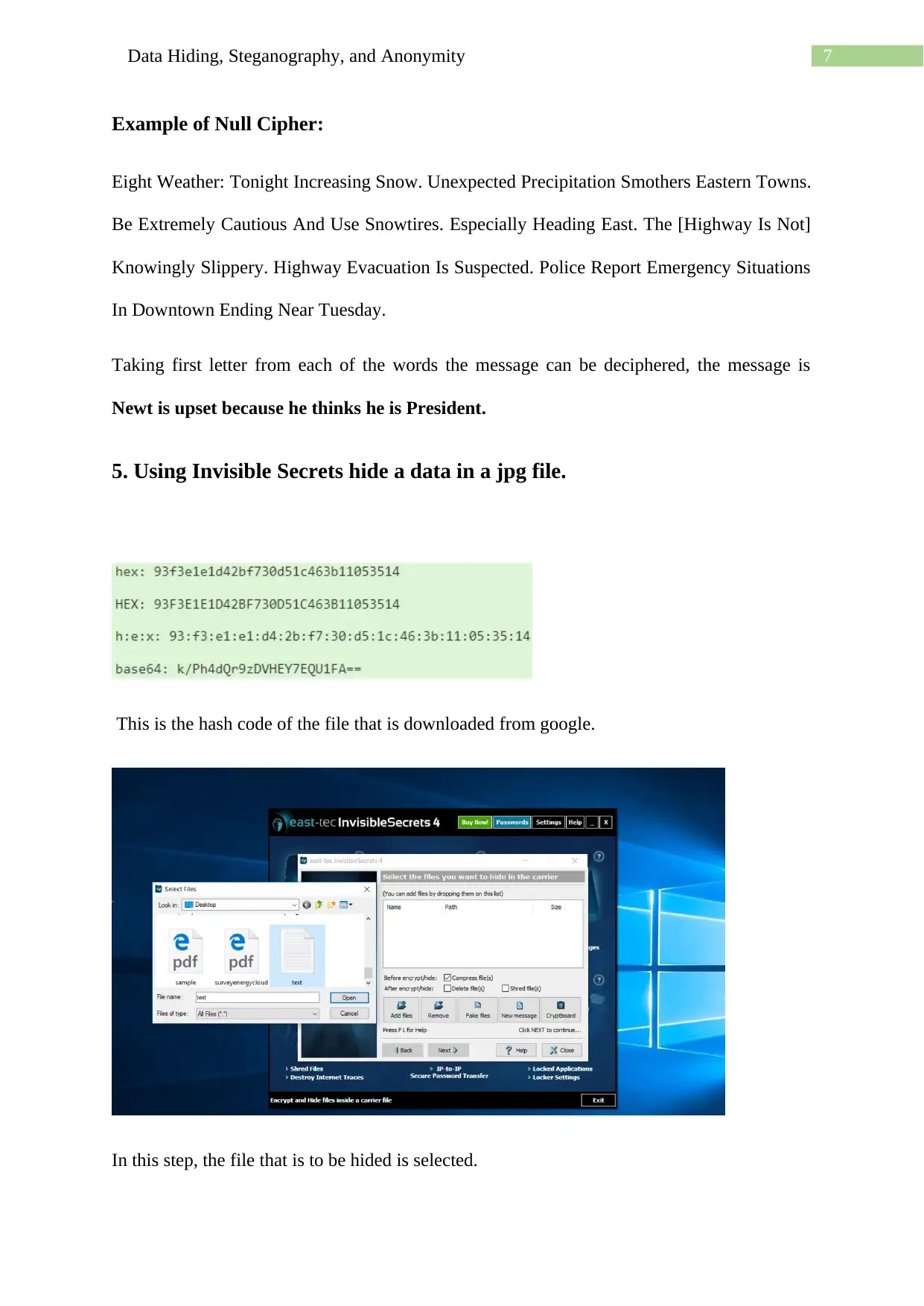
3. Take a look at the following. Try to decode it. What does it say?
The above image when decoded has a message: Operation to hide the guns in the park need a
map also.
4. Decode the following message:
He never really wanted to go to school. Every time he tried to focus on his
homework he would get distracted. Luckily his ******** kept him on task and
he was able to avoid a failing grade. Lacy was a kind, caring ******** and he
knew she just wanted what was best for him. Only when he felt he could stand no
more of her nagging would he tell her to leave him be.
The above message after decoding give the message “HELLO”.
tabler-icon-diamond-filled.svg

Paraphrase This Document

Need a fresh take? Get an instant paraphrase of this document with our AI Paraphraser
Document Page
7Data Hiding, Steganography, and Anonymity
Example of Null Cipher:
Eight Weather: Tonight Increasing Snow. Unexpected Precipitation Smothers Eastern Towns.
Be Extremely Cautious And Use Snowtires. Especially Heading East. The [Highway Is Not]
Knowingly Slippery. Highway Evacuation Is Suspected. Police Report Emergency Situations
In Downtown Ending Near Tuesday.
Taking first letter from each of the words the message can be deciphered, the message is
Newt is upset because he thinks he is President.
5. Using Invisible Secrets hide a data in a jpg file.
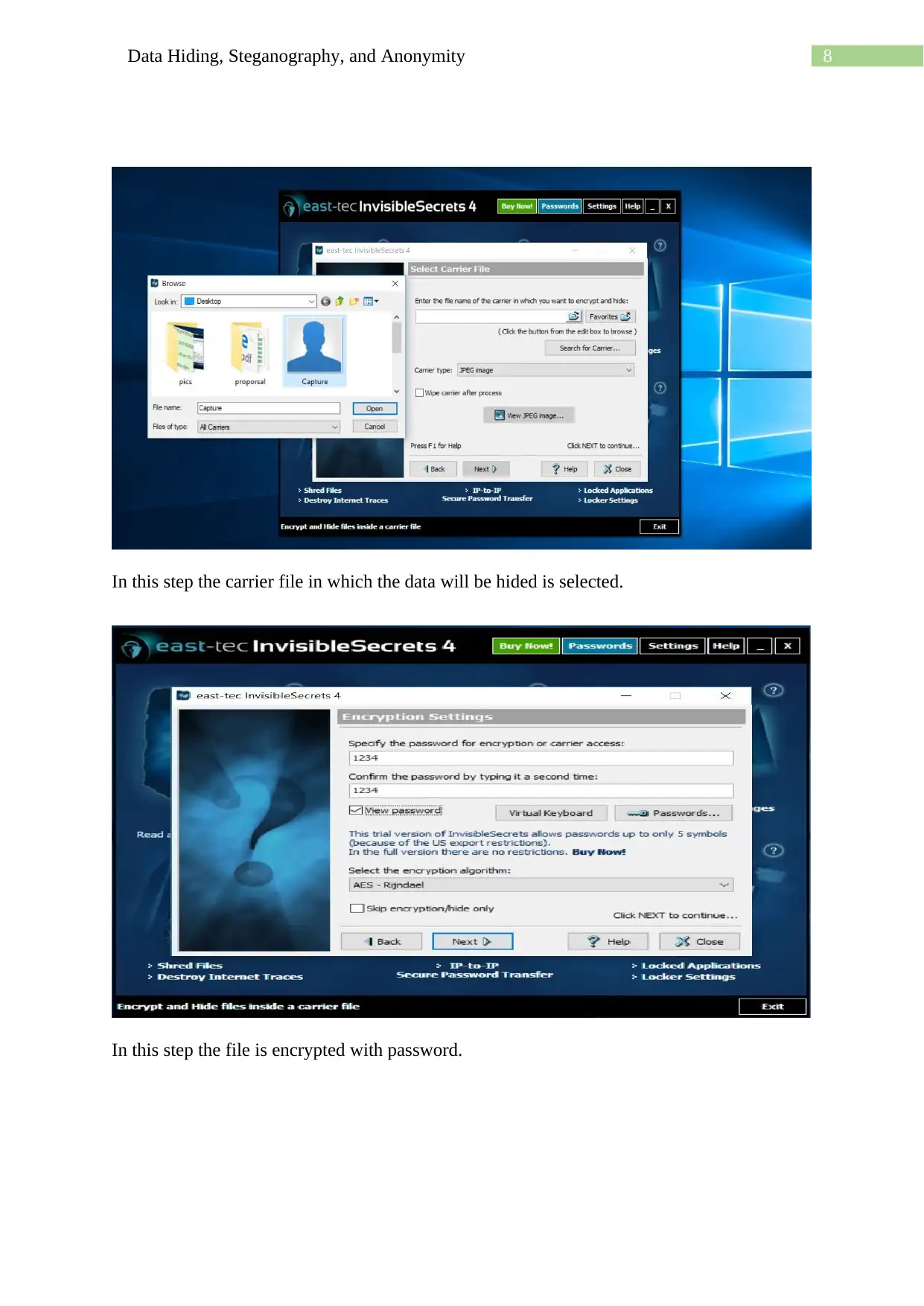
This is the hash code of the file that is downloaded from google.
In this step, the file that is to be hided is selected.
Document Page
8Data Hiding, Steganography, and Anonymity
In this step the carrier file in which the data will be hided is selected.
In this step the file is encrypted with password.
Document Page
9Data Hiding, Steganography, and Anonymity
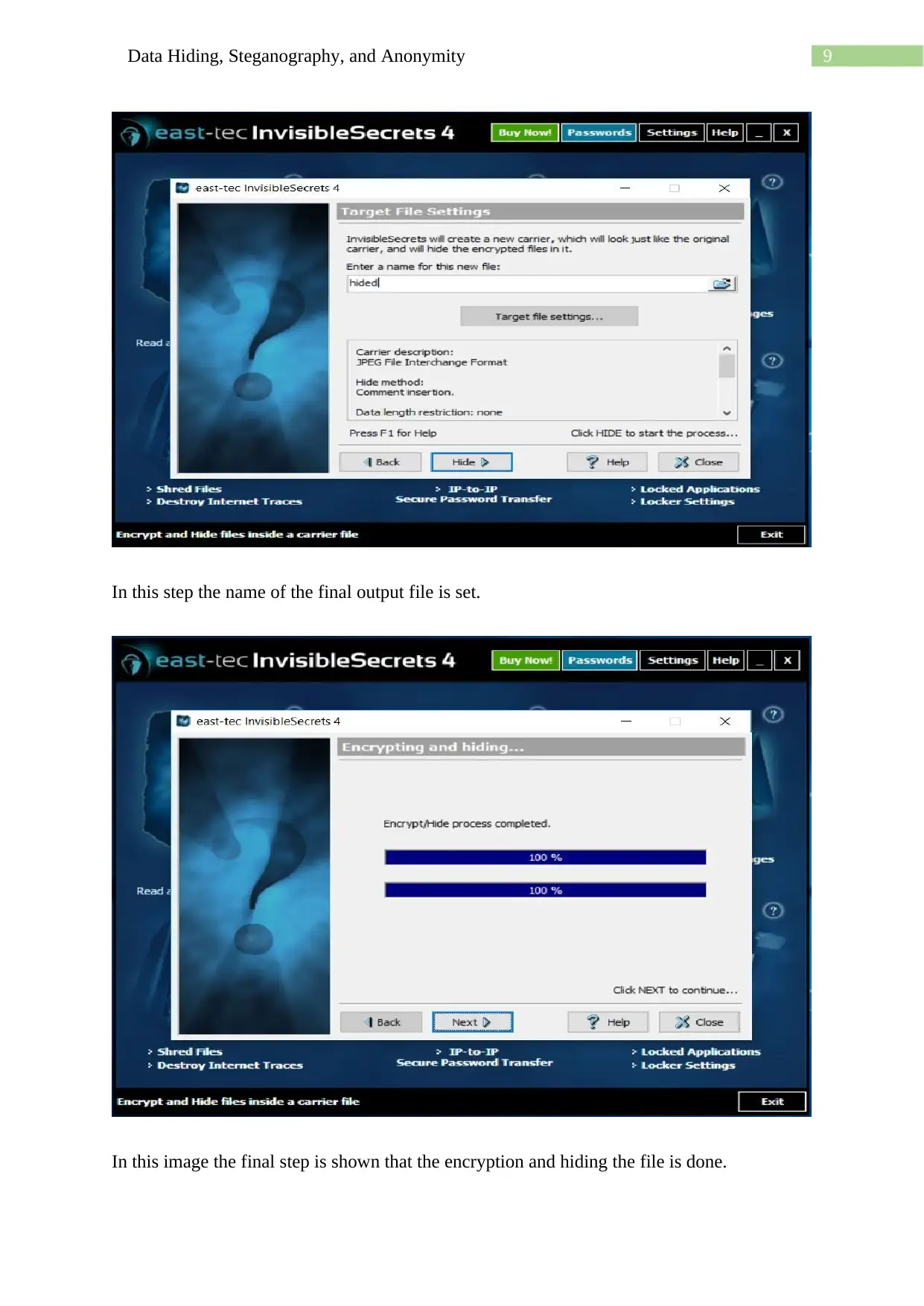
In this step the name of the final output file is set.
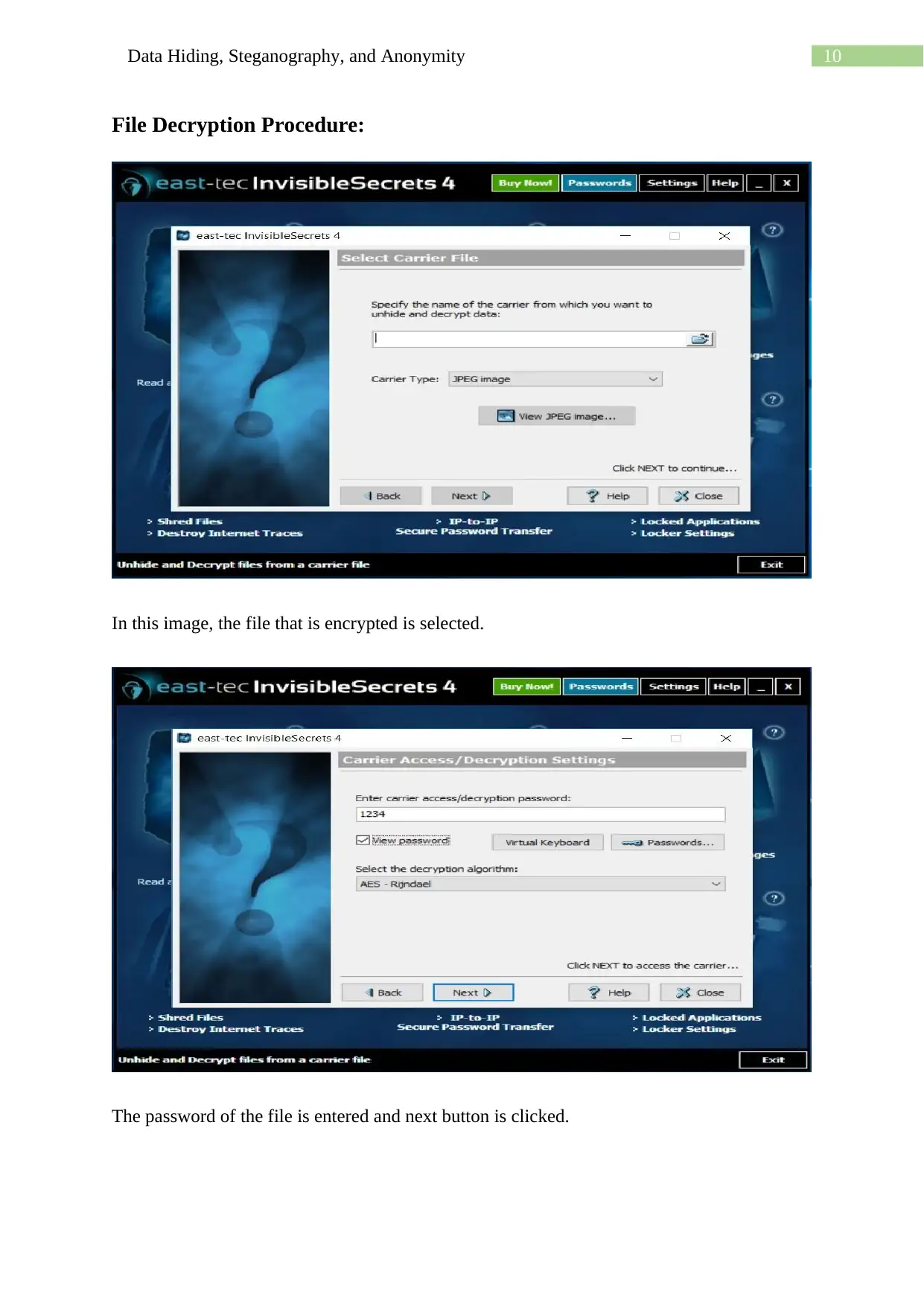
In this image the final step is shown that the encryption and hiding the file is done.
tabler-icon-diamond-filled.svg

Paraphrase This Document

Need a fresh take? Get an instant paraphrase of this document with our AI Paraphraser
Document Page
10Data Hiding, Steganography, and Anonymity
File Decryption Procedure:
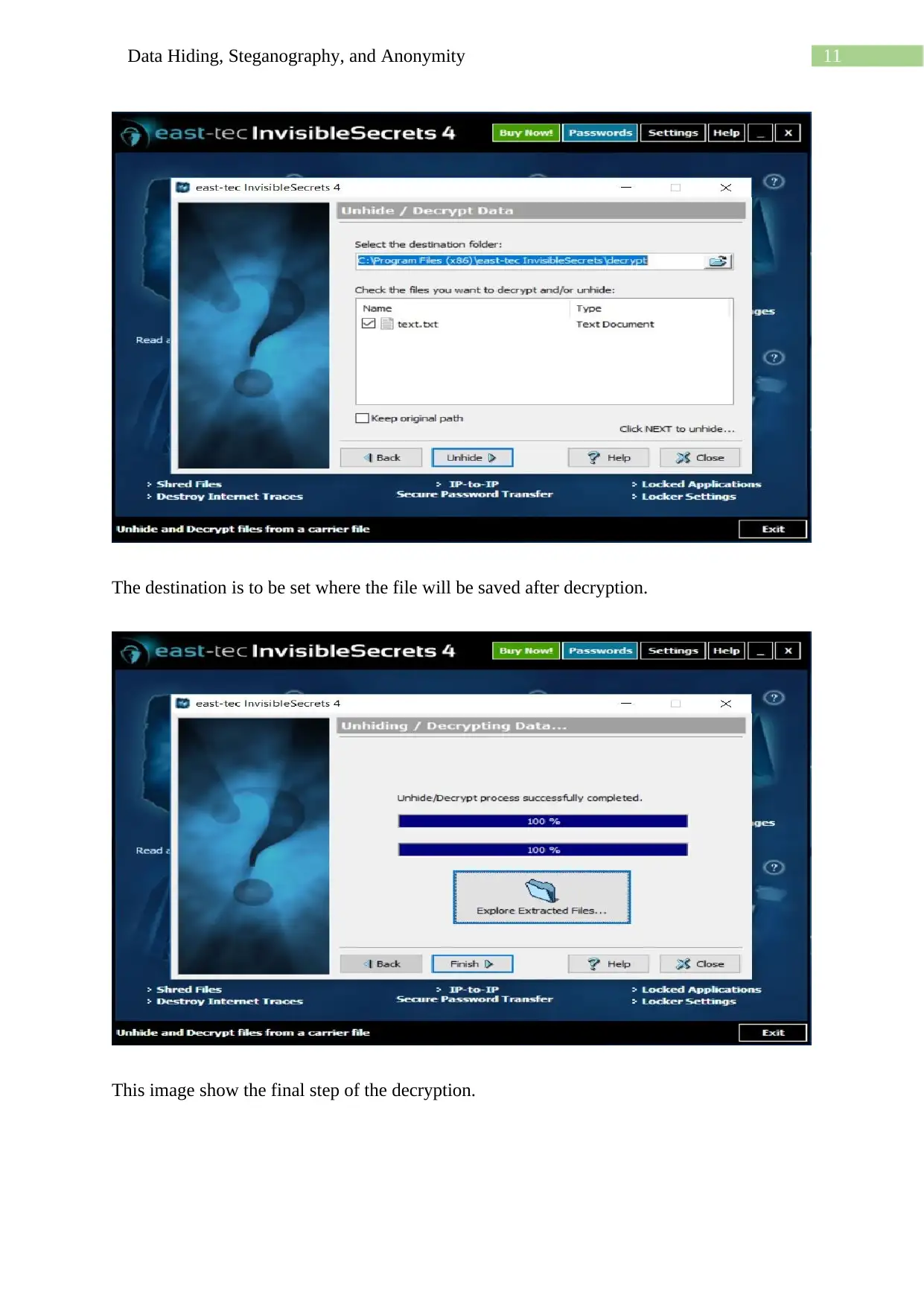
In this image, the file that is encrypted is selected.
The password of the file is entered and next button is clicked.
Document Page
11Data Hiding, Steganography, and Anonymity
The destination is to be set where the file will be saved after decryption.
This image show the final step of the decryption.
chevron_up_icon
1 out of 13
circle_padding
hide_on_mobile
zoom_out_icon
[object Object]