SIT703 - Advanced Digital Forensics: Case Investigation Report

Verified

Added on  2022/11/16

|31
|1904
|361
Report
AI Summary
This report details a digital forensic investigation of a case involving a compromised laptop. The investigation involved scanning the system using NMAP, repairing corrupted Windows event logs, and analyzing the logs to identify user accounts, login/logoff times, and suspicious activities. Password cracking techniques were employed to access protected files. The investigation identified the creation of a new user account, and the use of specific programs, including a keylogger. Evidence gathered was used to build a case against the individual involved in the activity. Tools used include NMAP, Event Log Fixer, password cracking software, and Log Parser. The report concludes with a summary of findings and references relevant literature.

Document Page
ADVANCED DIGITAL FORENSICS
tabler-icon-diamond-filled.svg

Paraphrase This Document

Need a fresh take? Get an instant paraphrase of this document with our AI Paraphraser
Document Page
Contents
Introduction................................................................................................................................................2
1. Task-1..................................................................................................................................................2
2. Task-2..................................................................................................................................................5
3. Task-3 : Which Account is created....................................................................................................12
4. Task-4................................................................................................................................................16
5. Task-5................................................................................................................................................17
6. Task-6 : When login and logoff happened........................................................................................17
7. Task-7 :..............................................................................................................................................21
8. Task-8................................................................................................................................................23
9. Task-9................................................................................................................................................26
10. Task-10..........................................................................................................................................27
Conclusion.................................................................................................................................................29
References................................................................................................................................................29
1
Document Page
Introduction
Use of computers increases drastically in all the fields. Also, the crimes related to a computer
also increased with the increase of computers. This project is a digital forensic investigation
project. In this project, Amy's laptops registry file will be investigated using appropriate tools. In
the investigation process contains different activities in it. At first, scanning will be carried out.
Then the windows logs will be repaired. Then the user account involved in the crime scene will
be identified. And Amy's passwords will be investigated in the next consecutive steps. Then the
further investigation will be conducted and appropriate evidence will be identified to file the case
against the bogus who involved in this activity.
1. Task-1
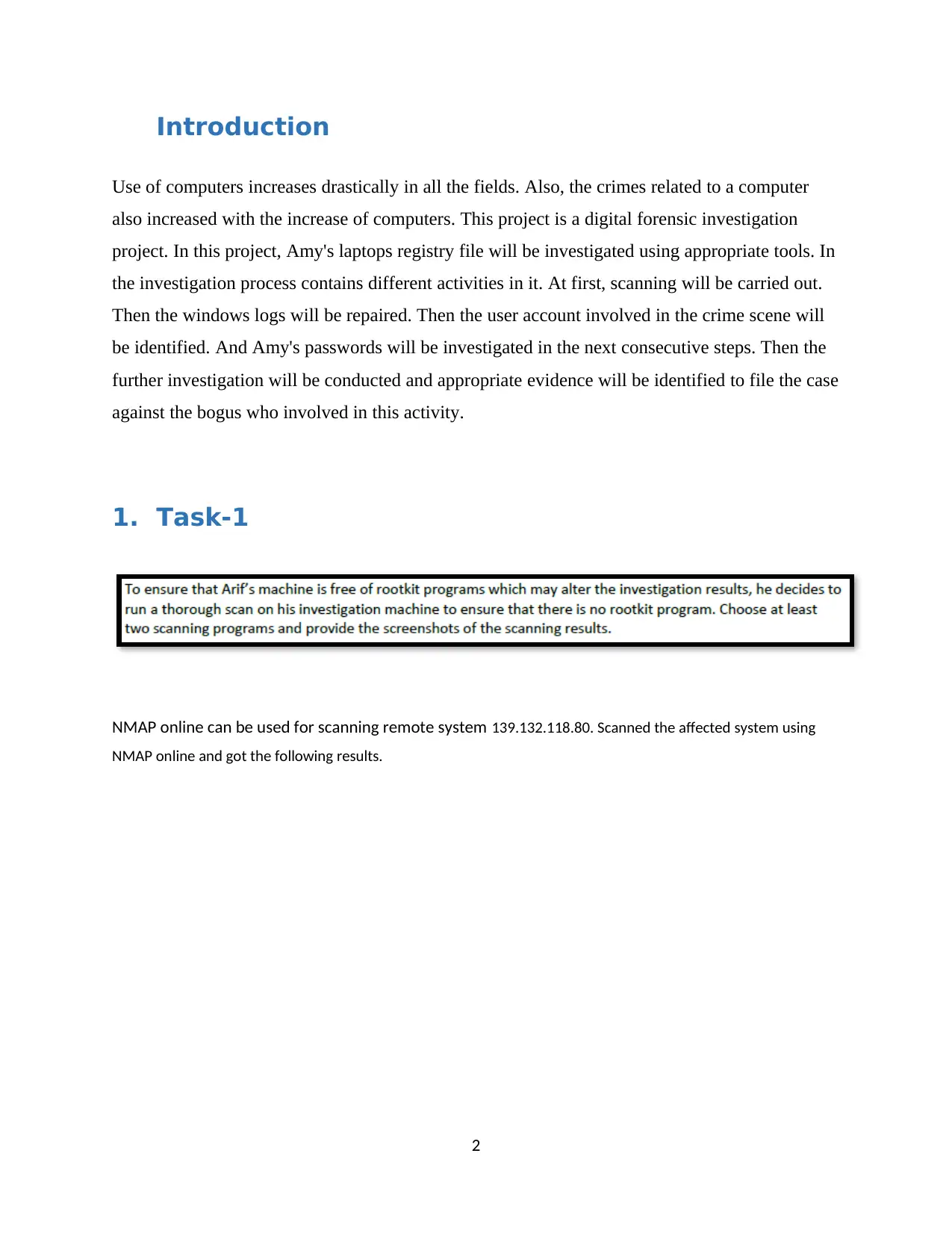
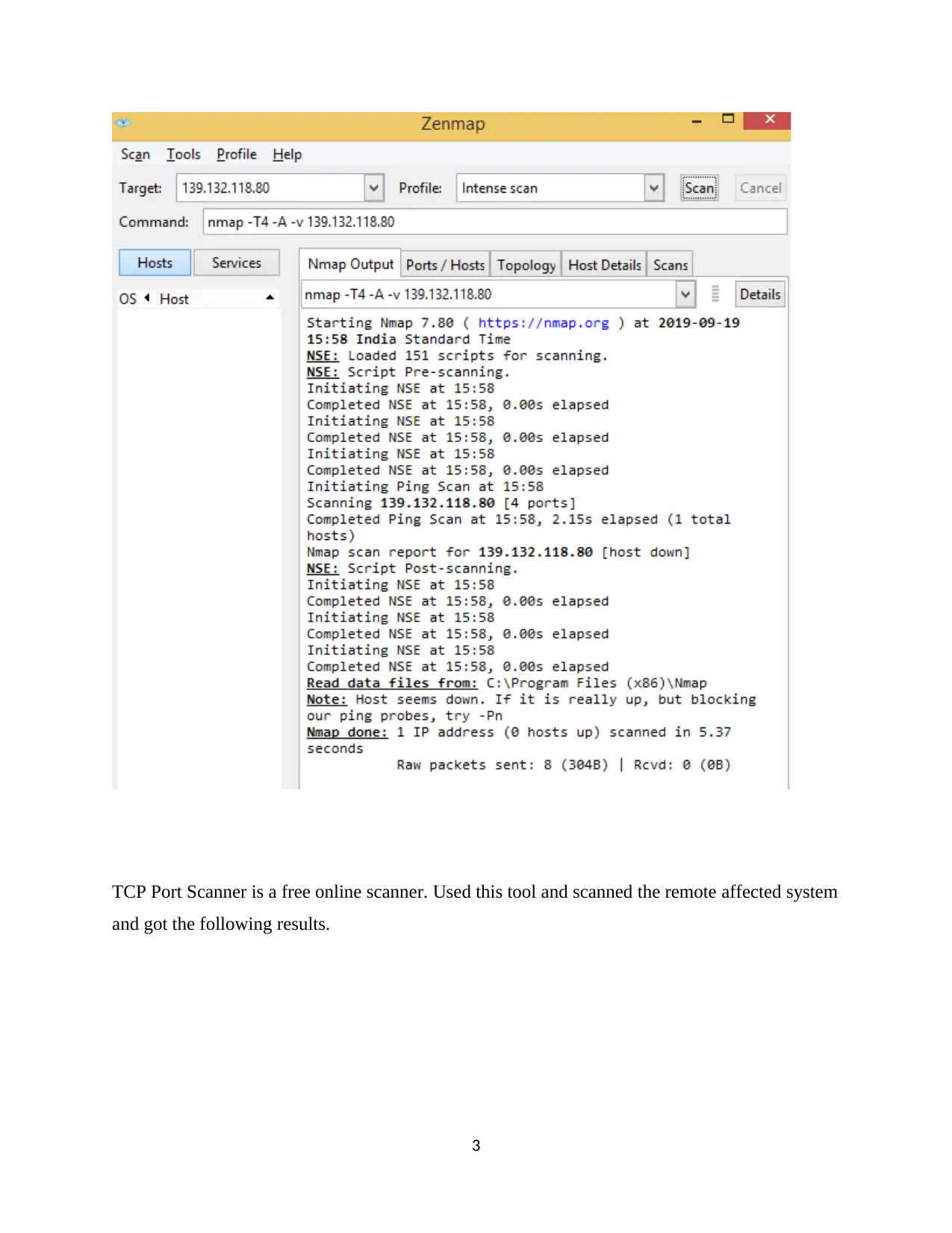
NMAP online can be used for scanning remote system 139.132.118.80. Scanned the affected system using
NMAP online and got the following results.
2
Document Page
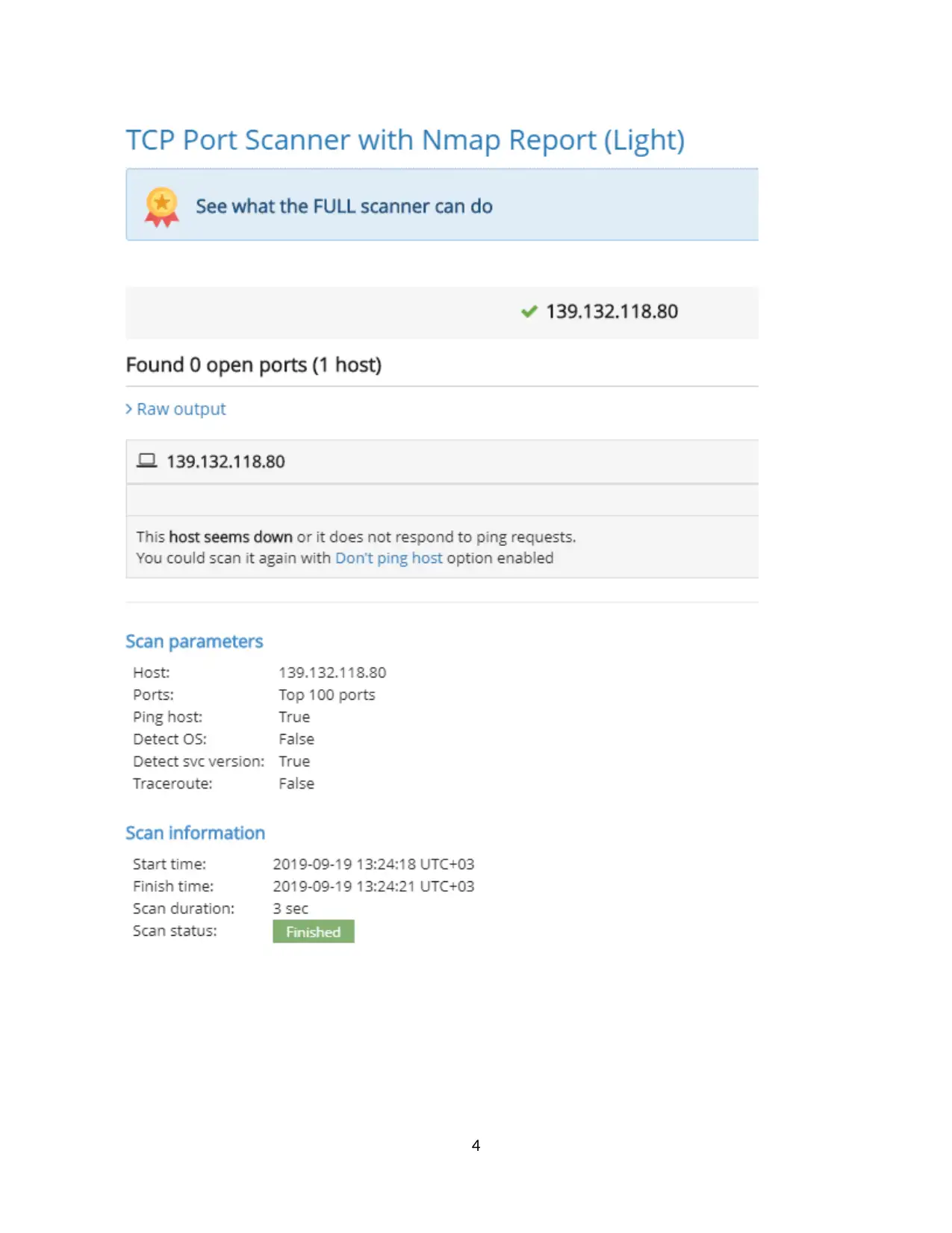
TCP Port Scanner is a free online scanner. Used this tool and scanned the remote affected system
and got the following results.
3
tabler-icon-diamond-filled.svg

Paraphrase This Document

Need a fresh take? Get an instant paraphrase of this document with our AI Paraphraser
Document Page
4
Document Page
2. Task-2
Whenever there is a case of forensic investigation, proper evidences are required. Here, the
Windows Event Logs come to the rescue since it serves the purpose of logging every single
activity. With the help of the logging information as well as the artefacts facts which have been
discovered with the help of the Windows Event Log analysis, an investigator can easily draw out
a timeline. The information which is required to be logged entirely depends on the audit features
which have been turned on. Also, it means that with the help of the administrative privileges, the
event logs can be turned off also. When we talk about the forensic field, the Event Logs help in
capturing a lot of important information and data.
A timeline of events can be reconstructed in the field of forensics with the help of
Windows Event Logs
There are 3 main components of Event logs:
Application, System as well as Security
Logs get saved up in a binary format in the root location %System32%\winevt\Logs in
the case of Windows Operating System.
In this, the user has the option to set an offline event log file size.
When the log file size reaches the maximum limit:
Logs are to be achieved when full,
The oldest of the events are overwritten,
If you do not desire to overwrite the events in any case, then you have the option to clear
the logs manually.
5
Document Page
The logs or records of the Windows Event get filled in on wither on a network or a computer
machine as a placeholder of all the important events. The logs on particular events get
incorporated either on the system, or on an operating system, or on an application. The
investigation gets assisted by the Windows Event Logs since a timeline of events gets recreated.
The type of events which are recorded can be:
Failure of system,
Failure of Application,
Breach, Hack or modification of System Settings
A faulty login attempt.
All of the above-mentioned events get logged in the “%System32%/Winevt/Log”. Windows
event incorporate all the data on the event say, the date as well as the time, the type of fault, the
source as well as a different ID for the event type.
The administrator can manage as well as investigate the system with the help of the abundance of
data contained in the event logs. An analysis of the events on a particular machine can be done
with the help of an event Viewer utility available on the Windows. But, in the case of forensic
analysis, the offline files of event logs have to be acquired by the investigator which then can be
analyzed with the help of the third-party tools.
Main Event Logs
System Logs
The events which are logged by the OS segments are recorded by the System Log. The working
OS pre-establishes these events frequently. Data related to the hardware changes, system
changes, device drivers as well as activities related to the machine are contained in the system
log files only. The reason behind the increase in the variety of the security logs is that the
networks as well as the system threats have increased very much.
6
tabler-icon-diamond-filled.svg

Paraphrase This Document

Need a fresh take? Get an instant paraphrase of this document with our AI Paraphraser
Document Page
Security Log
All the activities which are related to the windows security as well as the Logon/Logoff
activities are contained in the Security Log only. The work to specify these events is undertaken
by the system’s audit policy. Detection as well as investigation of any attempted or successful
unauthorized activity can be best done with the security log only. For troubleshooting system
problems, even the event logs can be utilized.
Application Log
Any events which are related to application as well as are installed in the system are recorded by
the application log only. Any records of errors which take place in an application, informational
events as well as any warnings from the software applications are recorded here only. The
application log can help us in troubleshooting any of the software issues which is preventing it
from either functioning in a proper manner or logging in.
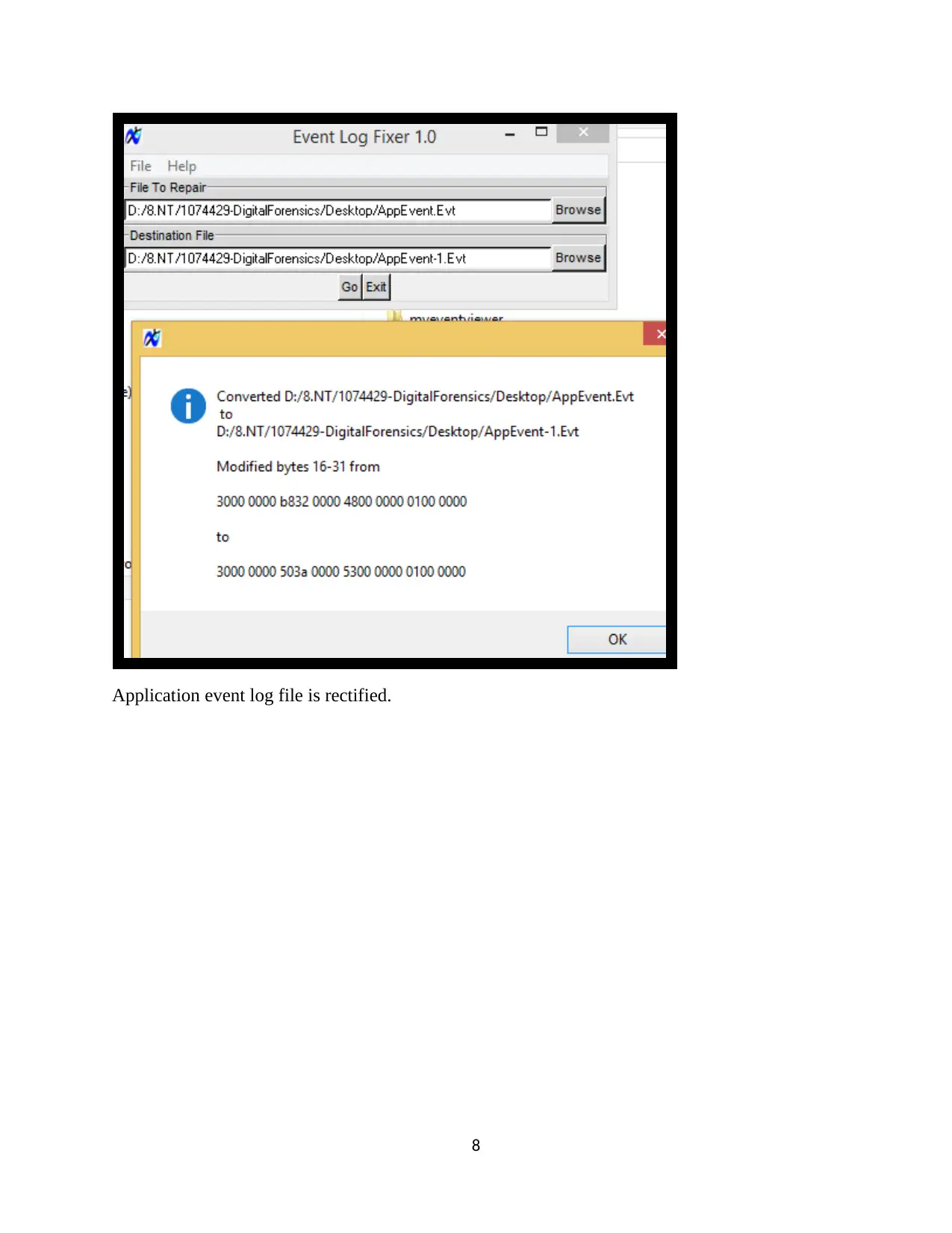
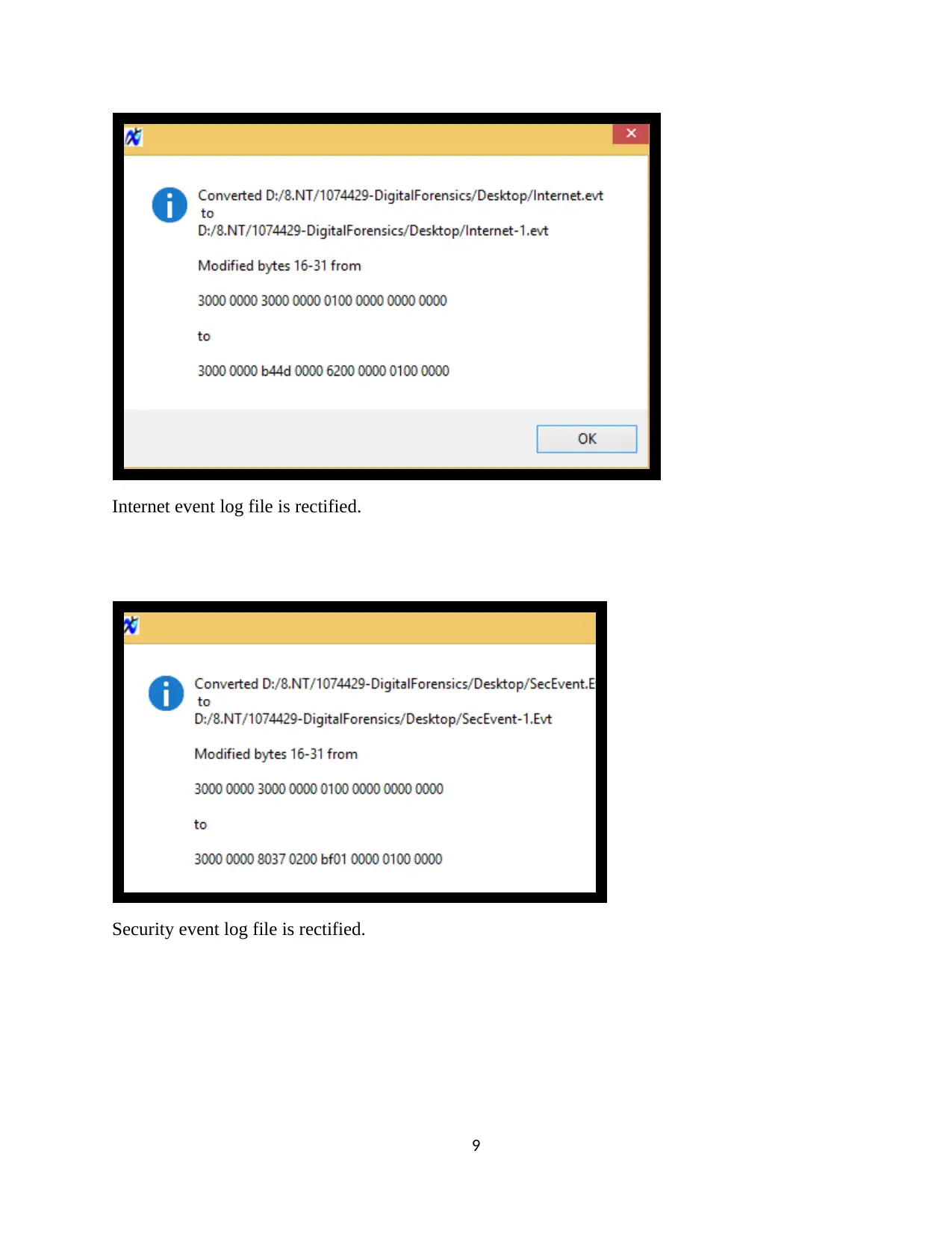
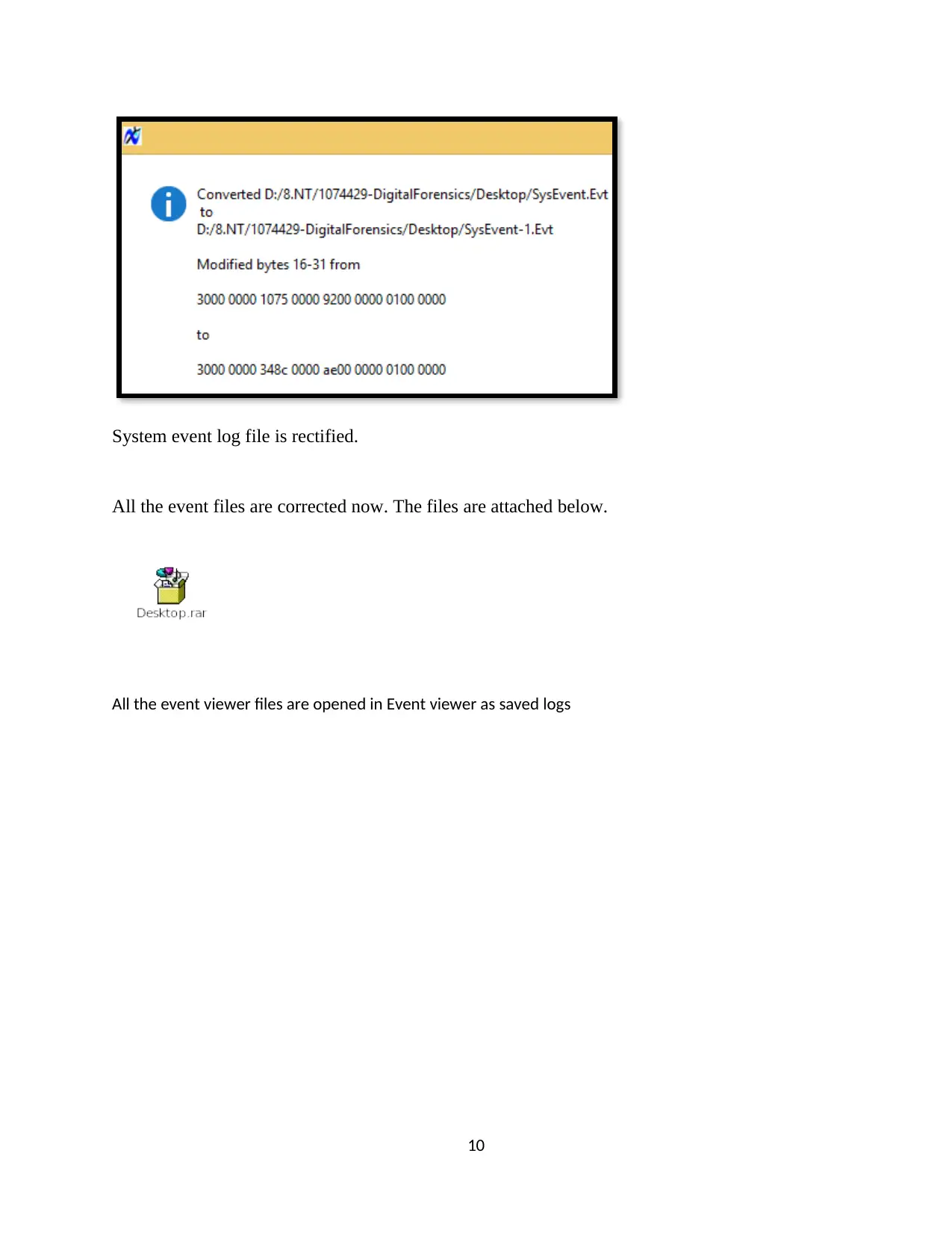
Downloaded Event Log Fixer tool and rectified the corrupted event files.
7
Document Page
Application event log file is rectified.
8
Document Page
Internet event log file is rectified.
Security event log file is rectified.
9
tabler-icon-diamond-filled.svg

Paraphrase This Document

Need a fresh take? Get an instant paraphrase of this document with our AI Paraphraser
Document Page
System event log file is rectified.
All the event files are corrected now. The files are attached below.
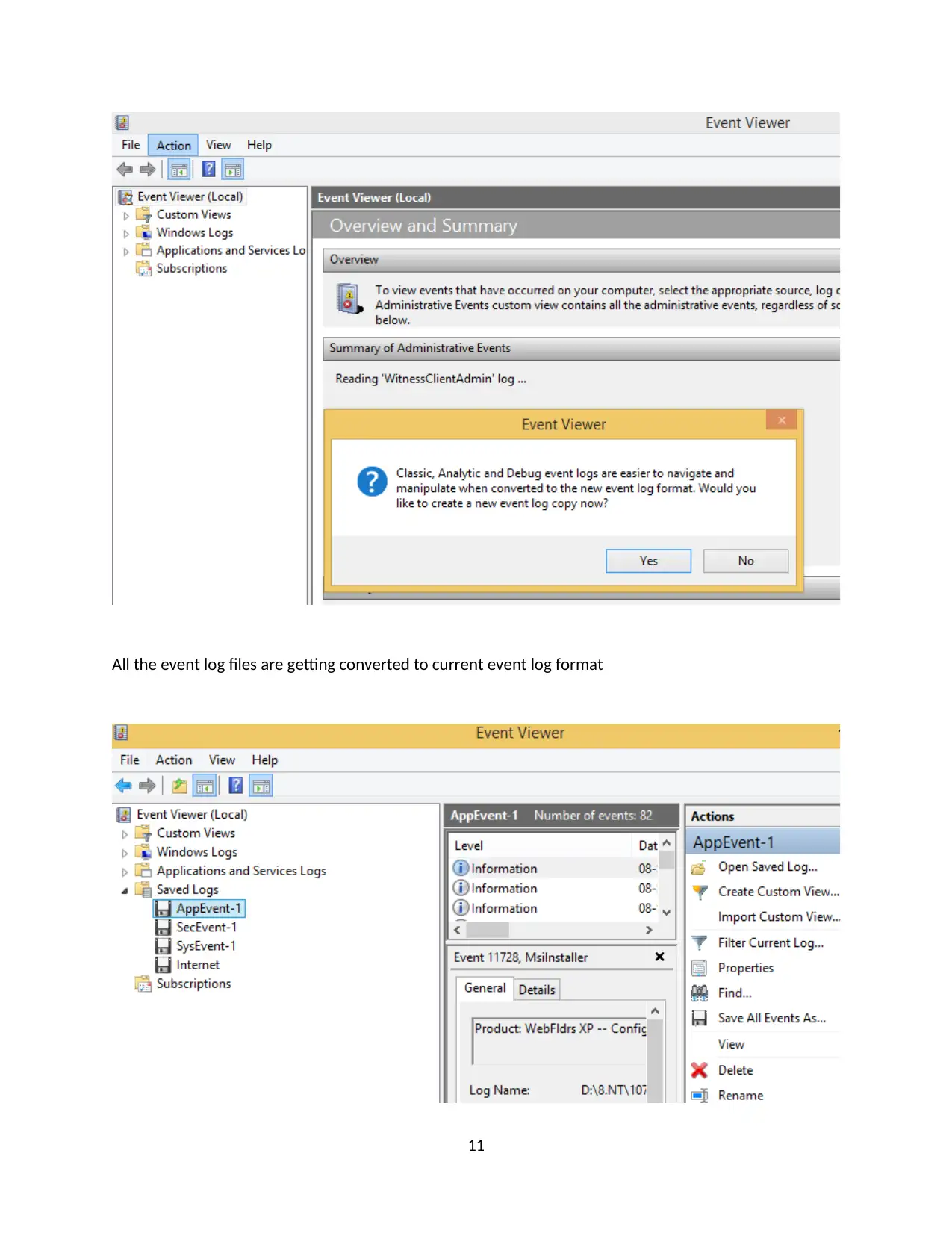
All the event viewer files are opened in Event viewer as saved logs
10
Document Page
All the event log files are getting converted to current event log format
11
chevron_up_icon
1 out of 31
circle_padding
hide_on_mobile
zoom_out_icon
[object Object]