AirportFrame Java GUI Application

Verified

Added on  2019/09/16

|2
|562
|357
Practical Assignment
AI Summary
This content presents a Java GUI application named AirportFrame, designed for flight reservations. The application utilizes Swing components such as JFrame, JPanel, JLabel, JTextField, JComboBox, JButton, and JSlider to create an interactive user interface. The code includes functionalities for inputting airline, source and destination airports, departure and arrival times, and selecting from a list of itineraries. It also features a color selection slider and action listeners for buttons. The application provides basic error handling through JOptionPane message dialogs. The provided code is a practical example of GUI development in Java.
Document Page
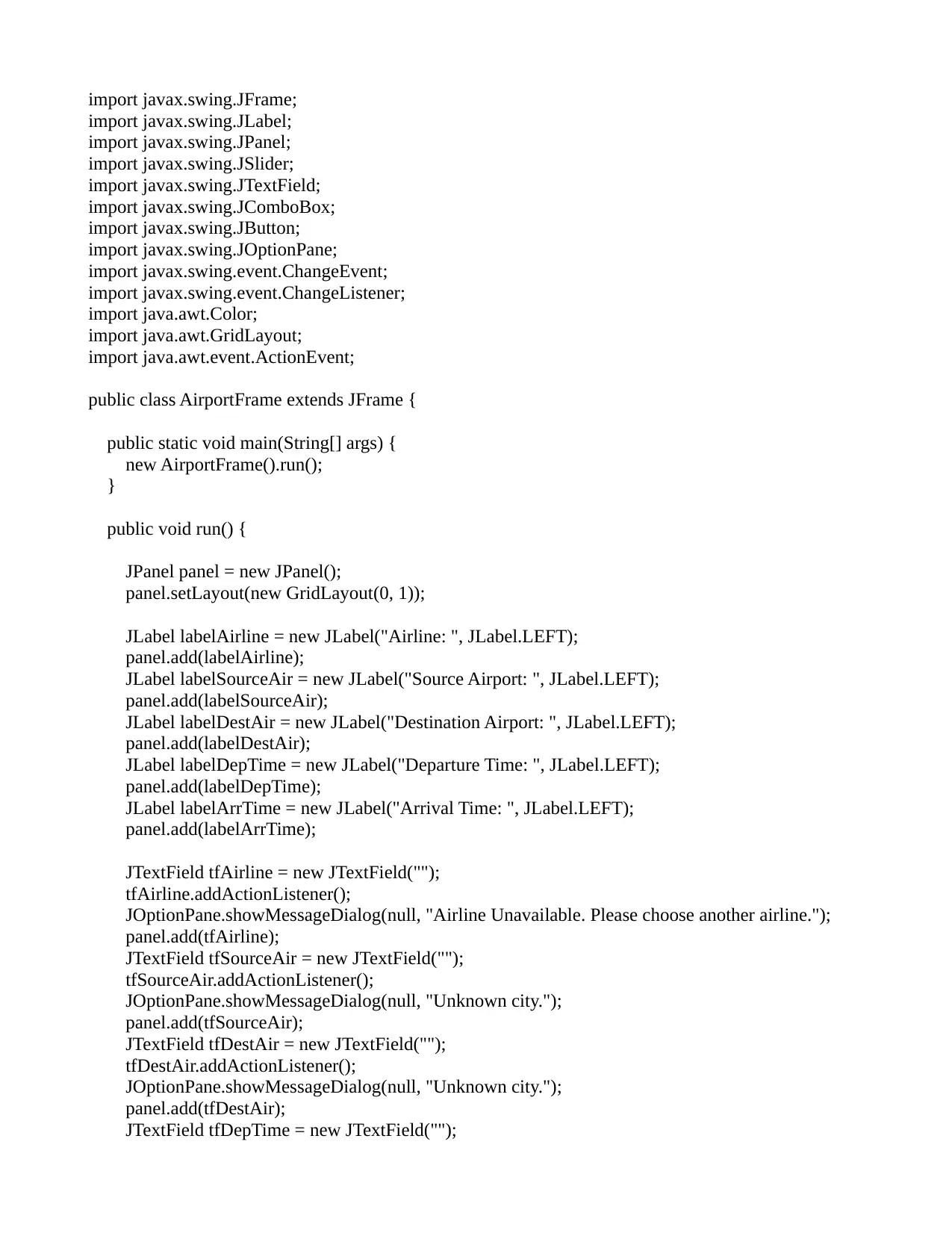
import javax.swing.JFrame;
import javax.swing.JLabel;
import javax.swing.JPanel;
import javax.swing.JSlider;
import javax.swing.JTextField;
import javax.swing.JComboBox;
import javax.swing.JButton;
import javax.swing.JOptionPane;
import javax.swing.event.ChangeEvent;
import javax.swing.event.ChangeListener;
import java.awt.Color;
import java.awt.GridLayout;
import java.awt.event.ActionEvent;
public class AirportFrame extends JFrame {
public static void main(String[] args) {
new AirportFrame().run();
}
public void run() {
JPanel panel = new JPanel();
panel.setLayout(new GridLayout(0, 1));
JLabel labelAirline = new JLabel("Airline: ", JLabel.LEFT);
panel.add(labelAirline);
JLabel labelSourceAir = new JLabel("Source Airport: ", JLabel.LEFT);
panel.add(labelSourceAir);
JLabel labelDestAir = new JLabel("Destination Airport: ", JLabel.LEFT);
panel.add(labelDestAir);
JLabel labelDepTime = new JLabel("Departure Time: ", JLabel.LEFT);
panel.add(labelDepTime);
JLabel labelArrTime = new JLabel("Arrival Time: ", JLabel.LEFT);
panel.add(labelArrTime);
JTextField tfAirline = new JTextField("");
tfAirline.addActionListener();
JOptionPane.showMessageDialog(null, "Airline Unavailable. Please choose another airline.");
panel.add(tfAirline);
JTextField tfSourceAir = new JTextField("");
tfSourceAir.addActionListener();
JOptionPane.showMessageDialog(null, "Unknown city.");
panel.add(tfSourceAir);
JTextField tfDestAir = new JTextField("");
tfDestAir.addActionListener();
JOptionPane.showMessageDialog(null, "Unknown city.");
panel.add(tfDestAir);
JTextField tfDepTime = new JTextField("");
tabler-icon-diamond-filled.svg

Paraphrase This Document

Need a fresh take? Get an instant paraphrase of this document with our AI Paraphraser
Document Page
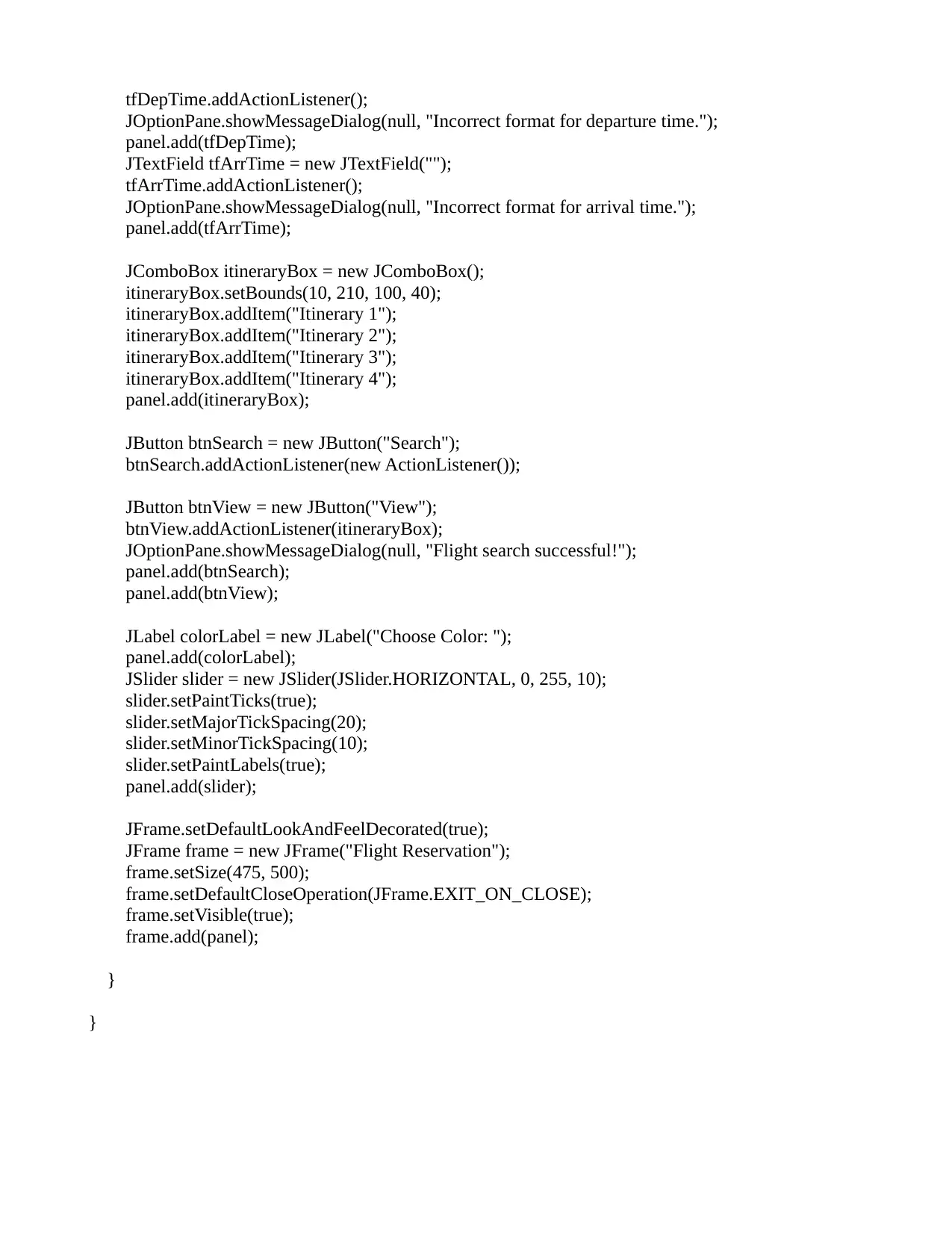
tfDepTime.addActionListener();
JOptionPane.showMessageDialog(null, "Incorrect format for departure time.");
panel.add(tfDepTime);
JTextField tfArrTime = new JTextField("");
tfArrTime.addActionListener();
JOptionPane.showMessageDialog(null, "Incorrect format for arrival time.");
panel.add(tfArrTime);
JComboBox itineraryBox = new JComboBox();
itineraryBox.setBounds(10, 210, 100, 40);
itineraryBox.addItem("Itinerary 1");
itineraryBox.addItem("Itinerary 2");
itineraryBox.addItem("Itinerary 3");
itineraryBox.addItem("Itinerary 4");
panel.add(itineraryBox);
JButton btnSearch = new JButton("Search");
btnSearch.addActionListener(new ActionListener());
JButton btnView = new JButton("View");
btnView.addActionListener(itineraryBox);
JOptionPane.showMessageDialog(null, "Flight search successful!");
panel.add(btnSearch);
panel.add(btnView);
JLabel colorLabel = new JLabel("Choose Color: ");
panel.add(colorLabel);
JSlider slider = new JSlider(JSlider.HORIZONTAL, 0, 255, 10);
slider.setPaintTicks(true);
slider.setMajorTickSpacing(20);
slider.setMinorTickSpacing(10);
slider.setPaintLabels(true);
panel.add(slider);
JFrame.setDefaultLookAndFeelDecorated(true);
JFrame frame = new JFrame("Flight Reservation");
frame.setSize(475, 500);
frame.setDefaultCloseOperation(JFrame.EXIT_ON_CLOSE);
frame.setVisible(true);
frame.add(panel);
}
}
chevron_up_icon
1 out of 2
circle_padding
hide_on_mobile
zoom_out_icon
[object Object]