BSBTEC201: Business Software Applications - Case Study & IT Equipment

Verified

Added on  2023/06/04

|18
|2612
|56
Homework Assignment
AI Summary
This document presents a comprehensive solution to a BSBTEC201 assignment focusing on business software applications. It includes a case study addressing various aspects such as input devices, software applications, ergonomics, computer maintenance, databases, organizational technology policies, printer troubleshooting, data backup, and routine maintenance tasks. Additionally, the solution covers Naja Group of Colleges' IT policies and procedures related to emergency management and ergonomics. The document also features an IT equipment maintenance log and a fault report. Furthermore, it delves into the requirements for implementing cloud computing within the college, including scalability, adaptability, extensibility, and manageability, while also considering ergonomic requirements. The solution provides detailed responses and insights into each question and task, making it a valuable resource for students studying business software applications. Desklib provides a platform for students to access similar solved assignments and past papers.
Document Page
BSBTEC201 Use business software applications
tabler-icon-diamond-filled.svg

Paraphrase This Document

Need a fresh take? Get an instant paraphrase of this document with our AI Paraphraser
Document Page
Table of Contents
Assessment 1...................................................................................................................................3
Case study Cutler and company..................................................................................................3
ASSESSMENT 2.............................................................................................................................9
Appendix 2...................................................................................................................................9
Appendix 3...................................................................................................................................1
PART 1............................................................................................................................................2
Part 1............................................................................................................................................2
Task 2...............................................................................................................................................3
Task 3...............................................................................................................................................4
Task 4...............................................................................................................................................5
Task 5...............................................................................................................................................5
REFERENCES................................................................................................................................7
Document Page
Assessment 1
Case study Cutler and company
Q.1. Three input devises
Key board
Microphone
Scanner
Q.2. Software application
Accounting Software
IWMS Software
Customer Relationship Management Software
Cloud-Based Tools
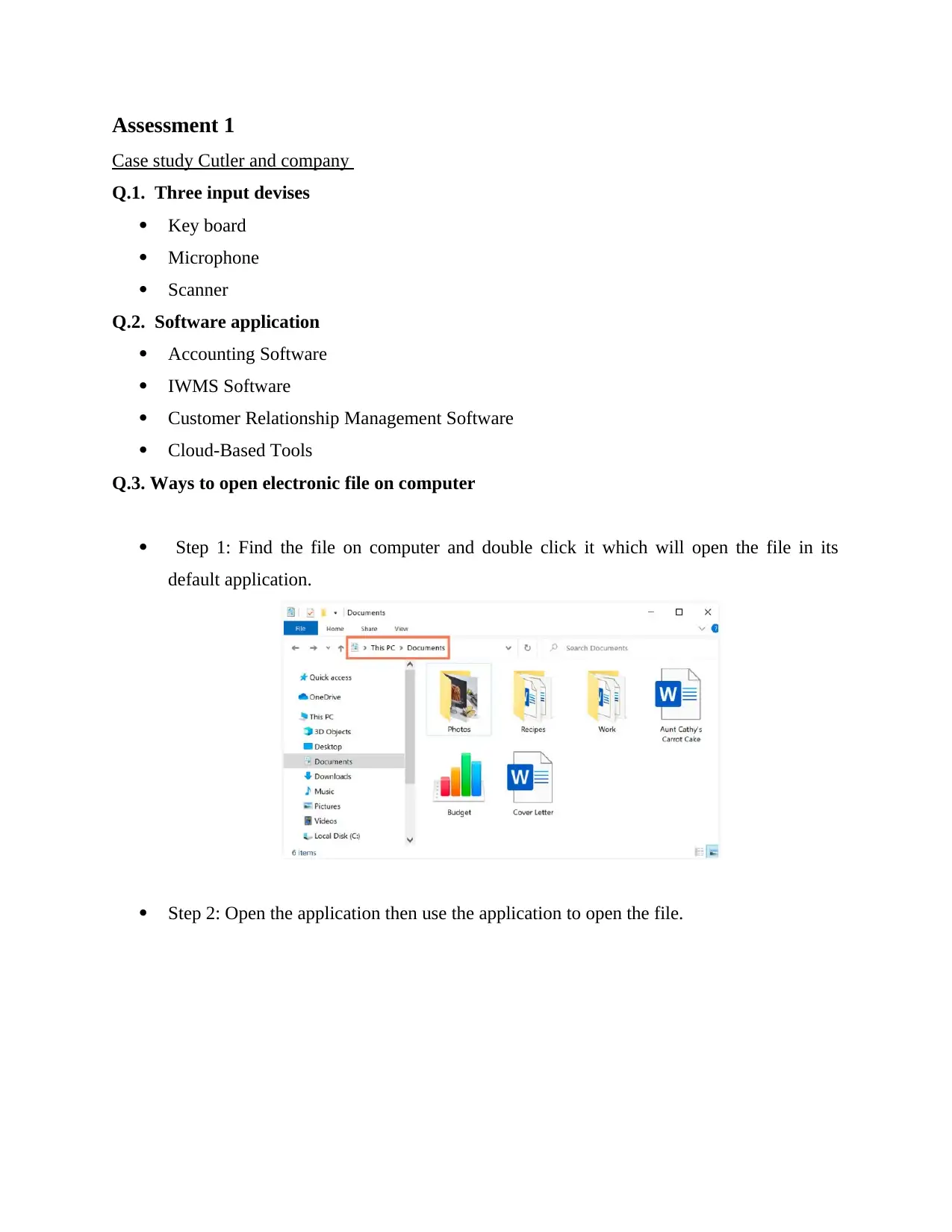
Q.3. Ways to open electronic file on computer
Step 1: Find the file on computer and double click it which will open the file in its
default application.
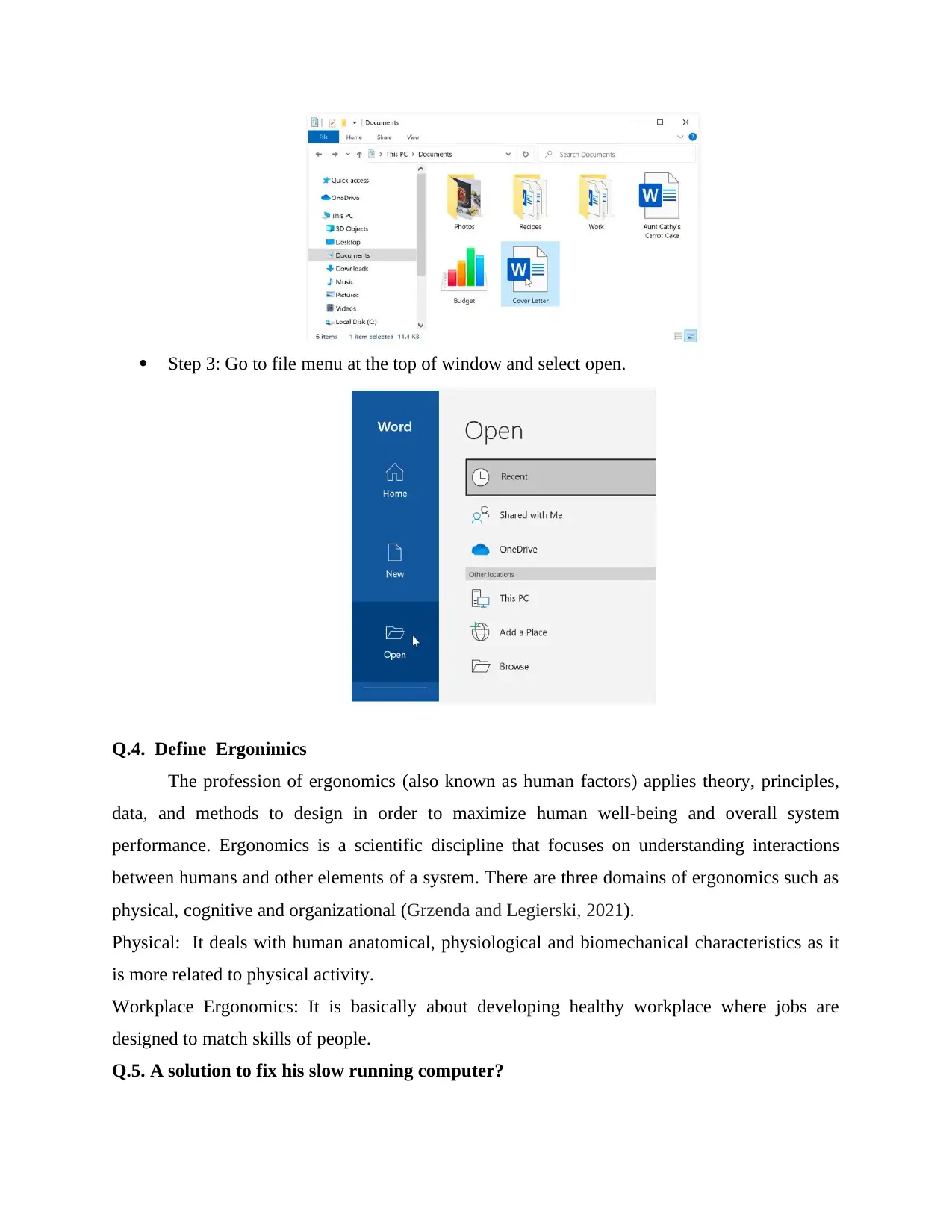
Step 2: Open the application then use the application to open the file.
Document Page
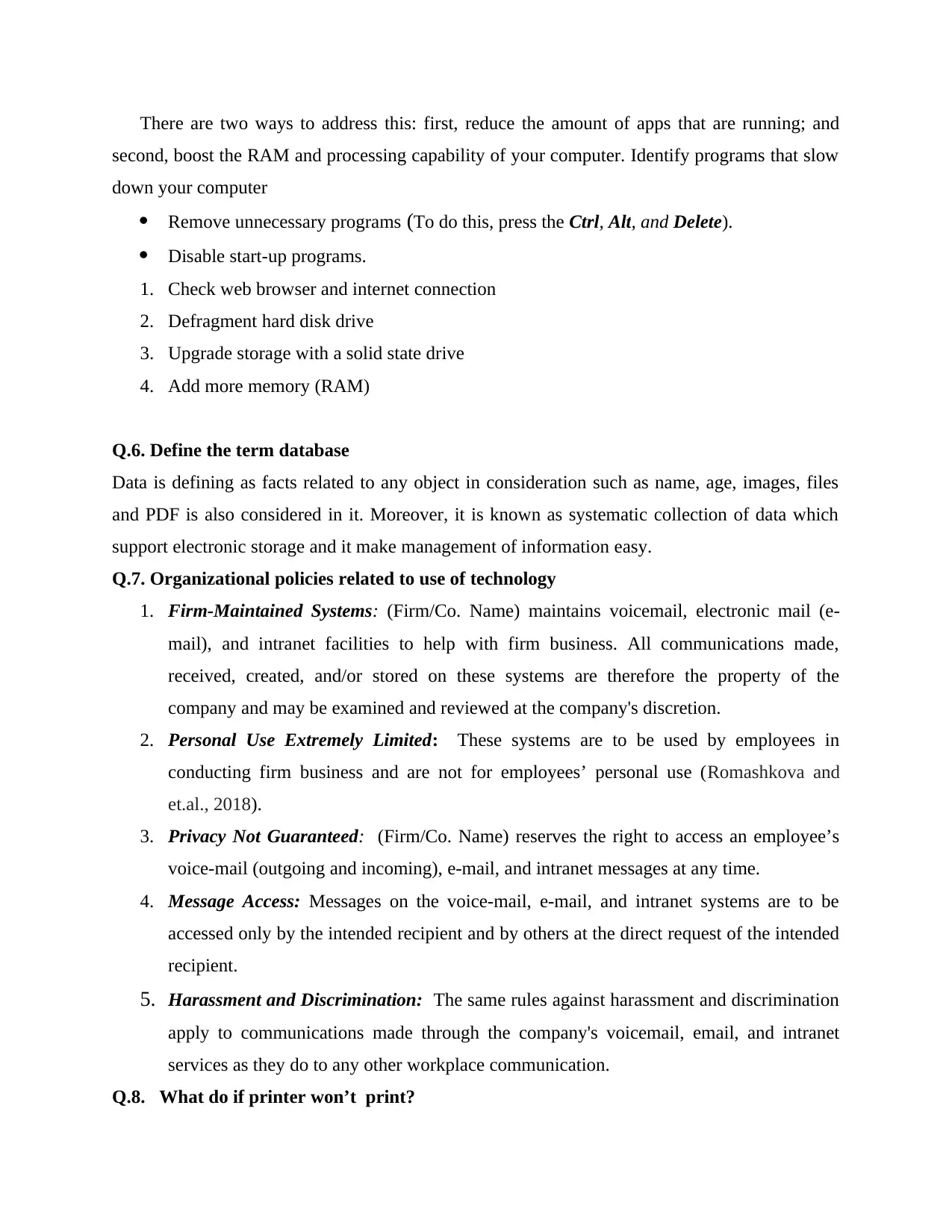
Step 3: Go to file menu at the top of window and select open.
Q.4. Define Ergonimics
The profession of ergonomics (also known as human factors) applies theory, principles,
data, and methods to design in order to maximize human well-being and overall system
performance. Ergonomics is a scientific discipline that focuses on understanding interactions
between humans and other elements of a system. There are three domains of ergonomics such as
physical, cognitive and organizational (Grzenda and Legierski, 2021).
Physical: It deals with human anatomical, physiological and biomechanical characteristics as it
is more related to physical activity.
Workplace Ergonomics: It is basically about developing healthy workplace where jobs are
designed to match skills of people.
Q.5. A solution to fix his slow running computer?
tabler-icon-diamond-filled.svg

Paraphrase This Document

Need a fresh take? Get an instant paraphrase of this document with our AI Paraphraser
Document Page
There are two ways to address this: first, reduce the amount of apps that are running; and
second, boost the RAM and processing capability of your computer. Identify programs that slow
down your computer
Remove unnecessary programs (To do this, press the Ctrl, Alt, and Delete).
Disable start-up programs.
1. Check web browser and internet connection
2. Defragment hard disk drive
3. Upgrade storage with a solid state drive
4. Add more memory (RAM)
Q.6. Define the term database
Data is defining as facts related to any object in consideration such as name, age, images, files
and PDF is also considered in it. Moreover, it is known as systematic collection of data which
support electronic storage and it make management of information easy.
Q.7. Organizational policies related to use of technology
1. Firm-Maintained Systems: (Firm/Co. Name) maintains voicemail, electronic mail (e-
mail), and intranet facilities to help with firm business. All communications made,
received, created, and/or stored on these systems are therefore the property of the
company and may be examined and reviewed at the company's discretion.
2. Personal Use Extremely Limited: These systems are to be used by employees in
conducting firm business and are not for employees’ personal use (Romashkova and
et.al., 2018).
3. Privacy Not Guaranteed: (Firm/Co. Name) reserves the right to access an employee’s
voice-mail (outgoing and incoming), e-mail, and intranet messages at any time.
4. Message Access: Messages on the voice-mail, e-mail, and intranet systems are to be
accessed only by the intended recipient and by others at the direct request of the intended
recipient.
5. Harassment and Discrimination: The same rules against harassment and discrimination
apply to communications made through the company's voicemail, email, and intranet
services as they do to any other workplace communication.
Q.8. What do if printer won’t print?
Document Page
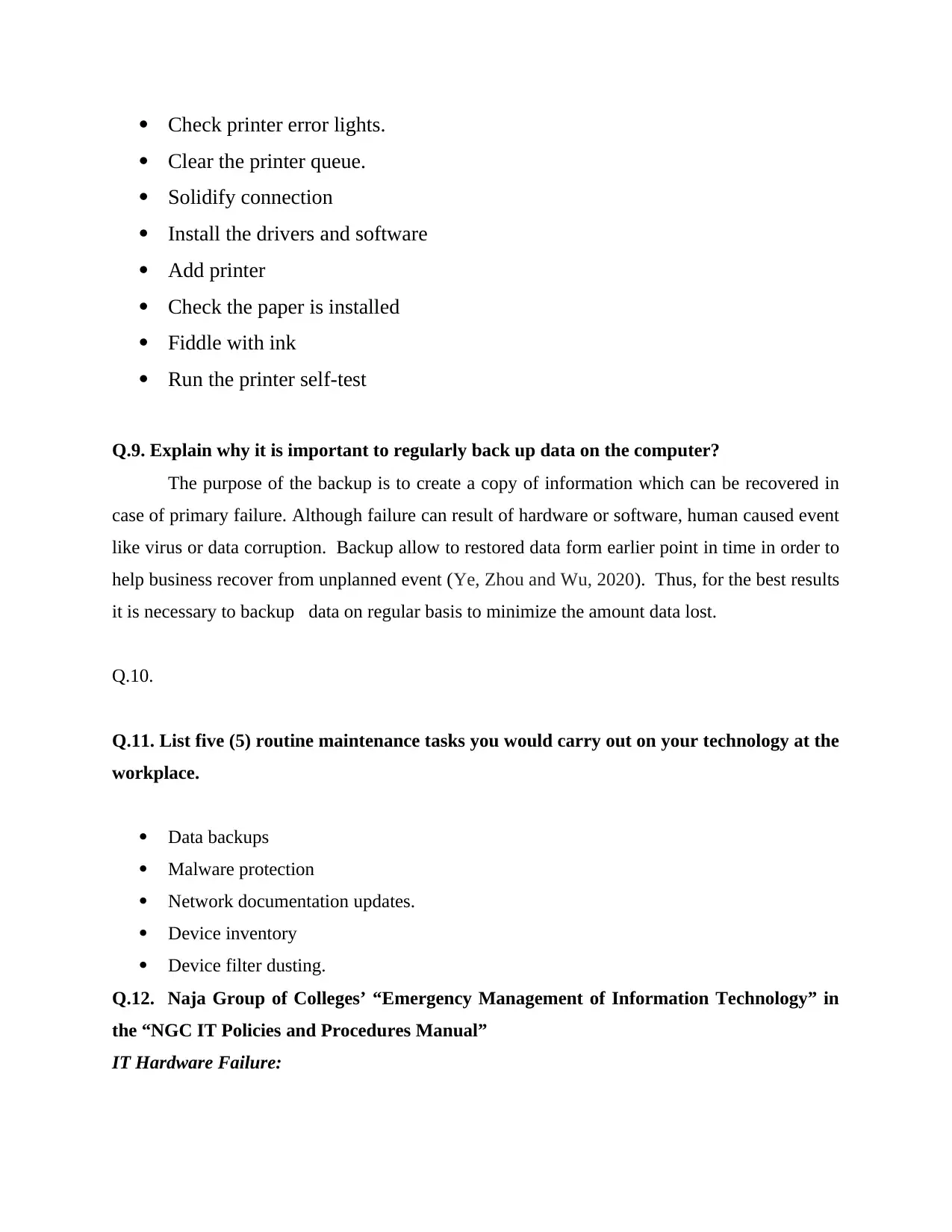
Check printer error lights.
Clear the printer queue.
Solidify connection
Install the drivers and software
Add printer
Check the paper is installed
Fiddle with ink
Run the printer self-test
Q.9. Explain why it is important to regularly back up data on the computer?
The purpose of the backup is to create a copy of information which can be recovered in
case of primary failure. Although failure can result of hardware or software, human caused event
like virus or data corruption. Backup allow to restored data form earlier point in time in order to
help business recover from unplanned event (Ye, Zhou and Wu, 2020). Thus, for the best results
it is necessary to backup data on regular basis to minimize the amount data lost.
Q.10.
Q.11. List five (5) routine maintenance tasks you would carry out on your technology at the
workplace.
Data backups
Malware protection
Network documentation updates.
Device inventory
Device filter dusting.
Q.12. Naja Group of Colleges’ “Emergency Management of Information Technology” in
the “NGC IT Policies and Procedures Manual”
IT Hardware Failure:
Document Page
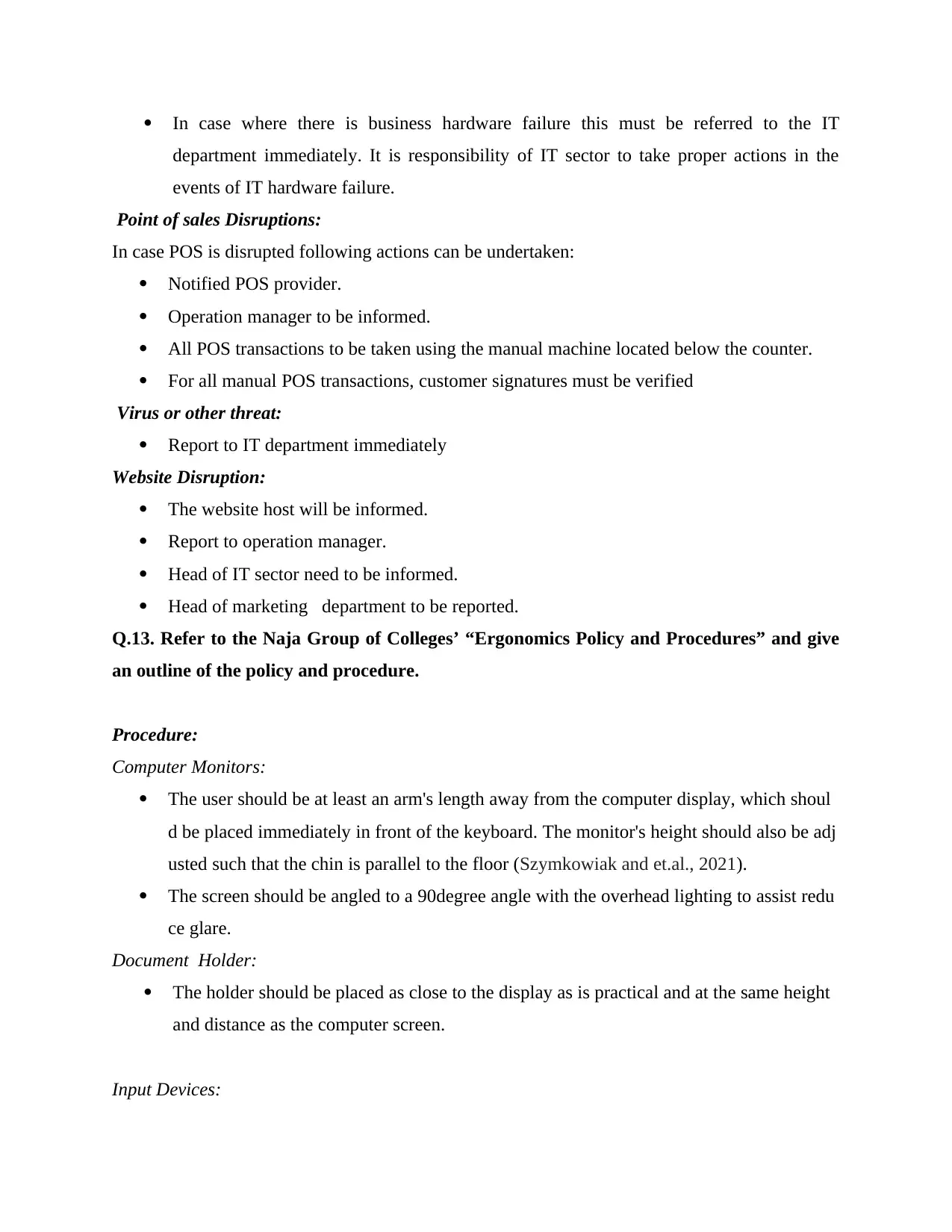
In case where there is business hardware failure this must be referred to the IT
department immediately. It is responsibility of IT sector to take proper actions in the
events of IT hardware failure.
Point of sales Disruptions:
In case POS is disrupted following actions can be undertaken:
Notified POS provider.
Operation manager to be informed.
All POS transactions to be taken using the manual machine located below the counter.
For all manual POS transactions, customer signatures must be verified
Virus or other threat:
Report to IT department immediately
Website Disruption:
The website host will be informed.
Report to operation manager.
Head of IT sector need to be informed.
Head of marketing department to be reported.
Q.13. Refer to the Naja Group of Colleges’ “Ergonomics Policy and Procedures” and give
an outline of the policy and procedure.
Procedure:
Computer Monitors:
The user should be at least an arm's length away from the computer display, which shoul
d be placed immediately in front of the keyboard. The monitor's height should also be adj
usted such that the chin is parallel to the floor (Szymkowiak and et.al., 2021).
The screen should be angled to a 90degree angle with the overhead lighting to assist redu
ce glare.
Document Holder:
The holder should be placed as close to the display as is practical and at the same height
and distance as the computer screen.
Input Devices:
tabler-icon-diamond-filled.svg

Paraphrase This Document

Need a fresh take? Get an instant paraphrase of this document with our AI Paraphraser
Document Page
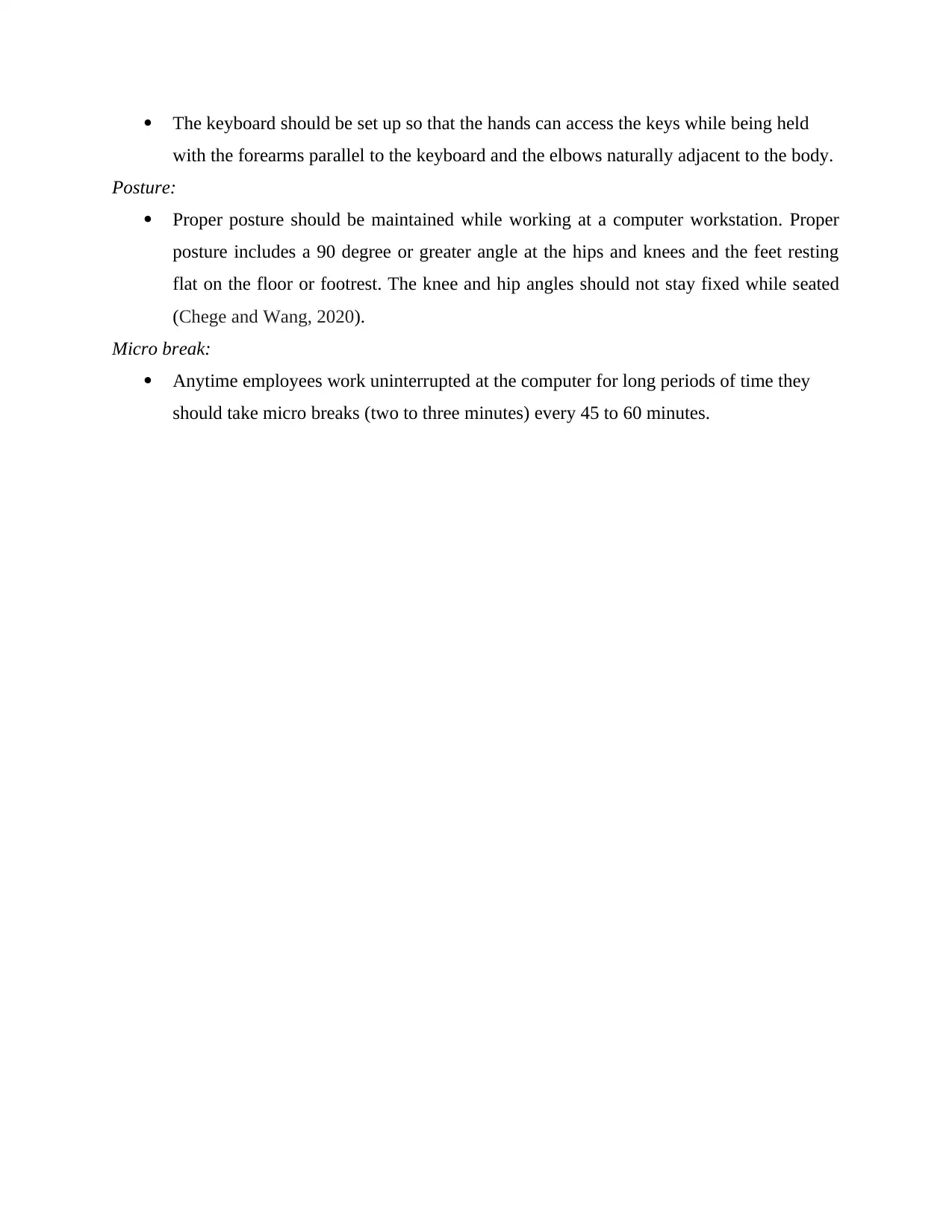
The keyboard should be set up so that the hands can access the keys while being held
with the forearms parallel to the keyboard and the elbows naturally adjacent to the body.
Posture:
Proper posture should be maintained while working at a computer workstation. Proper
posture includes a 90 degree or greater angle at the hips and knees and the feet resting
flat on the floor or footrest. The knee and hip angles should not stay fixed while seated
(Chege and Wang, 2020).
Micro break:
Anytime employees work uninterrupted at the computer for long periods of time they
should take micro breaks (two to three minutes) every 45 to 60 minutes.
Document Page
ASSESSMENT 2
Appendix 2
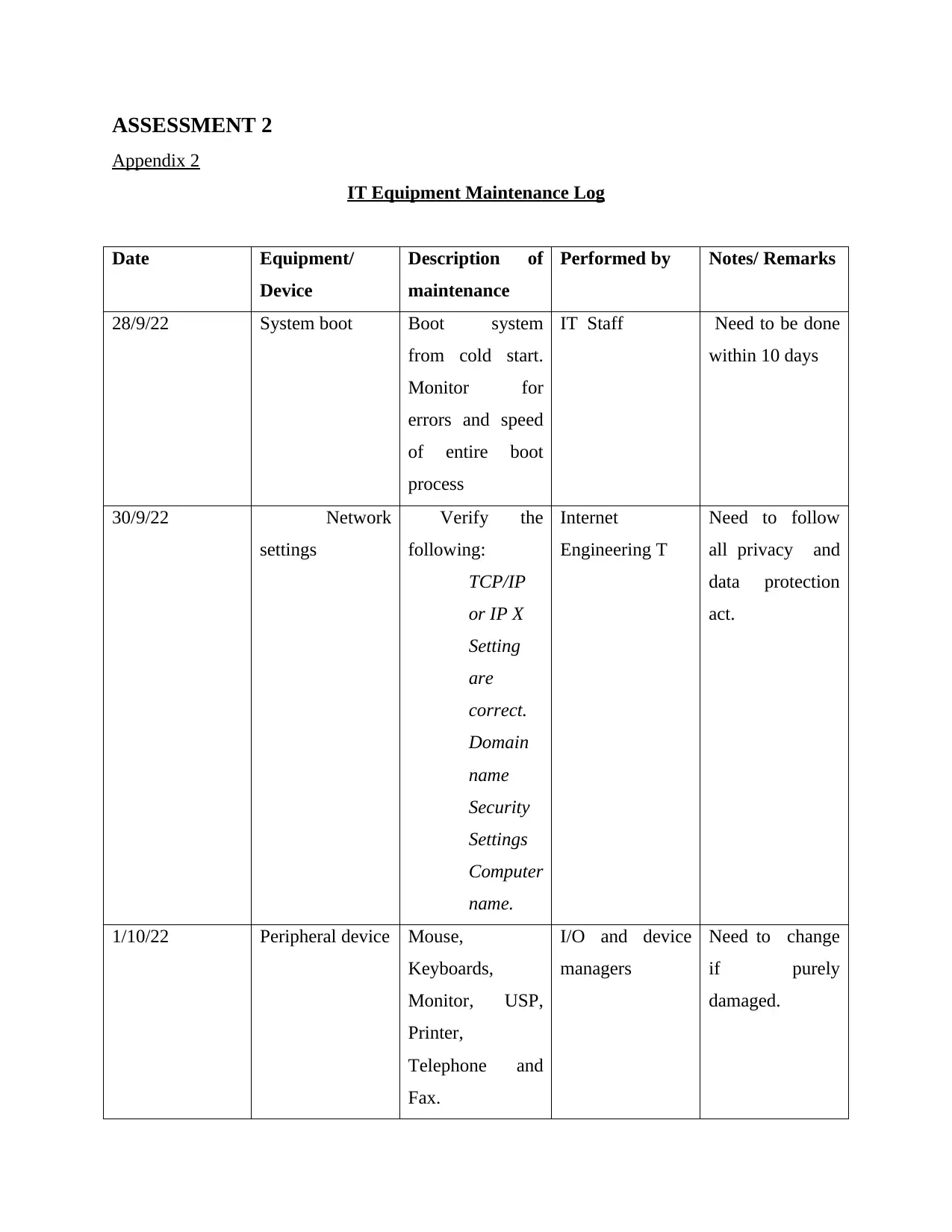
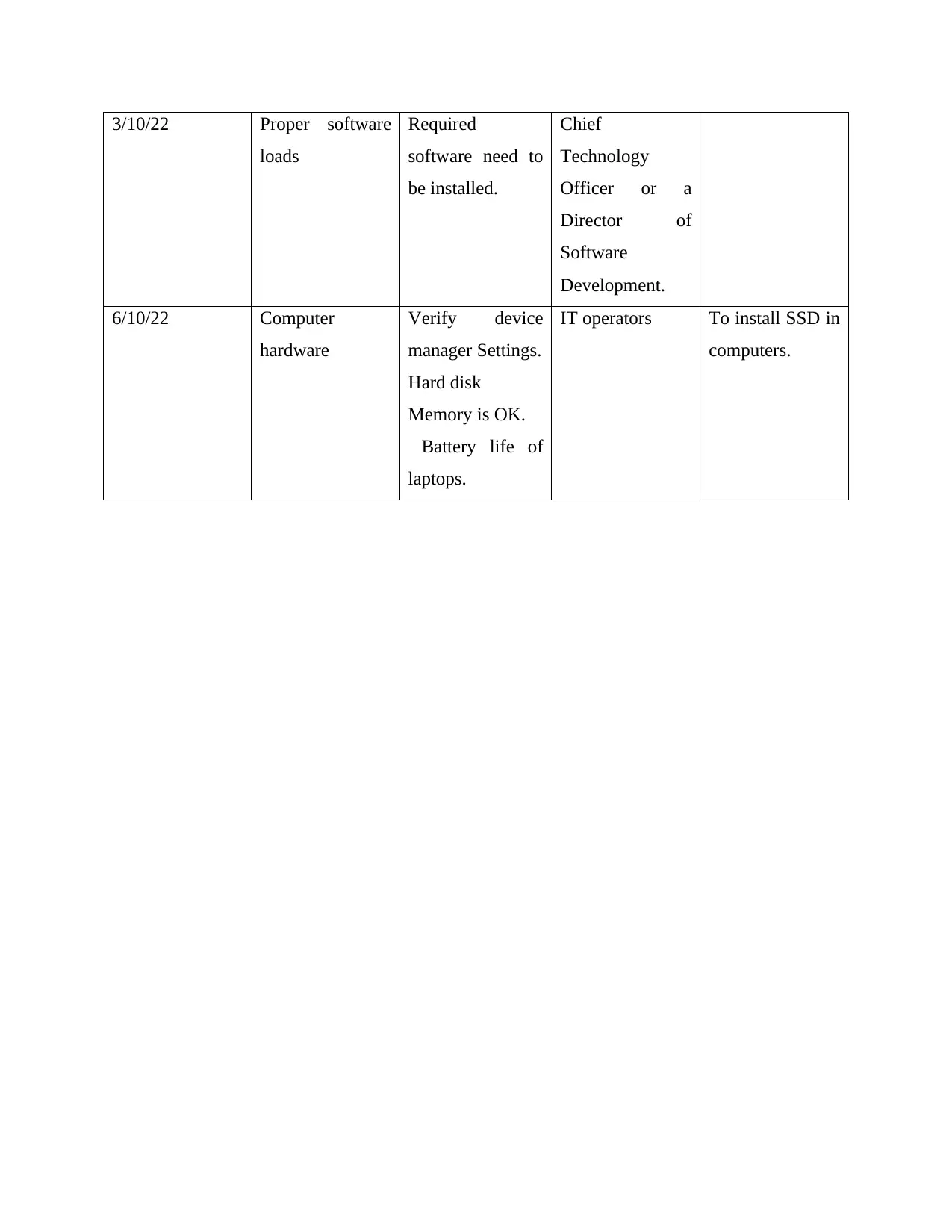
IT Equipment Maintenance Log
Date Equipment/
Device
Description of
maintenance
Performed by Notes/ Remarks
28/9/22 System boot Boot system
from cold start.
Monitor for
errors and speed
of entire boot
process
IT Staff Need to be done
within 10 days
30/9/22 Network
settings
Verify the
following:
TCP/IP
or IP X
Setting
are
correct.
Domain
name
Security
Settings
Computer
name.
Internet
Engineering T
Need to follow
all privacy and
data protection
act.
1/10/22 Peripheral device Mouse,
Keyboards,
Monitor, USP,
Printer,
Telephone and
Fax.
I/O and device
managers
Need to change
if purely
damaged.
Document Page
3/10/22 Proper software
loads
Required
software need to
be installed.
Chief
Technology
Officer or a
Director of
Software
Development.
6/10/22 Computer
hardware
Verify device
manager Settings.
Hard disk
Memory is OK.
Battery life of
laptops.
IT operators To install SSD in
computers.
tabler-icon-diamond-filled.svg

Paraphrase This Document

Need a fresh take? Get an instant paraphrase of this document with our AI Paraphraser
Document Page
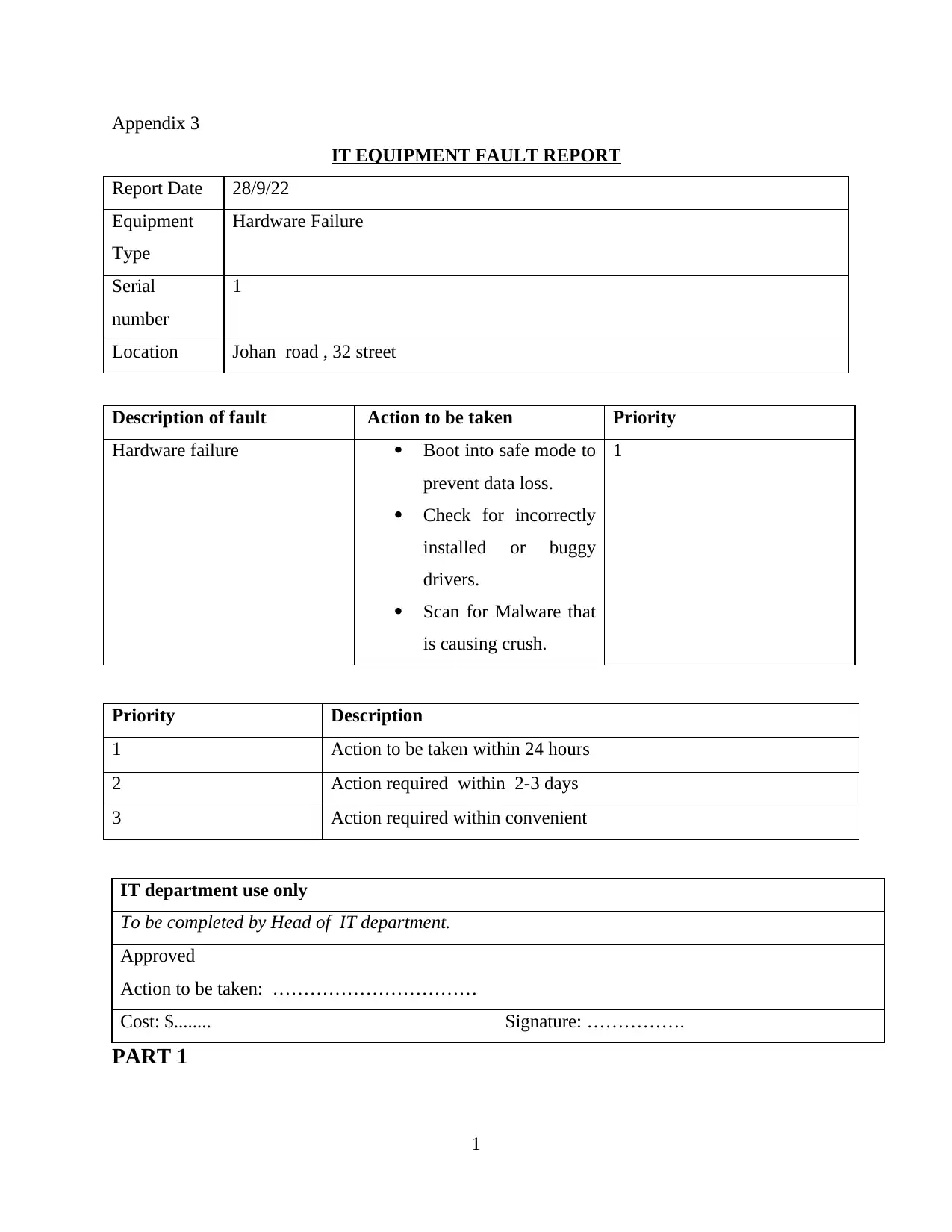
Appendix 3
IT EQUIPMENT FAULT REPORT
Report Date 28/9/22
Equipment
Type
Hardware Failure
Serial
number
1
Location Johan road , 32 street
Description of fault Action to be taken Priority
Hardware failure Boot into safe mode to
prevent data loss.
Check for incorrectly
installed or buggy
drivers.
Scan for Malware that
is causing crush.
1
Priority Description
1 Action to be taken within 24 hours
2 Action required within 2-3 days
3 Action required within convenient
IT department use only
To be completed by Head of IT department.
Approved
Action to be taken: ……………………………
Cost: $........ Signature: …………….
PART 1
1
Document Page
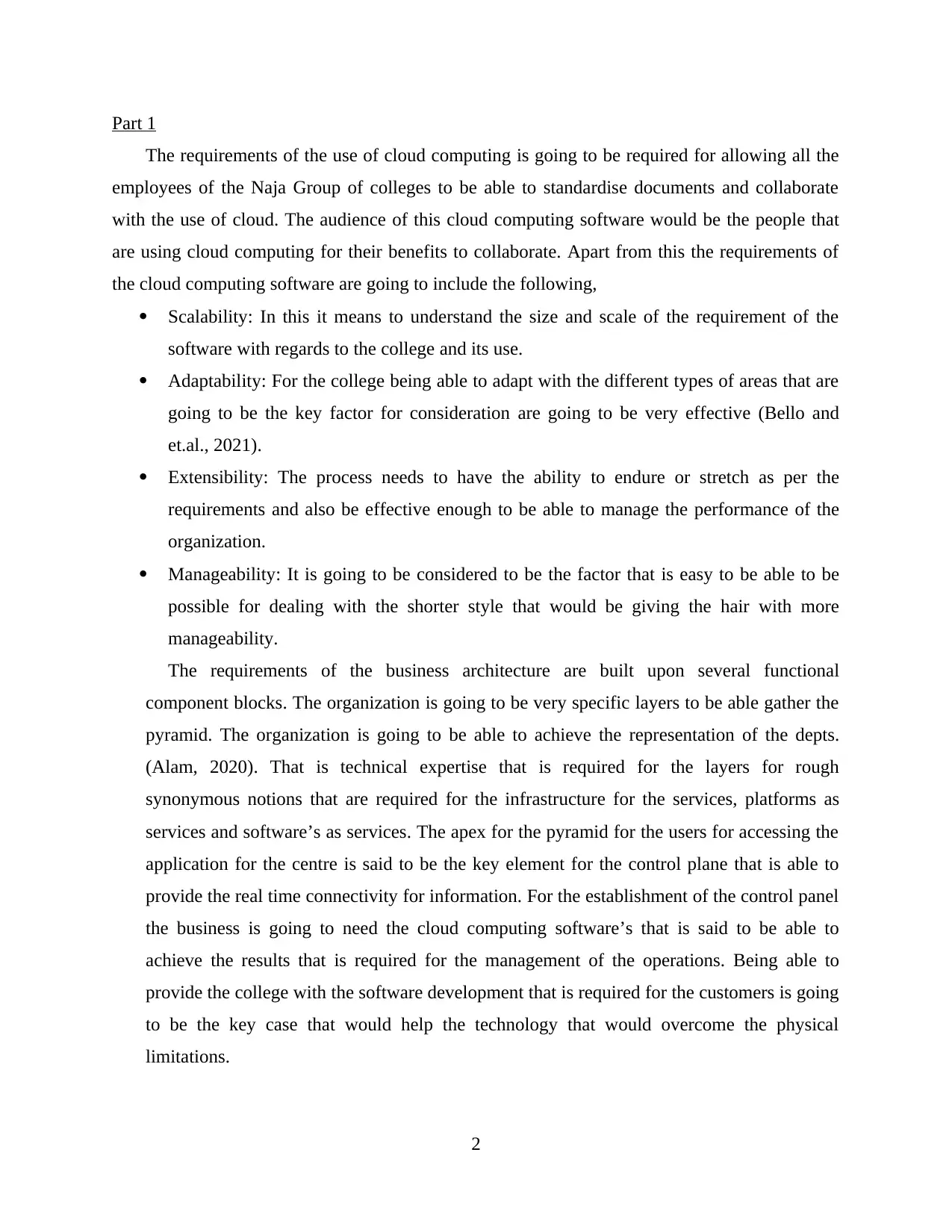
Part 1
The requirements of the use of cloud computing is going to be required for allowing all the
employees of the Naja Group of colleges to be able to standardise documents and collaborate
with the use of cloud. The audience of this cloud computing software would be the people that
are using cloud computing for their benefits to collaborate. Apart from this the requirements of
the cloud computing software are going to include the following,
Scalability: In this it means to understand the size and scale of the requirement of the
software with regards to the college and its use.
Adaptability: For the college being able to adapt with the different types of areas that are
going to be the key factor for consideration are going to be very effective (Bello and
et.al., 2021).
Extensibility: The process needs to have the ability to endure or stretch as per the
requirements and also be effective enough to be able to manage the performance of the
organization.
Manageability: It is going to be considered to be the factor that is easy to be able to be
possible for dealing with the shorter style that would be giving the hair with more
manageability.
The requirements of the business architecture are built upon several functional
component blocks. The organization is going to be very specific layers to be able gather the
pyramid. The organization is going to be able to achieve the representation of the depts.
(Alam, 2020). That is technical expertise that is required for the layers for rough
synonymous notions that are required for the infrastructure for the services, platforms as
services and software’s as services. The apex for the pyramid for the users for accessing the
application for the centre is said to be the key element for the control plane that is able to
provide the real time connectivity for information. For the establishment of the control panel
the business is going to need the cloud computing software’s that is said to be able to
achieve the results that is required for the management of the operations. Being able to
provide the college with the software development that is required for the customers is going
to be the key case that would help the technology that would overcome the physical
limitations.
2
chevron_up_icon
1 out of 18
circle_padding
hide_on_mobile
zoom_out_icon
[object Object]