CBCP2101 Computer Programming I: Developing a Student Grading System

Verified

Added on  2023/06/10

|6
|564
|210
Homework Assignment
AI Summary
This assignment solution details the development of a student grading application. It begins with an analysis of the problem, identifying the need for variables to store the number of students and courses. The application then takes student IDs and marks for each course as input. It calculates grades based on predefined mark ranges (A to F) and computes the average mark. Finally, it determines whether the student can proceed to the next semester based on whether the average mark is greater than or equal to 40. The solution includes a pseudo code algorithm, a flowchart, and a tracing table to illustrate the application's logic and functionality.

Document Page
Running head: CBCP2101: COMPUTER PROGRAMMING
CBCP2101: COMPUTER PROGRAMMING
Name of the Student
Name of the University
Authors note
tabler-icon-diamond-filled.svg

Paraphrase This Document

Need a fresh take? Get an instant paraphrase of this document with our AI Paraphraser
Document Page
1CBCP2101: COMPUTER PROGRAMMING
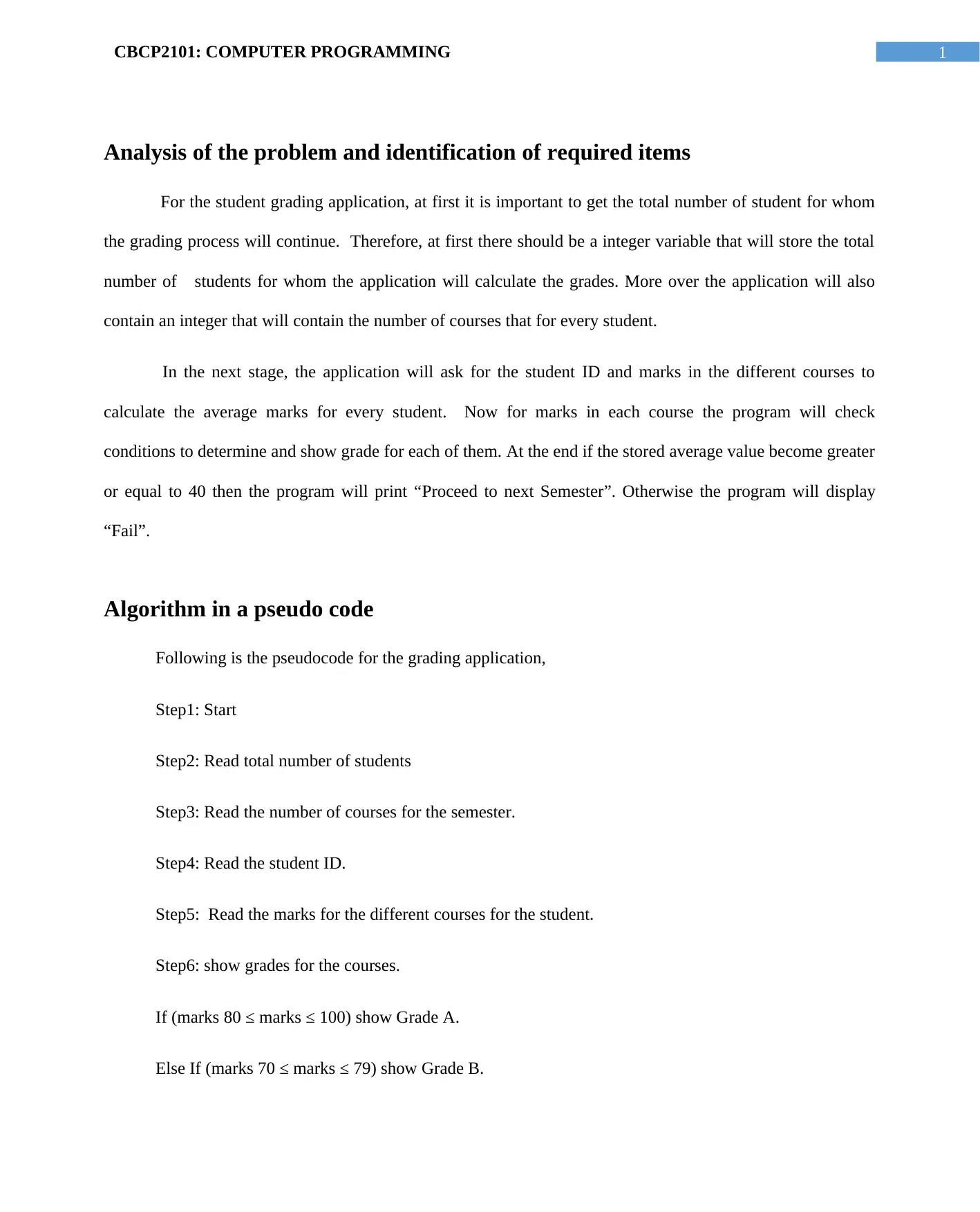
Analysis of the problem and identification of required items
For the student grading application, at first it is important to get the total number of student for whom
the grading process will continue. Therefore, at first there should be a integer variable that will store the total
number of students for whom the application will calculate the grades. More over the application will also
contain an integer that will contain the number of courses that for every student.
In the next stage, the application will ask for the student ID and marks in the different courses to
calculate the average marks for every student. Now for marks in each course the program will check
conditions to determine and show grade for each of them. At the end if the stored average value become greater
or equal to 40 then the program will print “Proceed to next Semester”. Otherwise the program will display
“Fail”.
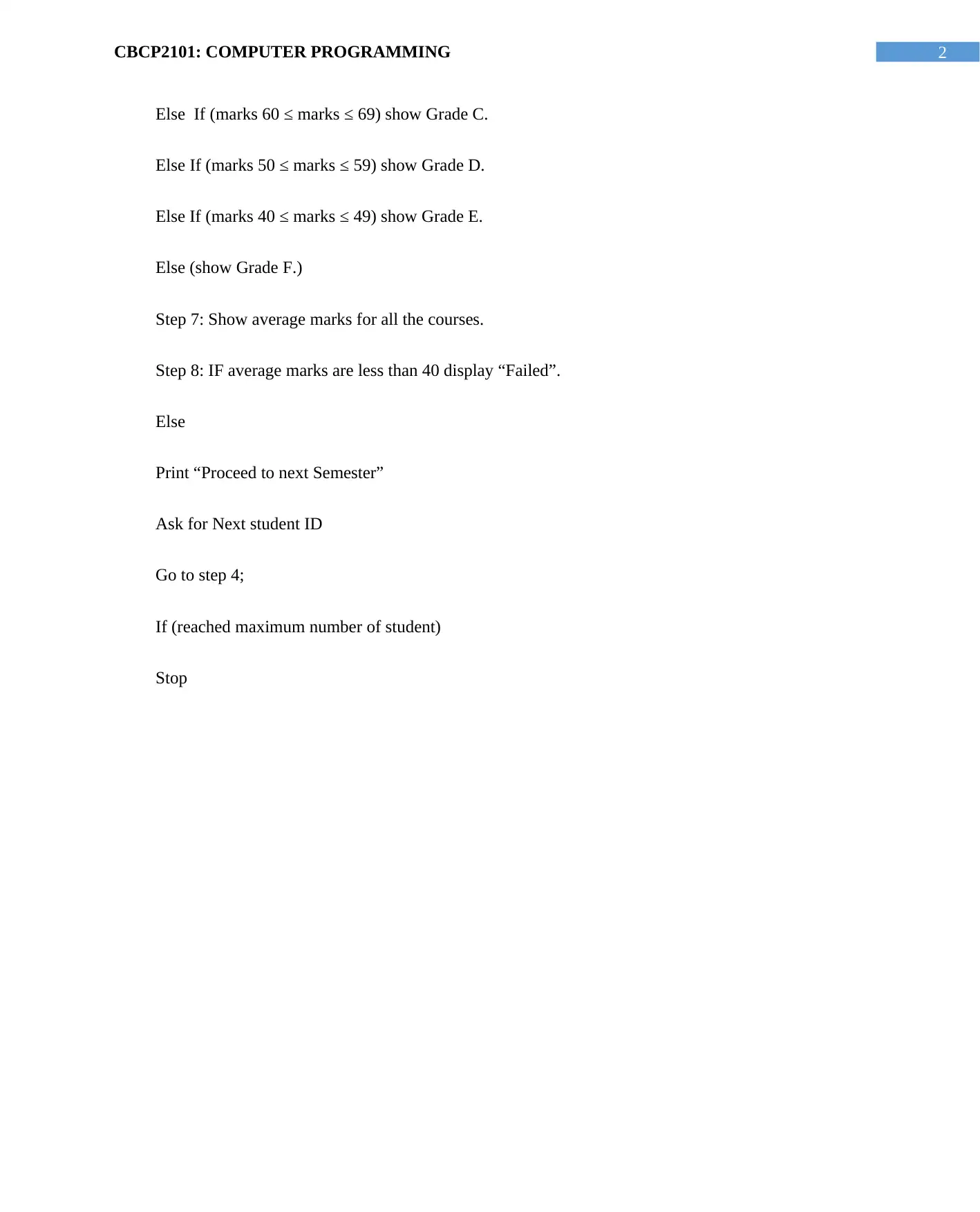
Algorithm in a pseudo code
Following is the pseudocode for the grading application,
Step1: Start
Step2: Read total number of students
Step3: Read the number of courses for the semester.
Step4: Read the student ID.
Step5: Read the marks for the different courses for the student.
Step6: show grades for the courses.
If (marks 80 ≤ marks ≤ 100) show Grade A.
Else If (marks 70 ≤ marks ≤ 79) show Grade B.
Document Page
2CBCP2101: COMPUTER PROGRAMMING
Else If (marks 60 ≤ marks ≤ 69) show Grade C.
Else If (marks 50 ≤ marks ≤ 59) show Grade D.
Else If (marks 40 ≤ marks ≤ 49) show Grade E.
Else (show Grade F.)
Step 7: Show average marks for all the courses.
Step 8: IF average marks are less than 40 display “Failed”.
Else
Print “Proceed to next Semester”
Ask for Next student ID
Go to step 4;
If (reached maximum number of student)
Stop
Document Page
3CBCP2101: COMPUTER PROGRAMMING
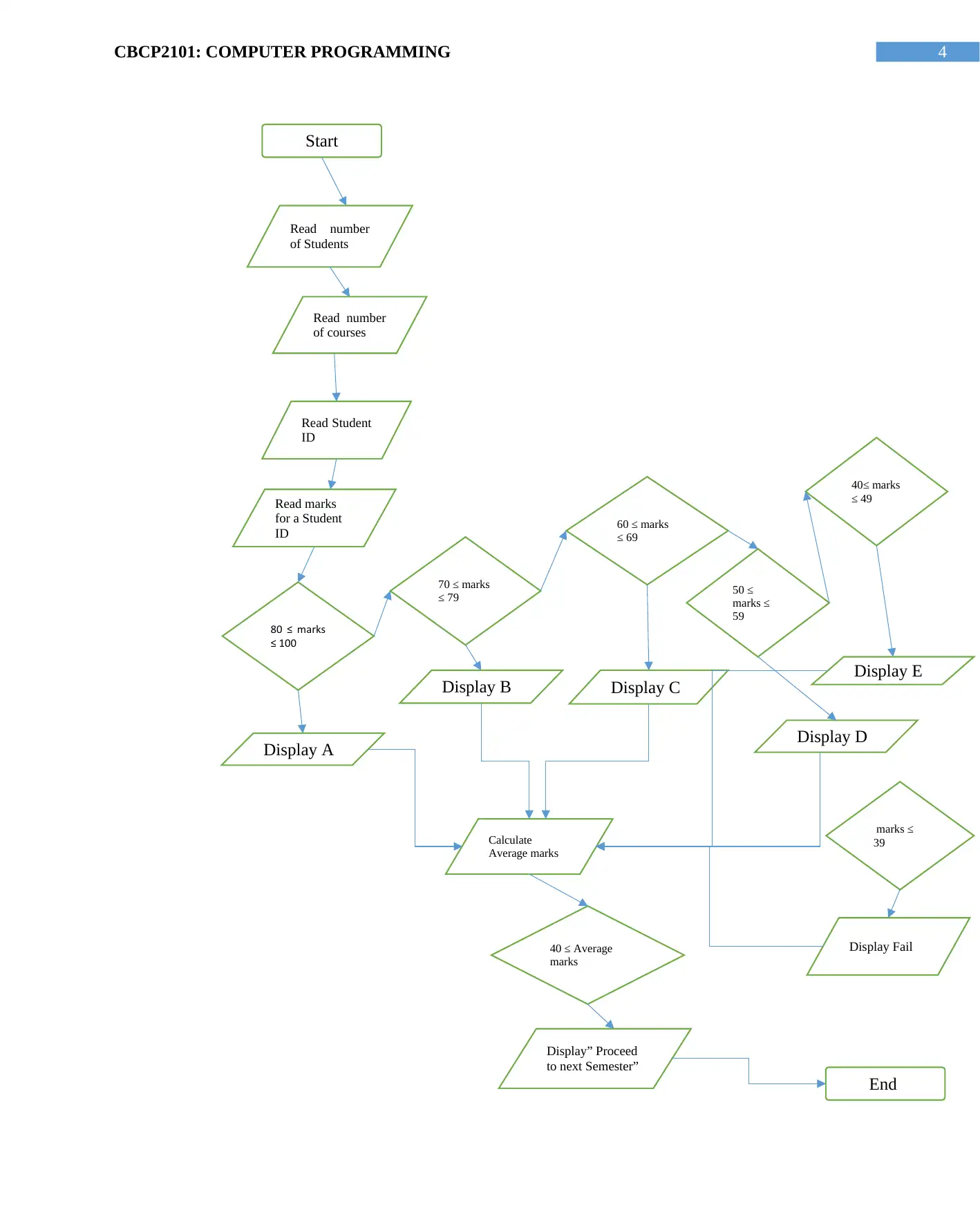
Flowchart based on the pseudo code
tabler-icon-diamond-filled.svg

Paraphrase This Document

Need a fresh take? Get an instant paraphrase of this document with our AI Paraphraser
Document Page
4CBCP2101: COMPUTER PROGRAMMING
Start
Read number
of Students
Read Student
ID
Read number
of courses
Read marks
for a Student
ID
80 ≤ marks
≤ 100
marks ≤
39
50 ≤
marks ≤
59
40≤ marks
≤ 49
60 ≤ marks
≤ 69
70 ≤ marks
≤ 79
Display E
Display D
Display B Display C
Display A
Display Fail
Calculate
Average marks
Display” Proceed
to next Semester”
40 ≤ Average
marks
End
Document Page
5CBCP2101: COMPUTER PROGRAMMING
Figure 1: Flow chart for the Student grading program
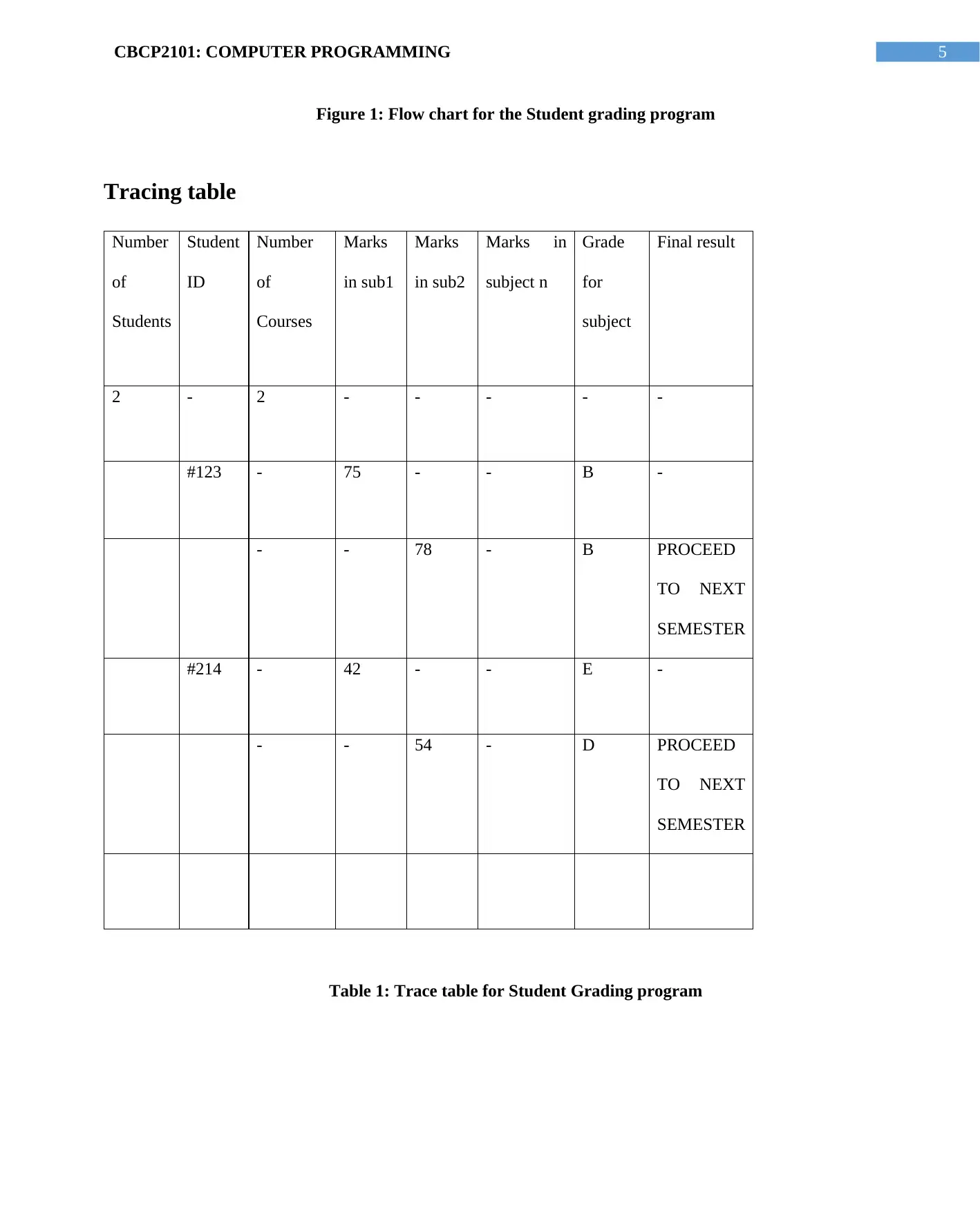
Tracing table
Number
of
Students
Student
ID
Number
of
Courses
Marks
in sub1
Marks
in sub2
Marks in
subject n
Grade
for
subject
Final result
2 - 2 - - - - -
#123 - 75 - - B -
- - 78 - B PROCEED
TO NEXT
SEMESTER
#214 - 42 - - E -
- - 54 - D PROCEED
TO NEXT
SEMESTER
Table 1: Trace table for Student Grading program
chevron_up_icon
1 out of 6
circle_padding
hide_on_mobile
zoom_out_icon
[object Object]