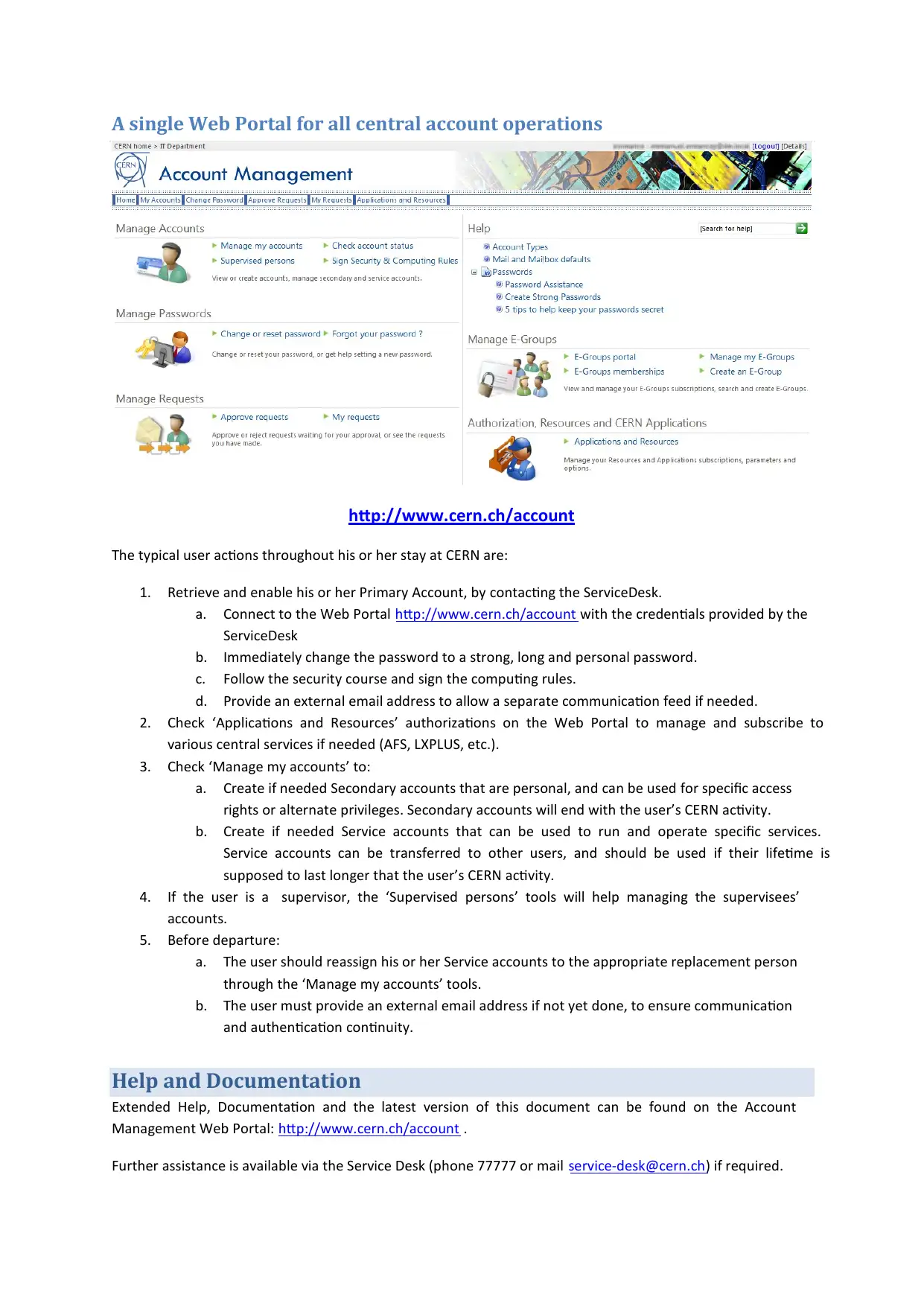
The New Account Management System Information for End Users at CERN

Verified

Added on  2023/01/20

|2
|801
|99
Report
AI Summary
This document provides an overview of the new Account Management System at CERN, replacing the previous CRA system with a self-service web portal. The objective is to simplify and standardize account management, differentiating Identity, Authentication, and Authorization. The document details the changes, including the creation of primary, secondary, and service accounts, and the processes for enabling accounts, managing resources, and handling user departures. It outlines key user actions, such as retrieving and enabling the primary account, managing resources, creating new accounts, and reassigning service accounts. The document also emphasizes the importance of the security quiz and computing rules, and provides links to help and documentation. This new system aims to streamline account management throughout the user's lifecycle at CERN.
Document Page
The new Account Management System
Information for End Users
CERN – IT/OIS – October 2010
Objective
To simplify and standardize account management at CERN, better differentiate Identity, Authentication and
Authorization, the lifecycle of identities, accounts and associated computing resources throughout the user’s
activity at CERN.
What is changing?
In November, the current management system called CRA is replaced by a new self-service tool available on a
Web Portal: http://www.cern.ch/account.
The End-Users manage themselves their accounts and resources through the Web Portal. Intervention of
group administrators, supervisors and team leaders is minimized to a set of specific actions. Any action not
available in the Web portal can be completed by contacting the Service Desk (phone 77777 or mail service-
desk@cern.ch).
Creating accounts for newcomers
Contacting a “Group Administrator” to create an account upon arrival will not be necessary anymore. When a
newcomer arrives at CERN, an account, called the Primary Account, has already been created for him or her.
Users shall only contact by phone the ServiceDesk to enable the account (obtain login and initial password).
Note, however, that to access some specific resources such as AFS, the newcomer’s account must be added to
a specific Computing E-Group (see Computing Group Administration below).
Security Quiz and Computing Rules
The user must follow the Security Quiz and sign the acceptance of computing rules document on the SIR portal
(Safety Information Registration http://sir.cern.ch) within 5 days from the Primary account enabling (start of
the contract). The account will be blocked if this is not completed within the time limit.
Self-service creation of new accounts
Users can create new accounts by themselves. New accounts can be defined as Secondary (e.g. test or
administrative account: no mailbox, not transferrable) or Service (e.g. a login for a software or a service, with a
mailbox of its own, can be assigned to another person).
User Departure
Two months before a user’s contract with CERN terminates, the user and his supervisor will receive a mail
notification. When the user leaves CERN, his Primary and Secondary accounts are disabled, all his static E-
Groups memberships are deleted. Service accounts are transferred to the user’s supervisor. After a grace
period of 6 months, Primary and Secondary accounts are deleted. The grace period allows recovery if the user
gets a new contract (e.g. affiliation renewal).
tabler-icon-diamond-filled.svg

Paraphrase This Document

Need a fresh take? Get an instant paraphrase of this document with our AI Paraphraser
Document Page
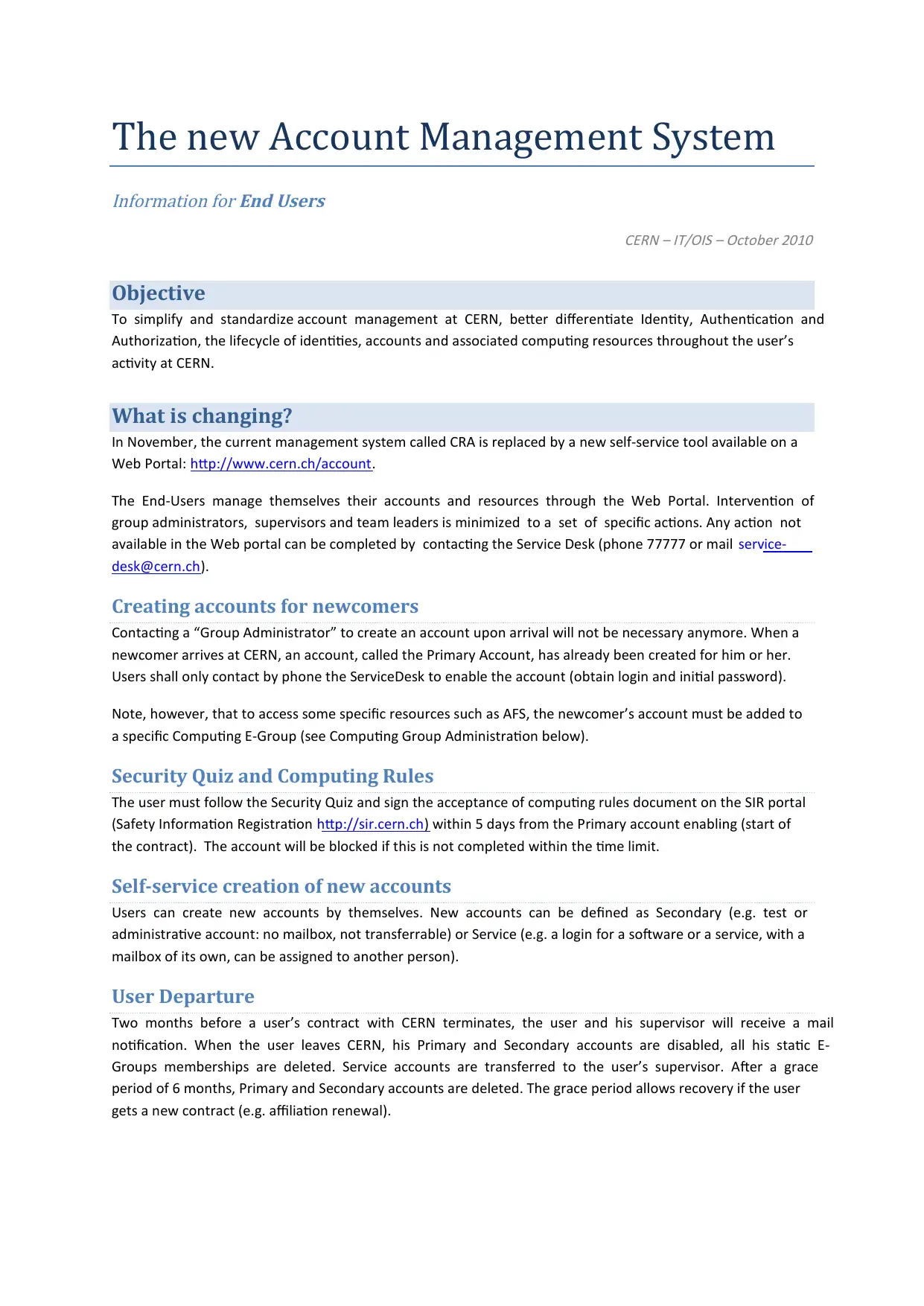
A single Web Portal for all central account operations
http://www.cern.ch/account
The typical user actions throughout his or her stay at CERN are:
1. Retrieve and enable his or her Primary Account, by contacting the ServiceDesk.
a. Connect to the Web Portal http://www.cern.ch/account with the credentials provided by the
ServiceDesk
b. Immediately change the password to a strong, long and personal password.
c. Follow the security course and sign the computing rules.
d. Provide an external email address to allow a separate communication feed if needed.
2. Check ‘Applications and Resources’ authorizations on the Web Portal to manage and subscribe to
various central services if needed (AFS, LXPLUS, etc.).
3. Check ‘Manage my accounts’ to:
a. Create if needed Secondary accounts that are personal, and can be used for specific access
rights or alternate privileges. Secondary accounts will end with the user’s CERN activity.
b. Create if needed Service accounts that can be used to run and operate specific services.
Service accounts can be transferred to other users, and should be used if their lifetime is
supposed to last longer that the user’s CERN activity.
4. If the user is a supervisor, the ‘Supervised persons’ tools will help managing the supervisees’
accounts.
5. Before departure:
a. The user should reassign his or her Service accounts to the appropriate replacement person
through the ‘Manage my accounts’ tools.
b. The user must provide an external email address if not yet done, to ensure communication
and authentication continuity.
Help and Documentation
Extended Help, Documentation and the latest version of this document can be found on the Account
Management Web Portal: http://www.cern.ch/account .
Further assistance is available via the Service Desk (phone 77777 or mail service-desk@cern.ch) if required.
chevron_up_icon
1 out of 2
circle_padding
hide_on_mobile
zoom_out_icon
[object Object]