BUS5BIM - Semester 1: Coffee Vending Machine Case Study Report

Verified

Added on  2022/07/28

|5
|609
|25
Report
AI Summary
This report presents a case study of a coffee vending machine, focusing on its business and IT goals. It begins with an executive summary highlighting the time-saving benefits of the machine and its ability to deliver customized coffee. The report details the IT deliverables, including coin slots, message displays, and dispensers, illustrated with figures showing the system's input and output modes. It outlines the process of coin validation, ingredient selection, and coffee dispensing. The report further emphasizes the role of IT in achieving business objectives, such as machine replenishment through machine IDs. The core of the analysis involves breaking down the business and IT goals, including how IT components enhance the overall functionality. Figures illustrate the workflow, decision gateways, and business tasks involved in the operation of the coffee vending machine. The report emphasizes the integration of manual goals and the role of the machine manager or operator in ensuring smooth operation, and the importance of IT to achieve and exceed business goals.
Document Page
BUSINESS INFORMATION SYSTEMS(BUS5BIM)
Coffee Vending Machine
[Type the author name]
[Pick the date]
tabler-icon-diamond-filled.svg

Paraphrase This Document

Need a fresh take? Get an instant paraphrase of this document with our AI Paraphraser
Document Page
Executive Summary
The main purpose of this case study is to identify the business as well as IT goals of the coffee vending. A coffee vending machine is a time-
saving solution that doesn't have any trouble in getting a completely blended coffee. The only thing you need to input into a coffee vending
machine is to select the ingredients by adding the amount you want, as well as the distributed coffee will ensure your day. This case study
demonstrates how to use IT to achieve your business goals for the purposes mentioned above. The installation of coffee vending machines has
taken into account all individual requirements.
Business as well as IT Goals
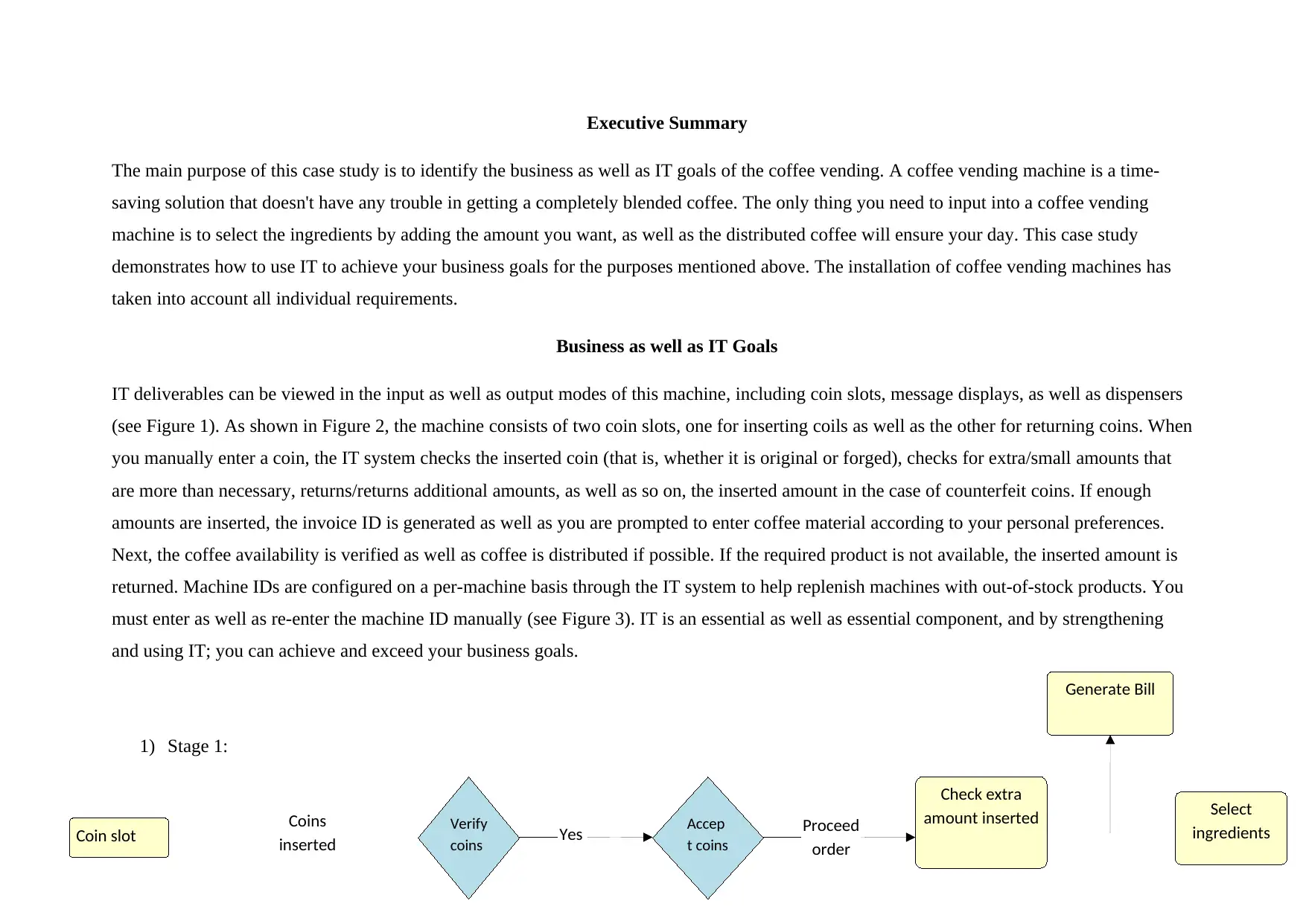
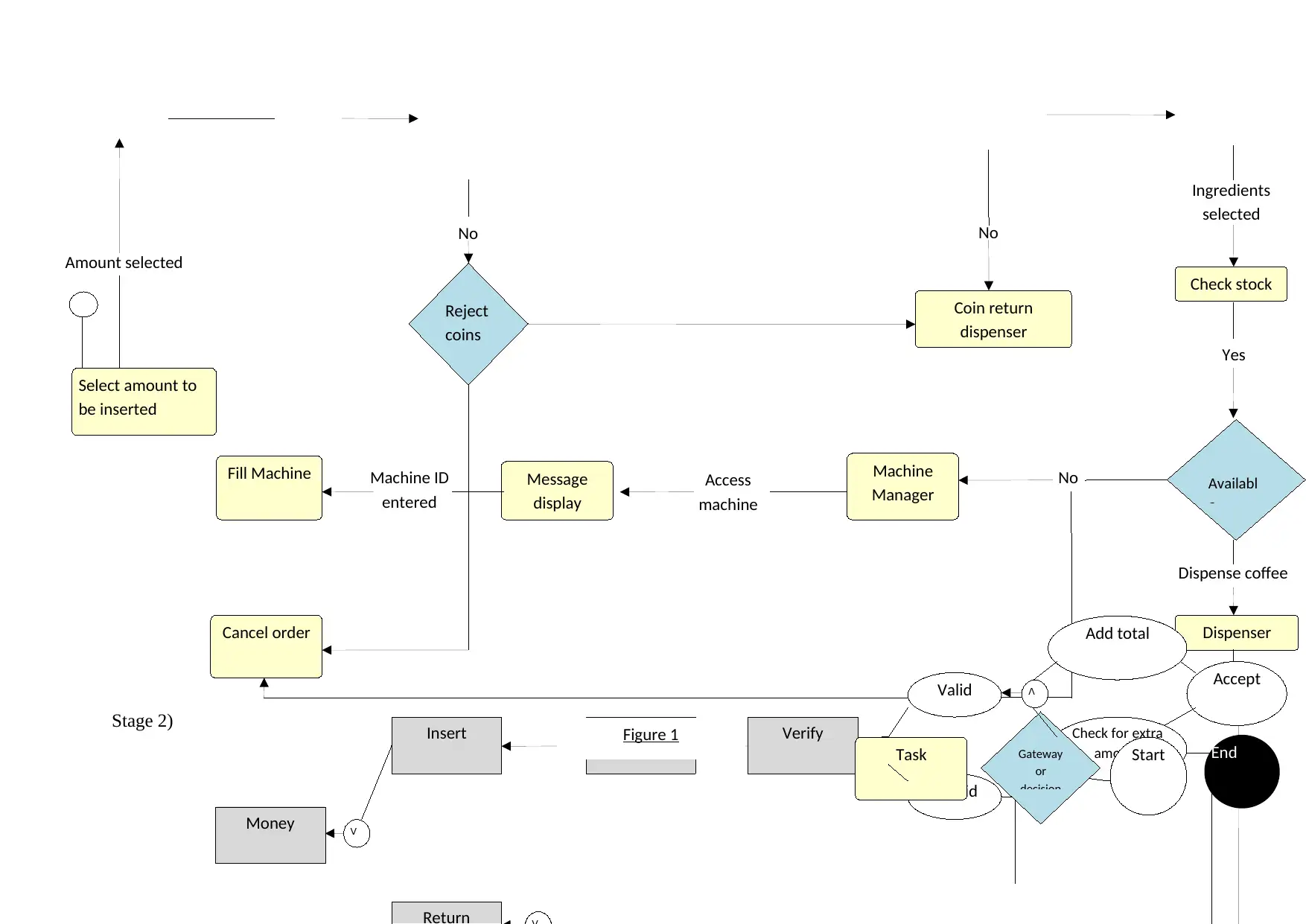
IT deliverables can be viewed in the input as well as output modes of this machine, including coin slots, message displays, as well as dispensers
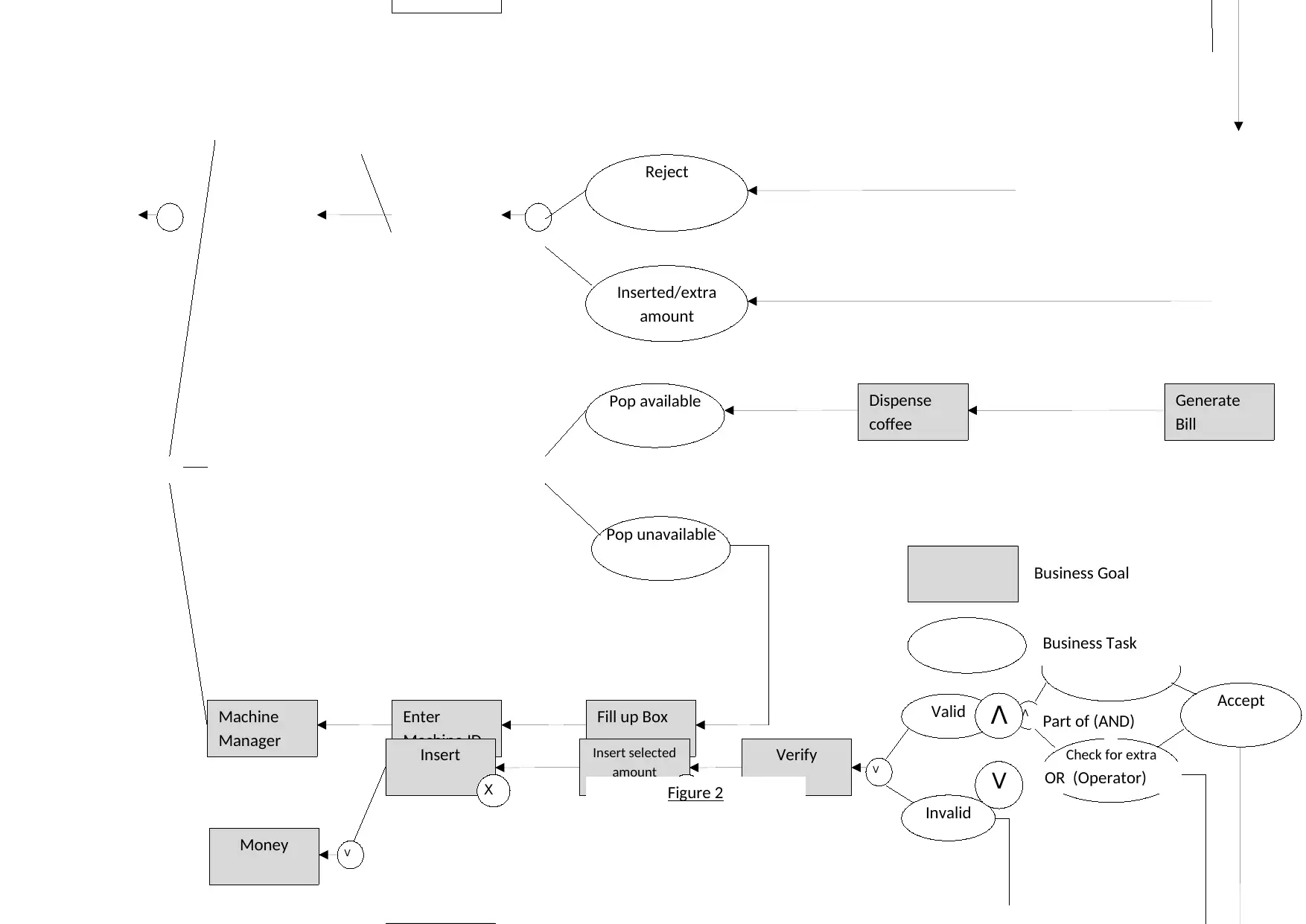
(see Figure 1). As shown in Figure 2, the machine consists of two coin slots, one for inserting coils as well as the other for returning coins. When
you manually enter a coin, the IT system checks the inserted coin (that is, whether it is original or forged), checks for extra/small amounts that
are more than necessary, returns/returns additional amounts, as well as so on, the inserted amount in the case of counterfeit coins. If enough
amounts are inserted, the invoice ID is generated as well as you are prompted to enter coffee material according to your personal preferences.
Next, the coffee availability is verified as well as coffee is distributed if possible. If the required product is not available, the inserted amount is
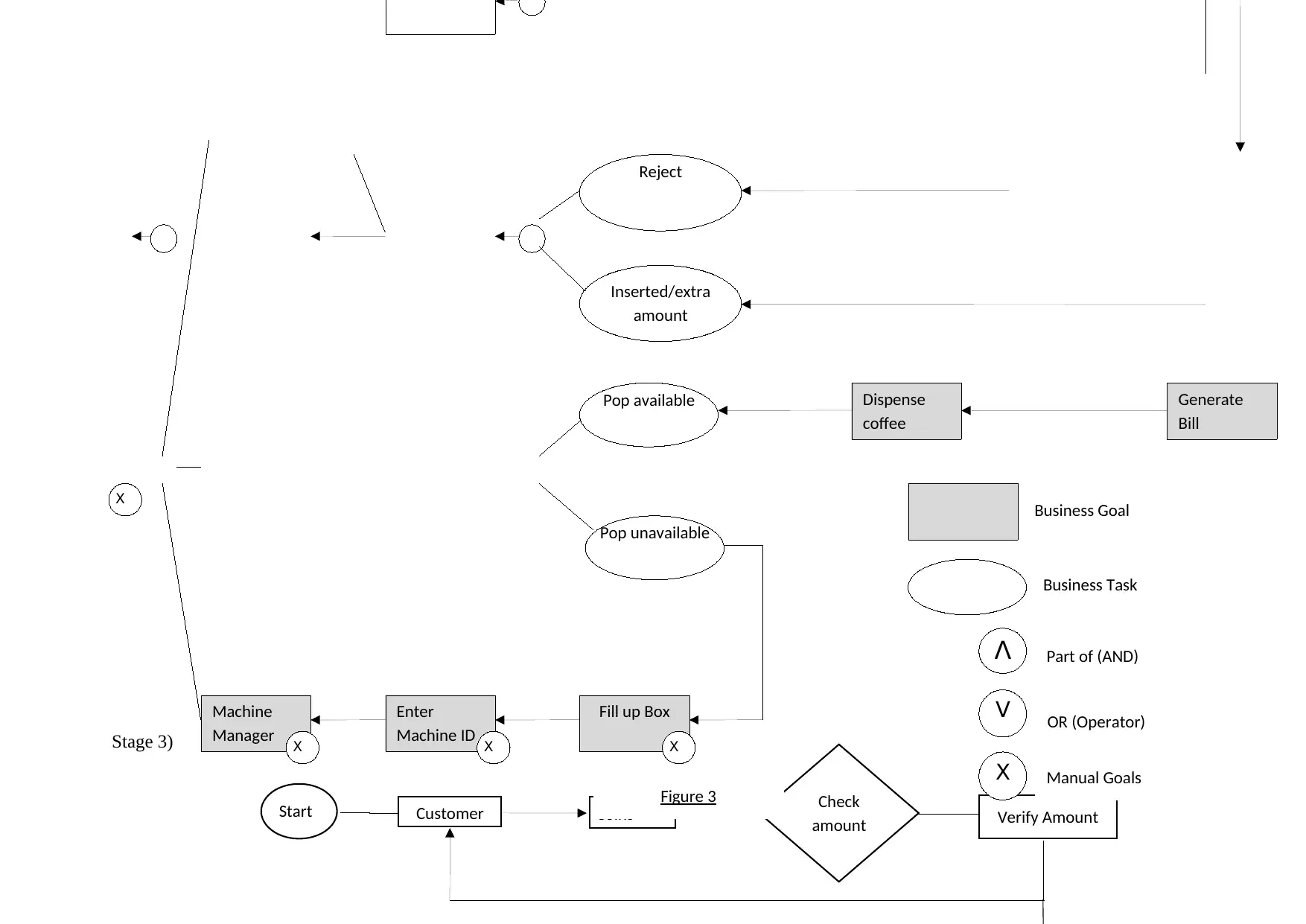
returned. Machine IDs are configured on a per-machine basis through the IT system to help replenish machines with out-of-stock products. You
must enter as well as re-enter the machine ID manually (see Figure 3). IT is an essential as well as essential component, and by strengthening
and using IT; you can achieve and exceed your business goals.
1) Stage 1:
Proceed
order
Yes
Coins
inserted
Coin slot Verify
coins
Accep
t coins
Check extra
amount inserted Select
ingredients
Generate Bill
Document Page
Stage 2)
Access
machine
No
Dispense coffee
Yes
Ingredients
selected
No
Amount selected
Select amount to
be inserted
Reject
coins
No
Coin return
dispenser
Check stock
Availabl
e
Dispenser
Machine
Manager
Message
display
Machine ID
entered
Fill Machine
Cancel order
Money
Insert Insert selected
amount
Verify
Valid
Invalid
Add total
Check for extra
amount
Accept


Task Gateway
or
decision
Start End
Figure 1
Document Page
Machine
Manager
Enter
Machine ID
Dispense
coffee
Fill up Box
Money
Insert Insert selected
amount
Verify
Valid
Invalid
Add total
Check for extra
amount
Accept


Reject
Inserted/extra
amount
Pop available
Pop unavailable


Business Goal
Business Task
Part of (AND)
OR (Operator)

Generate
Bill
Figure 2
tabler-icon-diamond-filled.svg

Paraphrase This Document

Need a fresh take? Get an instant paraphrase of this document with our AI Paraphraser
Document Page
Start Coins
Stage 3)
Machine
Manager
Enter
Machine ID
Dispense
coffee
Fill up Box

Customer Check
amount Verify Amount

Reject
Inserted/extra
amount
Pop available
Pop unavailable


Business Goal
Business Task
Part of (AND)
OR (Operator)
Manual Goals
Generate
Bill
Figure 3
chevron_up_icon
1 out of 5
circle_padding
hide_on_mobile
zoom_out_icon
[object Object]