Digital Forensics Audit: Nmap, Wireshark, and OS Analysis

Verified

Added on  2019/11/26

|24
|2035
|218
Project
AI Summary
This digital forensics project presents a comprehensive analysis of network traffic and system configurations using Nmap and Wireshark. The assignment begins with the installation and identification of digital forensic tools, emphasizing their importance in evidence collection, data recovery, and analysis. The student details the functionality of Nmap for network scanning, including TCP, UDP, and FIN scans, and Wireshark for packet capture and analysis. The project also covers forensic techniques such as cross-drive analysis, live analysis, and deleted file recovery. Furthermore, the assignment includes lab demonstrations, MD5 and SHA-1 hash values, OS information, user accounts, and installed applications, along with the identification of network interfaces, web browsers, and file paths. The project concludes with an evaluation of the tools and techniques, providing recommendations for improved forensic auditing practices. The assignment demonstrates a strong understanding of digital forensics principles and practical application of industry-standard tools.

Document Page
DIGITAL FORENSIC AUDIT
Submitted to
[Lecture name]
[institution name]
[city]
By
[student name]
tabler-icon-diamond-filled.svg

Paraphrase This Document

Need a fresh take? Get an instant paraphrase of this document with our AI Paraphraser
Document Page
SECTION 1
Installation of the digital forensics tools.
The digital forensic tools are the software that are used to test the network activity and
correction of the any evidence that can be presented before the law .
However it helps to identify, preserve, recover, analyze and present facts and opinions
regarding any digital information that can be presented during the prosecution period.
These tools are used for the following uses[1]:
i. To image the Data
ii. To recover Data
iii. To instill the integrity in Data
iv. To extract Data
v. Conduct the Forensics analysis
vi. To Monitor the events.
Below are my two installed forensic tools.
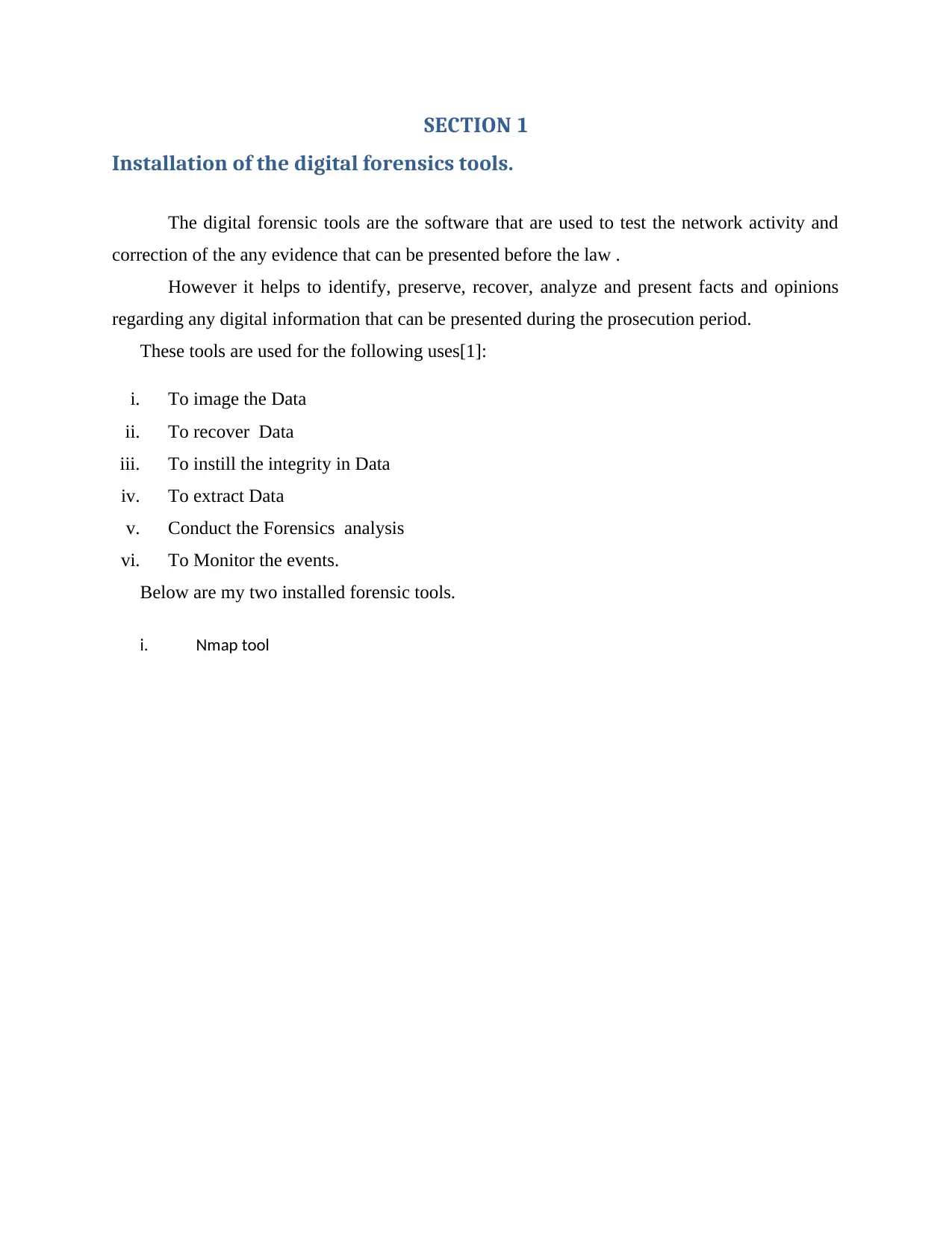
i. Nmap tool
Document Page
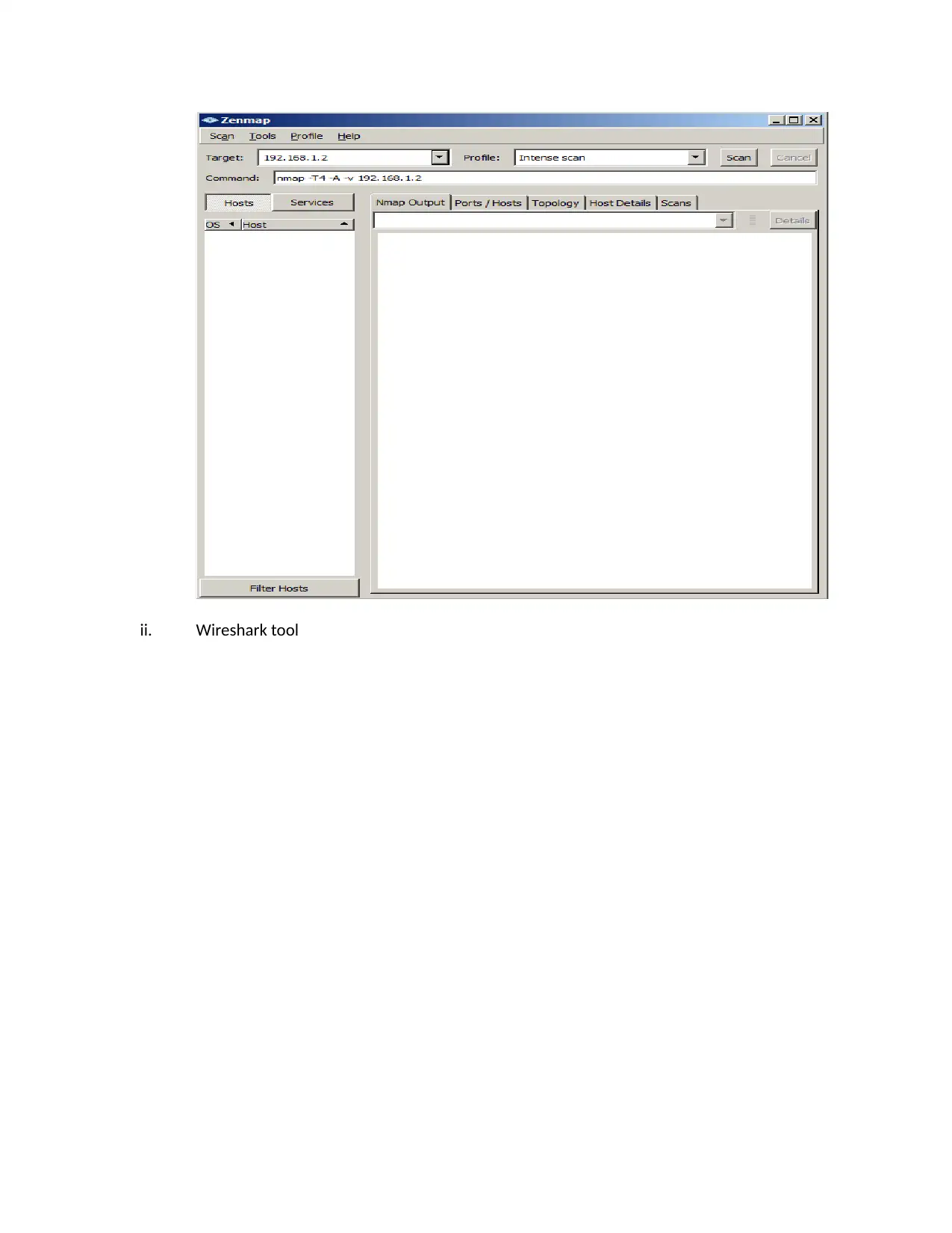
ii. Wireshark tool
Document Page
tabler-icon-diamond-filled.svg

Paraphrase This Document

Need a fresh take? Get an instant paraphrase of this document with our AI Paraphraser
Document Page
How to identify digital forensics tools.
The digital forensic tools are very vital in the research period and they are very
resourceful and the selection of the best tool should consider some of the following factors[2]:
i. Flexibility:The digital forensic tools are required too be flexible such that they can be
used to research on any event being network ,hard drives or external disks in order to
get evidence.
ii. Reliability:The digital forensic tools are needed to be always available to handle any
type of incidence ,therefore a good tool is supposed to be reliable.
iii. Future expandability :Any digital forensic tool is required to be expandable and it can
host many events at any given time and also it can be added more updates in the near
future for more functionality.
iv. Ease of use:The Ease of use digital forensic tools are required to be easy to handle
and mostly should be having the Graphical interfaces to enable users to play with
them.
v. Cost of use:To select the digital forensic tools to use the users require to check on the
possible charges and cost that can be incurred during the investigation process.
The 2 forensic techniques.
The investigation in the field of the forensic auditing requires on e to use some processes
and a number of phases.
However there are some techniques that are required to be used to conduct forensic audit
which includes the following :
i. Cross-drive analysis
This is the techniques that based on correlation of information that comes from many storage
disks ,however it is used in analysis of some social media and does the detections of nay
anomalies.
ii. Live analysis
This is a technique that is carried out by examining the computers operating systems using
the system admin tool or systadmin in order to obtain any required evidence. This is mainly used
Document Page
in case there are some encryption in the data files and it is done by getting the disk image before
the computer is shut.
iii. Deleted files
This is a technique used by the digital forensic analysts to recover some of the file that
could have been deleted, the forensic tool therefore has inbuilt tools that are used to discover any
deleted file.
This is enabled by the operating systems since most of them do not delete completely the
files and hence the investigating team is able to do reconstruction from the disks sector through
files curving .
Lab demonstration
There are two major tools that I installed in my computer in order to carry out the
demonstration of the forensic audit, these are the Nmap tool and the Wireshark tool.
The below is the illustration of how each works in the process of doing the forensic
investigation.
i. Nmap.
The Nmap is also called Network Mapped which is a tool that is basically used to scan a
network and to detect any hosts ,it is used when there are many steps in penetration tests[3].
However the Nmap is used for several functions which includes:
a. To Discover hosts: This is detection of the live hosts in the networks to on the
network
b. To discover the ports: this is detection of any opened port in hosts.
c. To discover service: This is used in discovery of the application software and the
ports the it uses.
d. The detection of the operating systems, hardware addresses, and the software
versions used by the hosts.
e. Detection of the vulnerabilities and security loop holes.
Document Page
Nmap Scanning Techniques
The Nmap is able to do several scanning which includes the TCP,FIN and UDP as discussed
below.
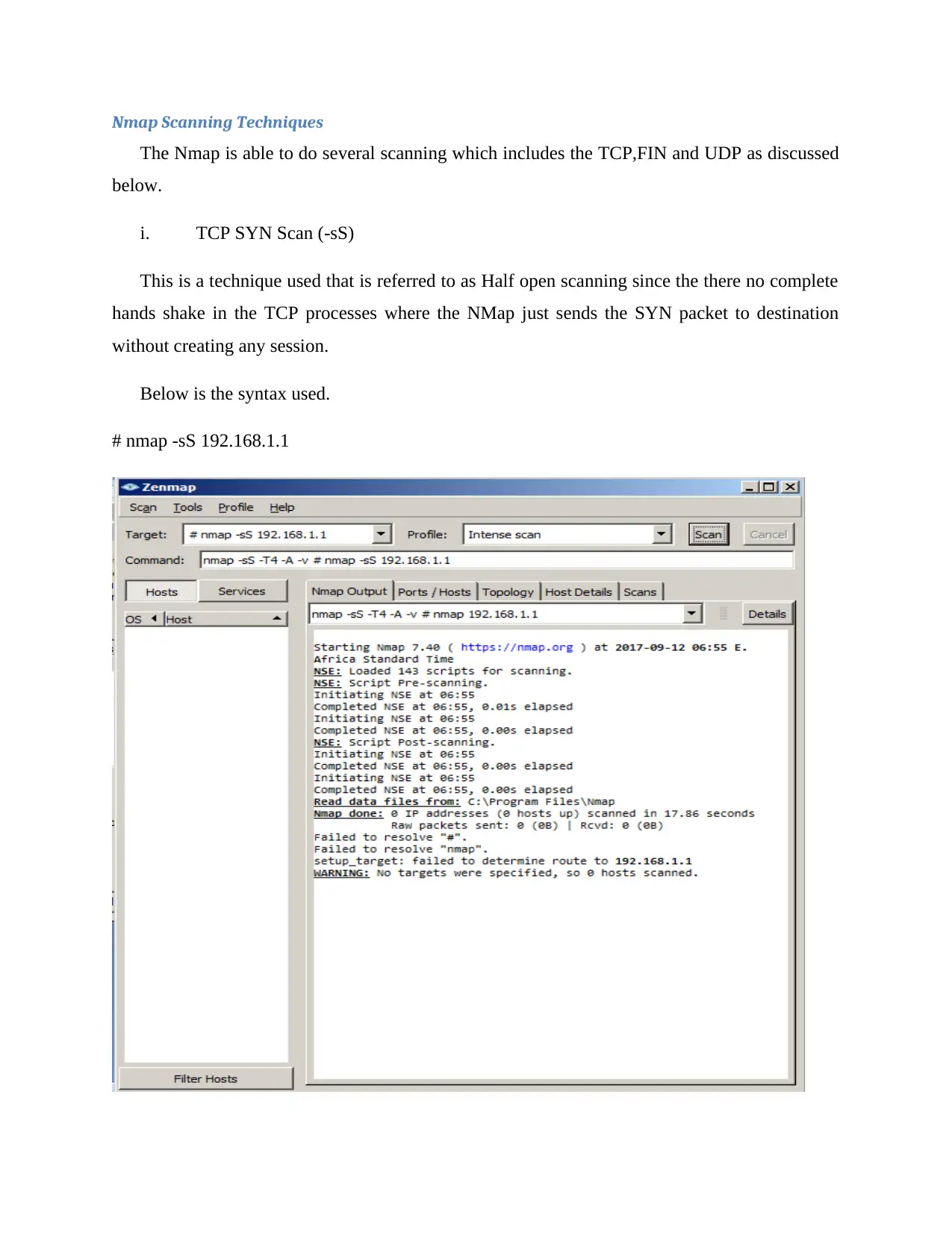
i. TCP SYN Scan (-sS)
This is a technique used that is referred to as Half open scanning since the there no complete
hands shake in the TCP processes where the NMap just sends the SYN packet to destination
without creating any session.
Below is the syntax used.
# nmap -sS 192.168.1.1
tabler-icon-diamond-filled.svg

Paraphrase This Document

Need a fresh take? Get an instant paraphrase of this document with our AI Paraphraser
Document Page
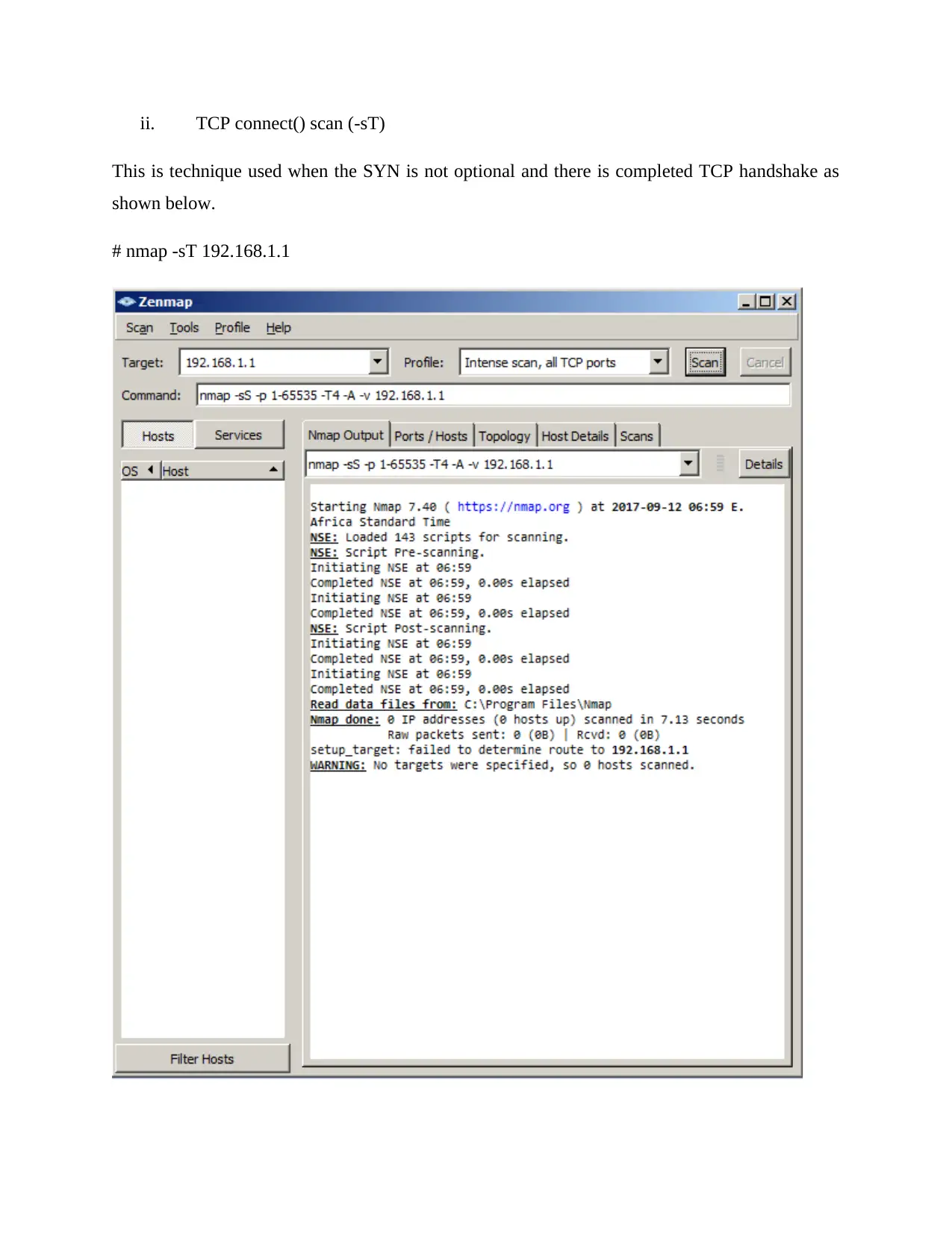
ii. TCP connect() scan (-sT)
This is technique used when the SYN is not optional and there is completed TCP handshake as
shown below.
# nmap -sT 192.168.1.1
Document Page
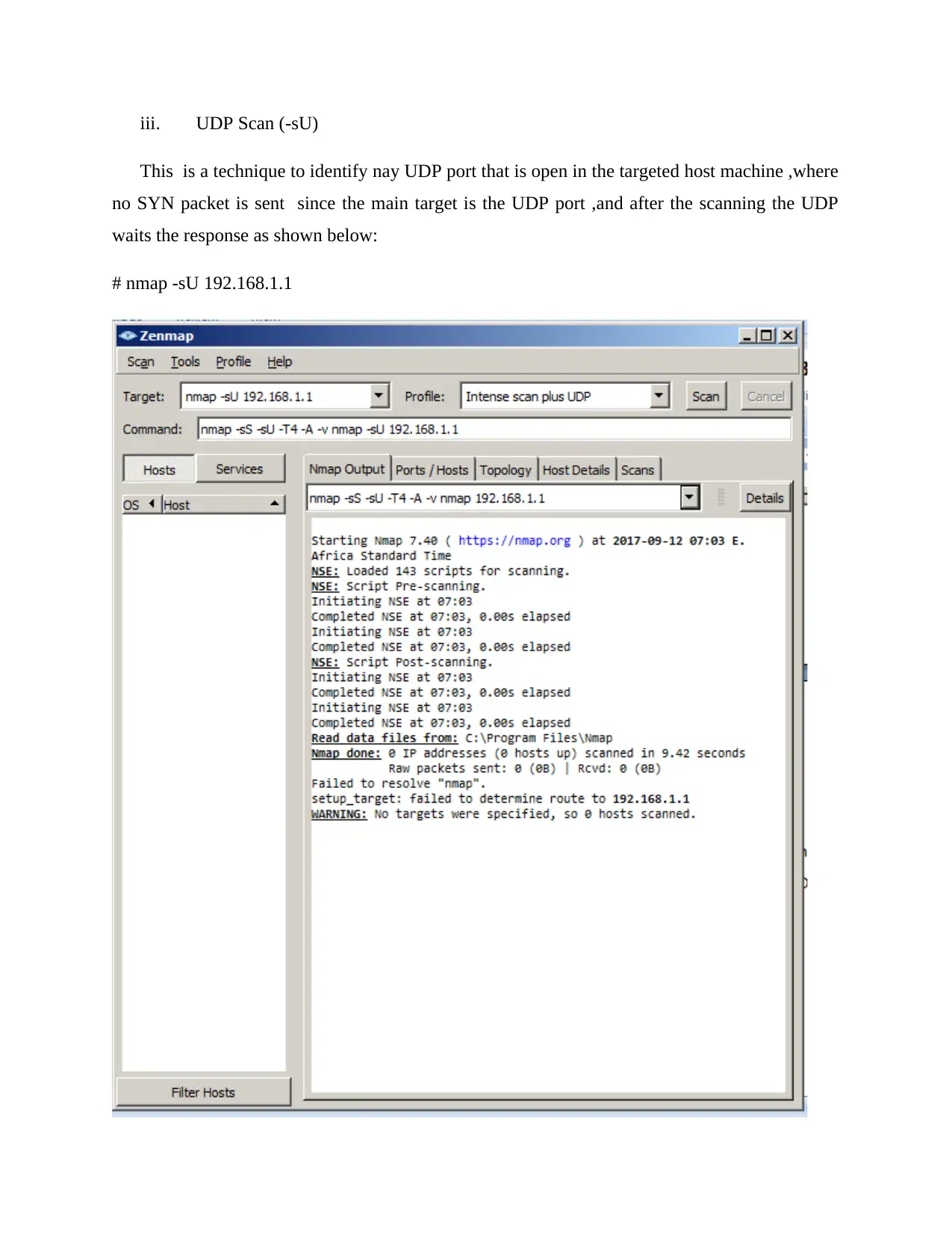
iii. UDP Scan (-sU)
This is a technique to identify nay UDP port that is open in the targeted host machine ,where
no SYN packet is sent since the main target is the UDP port ,and after the scanning the UDP
waits the response as shown below:
# nmap -sU 192.168.1.1
Document Page
iv. FIN Scan (-sF)
The TCP SYN don’t give best solution since there is installed firewalls since the SYN packet is
blecked by the target machines firewall and thus FIN is used since only the flag is sent and no
TCP handshake is required to complete the process[4].
ii. Wireshark.
The Wireshark is the second network tool it was originally known as the Ethereal, however it
captures data packet in real times and convert them to human readable formats.
It is made of data filter, color coding to enable analysis of those packets. The following are
the steps of the activities done by the wireshark tool which includes.
i. The capturing of packets
ii. The filtering of packets
iii. The inspecting of packets
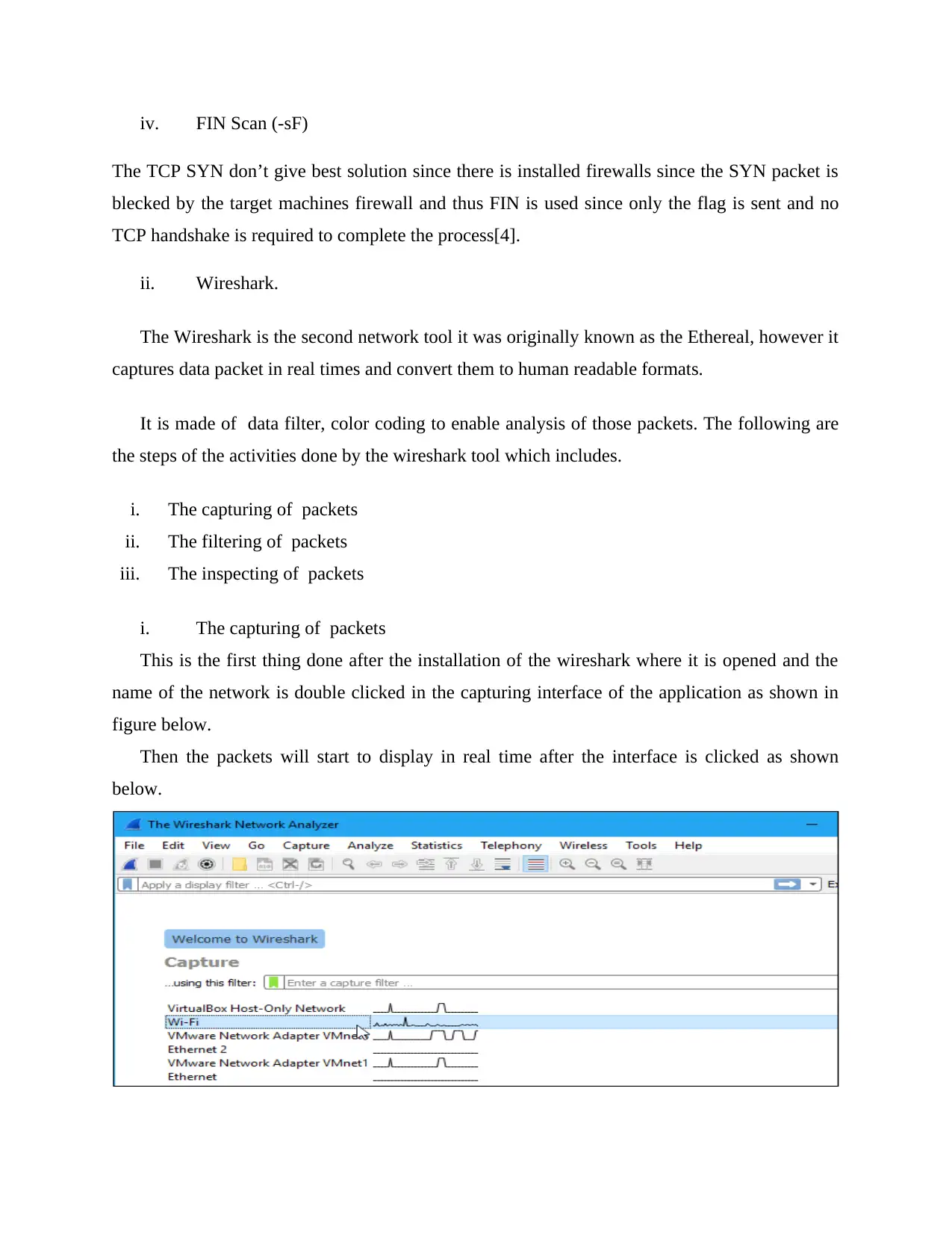
i. The capturing of packets
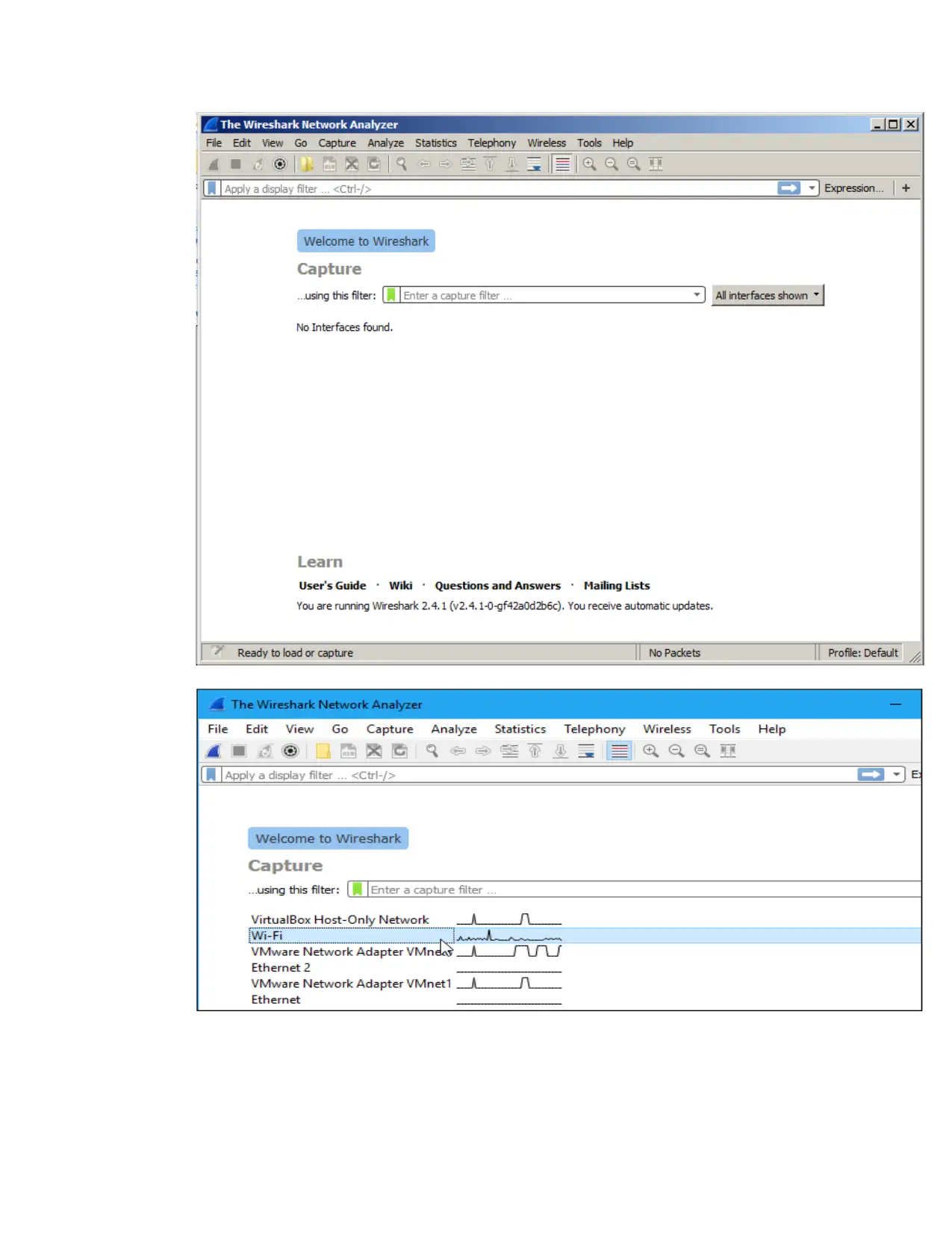
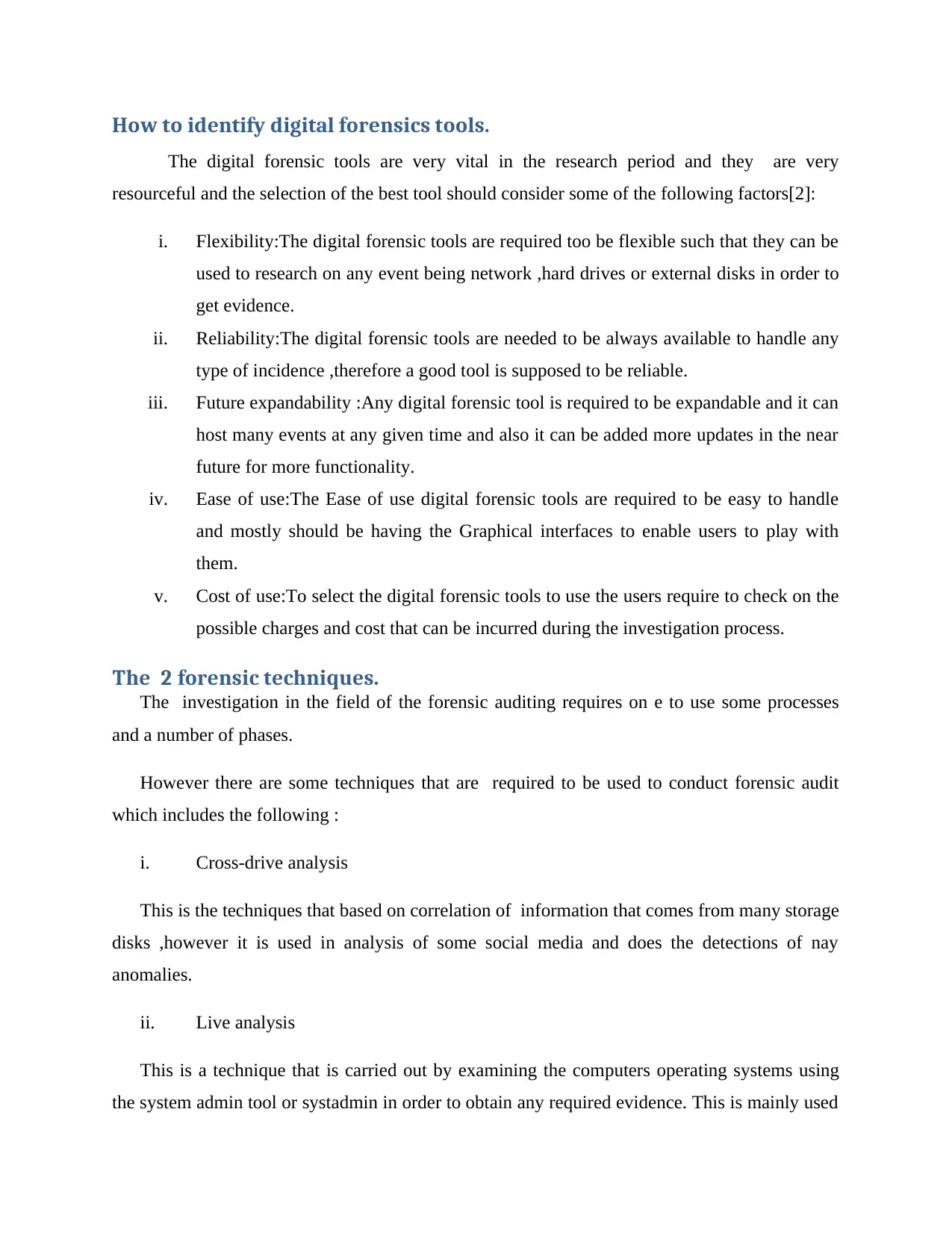
This is the first thing done after the installation of the wireshark where it is opened and the
name of the network is double clicked in the capturing interface of the application as shown in
figure below.
Then the packets will start to display in real time after the interface is clicked as shown
below.
tabler-icon-diamond-filled.svg

Paraphrase This Document

Need a fresh take? Get an instant paraphrase of this document with our AI Paraphraser
Document Page
ii. The filtering of packets
This is where the phoning home is sent in order to terminate any network running application
to enable fine scan in the network.
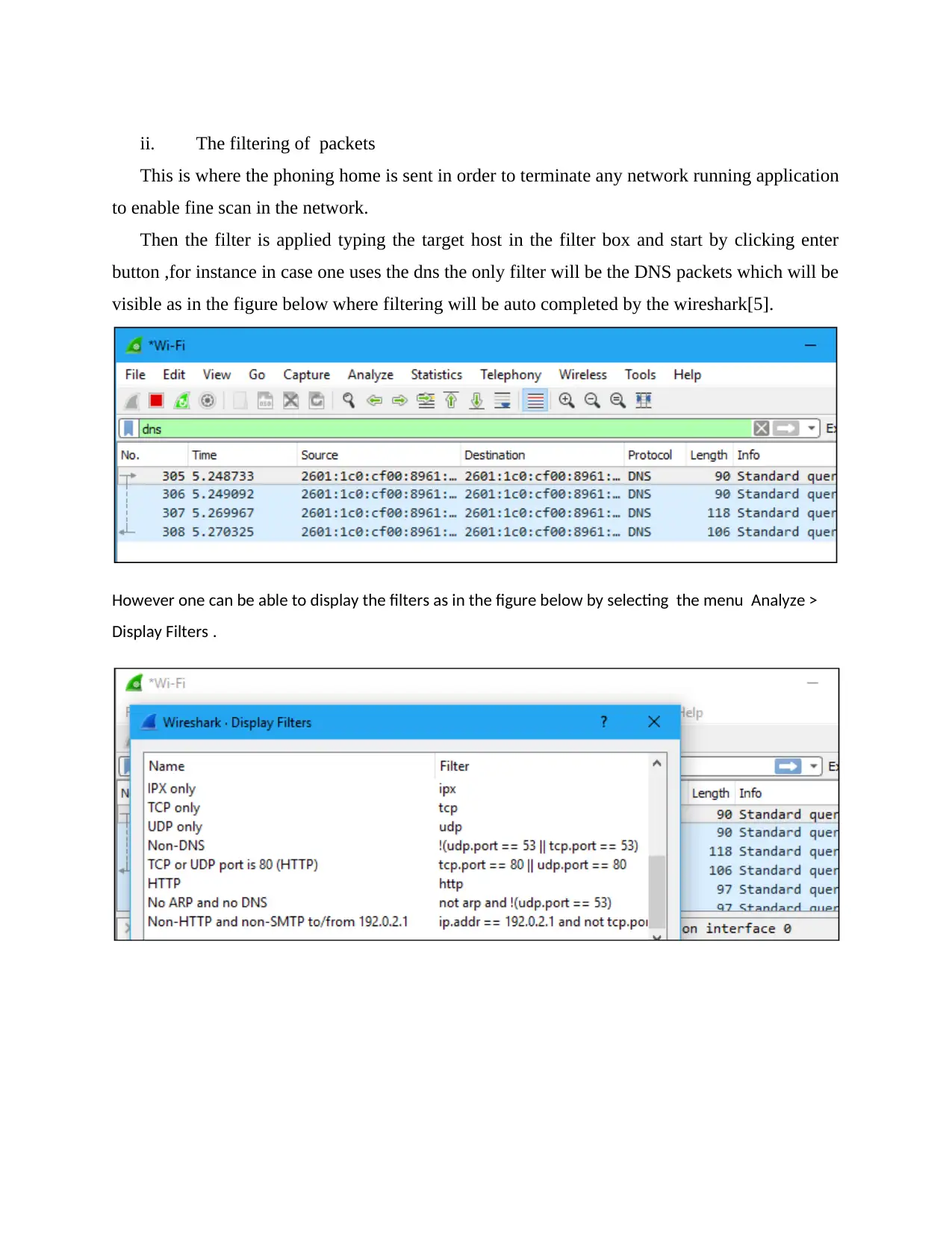
Then the filter is applied typing the target host in the filter box and start by clicking enter
button ,for instance in case one uses the dns the only filter will be the DNS packets which will be
visible as in the figure below where filtering will be auto completed by the wireshark[5].
However one can be able to display the filters as in the figure below by selecting the menu Analyze >
Display Filters .
Document Page
iii. The inspecting of packets
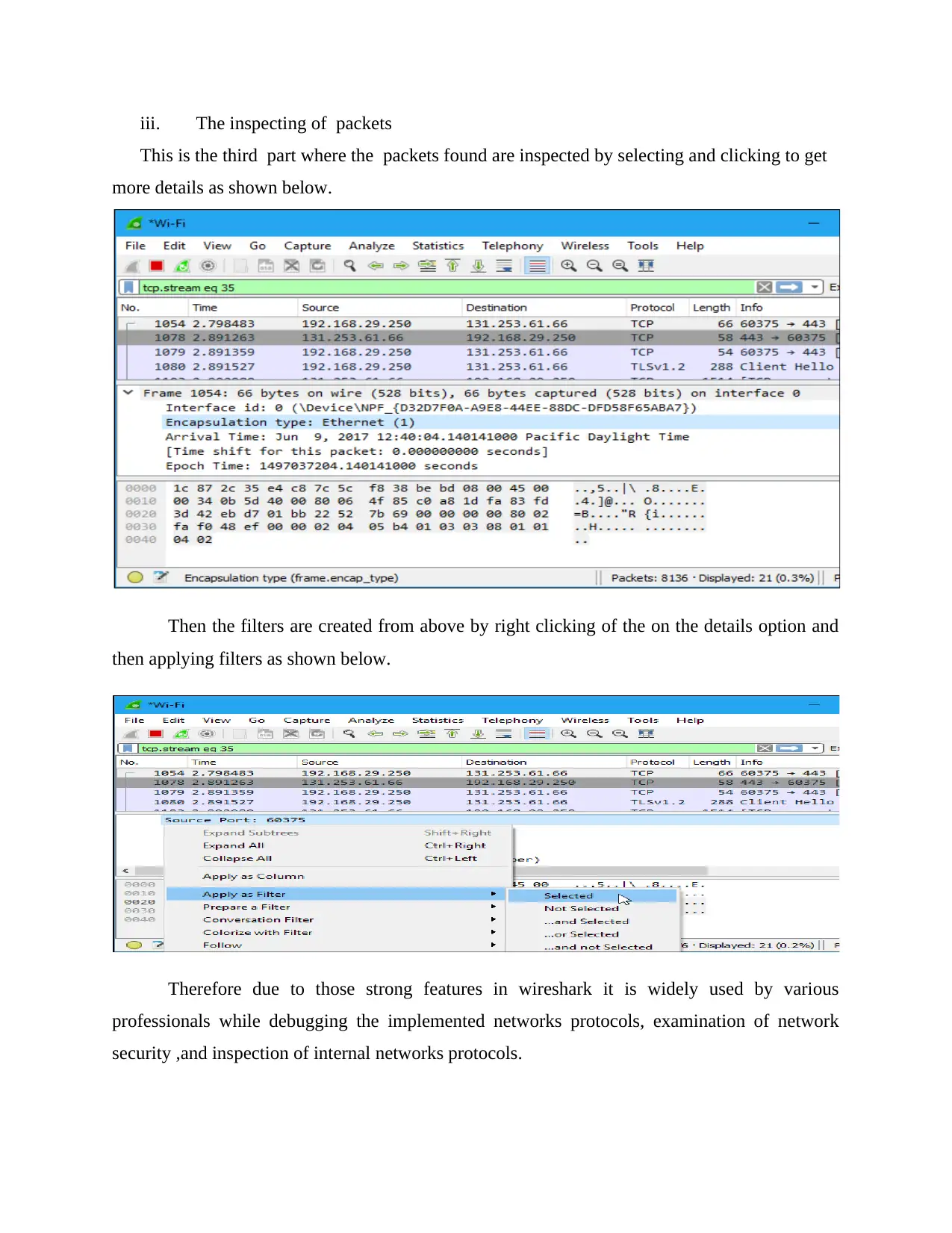
This is the third part where the packets found are inspected by selecting and clicking to get
more details as shown below.
Then the filters are created from above by right clicking of the on the details option and
then applying filters as shown below.
Therefore due to those strong features in wireshark it is widely used by various
professionals while debugging the implemented networks protocols, examination of network
security ,and inspection of internal networks protocols.
chevron_up_icon
1 out of 24
circle_padding
hide_on_mobile
zoom_out_icon
[object Object]