Email Introduction and Network Virtualization: A Technical Overview

Verified

Added on  2020/04/07

|14
|1991
|116
Report
AI Summary
This report provides a technical overview of email, covering its creation, customization, and the process of sending and receiving messages using Gmail. It explores the history of email, its related areas like the internet and smartphones, and the significance of SMTP in its functionality. The report then discusses the benefits of email, such as ease of communication and marketing capabilities, along with its limitations, including the need for internet access and the potential for phishing and spam. The second part of the report defines and explains network virtualization, its applications in networking, and its benefits in terms of resource management and service deployment. The report references several sources to support the information provided and offers a comprehensive understanding of both email and network virtualization.
Document Page
Introduction
Email is termed to be the amongst the most fundamental technologies in the internet World. It is
referred to as the ‘Electronic Mail’ but it is shortened to E-mail for easy and faster pronouncing. It is a
tool that is used like by everyone globally over the internet and through connections over a given
network. Email is transmitting and receiving of messages through a network by digital computers and
nowadays even in smartphones. The system meant for email may allow a personal computer or a
smartphone to send graphical images, texts, and in other cases images and sounds which are
animated to other different users [1].
When sending or receiving email one may need a smartphone that internet access or a
laptop/computer that is connected through a network with internet. To send and receive an email it
is like generally for free and one can send an email from one person to another or even one mail to
as many people as possible.
Electronic Mail Technical Overview.
The technical overview in this selected topic will explain how an email account is created,
customizing it and finish by explaining how to send and receive the mails from different users. An @
symbol is used always in email address eg in Australia the email address finish with ‘.com.au’ etc. in
all cases each and every individual has a unique email address that is completely different for
another person. For example, if we consider some like john who works with Technovy in Australia
will have an email address john@technovy.com.au.
Electronic mail in Action
In this case we use the GMAIL to create an account. Gmail is a company that helps one to own a
private email address that one can use when communicating with others. The following steps will
guide us on how to create an email account [2].
Setting up an email account
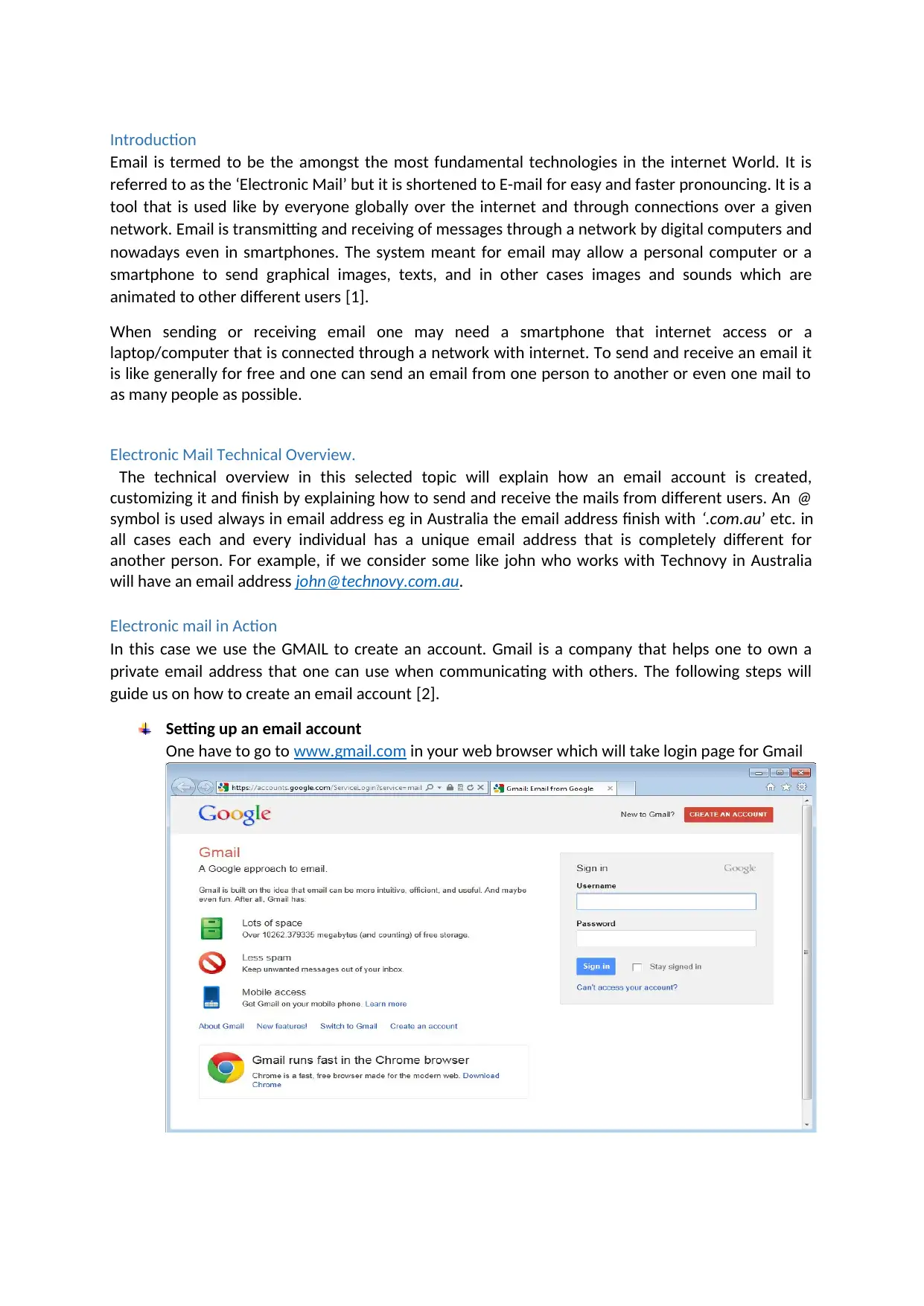
One have to go to www.gmail.com in your web browser which will take login page for Gmail
tabler-icon-diamond-filled.svg

Paraphrase This Document

Need a fresh take? Get an instant paraphrase of this document with our AI Paraphraser
Document Page
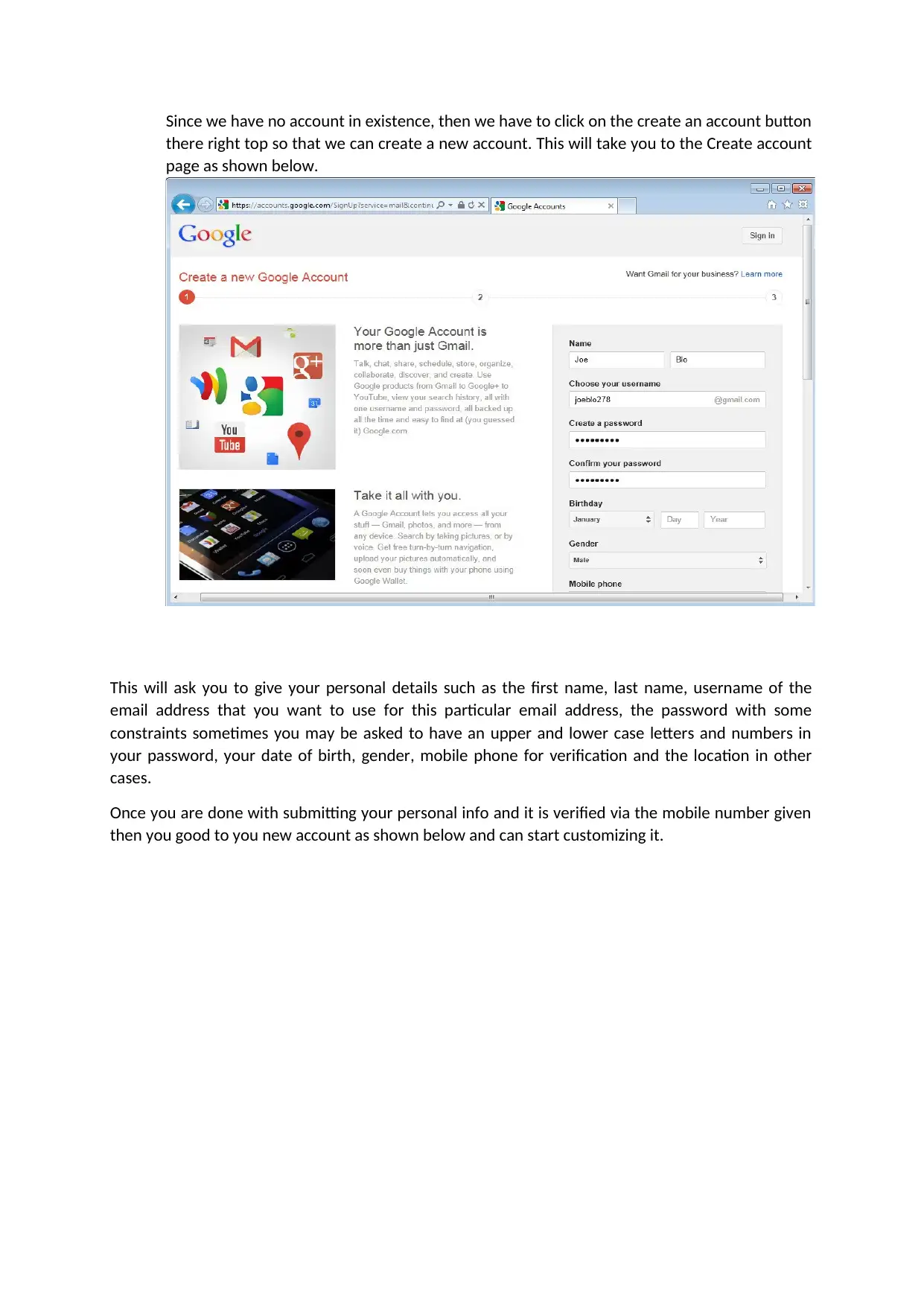
Since we have no account in existence, then we have to click on the create an account button
there right top so that we can create a new account. This will take you to the Create account
page as shown below.
This will ask you to give your personal details such as the first name, last name, username of the
email address that you want to use for this particular email address, the password with some
constraints sometimes you may be asked to have an upper and lower case letters and numbers in
your password, your date of birth, gender, mobile phone for verification and the location in other
cases.
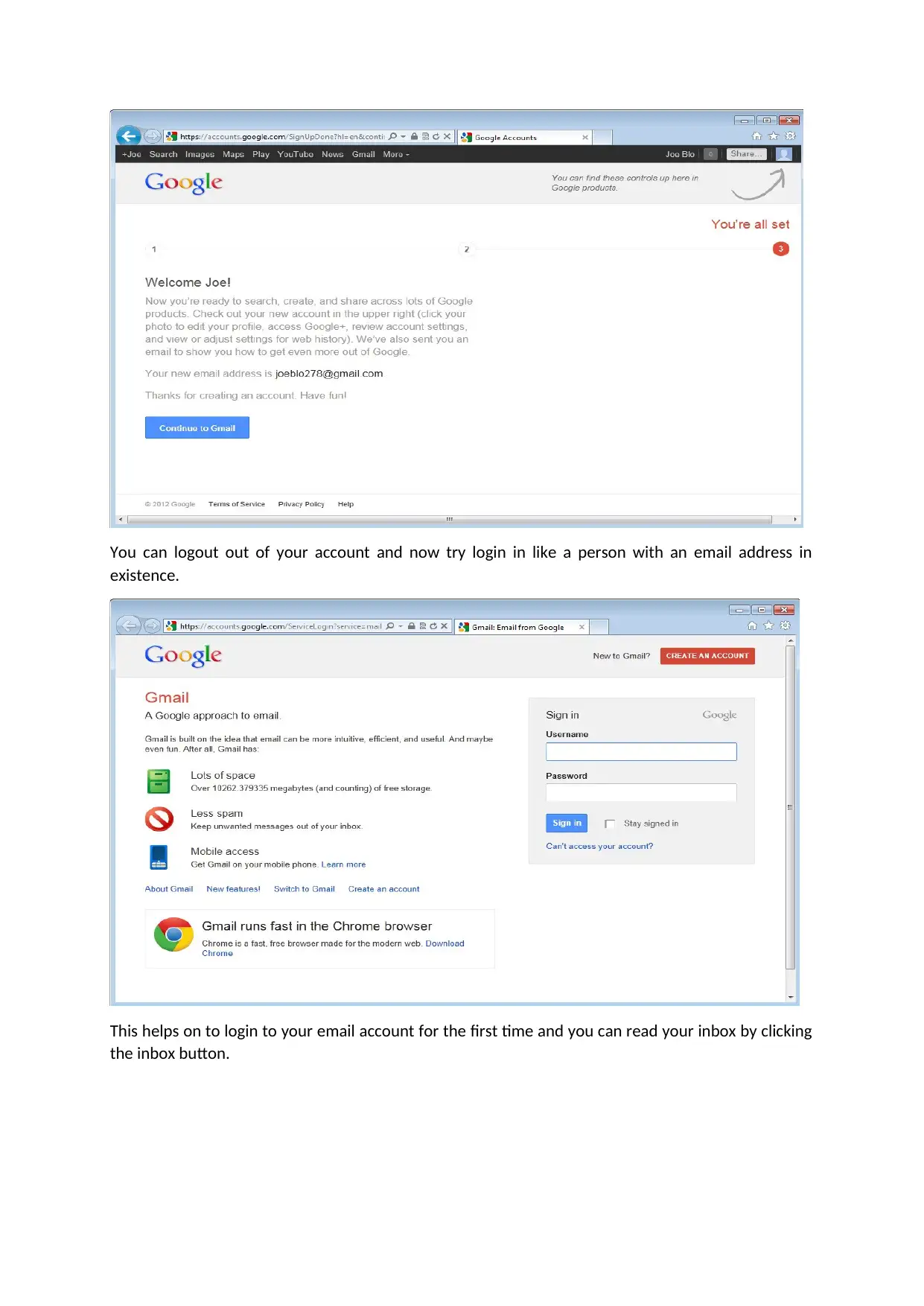
Once you are done with submitting your personal info and it is verified via the mobile number given
then you good to you new account as shown below and can start customizing it.
Document Page
You can logout out of your account and now try login in like a person with an email address in
existence.
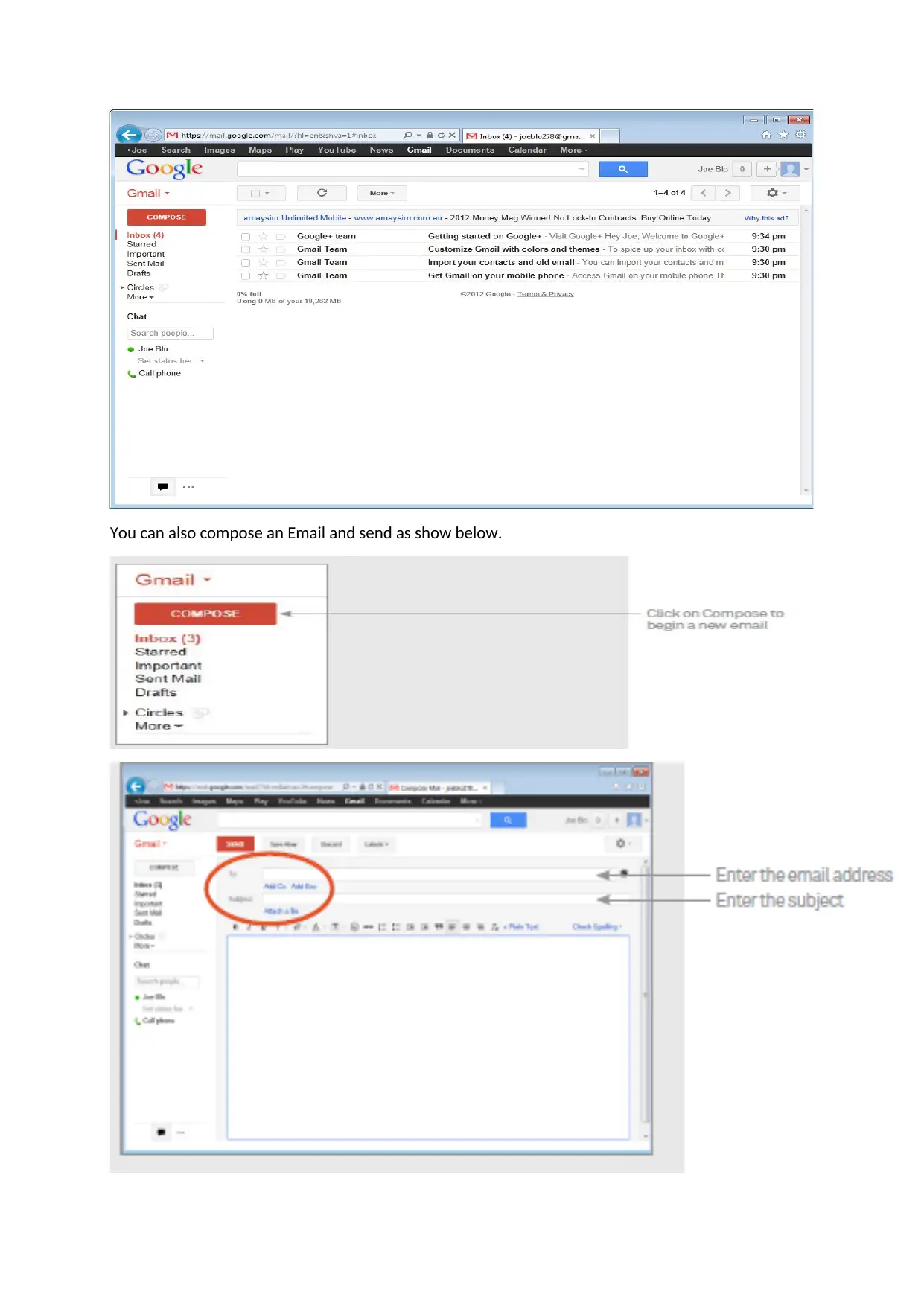
This helps on to login to your email account for the first time and you can read your inbox by clicking
the inbox button.
Document Page
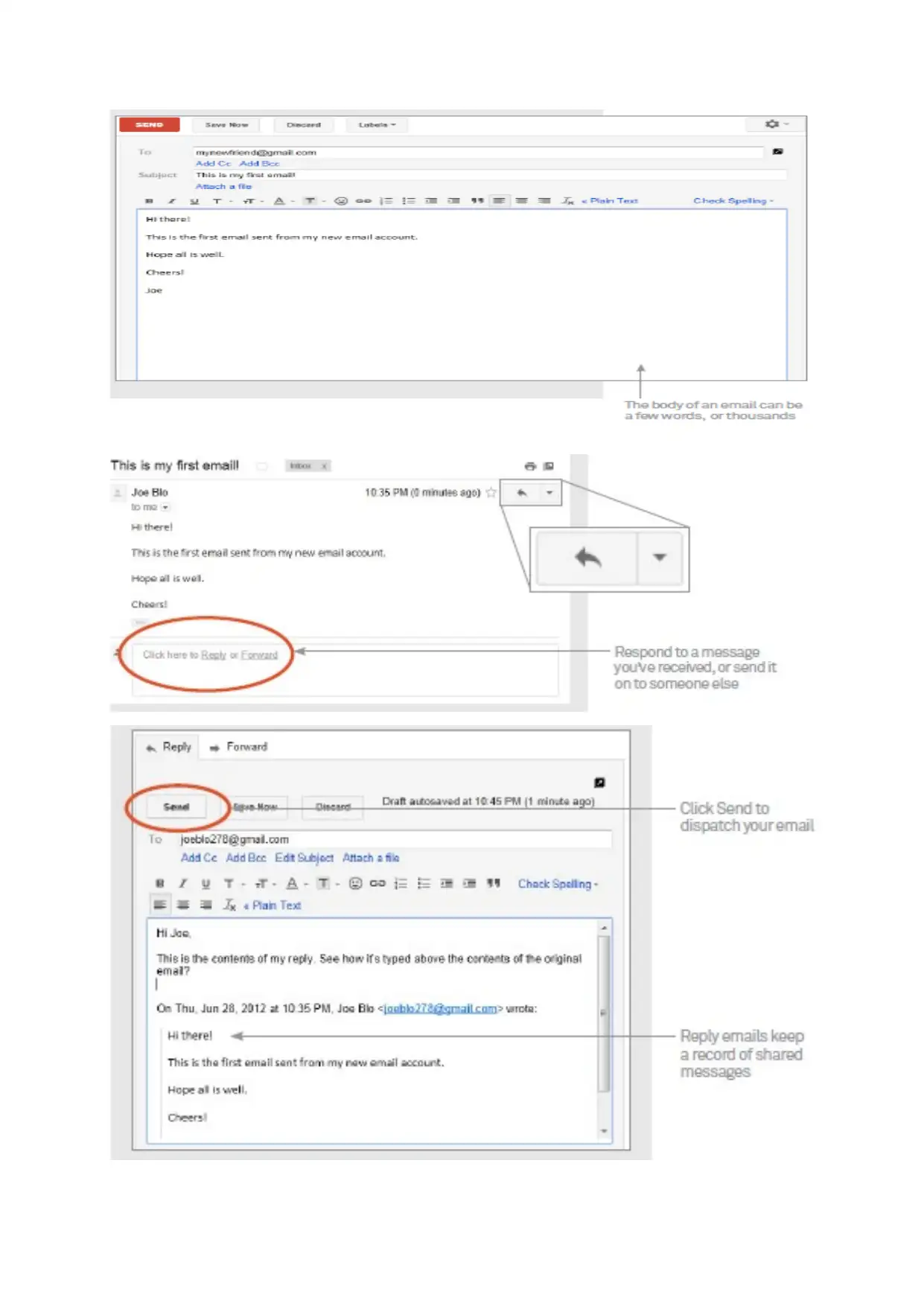
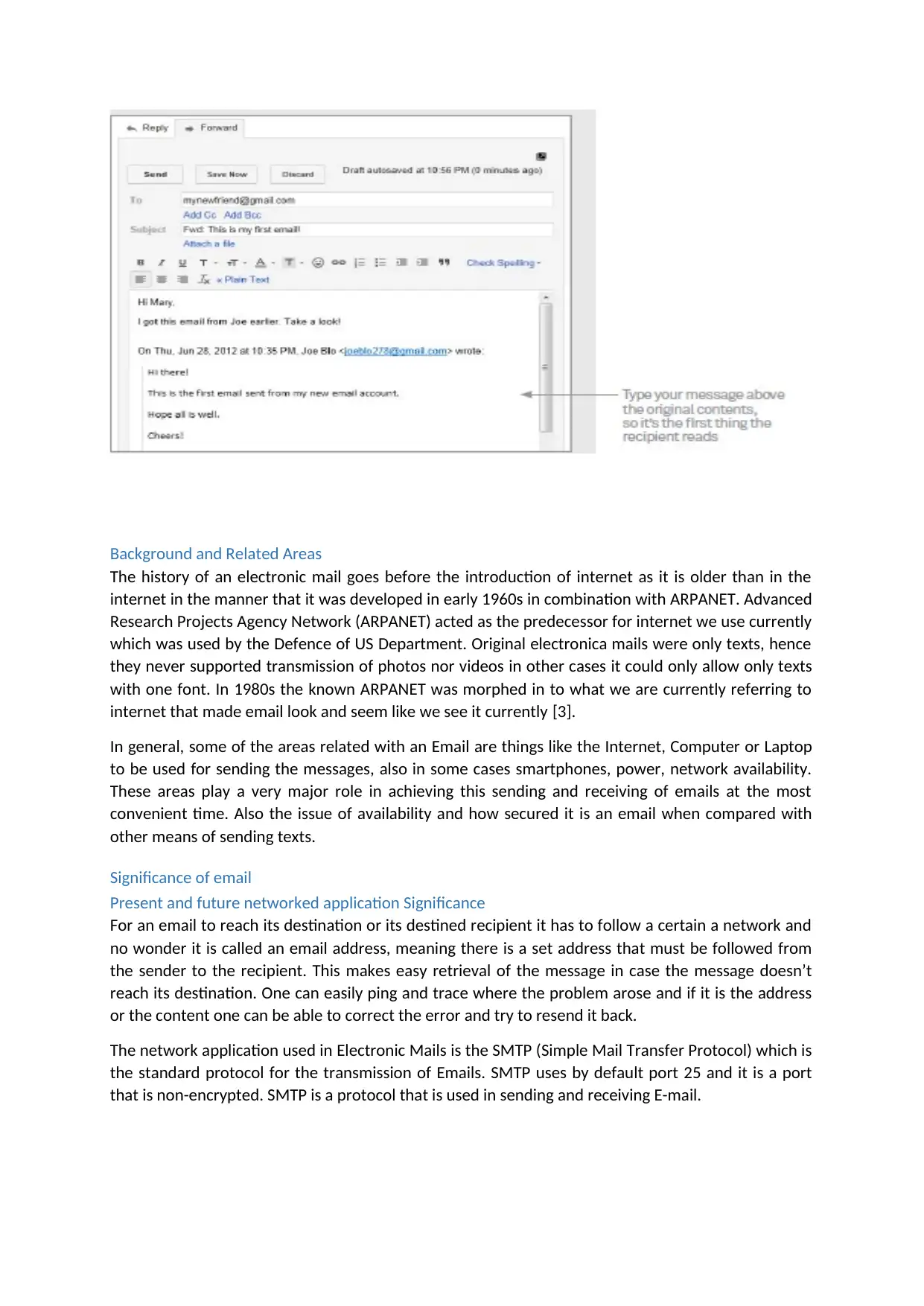
You can also compose an Email and send as show below.
tabler-icon-diamond-filled.svg

Paraphrase This Document

Need a fresh take? Get an instant paraphrase of this document with our AI Paraphraser
Document Page
Document Page
Background and Related Areas
The history of an electronic mail goes before the introduction of internet as it is older than in the
internet in the manner that it was developed in early 1960s in combination with ARPANET. Advanced
Research Projects Agency Network (ARPANET) acted as the predecessor for internet we use currently
which was used by the Defence of US Department. Original electronica mails were only texts, hence
they never supported transmission of photos nor videos in other cases it could only allow only texts
with one font. In 1980s the known ARPANET was morphed in to what we are currently referring to
internet that made email look and seem like we see it currently [3].
In general, some of the areas related with an Email are things like the Internet, Computer or Laptop
to be used for sending the messages, also in some cases smartphones, power, network availability.
These areas play a very major role in achieving this sending and receiving of emails at the most
convenient time. Also the issue of availability and how secured it is an email when compared with
other means of sending texts.
Significance of email
Present and future networked application Significance
For an email to reach its destination or its destined recipient it has to follow a certain a network and
no wonder it is called an email address, meaning there is a set address that must be followed from
the sender to the recipient. This makes easy retrieval of the message in case the message doesn’t
reach its destination. One can easily ping and trace where the problem arose and if it is the address
or the content one can be able to correct the error and try to resend it back.
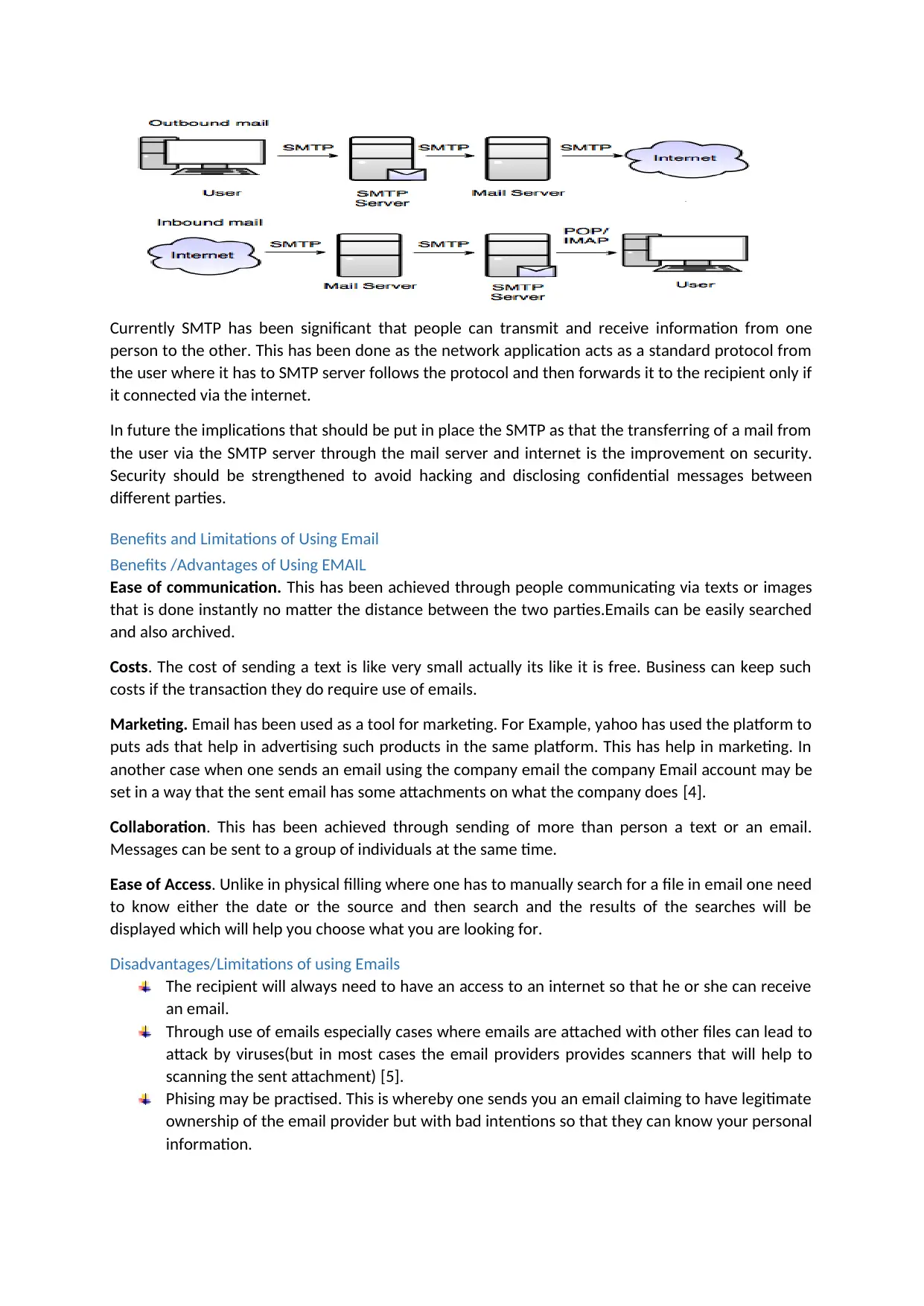
The network application used in Electronic Mails is the SMTP (Simple Mail Transfer Protocol) which is
the standard protocol for the transmission of Emails. SMTP uses by default port 25 and it is a port
that is non-encrypted. SMTP is a protocol that is used in sending and receiving E-mail.
Document Page
Currently SMTP has been significant that people can transmit and receive information from one
person to the other. This has been done as the network application acts as a standard protocol from
the user where it has to SMTP server follows the protocol and then forwards it to the recipient only if
it connected via the internet.
In future the implications that should be put in place the SMTP as that the transferring of a mail from
the user via the SMTP server through the mail server and internet is the improvement on security.
Security should be strengthened to avoid hacking and disclosing confidential messages between
different parties.
Benefits and Limitations of Using Email
Benefits /Advantages of Using EMAIL
Ease of communication. This has been achieved through people communicating via texts or images
that is done instantly no matter the distance between the two parties.Emails can be easily searched
and also archived.
Costs. The cost of sending a text is like very small actually its like it is free. Business can keep such
costs if the transaction they do require use of emails.
Marketing. Email has been used as a tool for marketing. For Example, yahoo has used the platform to
puts ads that help in advertising such products in the same platform. This has help in marketing. In
another case when one sends an email using the company email the company Email account may be
set in a way that the sent email has some attachments on what the company does [4].
Collaboration. This has been achieved through sending of more than person a text or an email.
Messages can be sent to a group of individuals at the same time.
Ease of Access. Unlike in physical filling where one has to manually search for a file in email one need
to know either the date or the source and then search and the results of the searches will be
displayed which will help you choose what you are looking for.
Disadvantages/Limitations of using Emails
The recipient will always need to have an access to an internet so that he or she can receive
an email.
Through use of emails especially cases where emails are attached with other files can lead to
attack by viruses(but in most cases the email providers provides scanners that will help to
scanning the sent attachment) [5].
Phising may be practised. This is whereby one sends you an email claiming to have legitimate
ownership of the email provider but with bad intentions so that they can know your personal
information.
tabler-icon-diamond-filled.svg

Paraphrase This Document

Need a fresh take? Get an instant paraphrase of this document with our AI Paraphraser
Document Page
There is always no guarantee information that the information will be read by the uswer until
he or she logs into his or her account.
Spam cases always arise such as the unsolicited email eg junk mail.
Using emails inhibits relationship building [6].
Task 2.
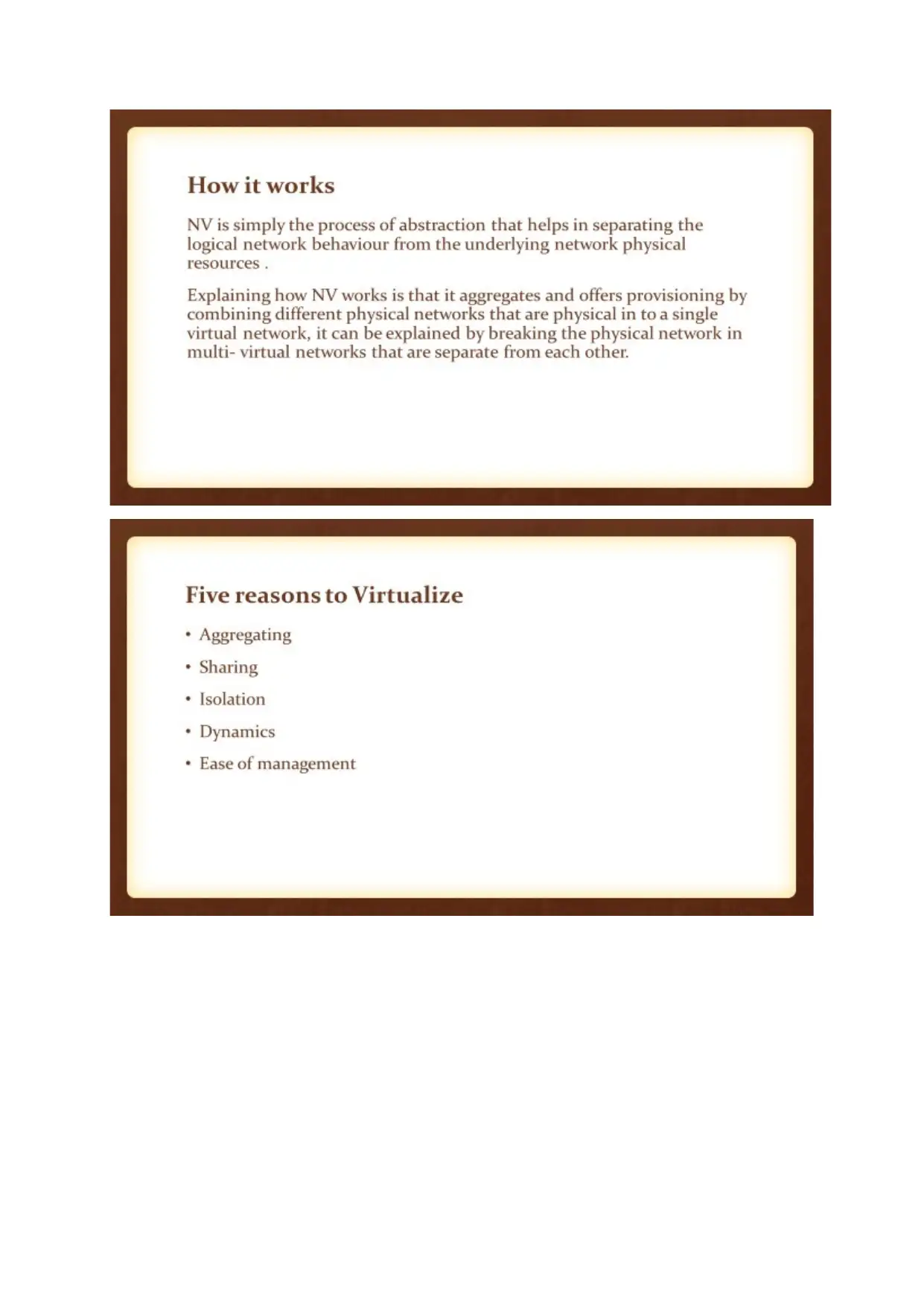
Virtualization is the act or the capability of simulating a certain platform such as hardware eg. Server,
storage device or the case of a network resource in software [7].Network virtualization is the mean
of combining all resources available in a particular network where the bandwidth available is split up
in to channels , where each channel become independent from all others available and assigned to a
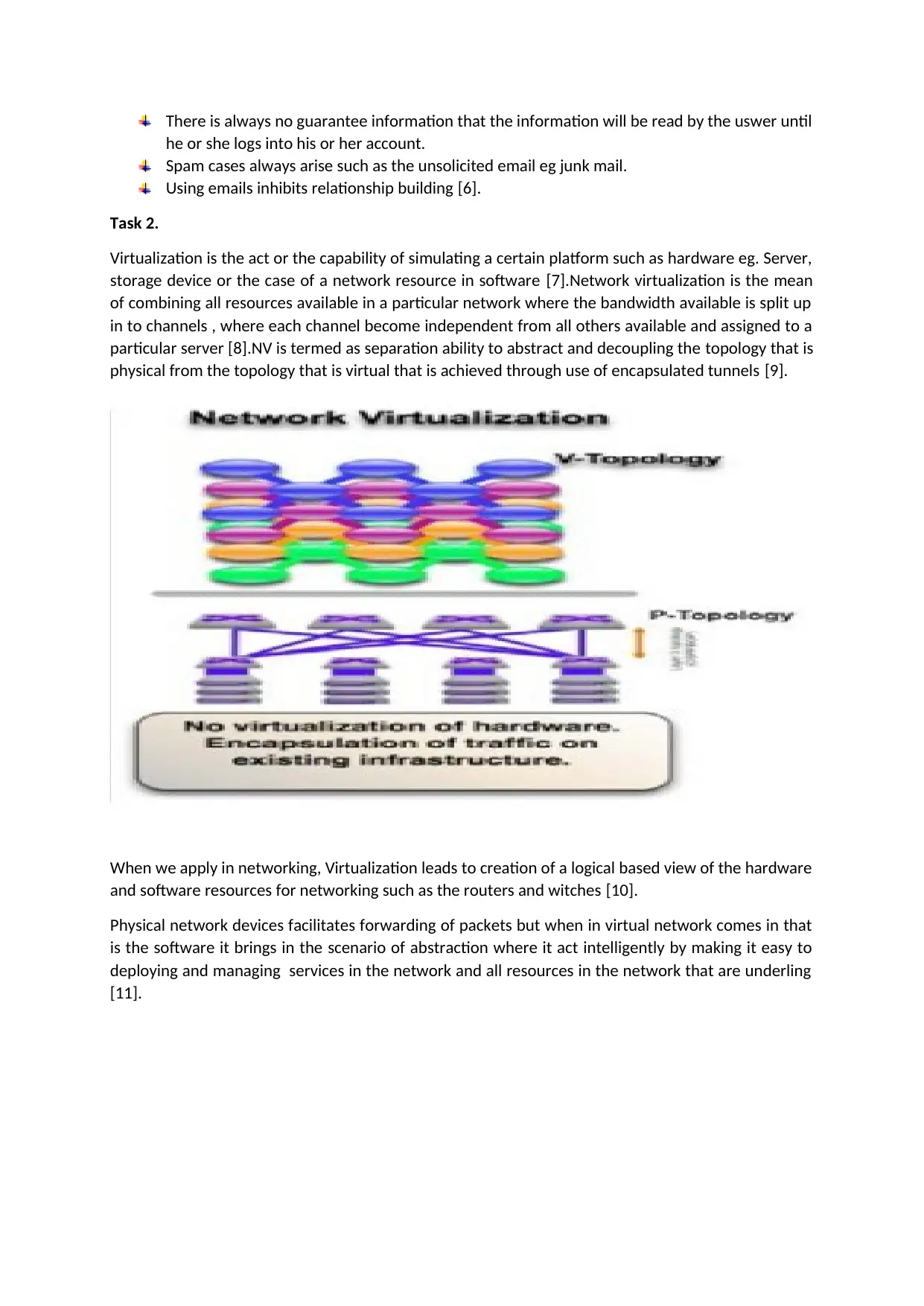
particular server [8].NV is termed as separation ability to abstract and decoupling the topology that is
physical from the topology that is virtual that is achieved through use of encapsulated tunnels [9].
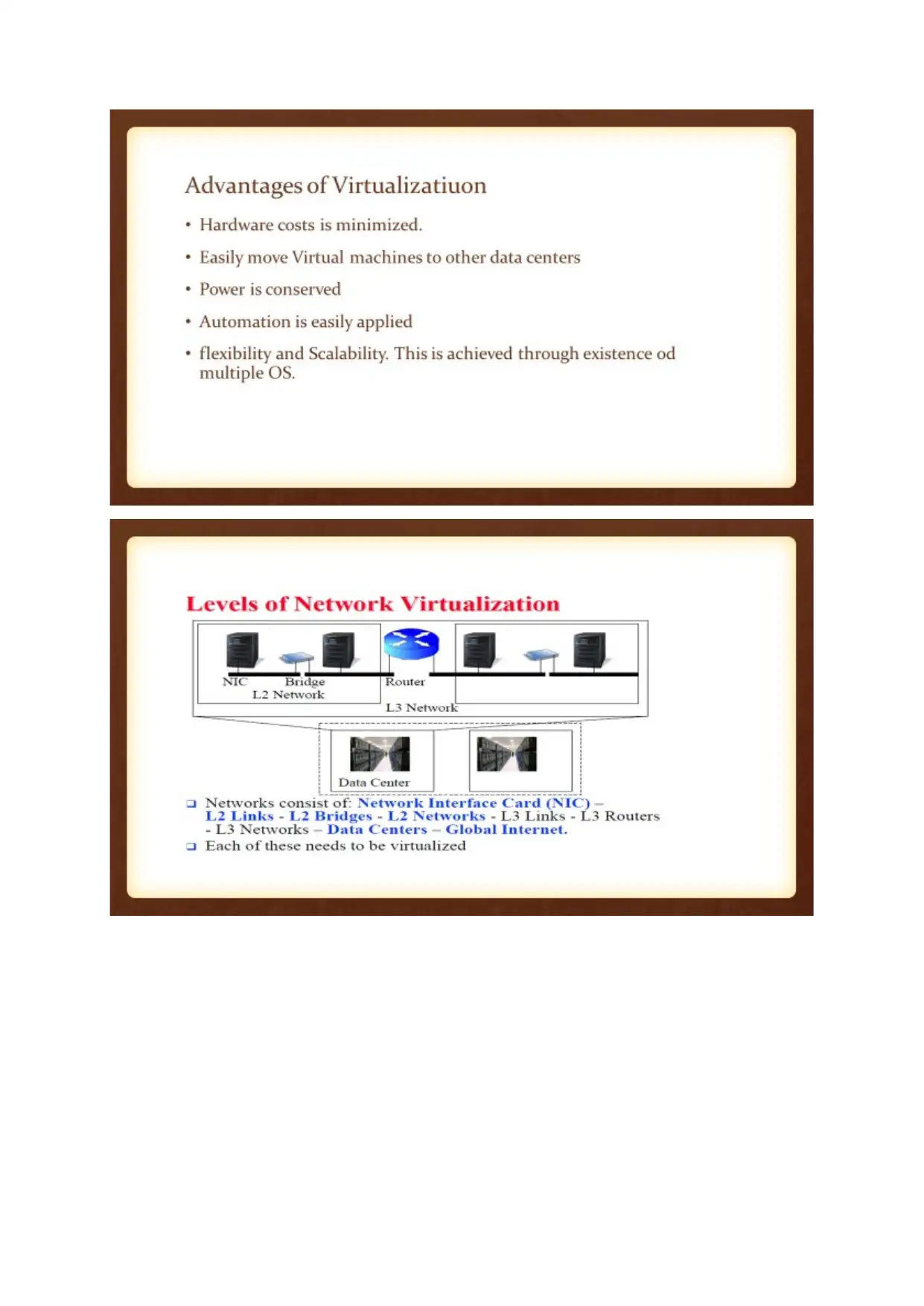
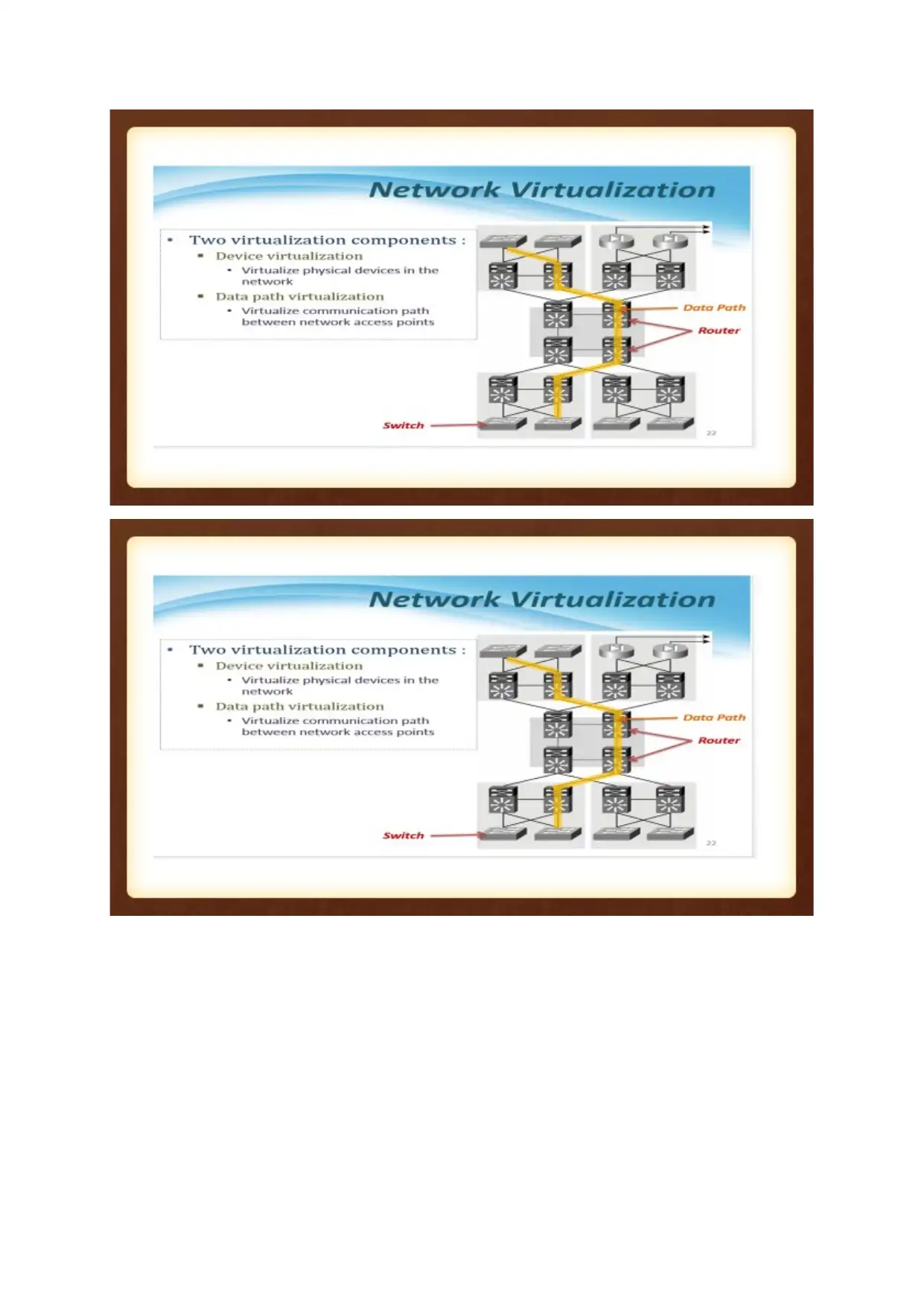
When we apply in networking, Virtualization leads to creation of a logical based view of the hardware
and software resources for networking such as the routers and witches [10].
Physical network devices facilitates forwarding of packets but when in virtual network comes in that
is the software it brings in the scenario of abstraction where it act intelligently by making it easy to
deploying and managing services in the network and all resources in the network that are underling
[11].
Document Page
Document Page
tabler-icon-diamond-filled.svg

Paraphrase This Document

Need a fresh take? Get an instant paraphrase of this document with our AI Paraphraser
Document Page
Document Page
chevron_up_icon
1 out of 14
circle_padding
hide_on_mobile
zoom_out_icon
[object Object]