University of West London, CP30681E ISD Log Book Assignment

Verified

Added on  2021/04/21

|38
|6072
|250
Homework Assignment
AI Summary
This document presents a student's log book from an Introduction to Software Development (ISD) module, likely at the University of West London. The log book covers the first four weeks of the course, detailing practical sessions and assignments. Week 1 introduces code repositories, software layers, and basic computer concepts. Week 2 focuses on algorithms, program structure, Python basics, and the IDLE shell. Week 3 delves into Python fundamentals, variable types, data type conversion, and online code repositories. Week 4 explores Python keywords, operators, data type conversions, and error handling. The assignments include writing algorithms, Python programs, and identifying and correcting errors in code. The log book also covers topics such as variable naming conventions and format specifiers. The provided solutions demonstrate the application of concepts learned in each week.
Document Page
INTRODUCTION TO SOFTWARE DEVELOPMENT
MODULE CODE: CP30681E
LOG BOOK
STUDENT ID: XXXXXXXXXXX
SCHOOL OF COMPUTING AND ENGINEERING
UNIVERSITY OF WEST LONDON
tabler-icon-diamond-filled.svg

Paraphrase This Document

Need a fresh take? Get an instant paraphrase of this document with our AI Paraphraser
Document Page
ISD lab sheet week 1
First week of the course introduced about the use of programming tools and code repositories.
Next the introduction to computer and its uses were demonstrated. We were introduced briefly
about the hardware and software, application layers and programming languages.
Questions:
1. What is a code repository (often also called version control system) used for?
Ans.: A code repository is a place to store all your programs and its documentations. It can be
stored either locally or online. The code repository software provides the ways to maintain the
various versions of the same program/software under development and keep track of all the
changes being made in different versions of the program as being developed. We are using
online code repository website i.e. www.github.com to manage all the program codes we going
to learn and develop as part of our assignments.
2. Why is it advantageous to use a code repository?
Ans.: The main advantages of using a code repository are:
i) It provides facility to collaborate with other team members of the project
ii) It is used as backup and restore option of the project.
iii) It maintains the various different version of the project and we can to back to any
older version if anything goes wrong with the current version.
iv) It also used for documentation purpose of the project concerned
3. Describe the different “layers” of Software that exist on a typical computer and explain why
there are different layers of software.
Ans.: The different layers of software which exist in a typical computers are: System Software,
and Application software. The system software layer is used as an interface between user and
the hardware. It takes all the instructions and command from the user and convert it to
machine language and get the task done by the underlying hardware. It then provide the result
to user in user understandable language or format.
Document Page
4. Describe what an algorithm is and explain why it is a useful “tool” to translate from a
human level problem (we can think of) to a computer program.
Ans.: Algorithm is a set of instructions to solve a problem by a computer written in English
language. It does not uses the usual keyword of any programming language, but write the
instructions step by step in a logical manner to solve the given problem.
Document Page
WEEK 2 - PRACTICAL SESSION 2
In second week we learnt about what computer program is and learnt what are computer program
are made up of namely, keywords, symbols, operators and syntax. We further learnt how a high
level language program is converted to machine language code which computer uses to execute
the program. We were introduced about the concept of algorithms and what is importance of it
during program development. We learnt how to write algorithms to solve day to day problems.
Then we learnt about compilers and interpreters and how they are used to convert a high level
language program to machine language (binary language). We also learnt about the various types
of programming language namely, machine language, assembly language and high level languages.
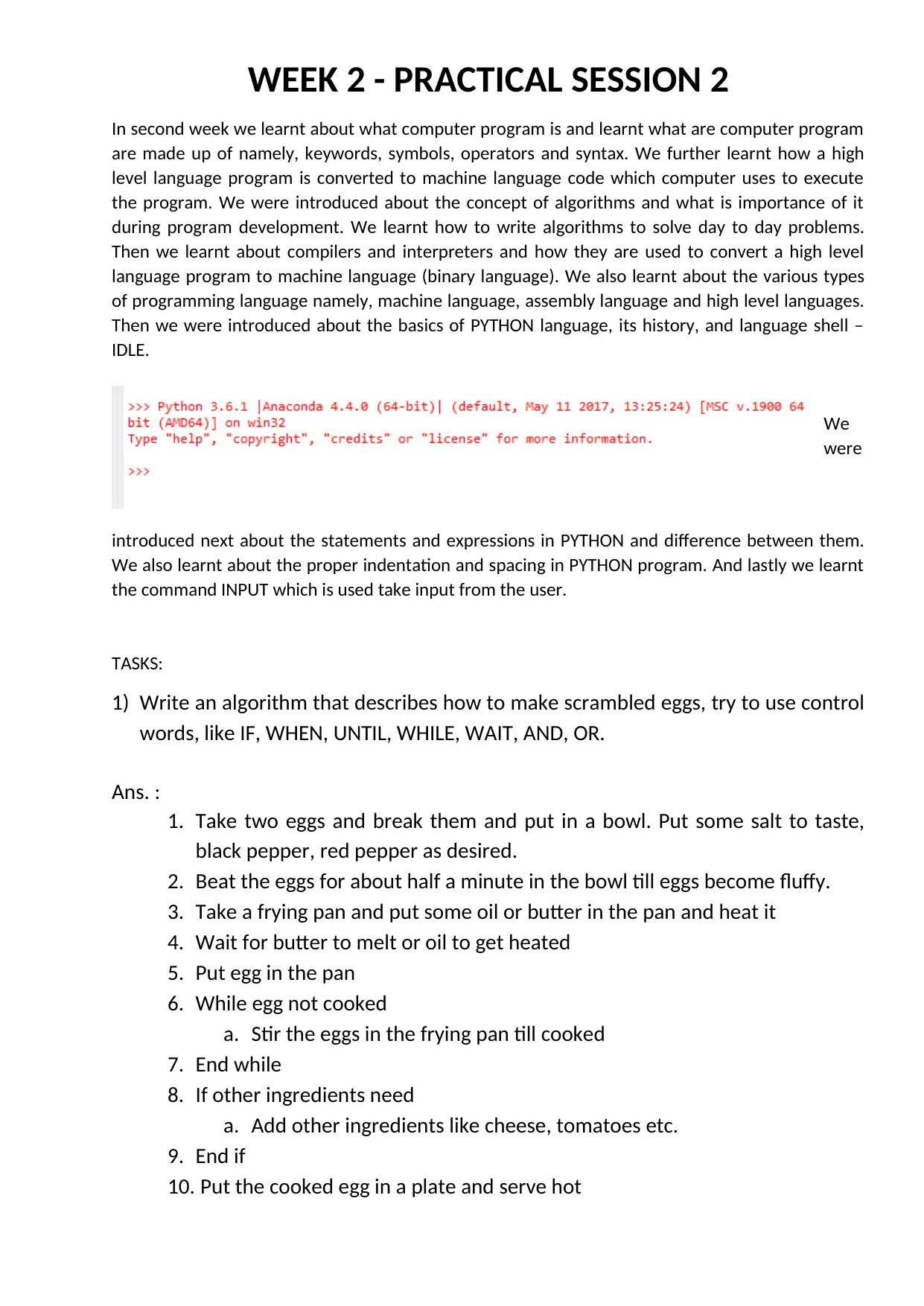
Then we were introduced about the basics of PYTHON language, its history, and language shell –
IDLE.
We
were
introduced next about the statements and expressions in PYTHON and difference between them.
We also learnt about the proper indentation and spacing in PYTHON program. And lastly we learnt
the command INPUT which is used take input from the user.
TASKS:
1) Write an algorithm that describes how to make scrambled eggs, try to use control
words, like IF, WHEN, UNTIL, WHILE, WAIT, AND, OR.
Ans. :
1. Take two eggs and break them and put in a bowl. Put some salt to taste,
black pepper, red pepper as desired.
2. Beat the eggs for about half a minute in the bowl till eggs become fluffy.
3. Take a frying pan and put some oil or butter in the pan and heat it
4. Wait for butter to melt or oil to get heated
5. Put egg in the pan
6. While egg not cooked
a. Stir the eggs in the frying pan till cooked
7. End while
8. If other ingredients need
a. Add other ingredients like cheese, tomatoes etc.
9. End if
10. Put the cooked egg in a plate and serve hot
tabler-icon-diamond-filled.svg

Paraphrase This Document

Need a fresh take? Get an instant paraphrase of this document with our AI Paraphraser
Document Page
2) Is Idle (the Python language shell) an Interpreter or an Compiler or both? Explain
your answer.
Ans. : The python language shell – IDLE is an interpreter as it take one command at a
time and execute it. It works like an interpreter.
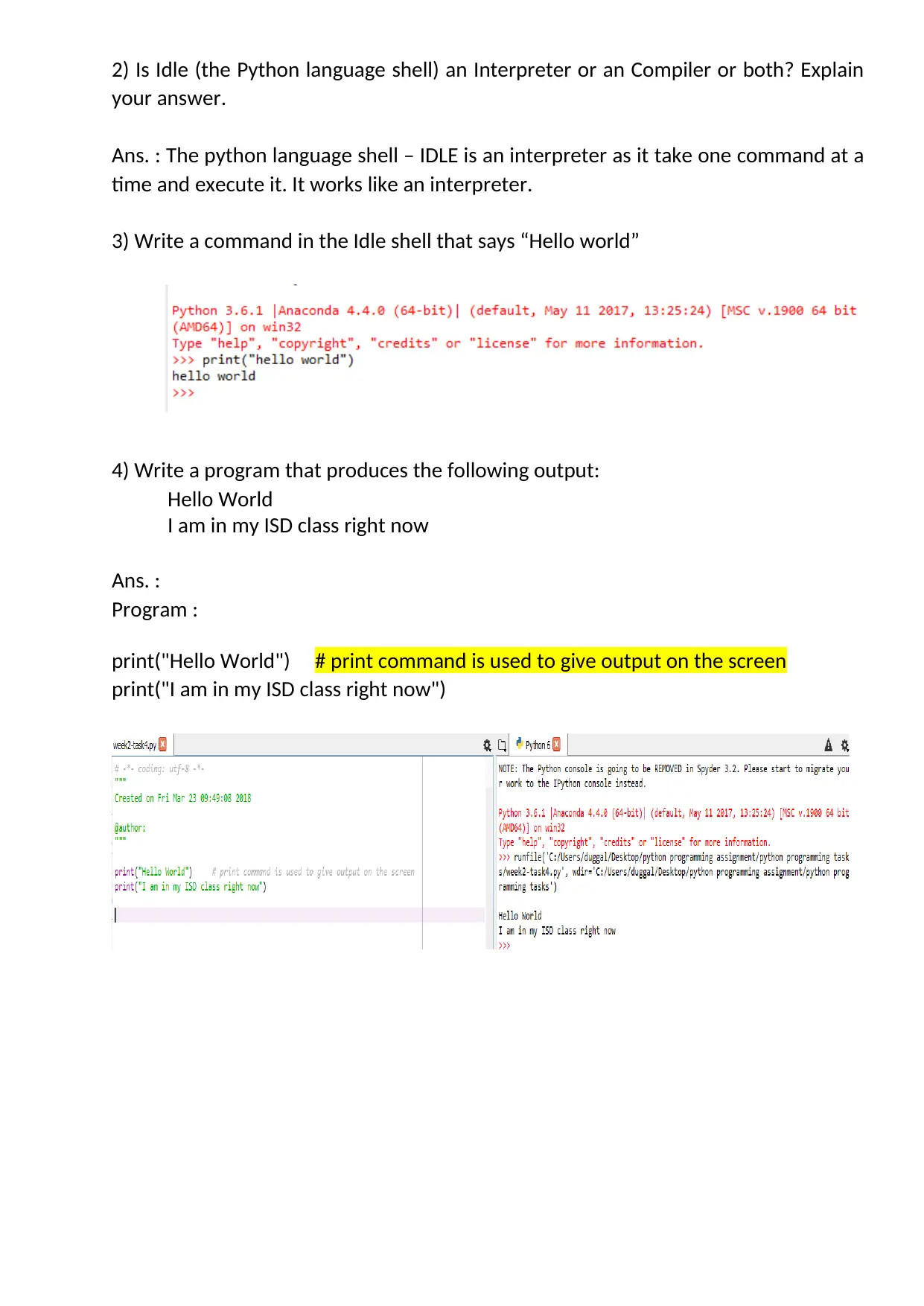
3) Write a command in the Idle shell that says “Hello world”
4) Write a program that produces the following output:
Hello World
I am in my ISD class right now
Ans. :
Program :
print("Hello World") # print command is used to give output on the screen
print("I am in my ISD class right now")
Document Page
5) Write a program that asks the user for his/her name and produces an output
like:
Hi there, what is your name?
>User input to be read<
Hello
“User name”
How are you?
Ans. :
PROGRAM :
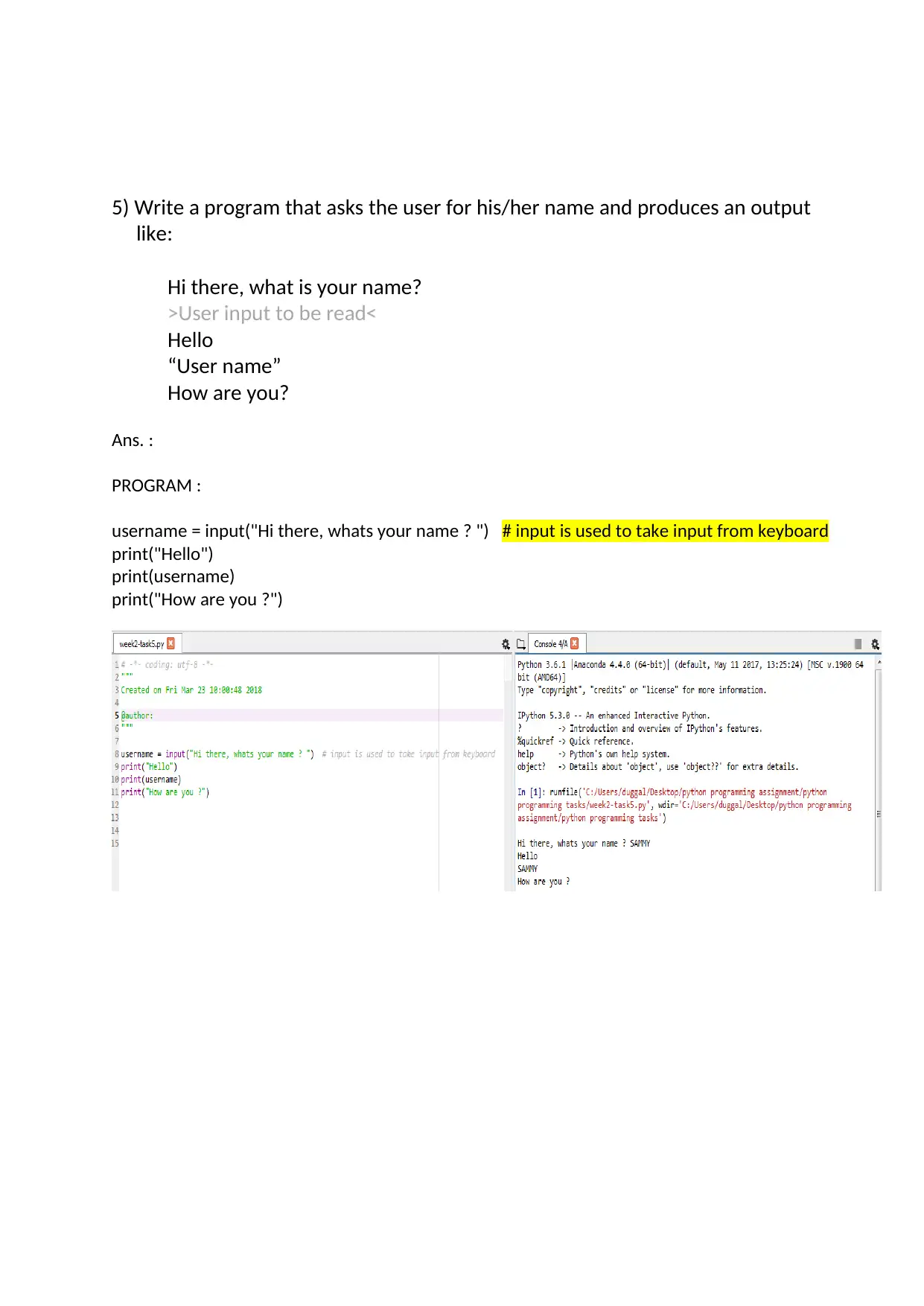
username = input("Hi there, whats your name ? ") # input is used to take input from keyboard
print("Hello")
print(username)
print("How are you ?")
Document Page
WEEK 3 – PRACTICAL SESSION 3
This week we were introduced about the fundamentals of PYTHON programming. We learnt about
the how to use # (hash) character to write single line comments. Next we learnt how to write a
program and save the program and compile and execute the program.
Next we learnt about variable, data types of variable in python and how to convert values to
different data types using type casting commands like int(), float(), str().
We also created the account in online repository – www.github.com and learnt how to use it
upload the code to the website.
TASKS:
1) Write a program that asks for two numbers (Python has all the basic
mathematical functions in place, like +,- etc.), adds them up and displays the
result.
Ans.:
PROGRAM:
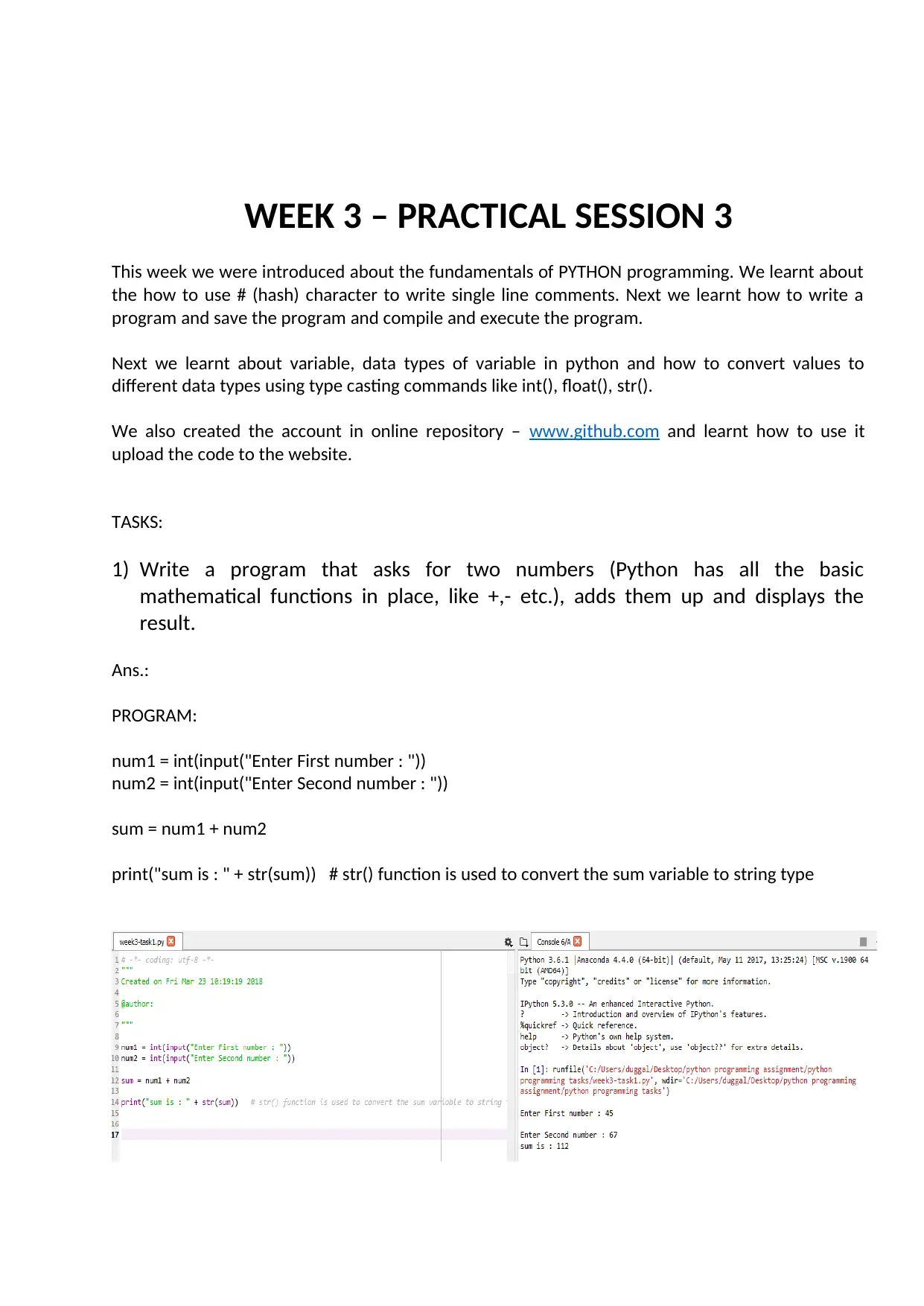
num1 = int(input("Enter First number : "))
num2 = int(input("Enter Second number : "))
sum = num1 + num2
print("sum is : " + str(sum)) # str() function is used to convert the sum variable to string type
tabler-icon-diamond-filled.svg

Paraphrase This Document

Need a fresh take? Get an instant paraphrase of this document with our AI Paraphraser
Document Page
2) Answer the questions by implementing the code and run it.
a) What will the output be from the following code?
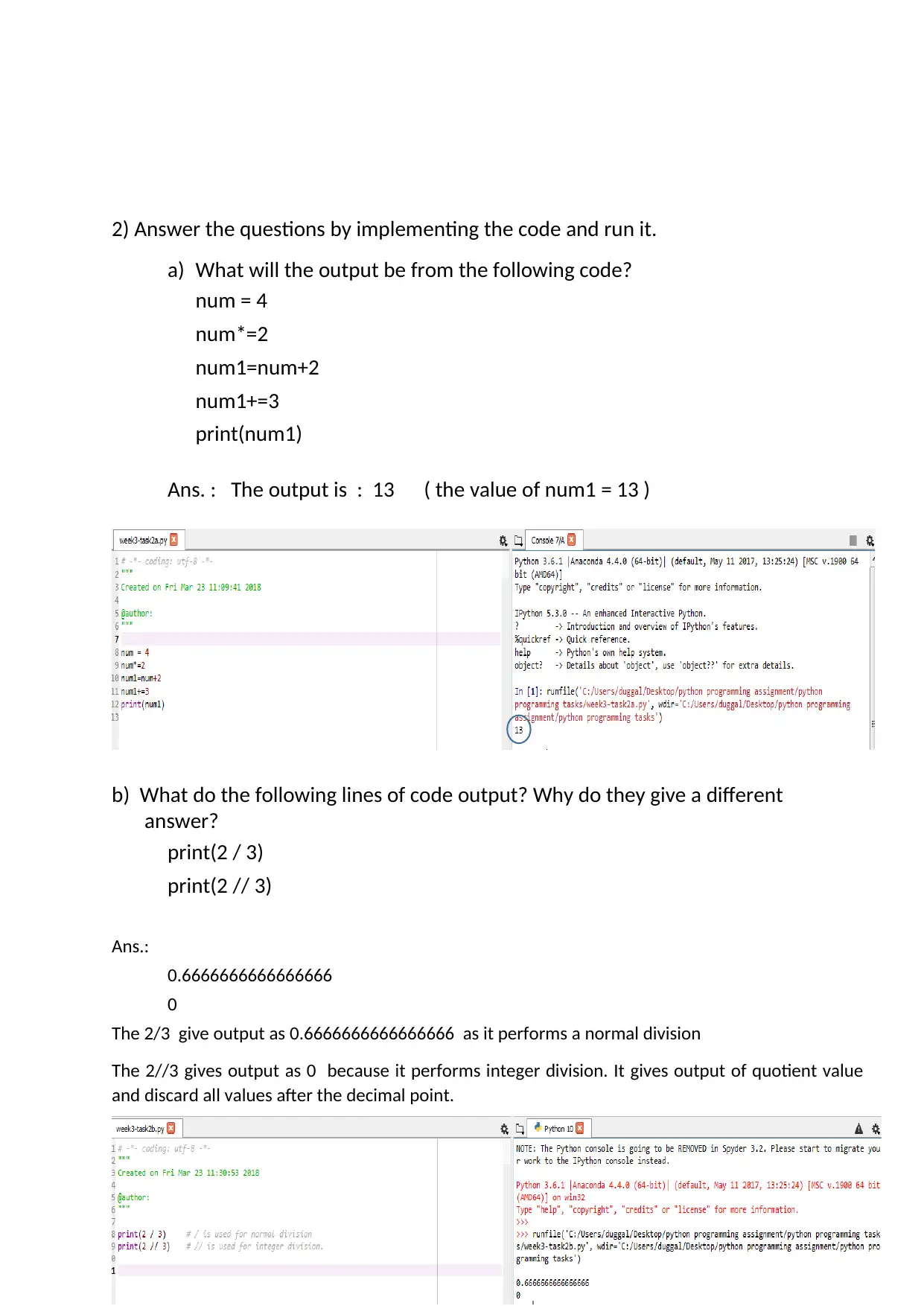
num = 4
num*=2
num1=num+2
num1+=3
print(num1)
Ans. : The output is : 13 ( the value of num1 = 13 )
b) What do the following lines of code output? Why do they give a different
answer?
print(2 / 3)
print(2 // 3)
Ans.:
0.6666666666666666
0
The 2/3 give output as 0.6666666666666666 as it performs a normal division
The 2//3 gives output as 0 because it performs integer division. It gives output of quotient value
and discard all values after the decimal point.
Document Page
3) All of the variable names below can be used. But which of these is the better
variable name to use?
A a Area AREA area areaOfRectangle AreaOfRectangle
Ans.: Out of the above given variable names the better ones are Area, AREA, area, areaOfRectangle
and AreaOfRectangle as all of these variables are having significant and useful names.
4) Which of these variables names are not allowed in Python? (More than one might
be wrong.)
apple APPLE Apple2 1Apple account number account_number
account.number accountNumber fred Fred return return_value
5Return GreatBigVariable greatBigVariable great_big_variable
great.big.variable
Ans.: The variable names which are not allowed in Python are :
1Apple, account number, account.number, return, 5Return, great.big.variable
Document Page
WEEK 4 – PRACTICAL SESSION 4
This week we learnt about Python keywords, rules to define a variable, data types in Python and
data type conversion methods. We also learnt about various mathematical, logical and bit-wise
operators used in the Python programs including the operator precedence (BODMAS). Also learnt
about escape sequence characters and getting formatted output using format specifiers. String
concatenation and repeating characters were introduced. Basic about python modules were
introduced and learnt how to import the modules in programs. In this week we learnt to use math
module in the program. We also learnt about the various types of errors in the program, namely
syntax error, run time errors and logical errors.
TASK:
1. Explain the mistake in the following code:
radius = input("Radius:")
x = 3.14
pi = x
area = pi * radius ** 2
Ans. : The error in the program is that the input command gives string as the output and so the
value stored in the radius variable is of string type and which it cannot be used in area expression
to calculate the area.
2. Explain the mistake in the following code:
x = 4
y = 5
a = 3(x + y)
Ans.: The expression a = 3(x + y) is wrong as we have not specified the operator between 3 and “(“
which computer cannot understand. We need to write “*” between 3 and “(“.
3. Explain the mistake in the following code:
radius = input(float("Enter the radius:"))
Ans.: The mistake is that we cannot use float to typecast the string message. The correct format
will be :
radius = float(input(“Enter the radius : “))
tabler-icon-diamond-filled.svg

Paraphrase This Document

Need a fresh take? Get an instant paraphrase of this document with our AI Paraphraser
Document Page
4. Why does this code not calculate the average?
print(3 + 4 + 5 / 3)
Ans. : As per the precedence of operator, it will perform the division (/) first and will get the result
as 1.66 and then add with 3 +4 to print 8.66 as output
5.
Consider the following code:
x = 19.93
y = 20.00
z = y – x
print(z)
The output is 0.0700000000028 Why is that so?
Improve the code so that the output is to two decimal places.
Ans. : As both the x and y are float type variables, hence the output is showing the value with the
precision of the float value which is 13 digits.
To get the output in two decimal places :
print(“%.2f”, %z)
6. Find at least three compile-time errors:
int x = 2
Print (x, squared is, x * x)
xcubed = x *** 3
Ans.:
1. Print command cannot start with upper case letter P. The keywords are always used in
lowercase only. The correct format is print( …. )
2. In the print statement, the message squared is should be enclosed between “ “ \
3. To find the cube we cannot use *** as there is no such operator defined in python, the
correct form should be : xcubed = x ** 3
Document Page
7. Find two run-time errors:
from math import sqrt
X = 2
Y = 4
print(“The product of “, x, “and”, y, “is”, x + y)
print(“The root of their difference is “, sqrt(x – y))
Ans.:
1. In the first print statement we are using x + y instead of x * y to find the product
2. In the second print statement we are trying to find the square root of the negative
number as (x – y) will produce -2, and we cannot find the square root of the negative
numbers.
8. Write statements to prompt user for their name and age
Write a print statement to output:
Hello ____, next year you will be ____ years old!
Ans. :
Program :
name = input("enter your name : ")
age = int(input("enter your age : "))
print("Hello ", name, "next year you will be ", age+1, " years old!")
chevron_up_icon
1 out of 38
circle_padding
hide_on_mobile
zoom_out_icon
[object Object]