ITC209 - Android App Project Presentation: My Notes App with Reminders
VerifiedAdded on 2022/11/01
|28
|1901
|442
Project
AI Summary
This presentation showcases a student's Android application, 'My Notes App,' developed for ITC209. The app is designed to assist users in recording notes and setting reminders. The presentation provides an overview of the app's features, including the ability to create, manage, and set reminders for notes. It details the app's intended functionality, such as displaying a list of notes, adding new notes with time and image attachments, and quitting the application. The development process, tools used (Android Studio, SQLite), and the target platform (Android) are also discussed. The presentation covers the architecture of the app, including class and sequence diagrams illustrating the interaction between the user and the application. The project's challenges and future improvements, such as cloud capability and an enhanced user interface, are also highlighted. Finally, the presentation includes a demonstration of the app's functionality through screen grabs and a video, covering the main activity, note activity, add note activity, and other features such as date/time selection and image selection.
School of Computing and Mathematics
[MY NOTES APP]
ITC209 Assignment 4 App Presentation
[Student Name Here]
[Student Number Here]
[MY NOTES APP]
ITC209 Assignment 4 App Presentation
[Student Name Here]
[Student Number Here]
Paraphrase This Document
Need a fresh take? Get an instant paraphrase of this document with our AI Paraphraser

School of Computing and Mathematics
Introduction
• Short Introduction on who you are
• Things to possibly talk about:
• What your degree you are doing
• Why you are doing it
• What sort of job you are looking for
• What are your capabilities
• What are your interests (if applicable to your app’s functionality)
• Maybe include a picture of yourself?
Introduction
• Short Introduction on who you are
• Things to possibly talk about:
• What your degree you are doing
• Why you are doing it
• What sort of job you are looking for
• What are your capabilities
• What are your interests (if applicable to your app’s functionality)
• Maybe include a picture of yourself?

School of Computing and Mathematics
App Overview
• My notes app is note taking app that let users records notes and set reminders so that they can keep track of
their notes and they are reminded if the time recorded in the note approaches.
• The app was influenced by the need to have a notes taking app with reminders that can keep track of all the
notes enabling the user to review the notes at any time.
• The goal of the app is to provide users with an easy way of recording and managing notes.
• The target market of the app can be for anybody with a busy schedule and is in need of an app that will
enable him or her to take notes while at the same time setting reminders so that the user is reminded when
the time for a note approaches.
• There is need for the my notes taking app because it provides a simple interface bundled with features that
make it easy for the user to add and manage notes. The app also keeps track of the each note setting a
reminder so that the user is reminded to check the note when the time approaches. There exists note taking
apps for android including:
• Colornote
• Evernote
• Clevnote
• Google keep
Despite there being similar notes taking app, my notes app is still desirable because of its ability to set
reminders for each note.
App Overview
• My notes app is note taking app that let users records notes and set reminders so that they can keep track of
their notes and they are reminded if the time recorded in the note approaches.
• The app was influenced by the need to have a notes taking app with reminders that can keep track of all the
notes enabling the user to review the notes at any time.
• The goal of the app is to provide users with an easy way of recording and managing notes.
• The target market of the app can be for anybody with a busy schedule and is in need of an app that will
enable him or her to take notes while at the same time setting reminders so that the user is reminded when
the time for a note approaches.
• There is need for the my notes taking app because it provides a simple interface bundled with features that
make it easy for the user to add and manage notes. The app also keeps track of the each note setting a
reminder so that the user is reminded to check the note when the time approaches. There exists note taking
apps for android including:
• Colornote
• Evernote
• Clevnote
• Google keep
Despite there being similar notes taking app, my notes app is still desirable because of its ability to set
reminders for each note.
⊘ This is a preview!⊘
Do you want full access?
Subscribe today to unlock all pages.

Trusted by 1+ million students worldwide

School of Computing and Mathematics
App [Intended] Functionality
The app will have the following functionalities;
• The app should display a list of all the notes that the user has taken when the app is
opened. The notes should be displayed in list format making it easy for the user to view
the notes.
• When the user selects a note the app should open the full details of the note including
the image that was attached to the note and all the other information including the notes
and the time.
• The app should provide a button for adding a note. When the user clicks the button, the
app should open note addition interface. The user should add the note and then
proceed to select the date and time. After selecting the time, the app should ask the
user to confirm and then let the user select an image from the gallery and after selecting
the image the app should save the note in a local database and then open the list of
notes.
• The app should enable the user to quit the app using a button.
App [Intended] Functionality
The app will have the following functionalities;
• The app should display a list of all the notes that the user has taken when the app is
opened. The notes should be displayed in list format making it easy for the user to view
the notes.
• When the user selects a note the app should open the full details of the note including
the image that was attached to the note and all the other information including the notes
and the time.
• The app should provide a button for adding a note. When the user clicks the button, the
app should open note addition interface. The user should add the note and then
proceed to select the date and time. After selecting the time, the app should ask the
user to confirm and then let the user select an image from the gallery and after selecting
the image the app should save the note in a local database and then open the list of
notes.
• The app should enable the user to quit the app using a button.
Paraphrase This Document
Need a fresh take? Get an instant paraphrase of this document with our AI Paraphraser

School of Computing and Mathematics
Tools and Platform Used
• The platform used to develop the application is android. The application will be
developed as a native application. The reason for choosing android as the target
platform is because majority of smartphone users are android user thus this presents
a greater market compared to other platforms.
• The tools used to make the app are;
• Android Studio 3.5
• Build #AI-191.8026.42.35.5791312, built on August 9, 2019
• JRE: 1.8.0_202-release-1483-b03 amd64
• JVM: OpenJDK 64-Bit Server VM by JetBrains s.r.o
• Windows 10 10.0
• For the app to store data locally, SQLite is used as the database.
• The general requirements required to run the app are;
• Recommended OS is Android 10 which is the latest release by google
• The minimum recommended OS is android 4.3 icecream sandwich.
• Any device capable of running android 4.3 will run the application
• The application requires storage device permission
Tools and Platform Used
• The platform used to develop the application is android. The application will be
developed as a native application. The reason for choosing android as the target
platform is because majority of smartphone users are android user thus this presents
a greater market compared to other platforms.
• The tools used to make the app are;
• Android Studio 3.5
• Build #AI-191.8026.42.35.5791312, built on August 9, 2019
• JRE: 1.8.0_202-release-1483-b03 amd64
• JVM: OpenJDK 64-Bit Server VM by JetBrains s.r.o
• Windows 10 10.0
• For the app to store data locally, SQLite is used as the database.
• The general requirements required to run the app are;
• Recommended OS is Android 10 which is the latest release by google
• The minimum recommended OS is android 4.3 icecream sandwich.
• Any device capable of running android 4.3 will run the application
• The application requires storage device permission

School of Computing and Mathematics
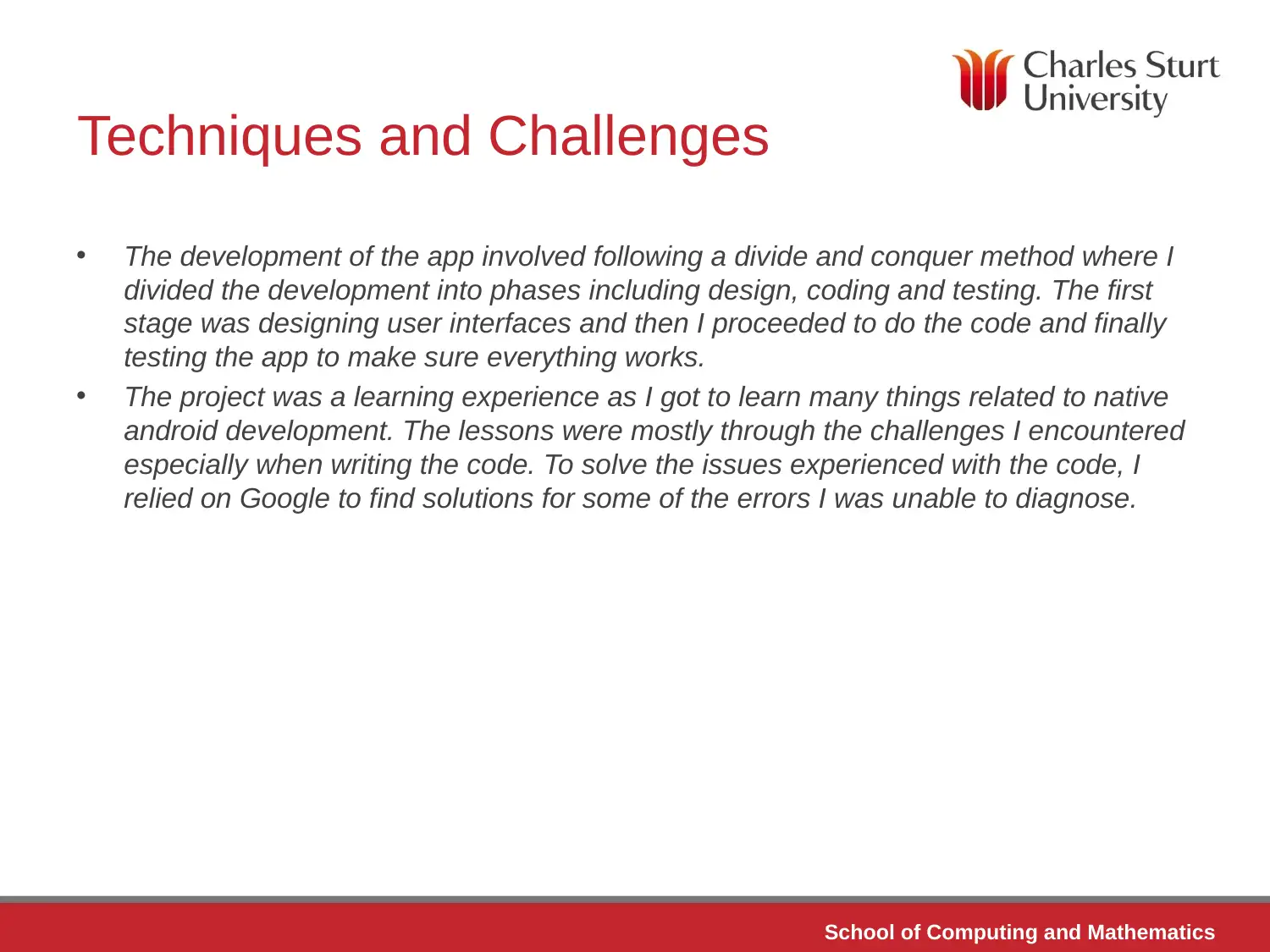
Techniques and Challenges
• The development of the app involved following a divide and conquer method where I
divided the development into phases including design, coding and testing. The first
stage was designing user interfaces and then I proceeded to do the code and finally
testing the app to make sure everything works.
• The project was a learning experience as I got to learn many things related to native
android development. The lessons were mostly through the challenges I encountered
especially when writing the code. To solve the issues experienced with the code, I
relied on Google to find solutions for some of the errors I was unable to diagnose.
Techniques and Challenges
• The development of the app involved following a divide and conquer method where I
divided the development into phases including design, coding and testing. The first
stage was designing user interfaces and then I proceeded to do the code and finally
testing the app to make sure everything works.
• The project was a learning experience as I got to learn many things related to native
android development. The lessons were mostly through the challenges I encountered
especially when writing the code. To solve the issues experienced with the code, I
relied on Google to find solutions for some of the errors I was unable to diagnose.
⊘ This is a preview!⊘
Do you want full access?
Subscribe today to unlock all pages.

Trusted by 1+ million students worldwide

School of Computing and Mathematics
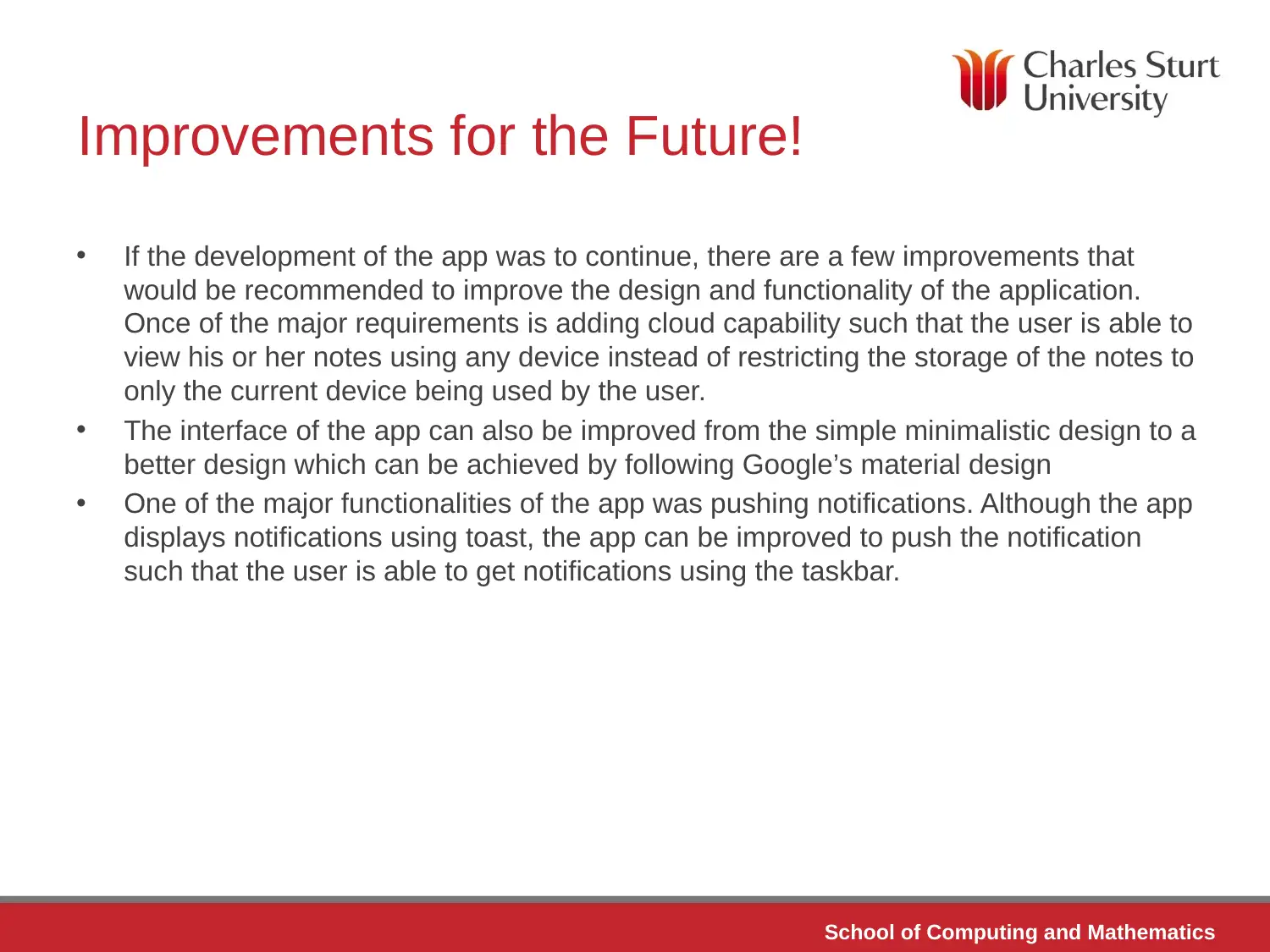
Improvements for the Future!
• If the development of the app was to continue, there are a few improvements that
would be recommended to improve the design and functionality of the application.
Once of the major requirements is adding cloud capability such that the user is able to
view his or her notes using any device instead of restricting the storage of the notes to
only the current device being used by the user.
• The interface of the app can also be improved from the simple minimalistic design to a
better design which can be achieved by following Google’s material design
• One of the major functionalities of the app was pushing notifications. Although the app
displays notifications using toast, the app can be improved to push the notification
such that the user is able to get notifications using the taskbar.
Improvements for the Future!
• If the development of the app was to continue, there are a few improvements that
would be recommended to improve the design and functionality of the application.
Once of the major requirements is adding cloud capability such that the user is able to
view his or her notes using any device instead of restricting the storage of the notes to
only the current device being used by the user.
• The interface of the app can also be improved from the simple minimalistic design to a
better design which can be achieved by following Google’s material design
• One of the major functionalities of the app was pushing notifications. Although the app
displays notifications using toast, the app can be improved to push the notification
such that the user is able to get notifications using the taskbar.
Paraphrase This Document
Need a fresh take? Get an instant paraphrase of this document with our AI Paraphraser

School of Computing and Mathematics
App Architecture
App Architecture

School of Computing and Mathematics
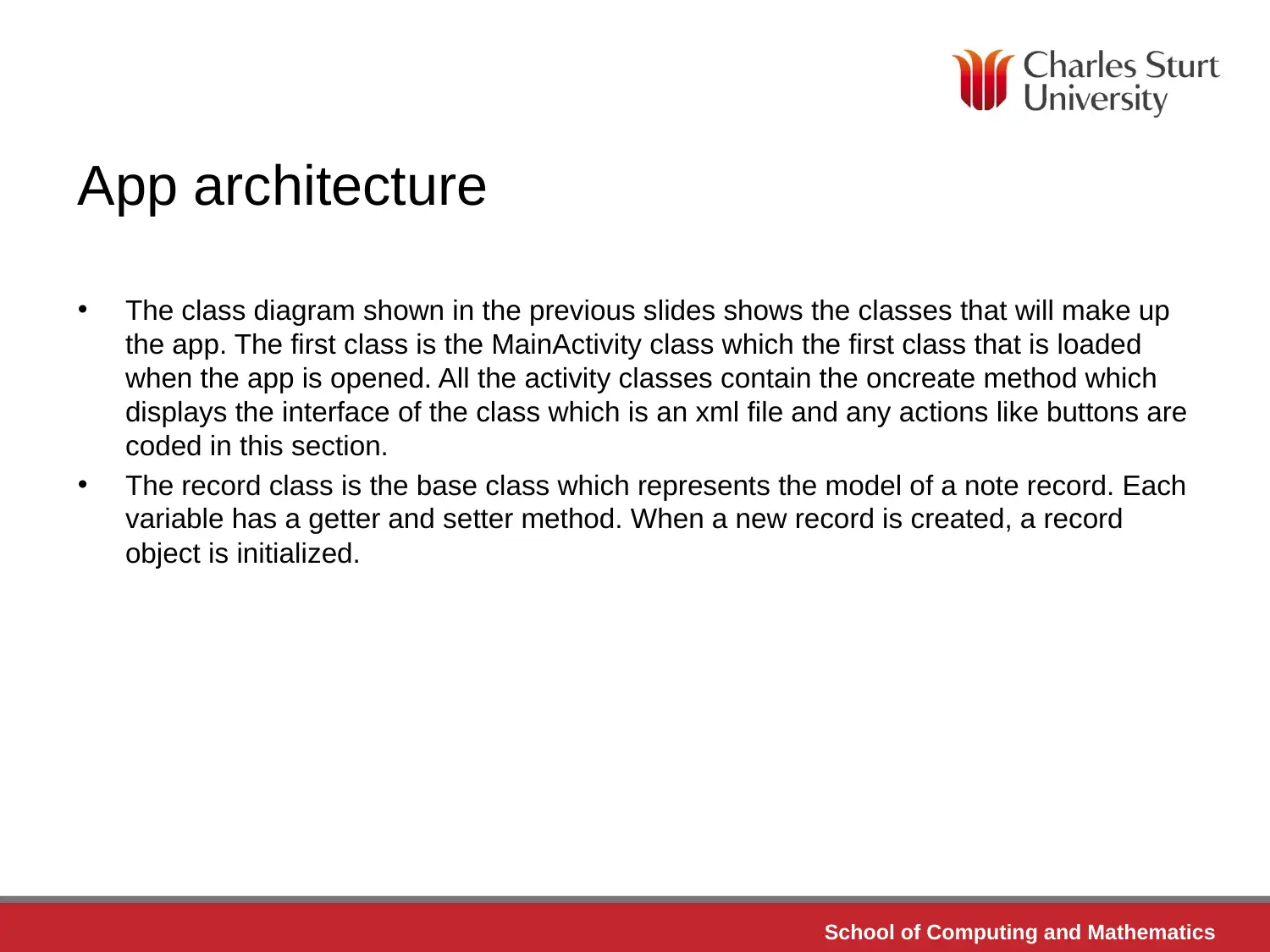
App architecture
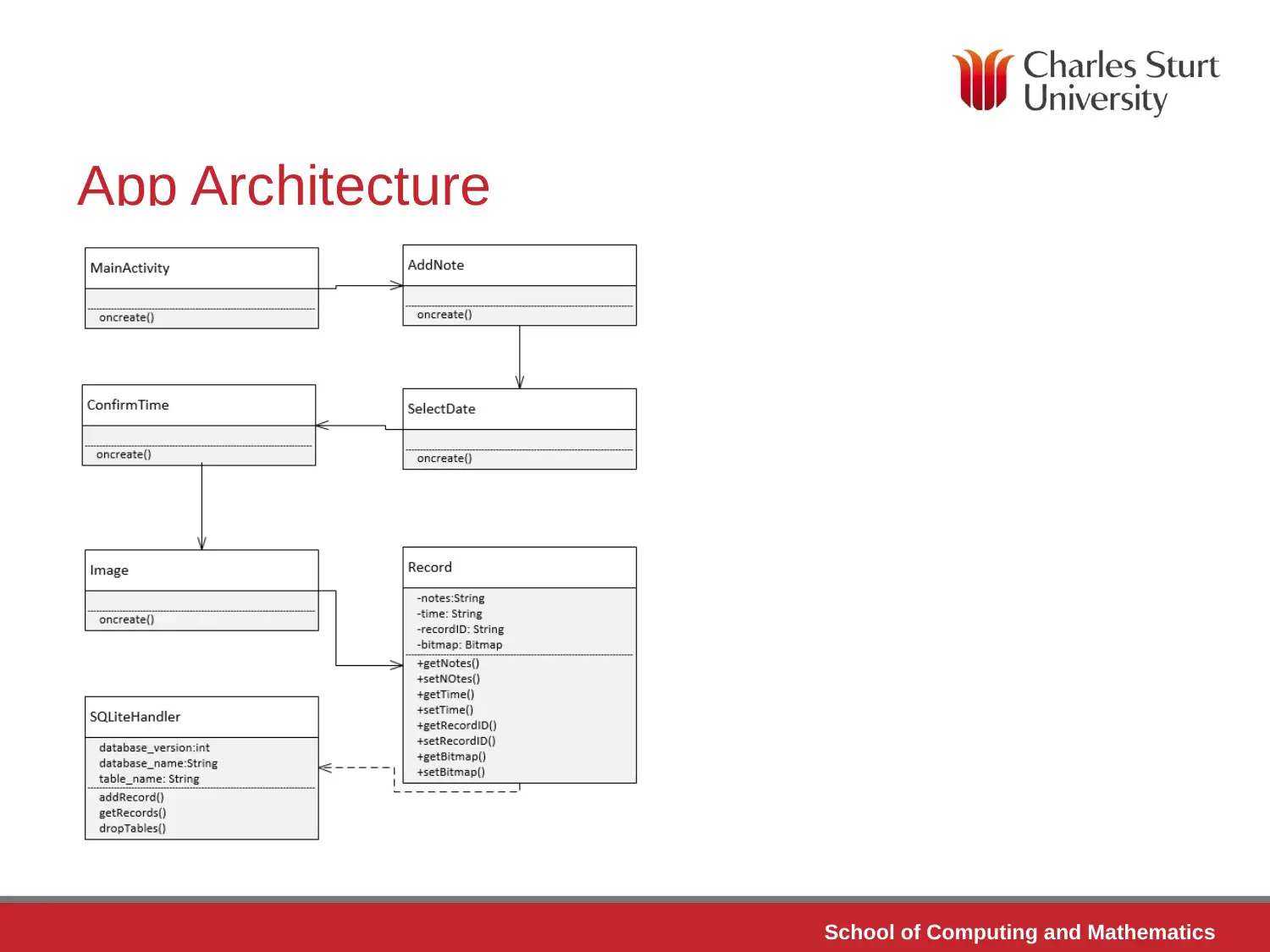
• The class diagram shown in the previous slides shows the classes that will make up
the app. The first class is the MainActivity class which the first class that is loaded
when the app is opened. All the activity classes contain the oncreate method which
displays the interface of the class which is an xml file and any actions like buttons are
coded in this section.
• The record class is the base class which represents the model of a note record. Each
variable has a getter and setter method. When a new record is created, a record
object is initialized.
App architecture
• The class diagram shown in the previous slides shows the classes that will make up
the app. The first class is the MainActivity class which the first class that is loaded
when the app is opened. All the activity classes contain the oncreate method which
displays the interface of the class which is an xml file and any actions like buttons are
coded in this section.
• The record class is the base class which represents the model of a note record. Each
variable has a getter and setter method. When a new record is created, a record
object is initialized.
⊘ This is a preview!⊘
Do you want full access?
Subscribe today to unlock all pages.

Trusted by 1+ million students worldwide

School of Computing and Mathematics
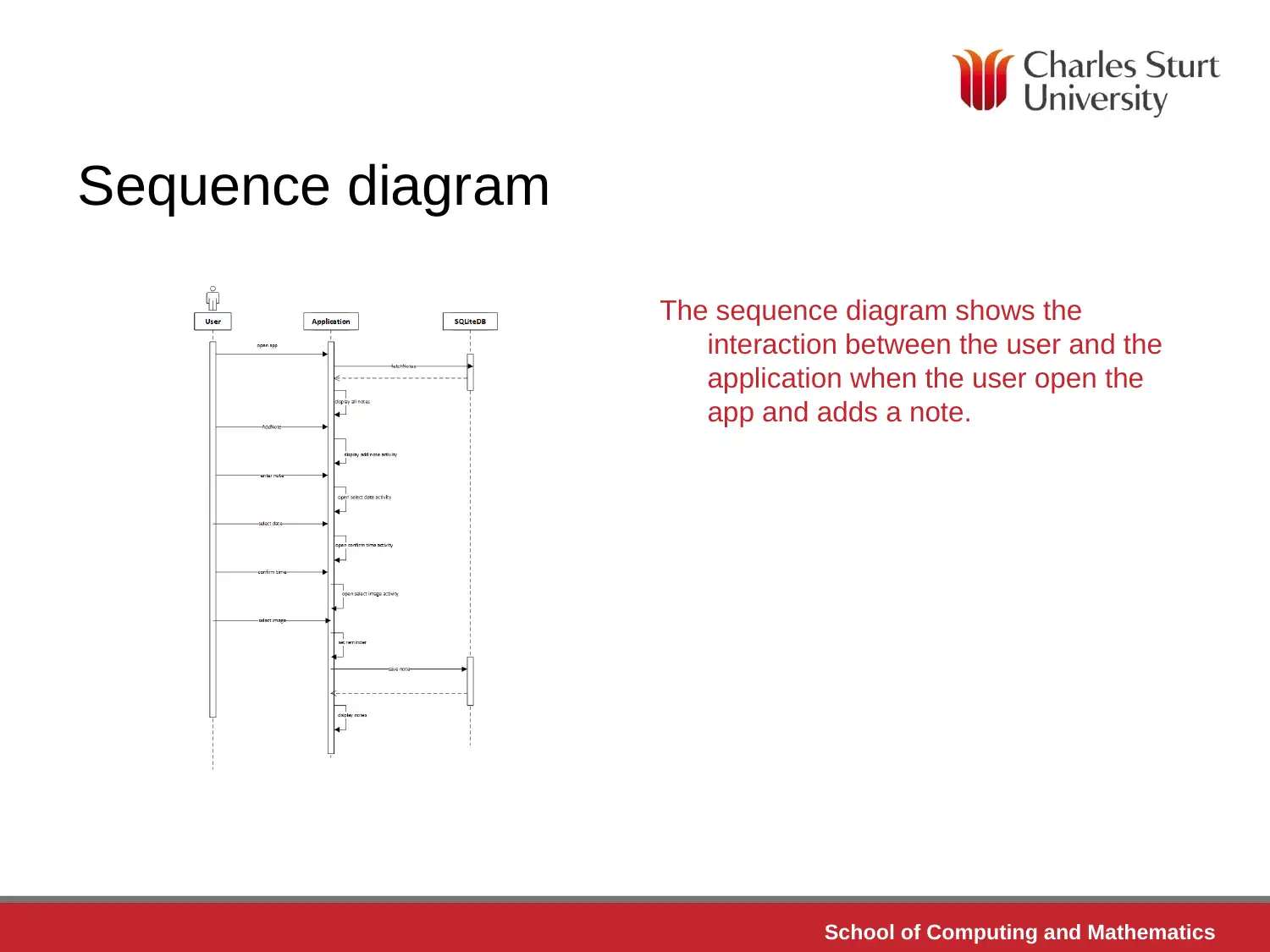
Sequence diagram
The sequence diagram shows the
interaction between the user and the
application when the user open the
app and adds a note.
Sequence diagram
The sequence diagram shows the
interaction between the user and the
application when the user open the
app and adds a note.
Paraphrase This Document
Need a fresh take? Get an instant paraphrase of this document with our AI Paraphraser

School of Computing and Mathematics
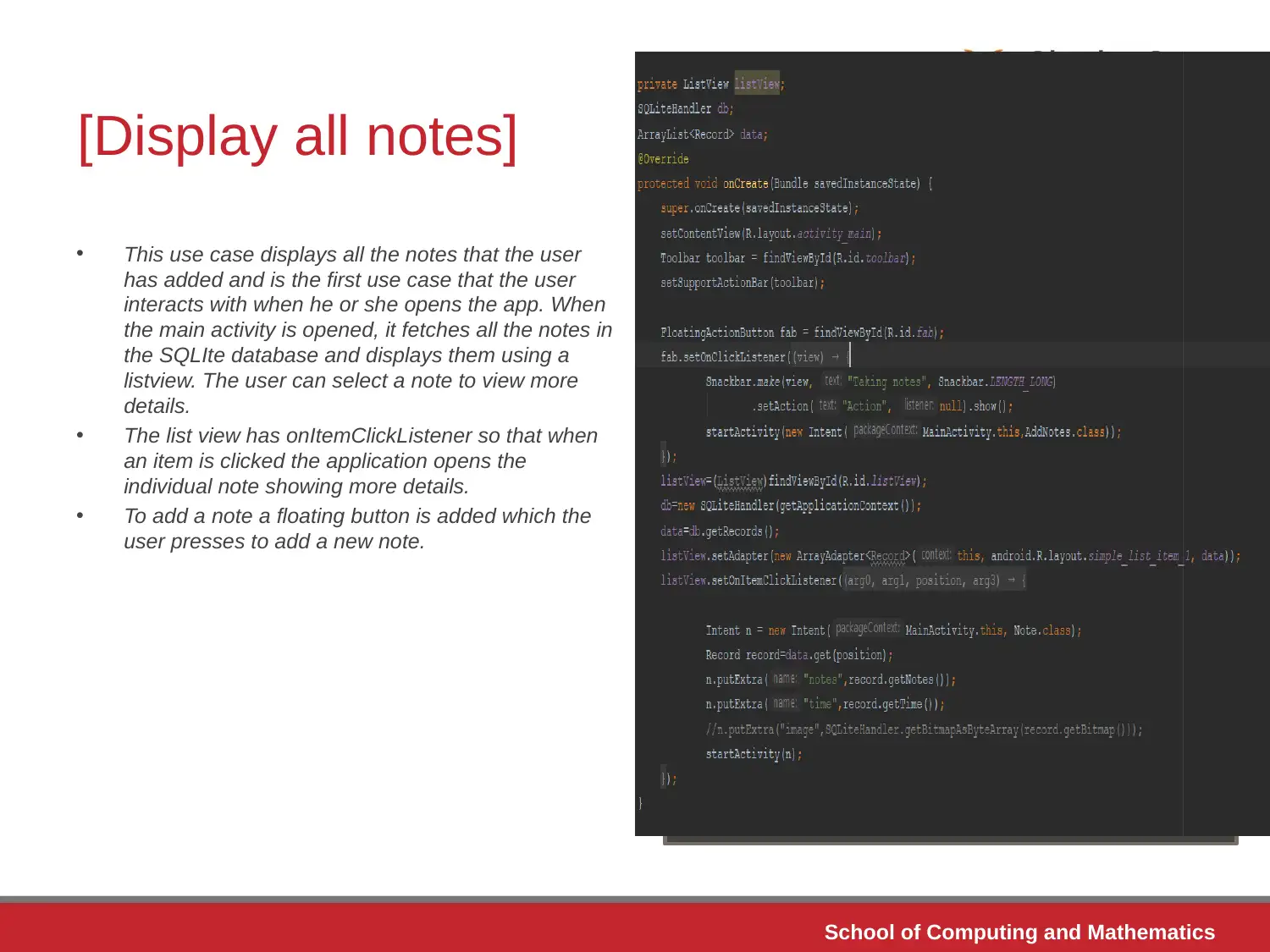
[Display all notes]
• This use case displays all the notes that the user
has added and is the first use case that the user
interacts with when he or she opens the app. When
the main activity is opened, it fetches all the notes in
the SQLIte database and displays them using a
listview. The user can select a note to view more
details.
• The list view has onItemClickListener so that when
an item is clicked the application opens the
individual note showing more details.
• To add a note a floating button is added which the
user presses to add a new note.
[Display all notes]
• This use case displays all the notes that the user
has added and is the first use case that the user
interacts with when he or she opens the app. When
the main activity is opened, it fetches all the notes in
the SQLIte database and displays them using a
listview. The user can select a note to view more
details.
• The list view has onItemClickListener so that when
an item is clicked the application opens the
individual note showing more details.
• To add a note a floating button is added which the
user presses to add a new note.

School of Computing and Mathematics
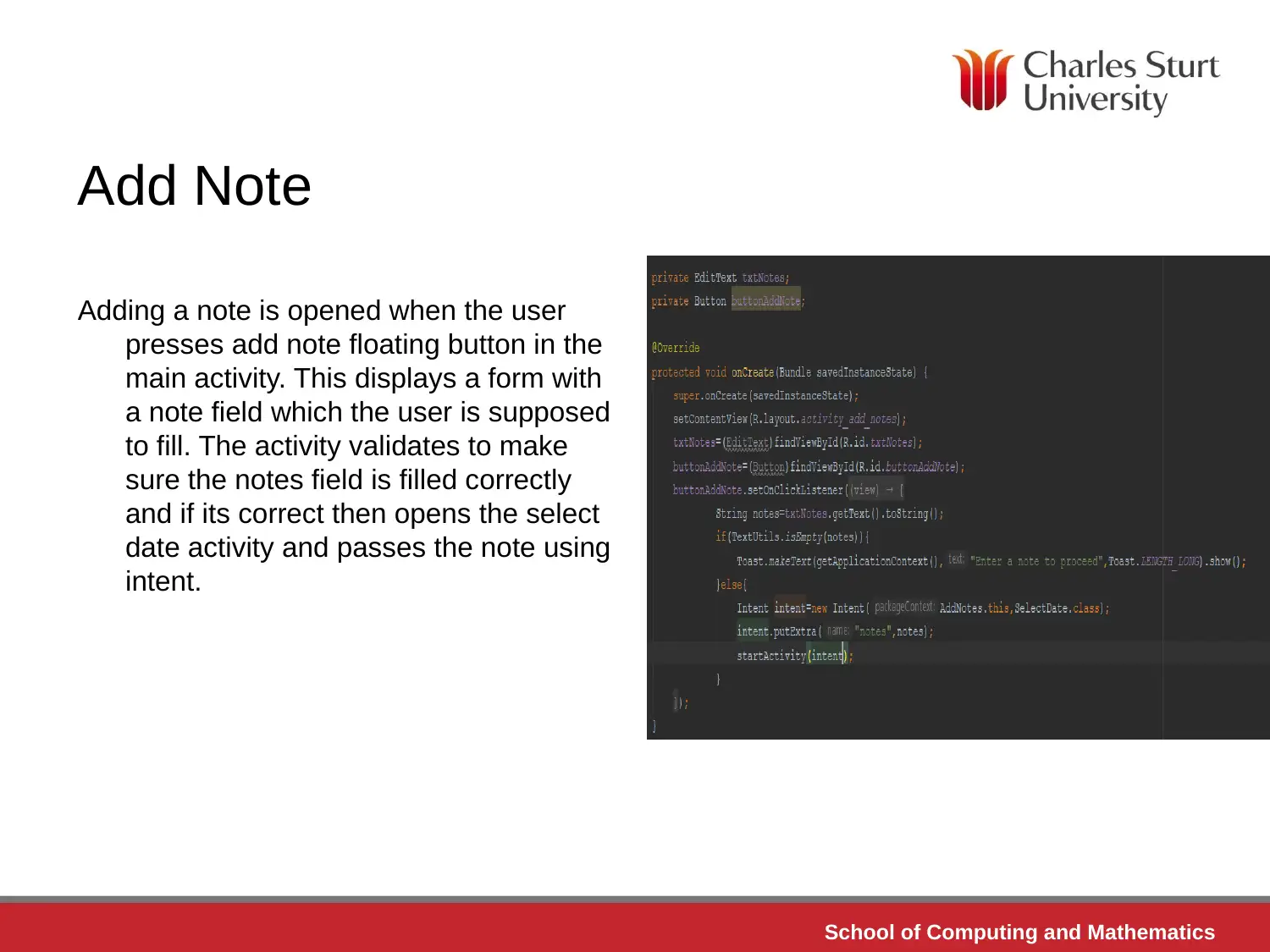
Add Note
Adding a note is opened when the user
presses add note floating button in the
main activity. This displays a form with
a note field which the user is supposed
to fill. The activity validates to make
sure the notes field is filled correctly
and if its correct then opens the select
date activity and passes the note using
intent.
Add Note
Adding a note is opened when the user
presses add note floating button in the
main activity. This displays a form with
a note field which the user is supposed
to fill. The activity validates to make
sure the notes field is filled correctly
and if its correct then opens the select
date activity and passes the note using
intent.
⊘ This is a preview!⊘
Do you want full access?
Subscribe today to unlock all pages.

Trusted by 1+ million students worldwide
1 out of 28
Related Documents
Your All-in-One AI-Powered Toolkit for Academic Success.
+13062052269
info@desklib.com
Available 24*7 on WhatsApp / Email
Unlock your academic potential
Copyright © 2020–2026 A2Z Services. All Rights Reserved. Developed and managed by ZUCOL.