MITS4002 Activity 09: Java GUI Application for Weight Conversion

Verified

Added on  2022/08/24

|9
|1222
|17
Practical Assignment
AI Summary
This assignment solution presents a Java-based application designed to convert pounds to kilograms using a graphical user interface (GUI). The project, developed for the MITS4002 Object-Oriented Software Development course, involves creating a JPanel (Conversion.java) and a testing class (testConversion.java) to build the UI. The program allows users to input a weight in pounds, and upon clicking the "Convert!" button, the equivalent weight in kilograms is displayed in a text area, formatted to three decimal places. The solution utilizes various Java Swing components such as JFrame, JTextArea, JLabel, and JTextField, along with layout management and action listeners to handle user interactions. The code includes the necessary formula for conversion and employs the append() method to retain previous results in the text area. The solution also includes screenshots, testing results, and addresses UI and computation correctness.
Document Page
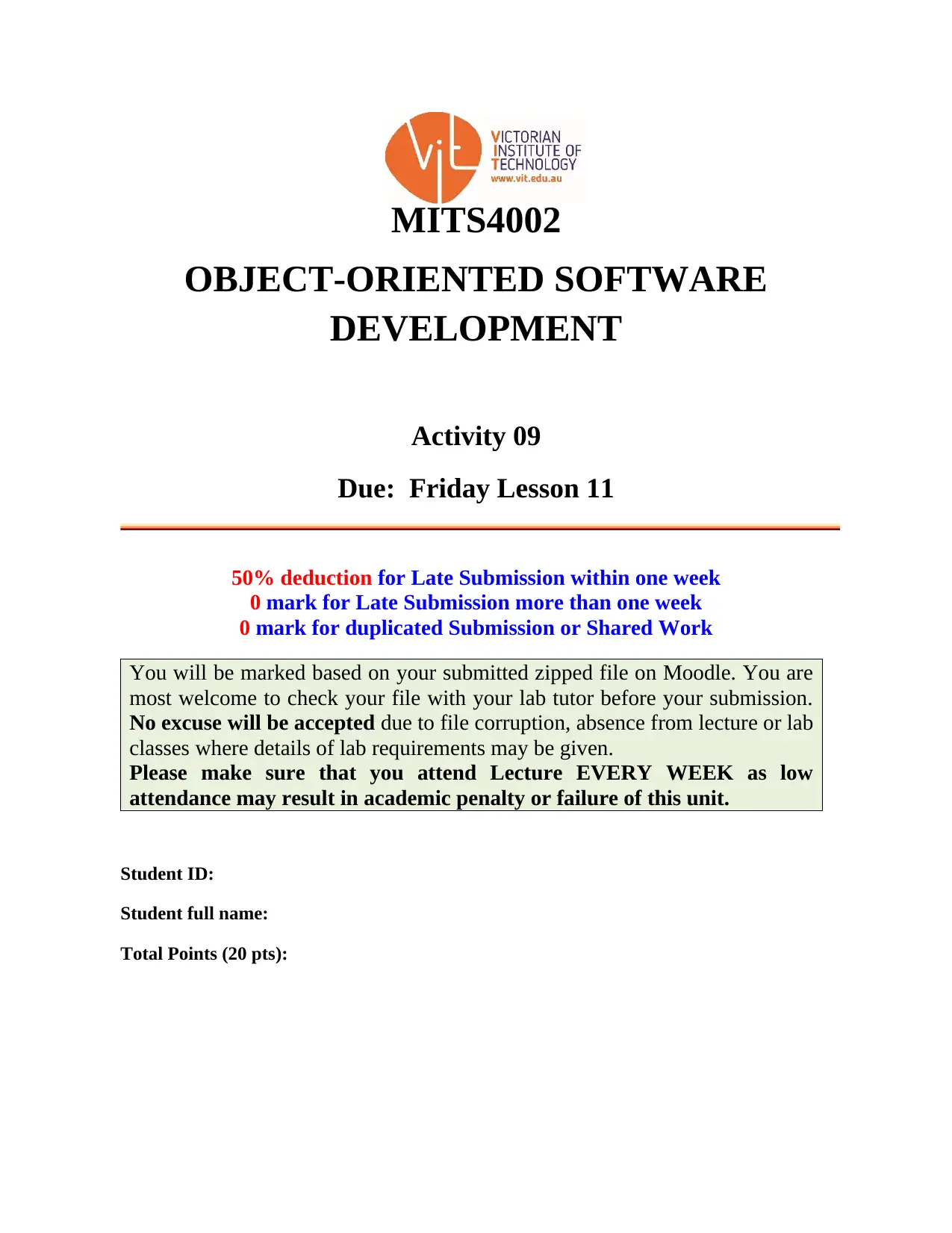
MITS4002
OBJECT-ORIENTED SOFTWARE
DEVELOPMENT
Activity 09
Due: Friday Lesson 11
50% deduction for Late Submission within one week
0 mark for Late Submission more than one week
0 mark for duplicated Submission or Shared Work
You will be marked based on your submitted zipped file on Moodle. You are
most welcome to check your file with your lab tutor before your submission.
No excuse will be accepted due to file corruption, absence from lecture or lab
classes where details of lab requirements may be given.
Please make sure that you attend Lecture EVERY WEEK as low
attendance may result in academic penalty or failure of this unit.
Student ID:
Student full name:
Total Points (20 pts):
tabler-icon-diamond-filled.svg

Paraphrase This Document

Need a fresh take? Get an instant paraphrase of this document with our AI Paraphraser
Document Page
MITS4002 Actvity 09
Project: Converting pounds to kilograms calculator
Problem Description:
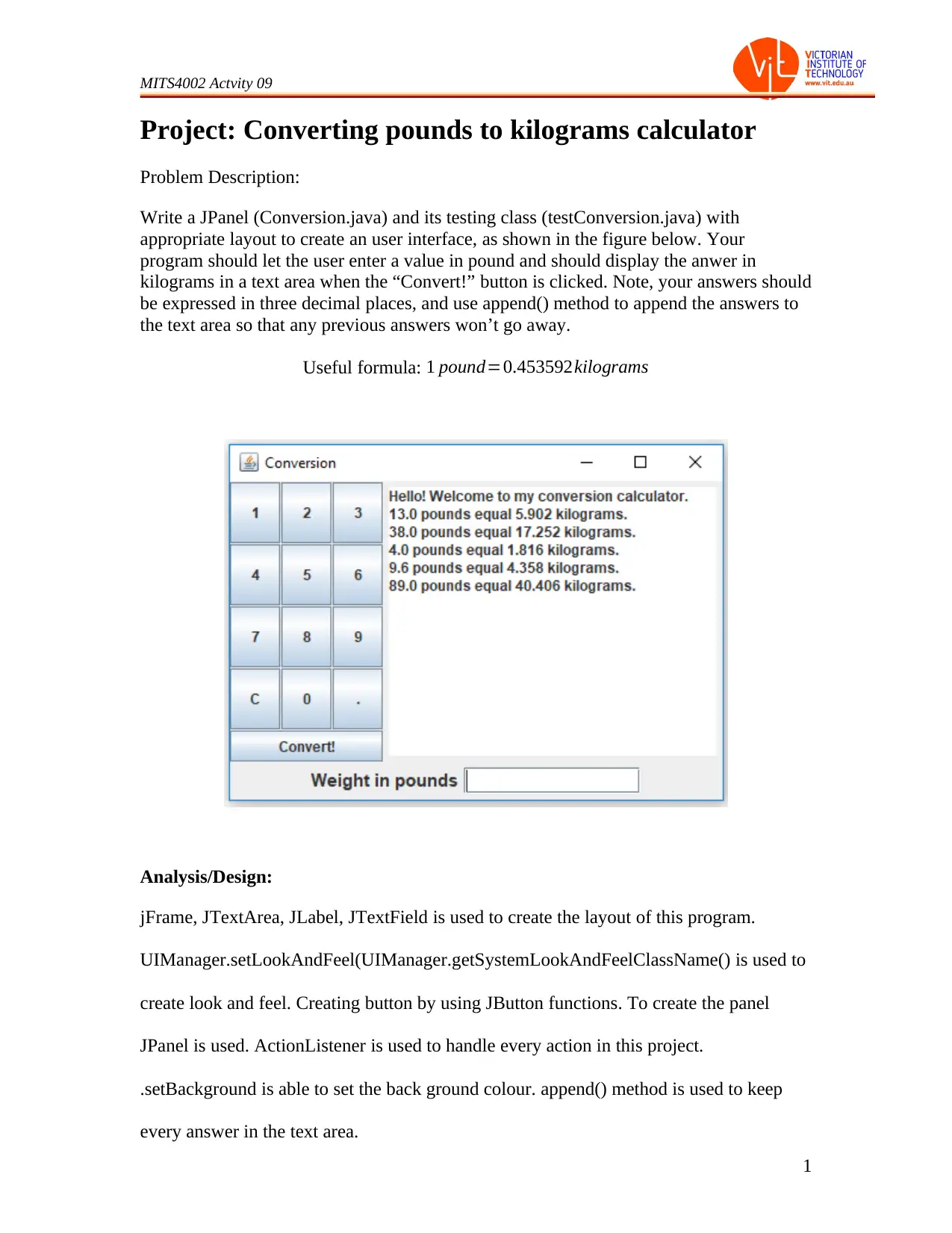
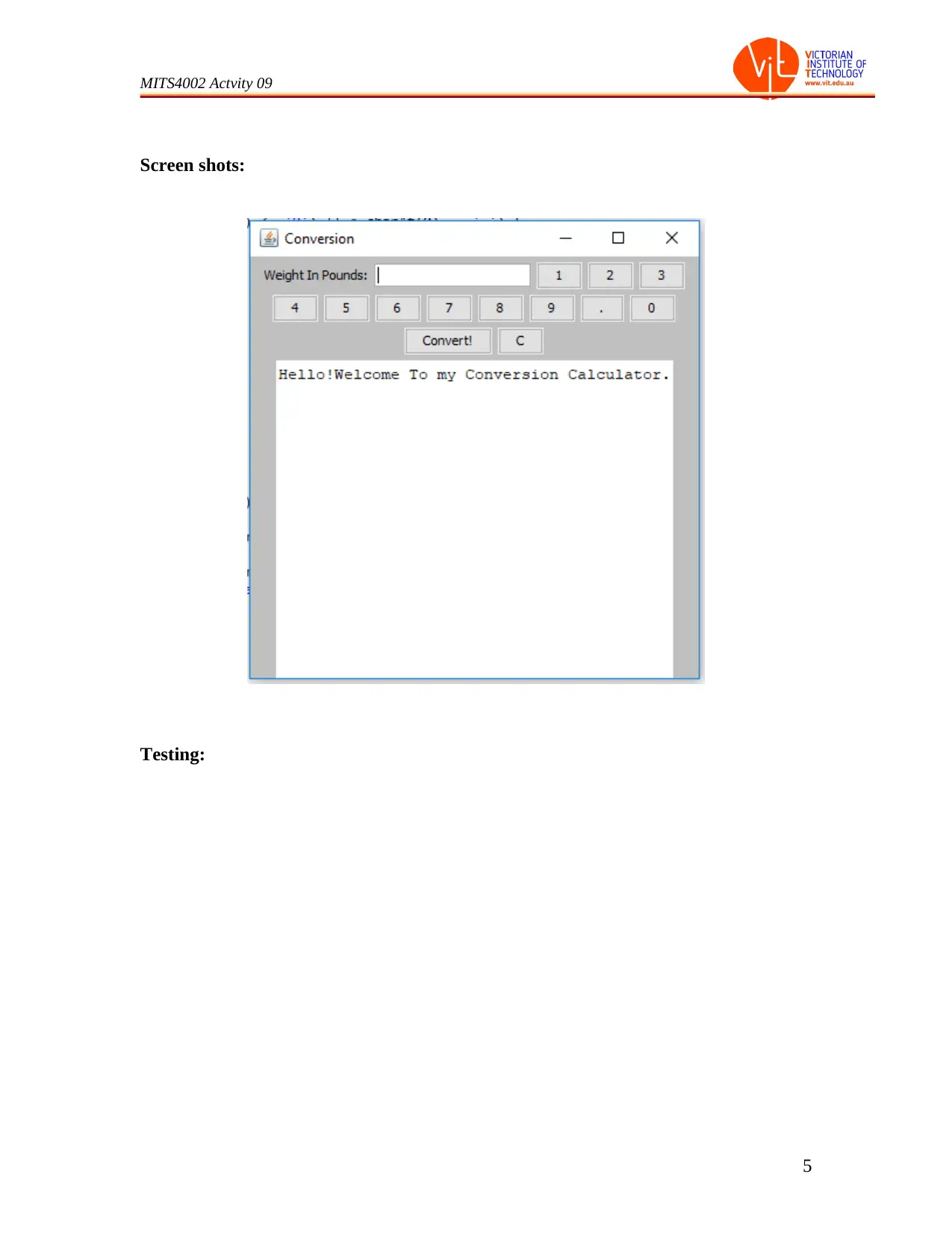
Write a JPanel (Conversion.java) and its testing class (testConversion.java) with
appropriate layout to create an user interface, as shown in the figure below. Your
program should let the user enter a value in pound and should display the anwer in
kilograms in a text area when the “Convert!” button is clicked. Note, your answers should
be expressed in three decimal places, and use append() method to append the answers to
the text area so that any previous answers won’t go away.
Useful formula: 1 pound=0.453592kilograms
Analysis/Design:
jFrame, JTextArea, JLabel, JTextField is used to create the layout of this program.
UIManager.setLookAndFeel(UIManager.getSystemLookAndFeelClassName() is used to
create look and feel. Creating button by using JButton functions. To create the panel
JPanel is used. ActionListener is used to handle every action in this project.
.setBackground is able to set the back ground colour. append() method is used to keep
every answer in the text area.
1
Document Page
MITS4002 Actvity 09
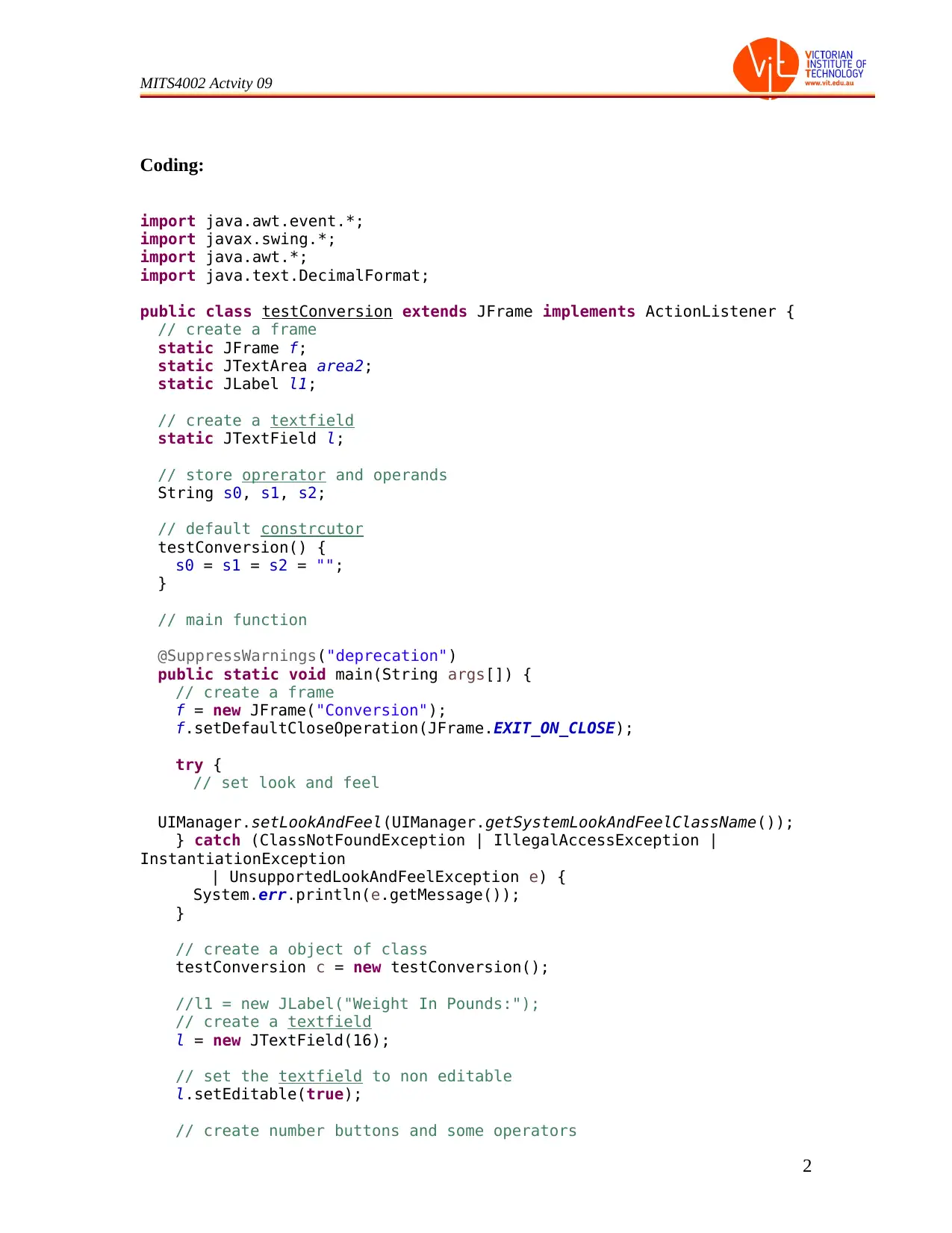
Coding:
import java.awt.event.*;
import javax.swing.*;
import java.awt.*;
import java.text.DecimalFormat;
public class testConversion extends JFrame implements ActionListener {
// create a frame
static JFrame f;
static JTextArea area2;
static JLabel l1;
// create a textfield
static JTextField l;
// store oprerator and operands
String s0, s1, s2;
// default constrcutor
testConversion() {
s0 = s1 = s2 = "";
}
// main function
@SuppressWarnings("deprecation")
public static void main(String args[]) {
// create a frame
f = new JFrame("Conversion");
f.setDefaultCloseOperation(JFrame.EXIT_ON_CLOSE);
try {
// set look and feel
UIManager.setLookAndFeel(UIManager.getSystemLookAndFeelClassName());
} catch (ClassNotFoundException | IllegalAccessException |
InstantiationException
| UnsupportedLookAndFeelException e) {
System.err.println(e.getMessage());
}
// create a object of class
testConversion c = new testConversion();
//l1 = new JLabel("Weight In Pounds:");
// create a textfield
l = new JTextField(16);
// set the textfield to non editable
l.setEditable(true);
// create number buttons and some operators
2
Document Page
MITS4002 Actvity 09
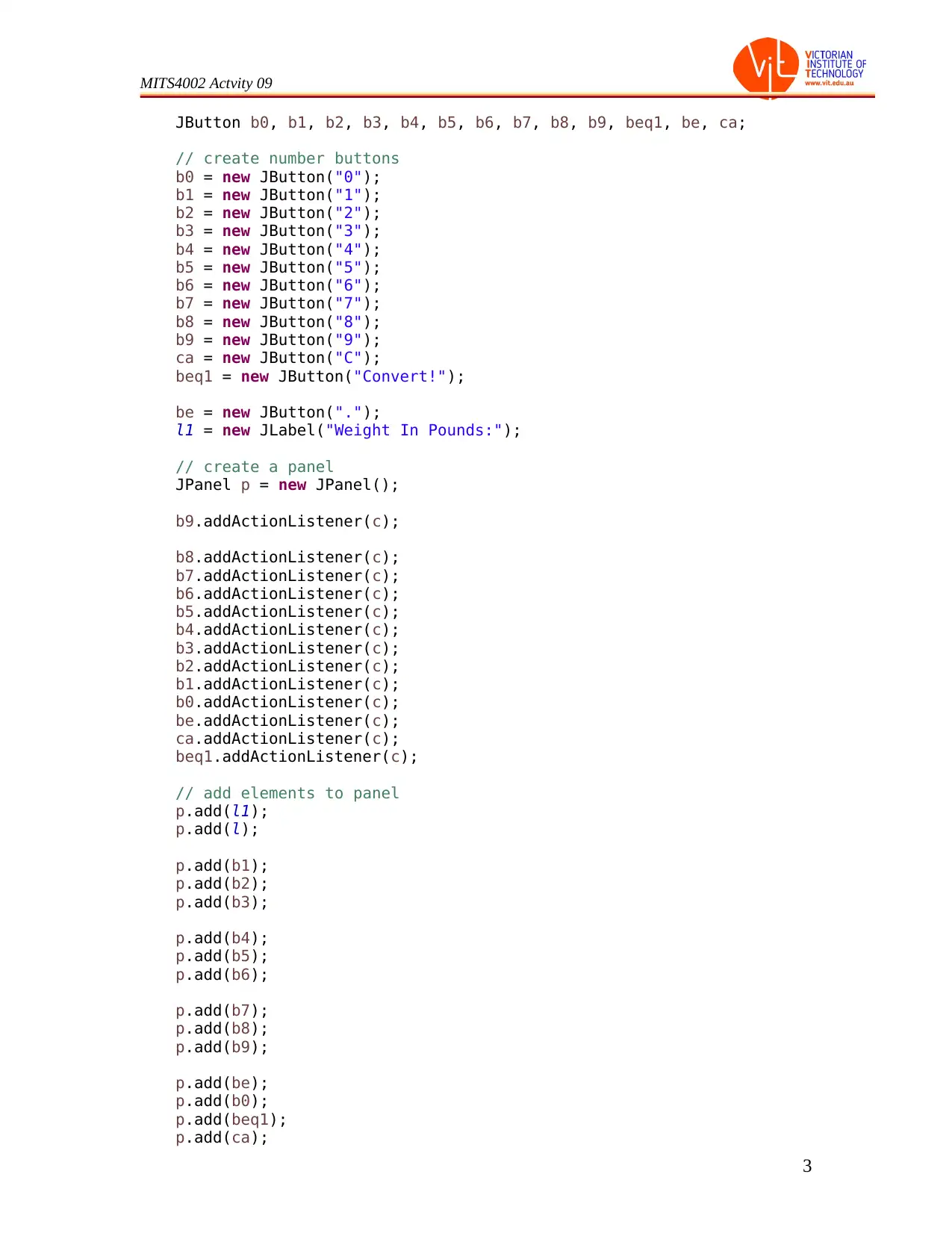
JButton b0, b1, b2, b3, b4, b5, b6, b7, b8, b9, beq1, be, ca;
// create number buttons
b0 = new JButton("0");
b1 = new JButton("1");
b2 = new JButton("2");
b3 = new JButton("3");
b4 = new JButton("4");
b5 = new JButton("5");
b6 = new JButton("6");
b7 = new JButton("7");
b8 = new JButton("8");
b9 = new JButton("9");
ca = new JButton("C");
beq1 = new JButton("Convert!");
be = new JButton(".");
l1 = new JLabel("Weight In Pounds:");
// create a panel
JPanel p = new JPanel();
b9.addActionListener(c);
b8.addActionListener(c);
b7.addActionListener(c);
b6.addActionListener(c);
b5.addActionListener(c);
b4.addActionListener(c);
b3.addActionListener(c);
b2.addActionListener(c);
b1.addActionListener(c);
b0.addActionListener(c);
be.addActionListener(c);
ca.addActionListener(c);
beq1.addActionListener(c);
// add elements to panel
p.add(l1);
p.add(l);
p.add(b1);
p.add(b2);
p.add(b3);
p.add(b4);
p.add(b5);
p.add(b6);
p.add(b7);
p.add(b8);
p.add(b9);
p.add(be);
p.add(b0);
p.add(beq1);
p.add(ca);
3
tabler-icon-diamond-filled.svg

Paraphrase This Document

Need a fresh take? Get an instant paraphrase of this document with our AI Paraphraser
Document Page
MITS4002 Actvity 09
// set Background of panel
p.setBackground(Color.LIGHT_GRAY );
area2 = new JTextArea(50, 20);
area2.setText("Hello!Welcome To my Conversion Calculator.\n");
p.add(area2);
// add panel to frame
f.add(p);
f.setSize(400, 400);
f.show();
}
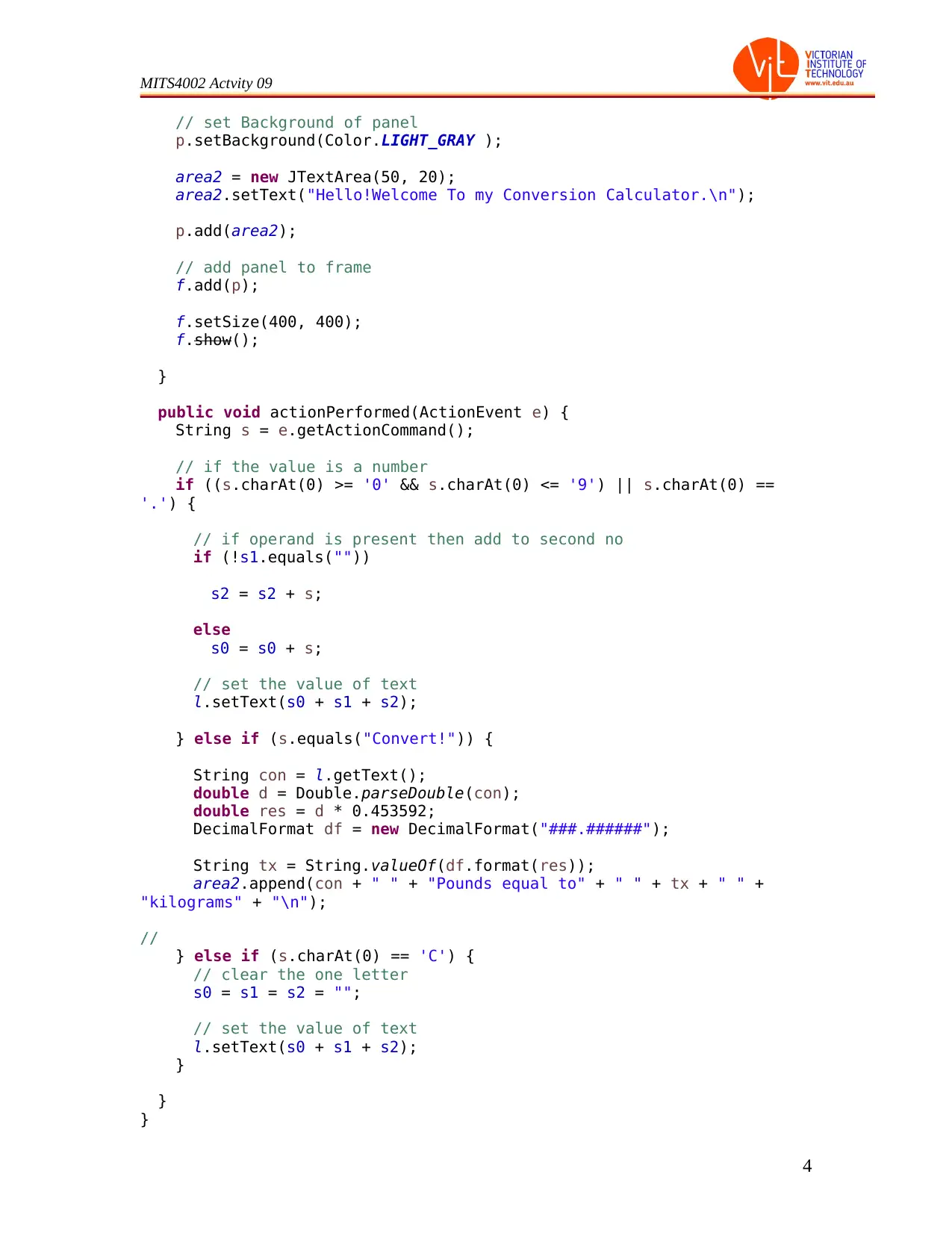
public void actionPerformed(ActionEvent e) {
String s = e.getActionCommand();
// if the value is a number
if ((s.charAt(0) >= '0' && s.charAt(0) <= '9') || s.charAt(0) ==
'.') {
// if operand is present then add to second no
if (!s1.equals(""))
s2 = s2 + s;
else
s0 = s0 + s;
// set the value of text
l.setText(s0 + s1 + s2);
} else if (s.equals("Convert!")) {
String con = l.getText();
double d = Double.parseDouble(con);
double res = d * 0.453592;
DecimalFormat df = new DecimalFormat("###.######");
String tx = String.valueOf(df.format(res));
area2.append(con + " " + "Pounds equal to" + " " + tx + " " +
"kilograms" + "\n");
//
} else if (s.charAt(0) == 'C') {
// clear the one letter
s0 = s1 = s2 = "";
// set the value of text
l.setText(s0 + s1 + s2);
}
}
}
4
Document Page
MITS4002 Actvity 09
Screen shots:
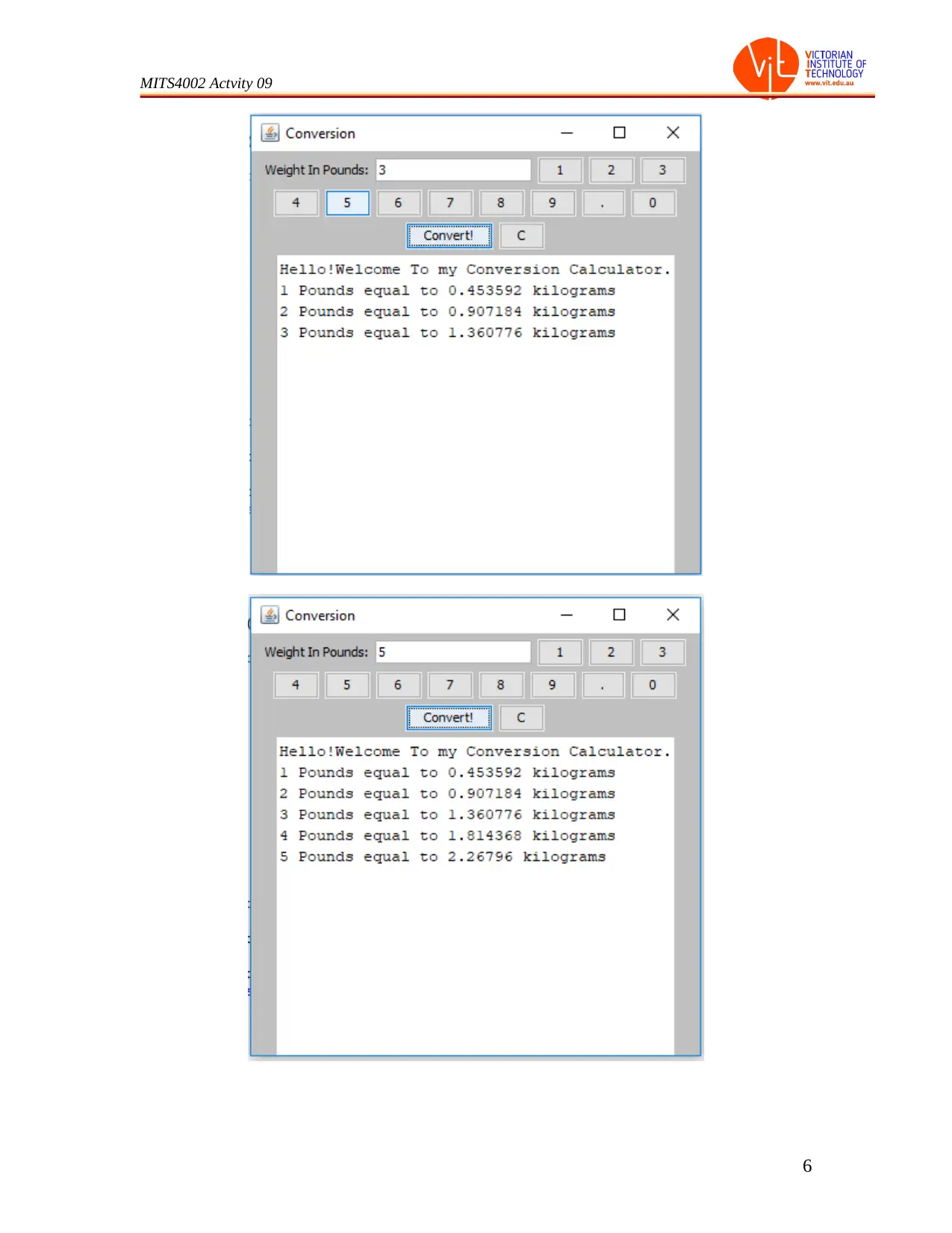
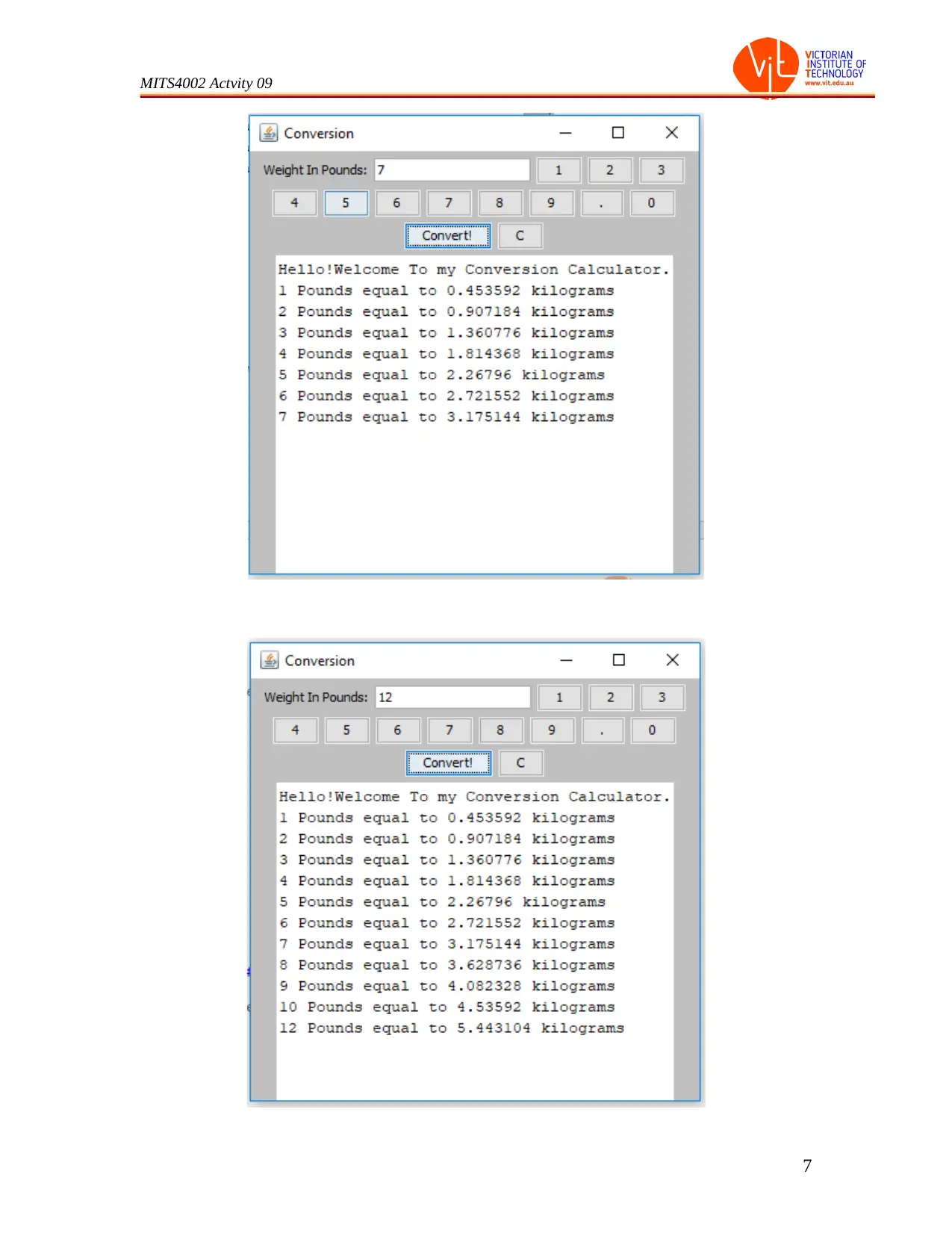
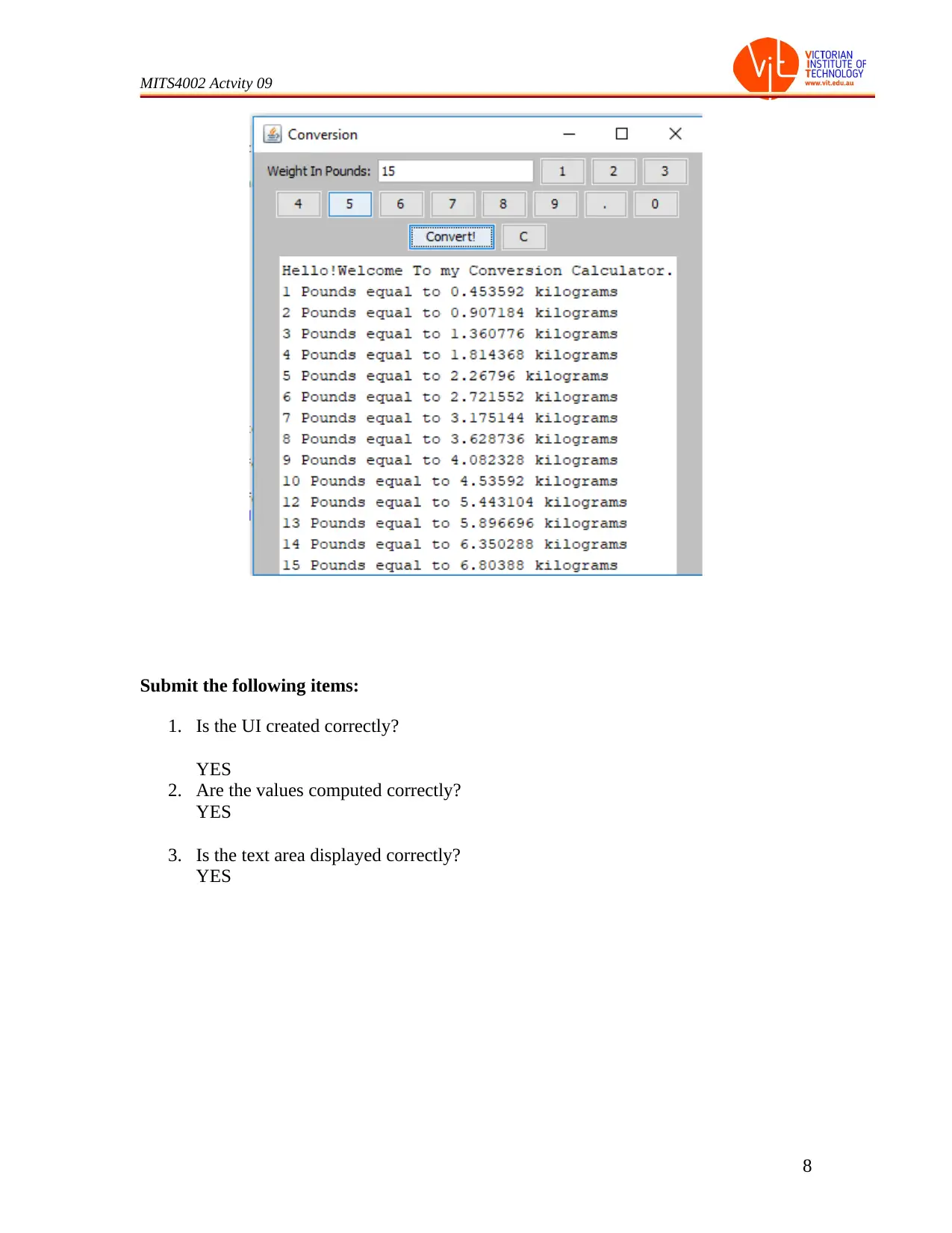
Testing:
5
Document Page
MITS4002 Actvity 09
6
tabler-icon-diamond-filled.svg

Paraphrase This Document

Need a fresh take? Get an instant paraphrase of this document with our AI Paraphraser
Document Page
MITS4002 Actvity 09
7
Document Page
MITS4002 Actvity 09
Submit the following items:
1. Is the UI created correctly?
YES
2. Are the values computed correctly?
YES
3. Is the text area displayed correctly?
YES
8
chevron_up_icon
1 out of 9
circle_padding
hide_on_mobile
zoom_out_icon
[object Object]