Packet Tracer IoT: Designing and Configuring a Smart Office Network

Verified

Added on  2023/06/14

|14
|959
|179
Practical Assignment
AI Summary
This assignment details the configuration of an IoT smart office network using Packet Tracer. It covers the setup of smart IoT devices, including wireless access point configuration with WPA2-PSK security, and connection to a registration server using a student ID for authentication. The process includes creating a new account on the registration server, connecting IoT devices by inputting the server IP address and student ID, and accessing these devices via a tablet by logging into the server through a web browser. The assignment also demonstrates sending a simple PDU (ICMP data packet) from the tablet to the server to test network connectivity. The final part explains how a smart device can remotely manage the IoT devices by accessing the registration server through the office network. This configuration allows for remote management and monitoring of IoT devices within the smart office environment.
Document Page
Running head: PACKET TRACER IOT SMART OFFICE
Assessment Item 2
Name of the Student
Name of the University
Author’s Note
tabler-icon-diamond-filled.svg

Paraphrase This Document

Need a fresh take? Get an instant paraphrase of this document with our AI Paraphraser
Document Page
1
PACKET TRACER IOT SMART OFFICE
Table of Contents
Part 1....................................................................................................................................2
1. IoT network for the Smart office.................................................................................2
2.......................................................................................................................................2
i. Smart IoT Device configuration...................................................................................2
ii. Opening new Registration Server Account with the Student_ID................................5
3. Accessing Smart IoT devices using the tablet.............................................................8
4. Simple PDU from tablet to server...............................................................................9
Part 2..................................................................................................................................10
Packet Tracer File..............................................................................................................11
Bibliography......................................................................................................................12
Document Page
2
PACKET TRACER IOT SMART OFFICE
Part 1
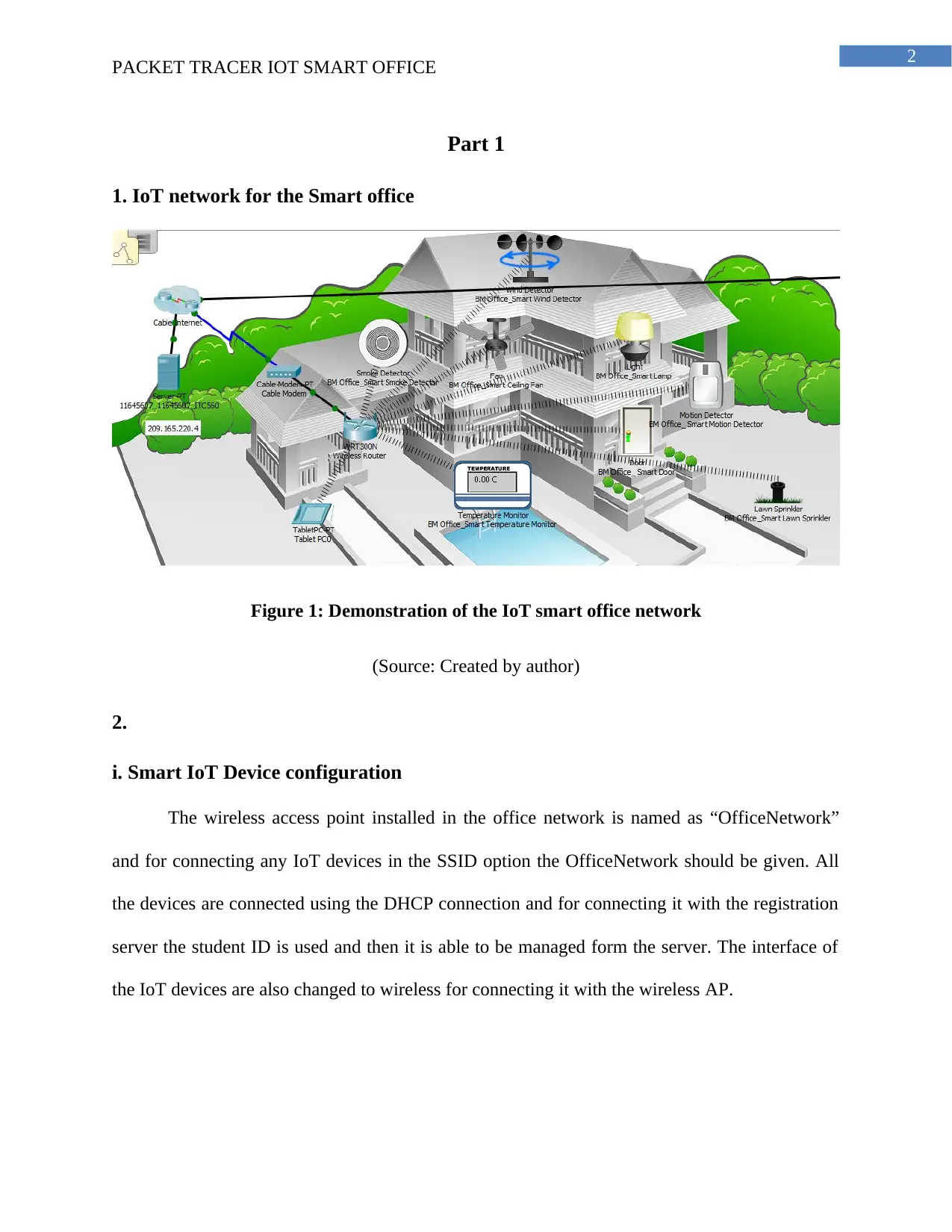
1. IoT network for the Smart office
Figure 1: Demonstration of the IoT smart office network
(Source: Created by author)
2.
i. Smart IoT Device configuration
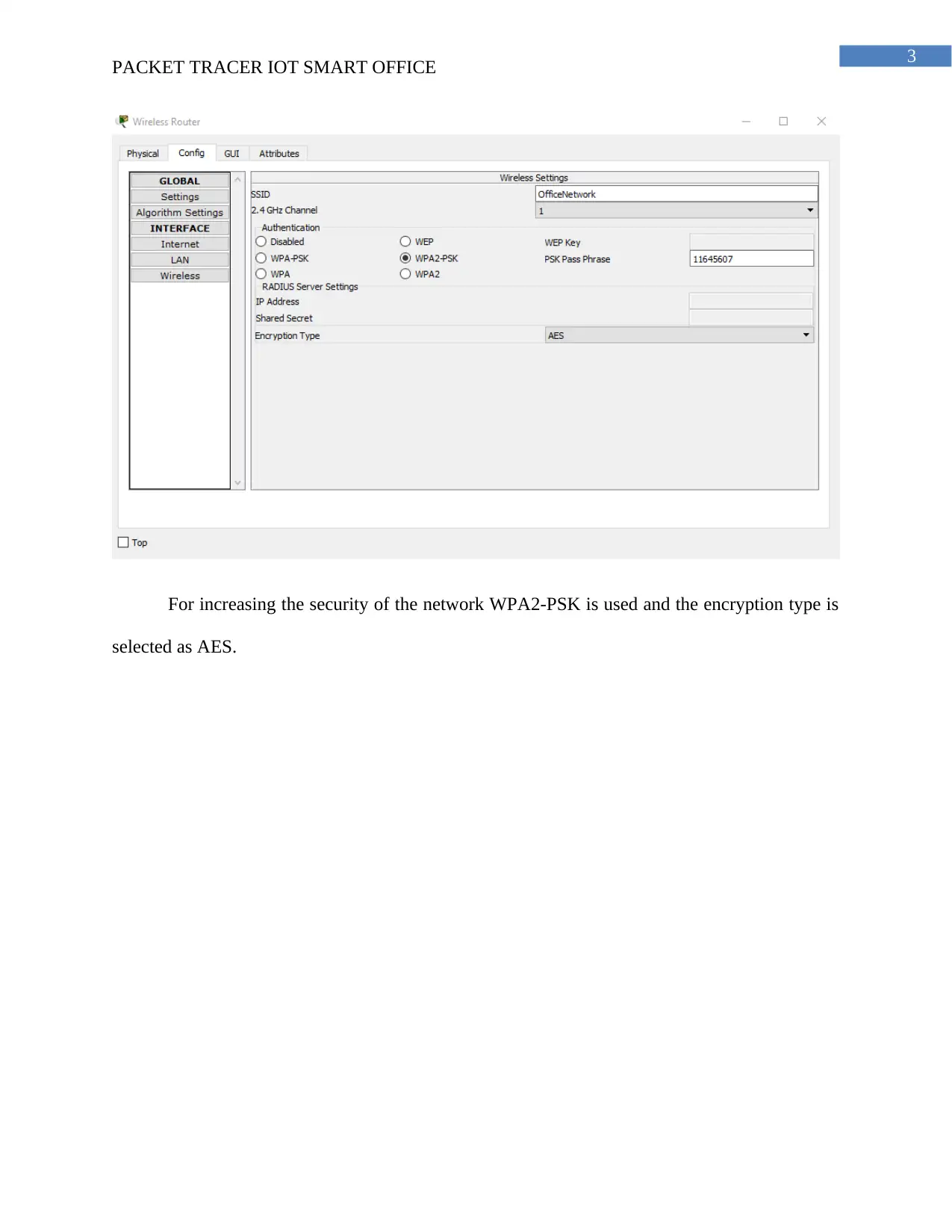
The wireless access point installed in the office network is named as “OfficeNetwork”
and for connecting any IoT devices in the SSID option the OfficeNetwork should be given. All
the devices are connected using the DHCP connection and for connecting it with the registration
server the student ID is used and then it is able to be managed form the server. The interface of
the IoT devices are also changed to wireless for connecting it with the wireless AP.
Document Page
3
PACKET TRACER IOT SMART OFFICE
For increasing the security of the network WPA2-PSK is used and the encryption type is
selected as AES.
tabler-icon-diamond-filled.svg

Paraphrase This Document

Need a fresh take? Get an instant paraphrase of this document with our AI Paraphraser
Document Page
4
PACKET TRACER IOT SMART OFFICE
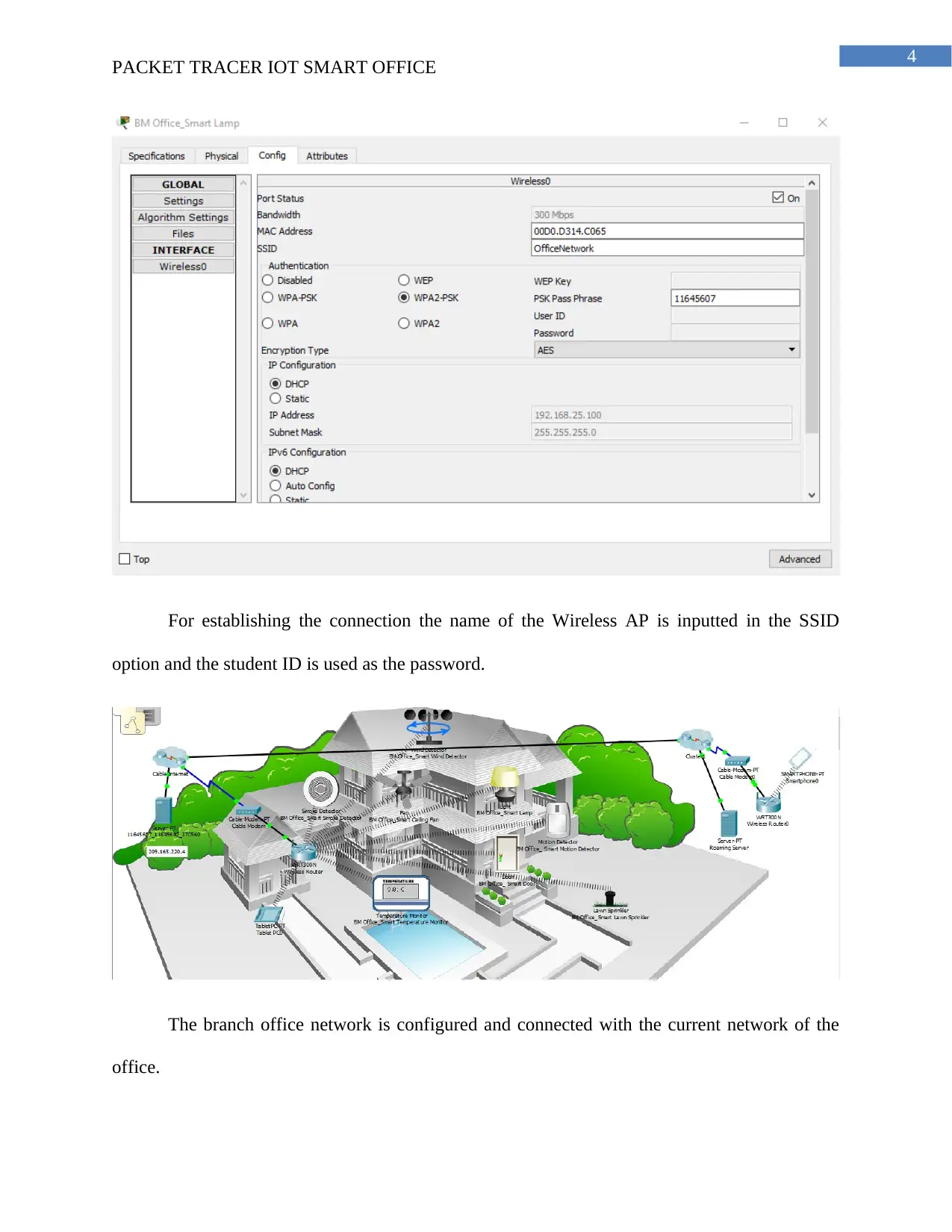
For establishing the connection the name of the Wireless AP is inputted in the SSID
option and the student ID is used as the password.
The branch office network is configured and connected with the current network of the
office.
Document Page
5
PACKET TRACER IOT SMART OFFICE
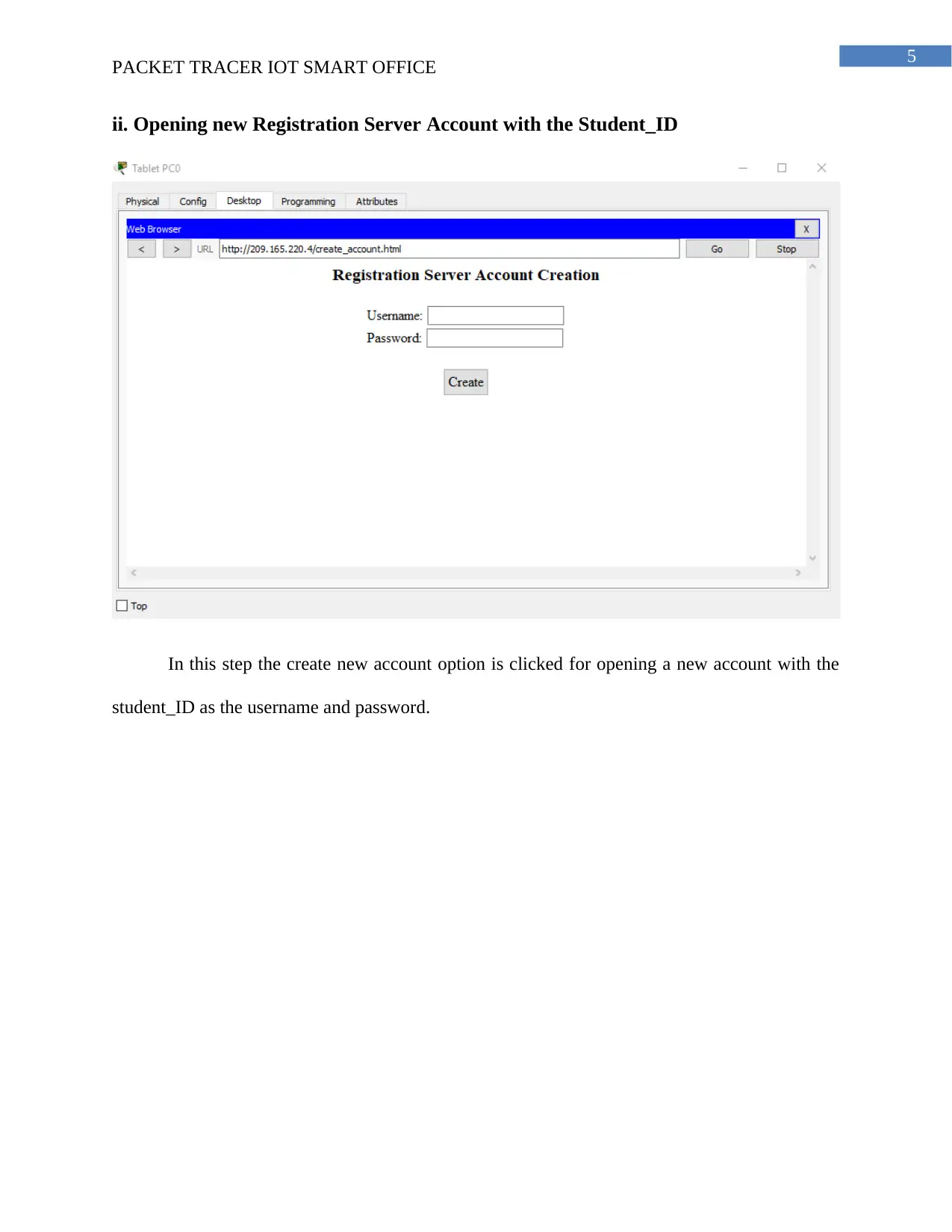
ii. Opening new Registration Server Account with the Student_ID
In this step the create new account option is clicked for opening a new account with the
student_ID as the username and password.
Document Page
6
PACKET TRACER IOT SMART OFFICE
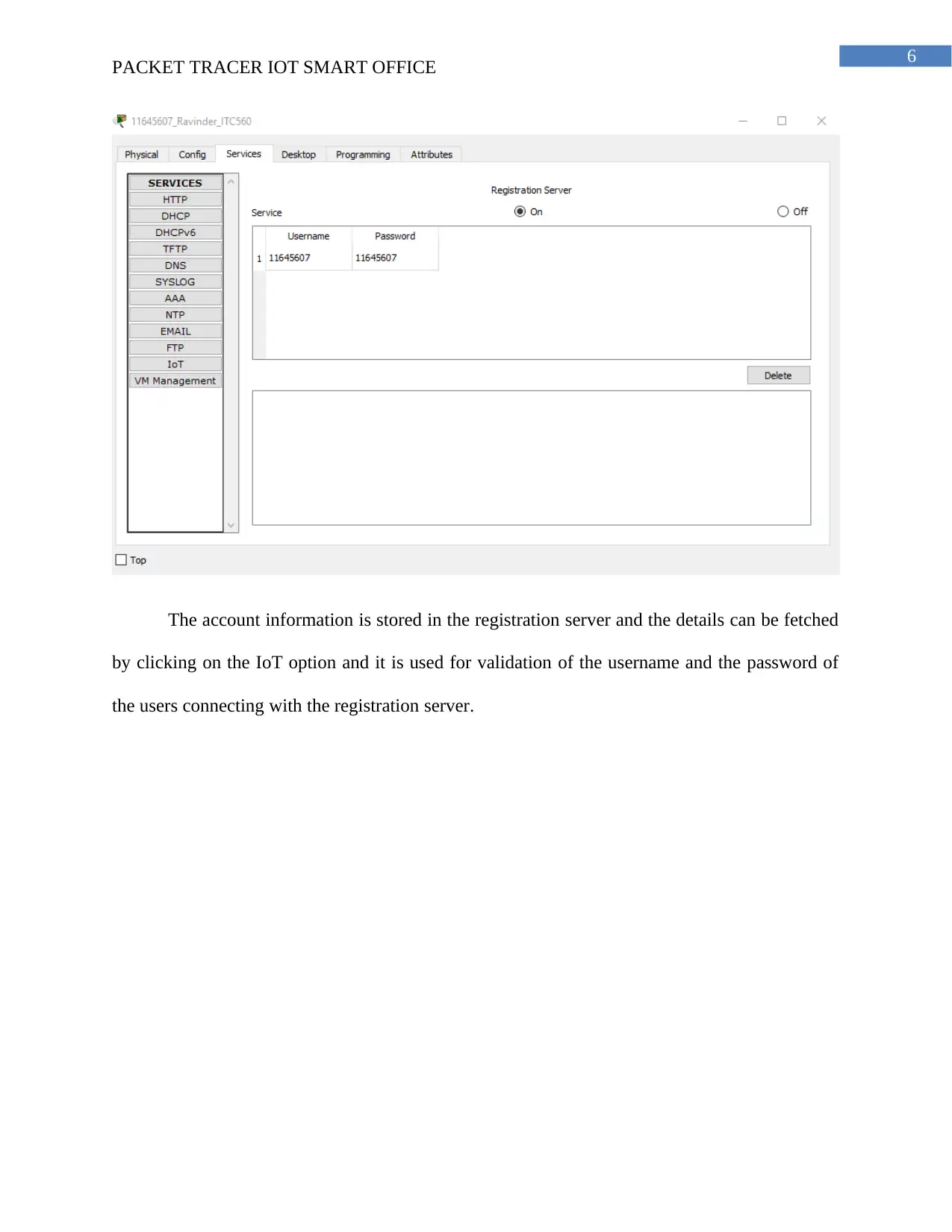
The account information is stored in the registration server and the details can be fetched
by clicking on the IoT option and it is used for validation of the username and the password of
the users connecting with the registration server.
tabler-icon-diamond-filled.svg

Paraphrase This Document

Need a fresh take? Get an instant paraphrase of this document with our AI Paraphraser
Document Page
7
PACKET TRACER IOT SMART OFFICE
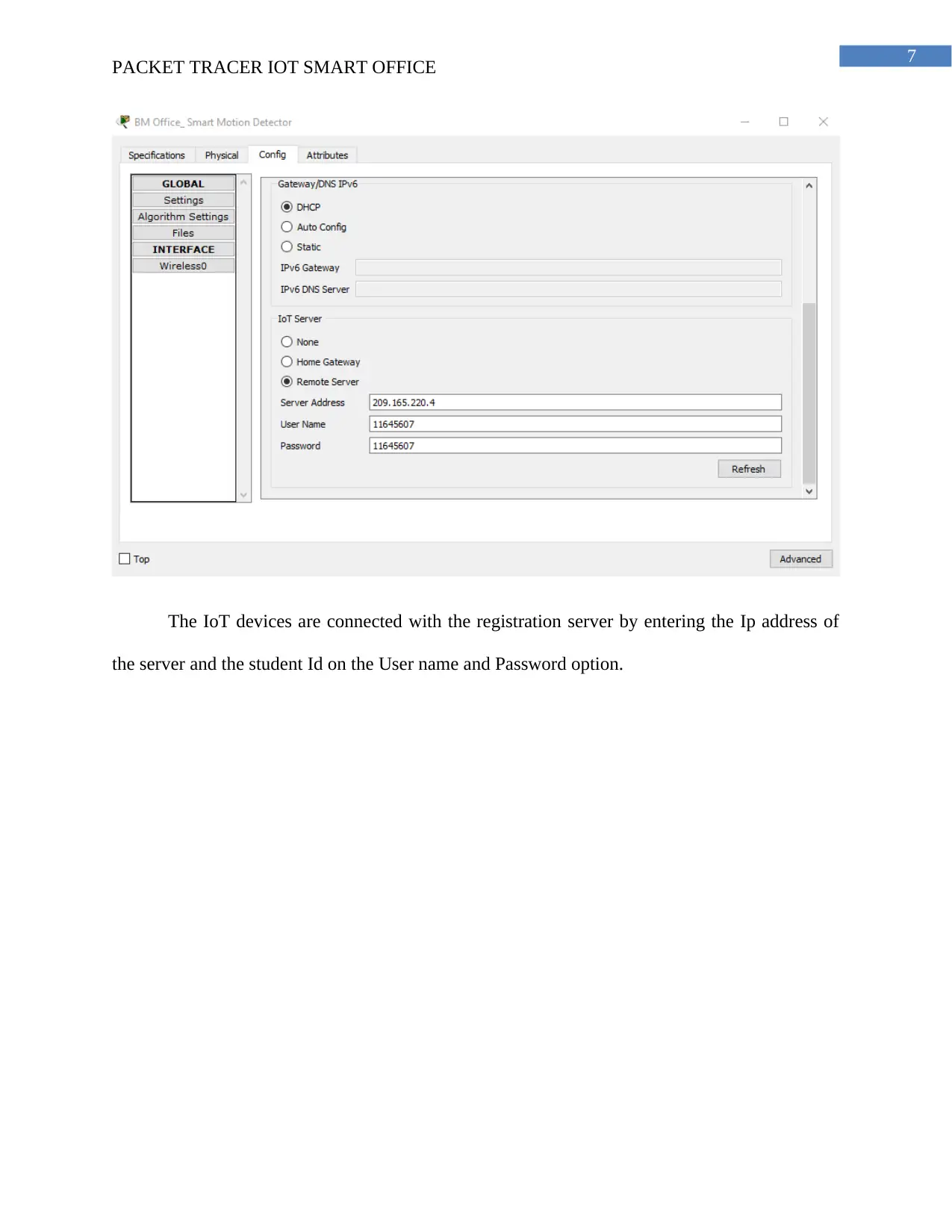
The IoT devices are connected with the registration server by entering the Ip address of
the server and the student Id on the User name and Password option.
Document Page
8
PACKET TRACER IOT SMART OFFICE
3. Accessing Smart IoT devices using the tablet
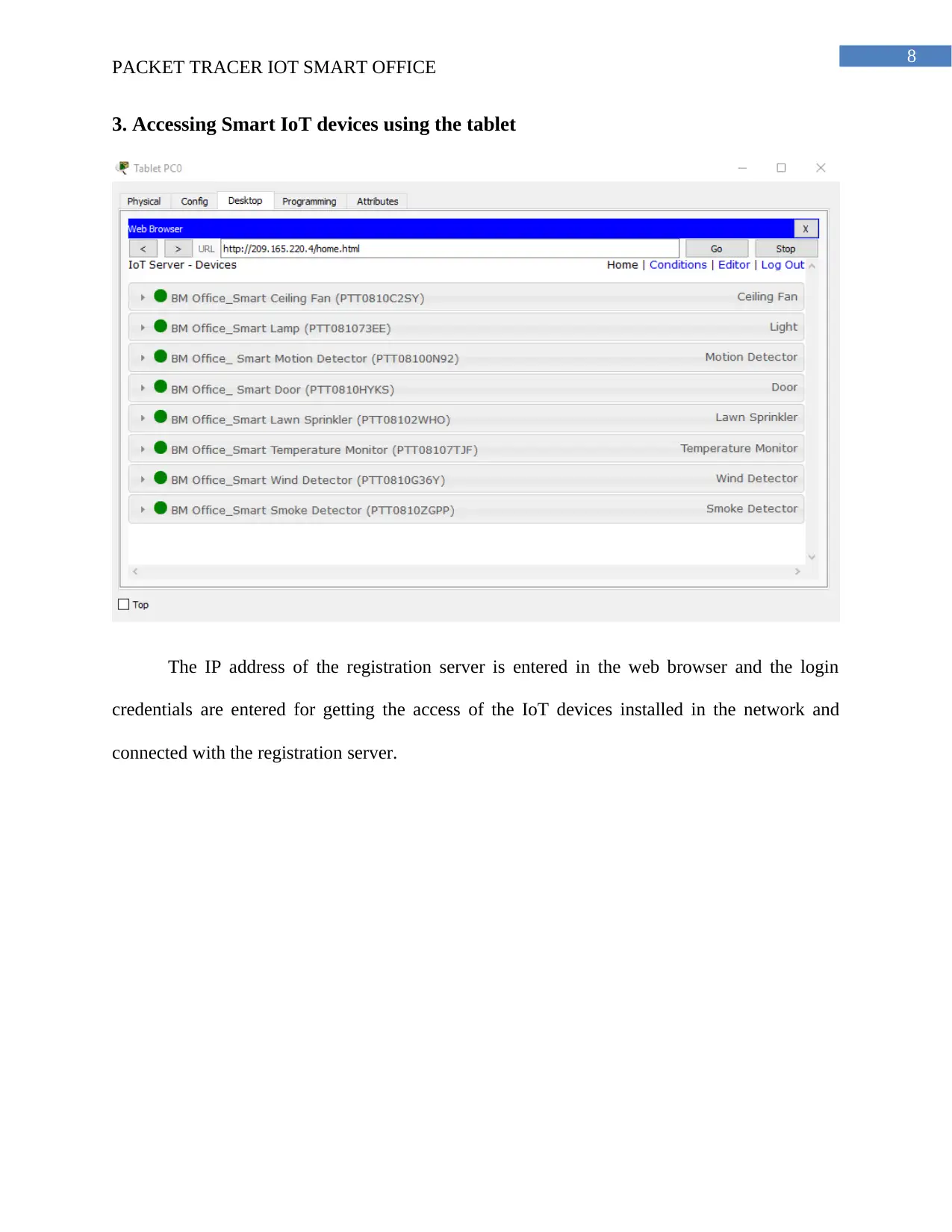
The IP address of the registration server is entered in the web browser and the login
credentials are entered for getting the access of the IoT devices installed in the network and
connected with the registration server.
Document Page
9
PACKET TRACER IOT SMART OFFICE
4. Simple PDU from tablet to server
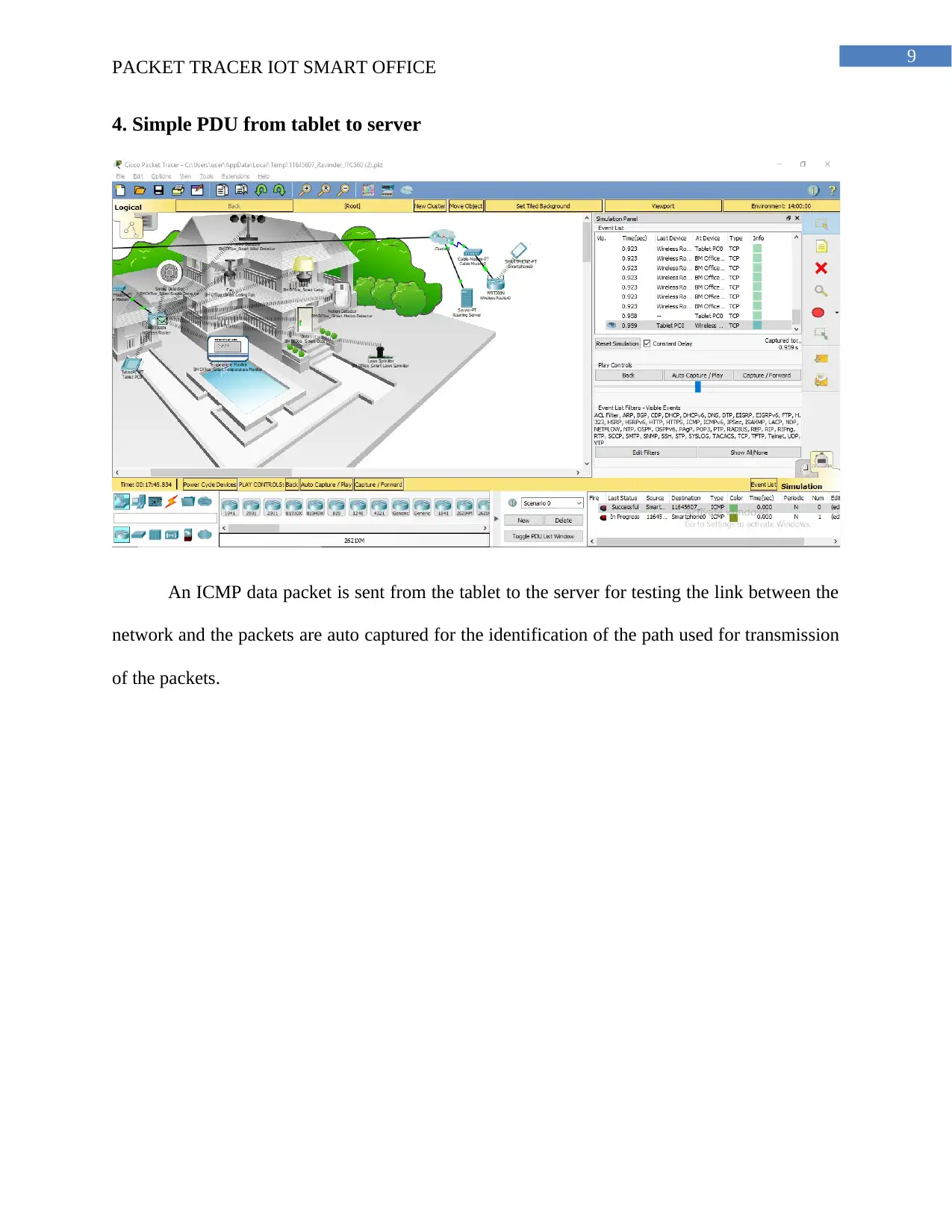
An ICMP data packet is sent from the tablet to the server for testing the link between the
network and the packets are auto captured for the identification of the path used for transmission
of the packets.
tabler-icon-diamond-filled.svg

Paraphrase This Document

Need a fresh take? Get an instant paraphrase of this document with our AI Paraphraser
Document Page
10
PACKET TRACER IOT SMART OFFICE
Part 2
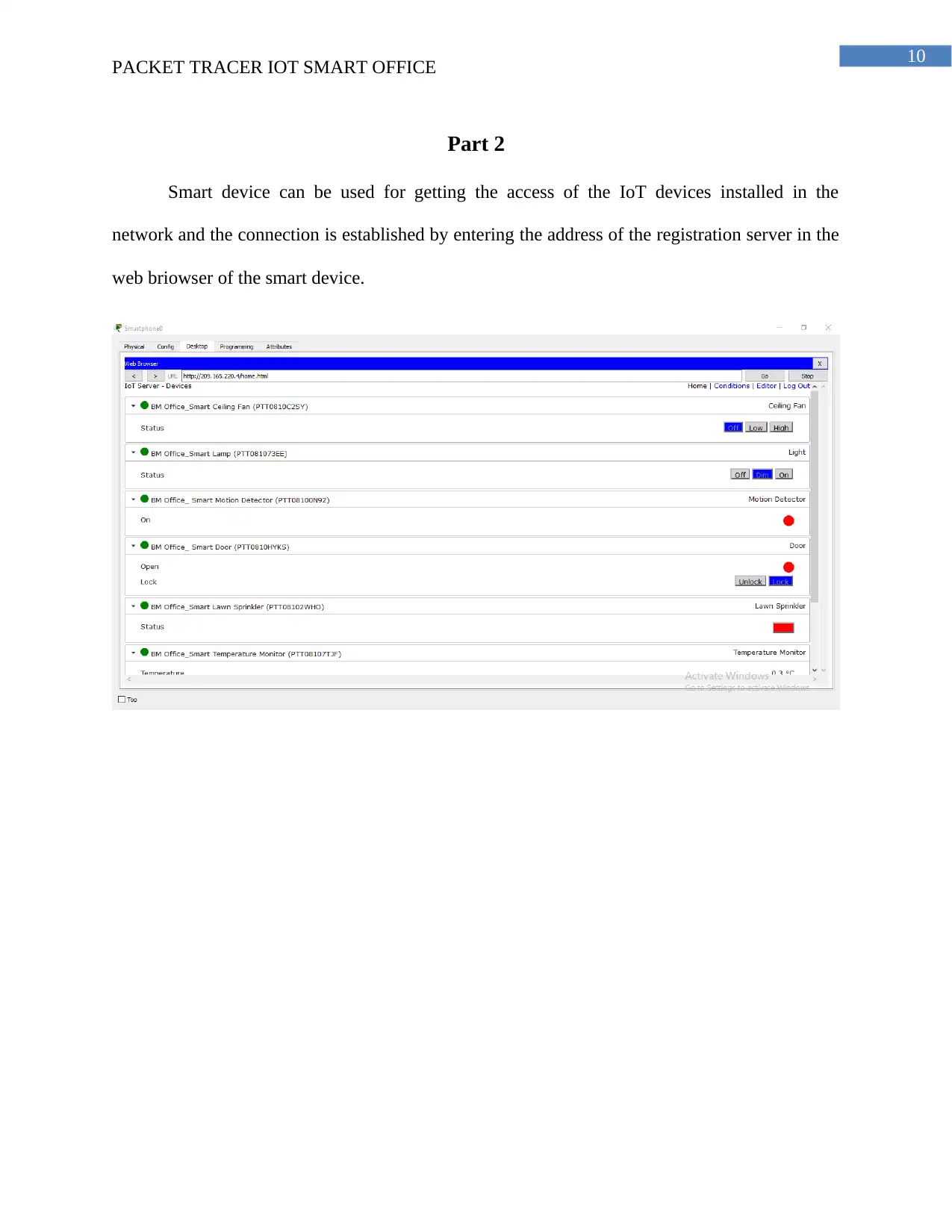
Smart device can be used for getting the access of the IoT devices installed in the
network and the connection is established by entering the address of the registration server in the
web briowser of the smart device.
Document Page
11
PACKET TRACER IOT SMART OFFICE
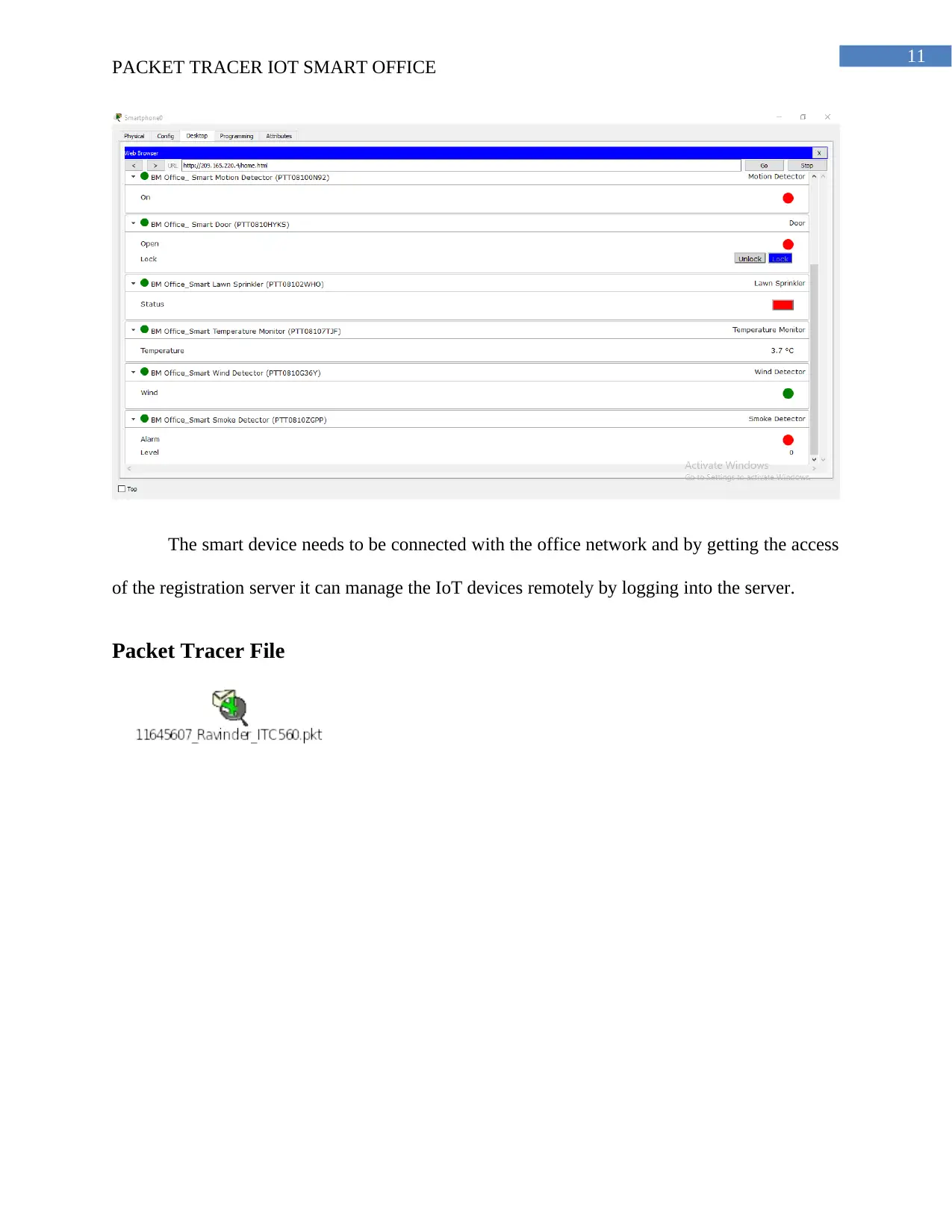
The smart device needs to be connected with the office network and by getting the access
of the registration server it can manage the IoT devices remotely by logging into the server.
Packet Tracer File
chevron_up_icon
1 out of 14
circle_padding
hide_on_mobile
zoom_out_icon
[object Object]