Creating a Dynamic Library Website with PHP, MySQL: Project Report

Verified

Added on  2020/05/28

|19
|2163
|111
Project
AI Summary
This project report details the development of a library website using PHP and MySQL. The assignment covers the creation of an Entity Relationship Diagram (ERD) for the database, including tables for authors, books, borrows, login, members, and staff. It explores user authentication, including login and registration processes, with code snippets illustrating SQL queries for user validation and data insertion. The project also examines data manipulation language (DML) and query by example (QBE) techniques for database interaction, and provides examples of queries used for inserting, updating, and selecting data. The report further describes the website's user interface, including login, registration, and profile pages, and the functionality for image uploads and profile updates. Finally, it presents a step-by-step user flow, detailing the user experience from homepage access to profile management, and includes a bibliography of relevant resources.
Document Page
Running head: PHP AND MYSQL
PHP and MySQL Based Library Website
Name of the Student
Name of the University
tabler-icon-diamond-filled.svg

Paraphrase This Document

Need a fresh take? Get an instant paraphrase of this document with our AI Paraphraser
Document Page
1PHP AND MYSQL
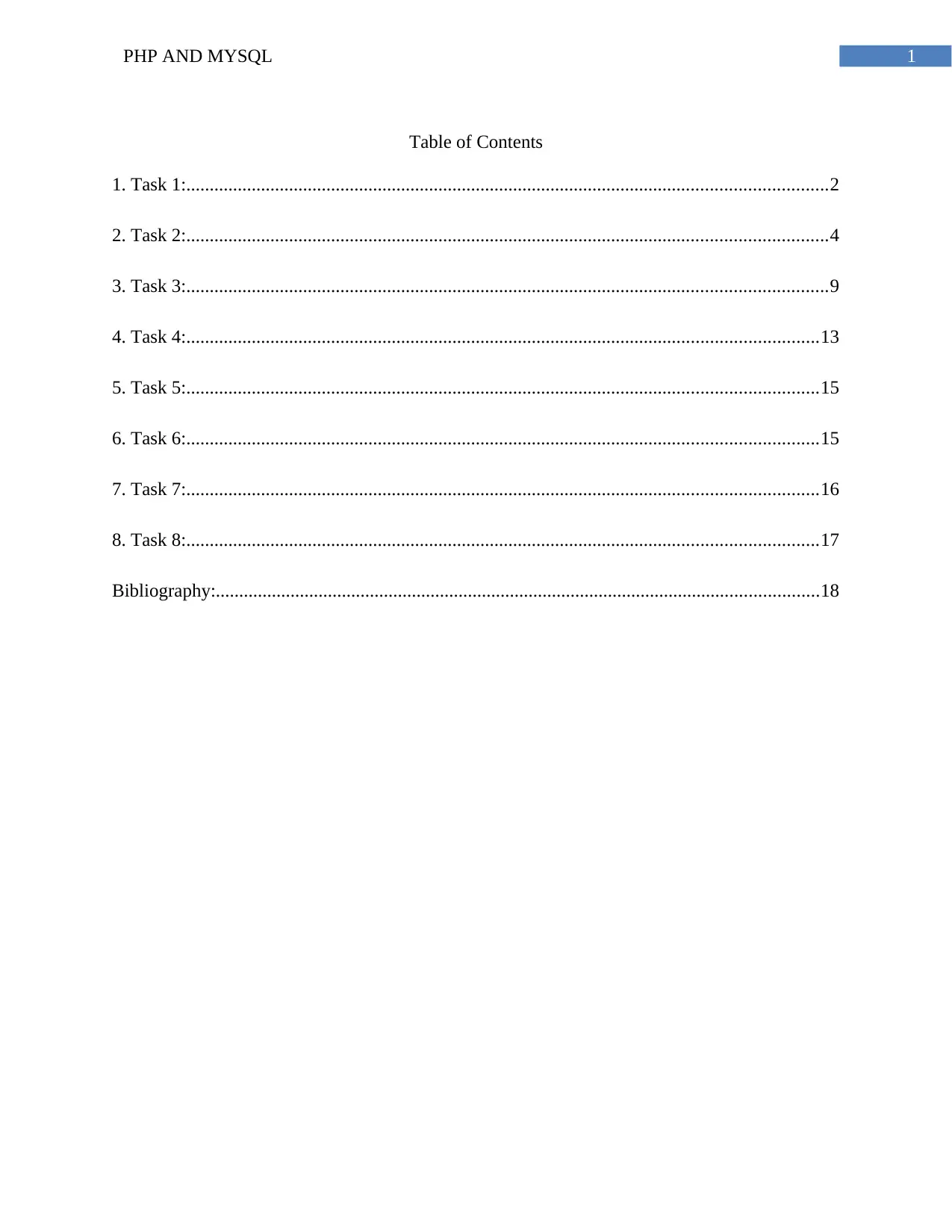
Table of Contents
1. Task 1:.........................................................................................................................................2
2. Task 2:.........................................................................................................................................4
3. Task 3:.........................................................................................................................................9
4. Task 4:.......................................................................................................................................13
5. Task 5:.......................................................................................................................................15
6. Task 6:.......................................................................................................................................15
7. Task 7:.......................................................................................................................................16
8. Task 8:.......................................................................................................................................17
Bibliography:.................................................................................................................................18
Document Page
2PHP AND MYSQL
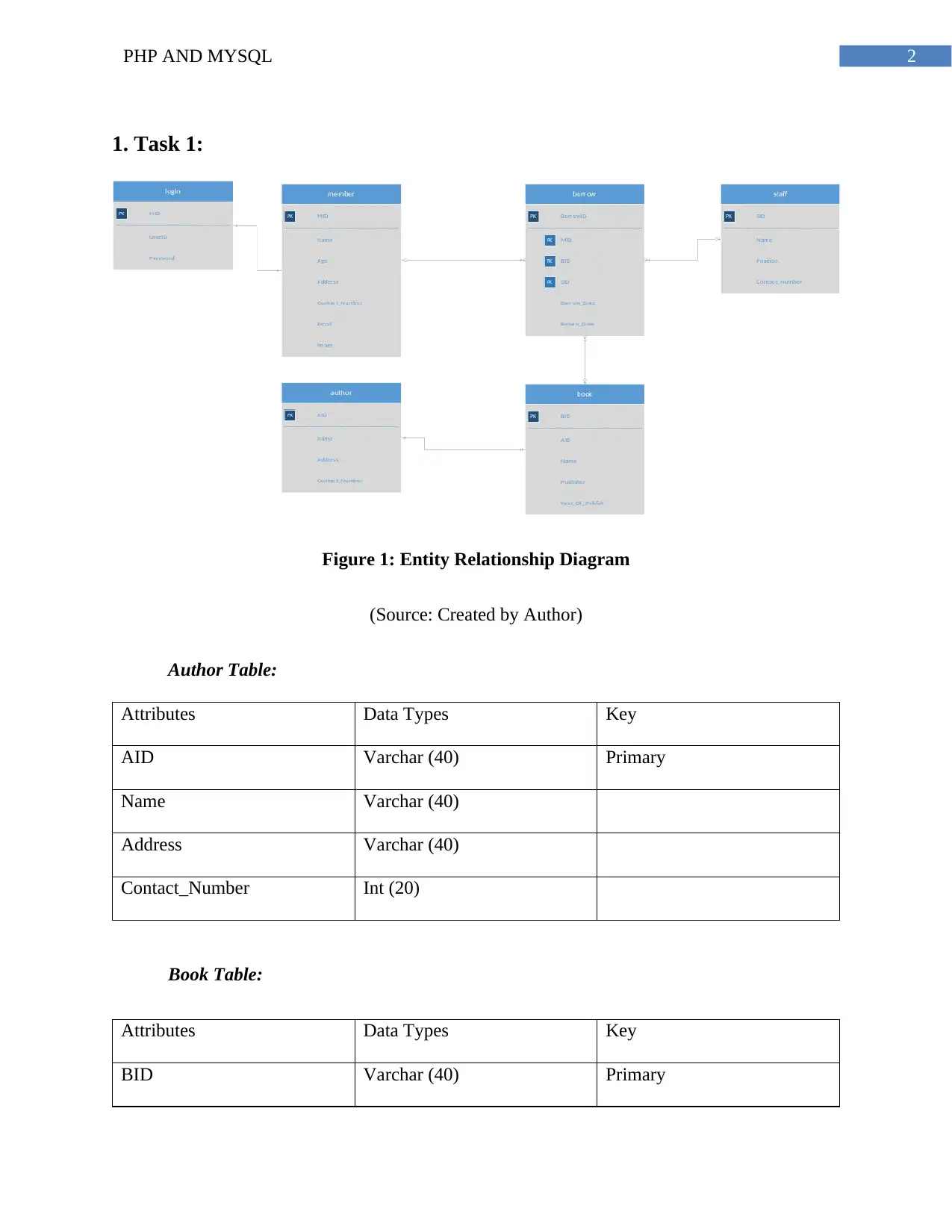
1. Task 1:
Figure 1: Entity Relationship Diagram
(Source: Created by Author)
Author Table:
Attributes Data Types Key
AID Varchar (40) Primary
Name Varchar (40)
Address Varchar (40)
Contact_Number Int (20)
Book Table:
Attributes Data Types Key
BID Varchar (40) Primary
Document Page
3PHP AND MYSQL
AID Varchar (40) Foreign (Reference to Author
Table)
Name Varchar (40)
Publisher Varchar (40)
Year_Of_Publish Date
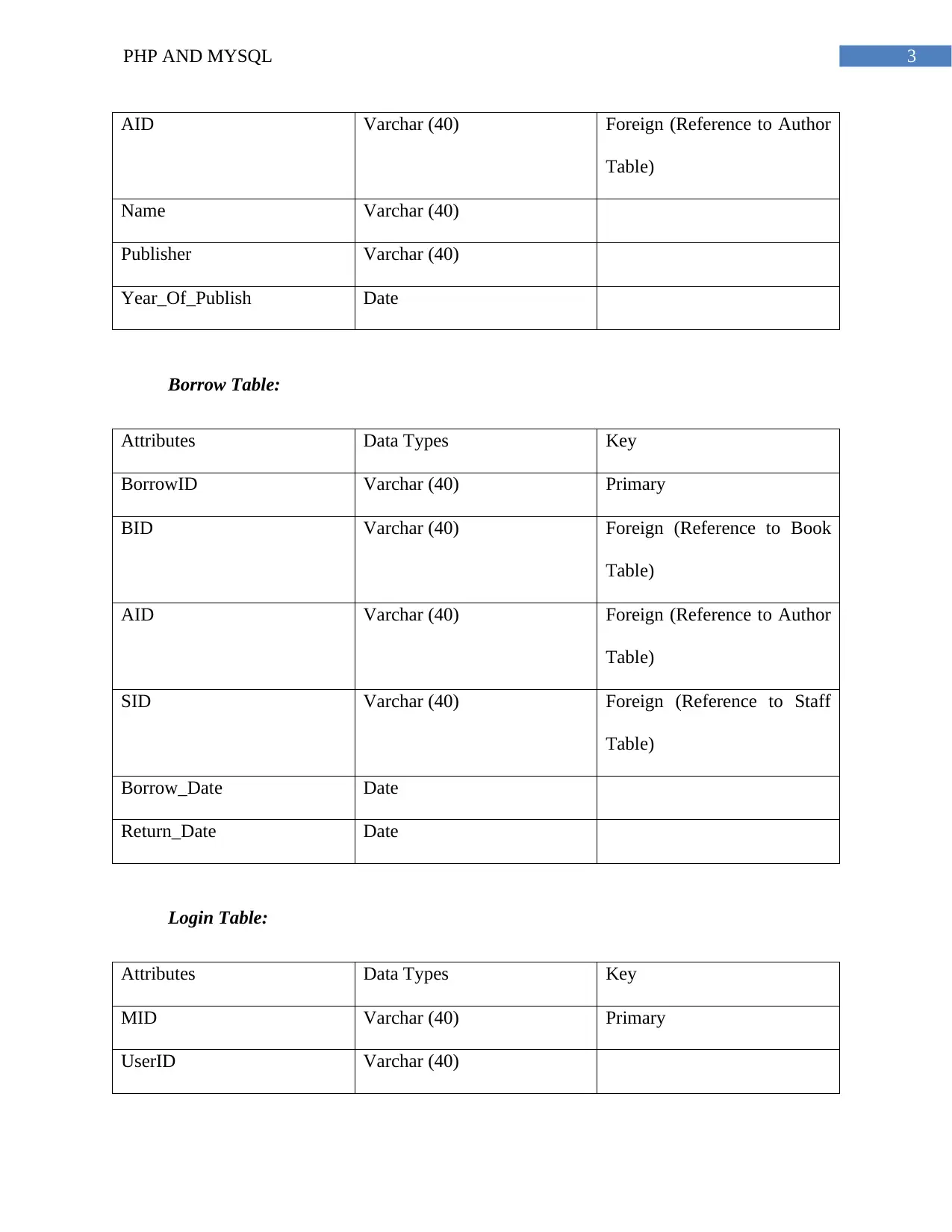
Borrow Table:
Attributes Data Types Key
BorrowID Varchar (40) Primary
BID Varchar (40) Foreign (Reference to Book
Table)
AID Varchar (40) Foreign (Reference to Author
Table)
SID Varchar (40) Foreign (Reference to Staff
Table)
Borrow_Date Date
Return_Date Date
Login Table:
Attributes Data Types Key
MID Varchar (40) Primary
UserID Varchar (40)
tabler-icon-diamond-filled.svg

Paraphrase This Document

Need a fresh take? Get an instant paraphrase of this document with our AI Paraphraser
Document Page
4PHP AND MYSQL
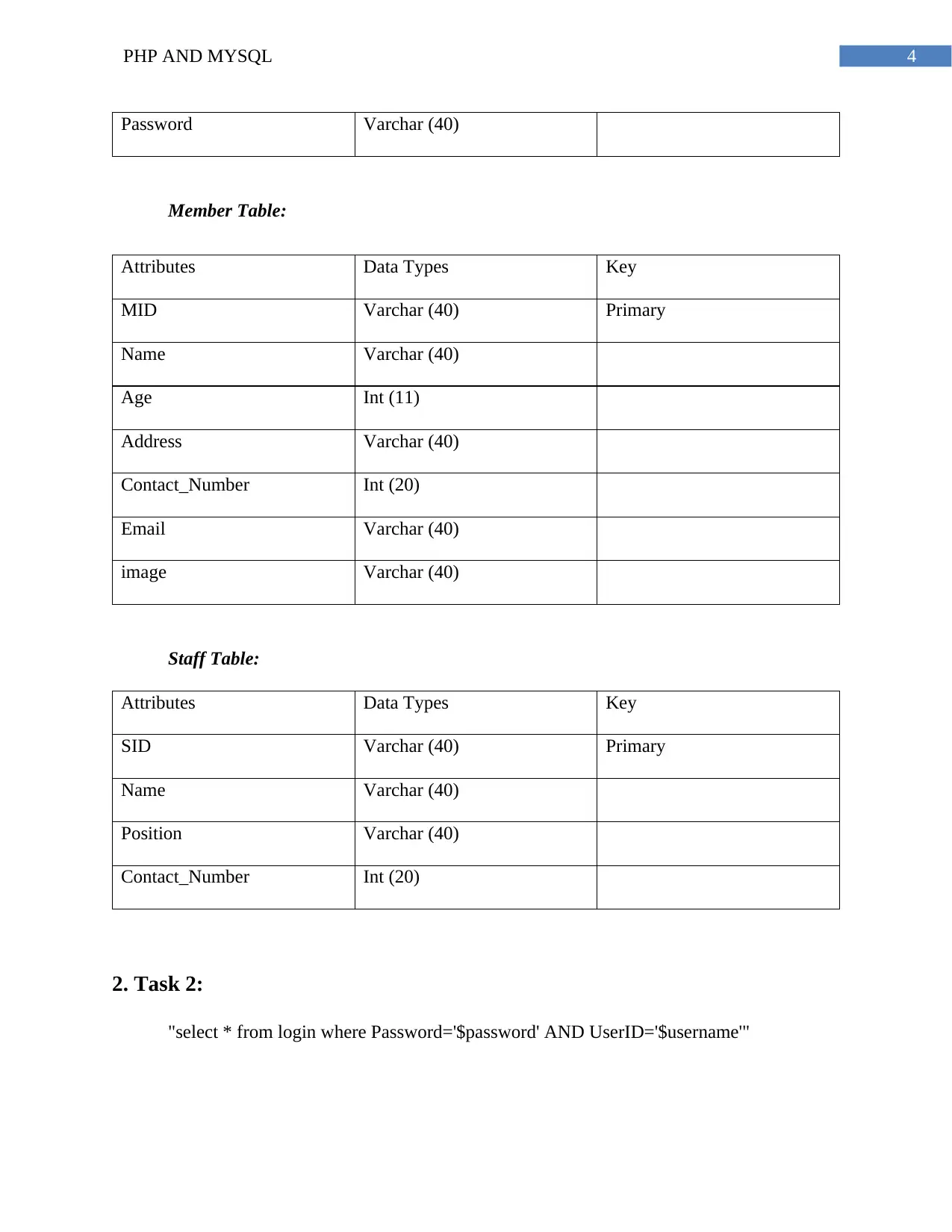
Password Varchar (40)
Member Table:
Attributes Data Types Key
MID Varchar (40) Primary
Name Varchar (40)
Age Int (11)
Address Varchar (40)
Contact_Number Int (20)
Email Varchar (40)
image Varchar (40)
Staff Table:
Attributes Data Types Key
SID Varchar (40) Primary
Name Varchar (40)
Position Varchar (40)
Contact_Number Int (20)
2. Task 2:
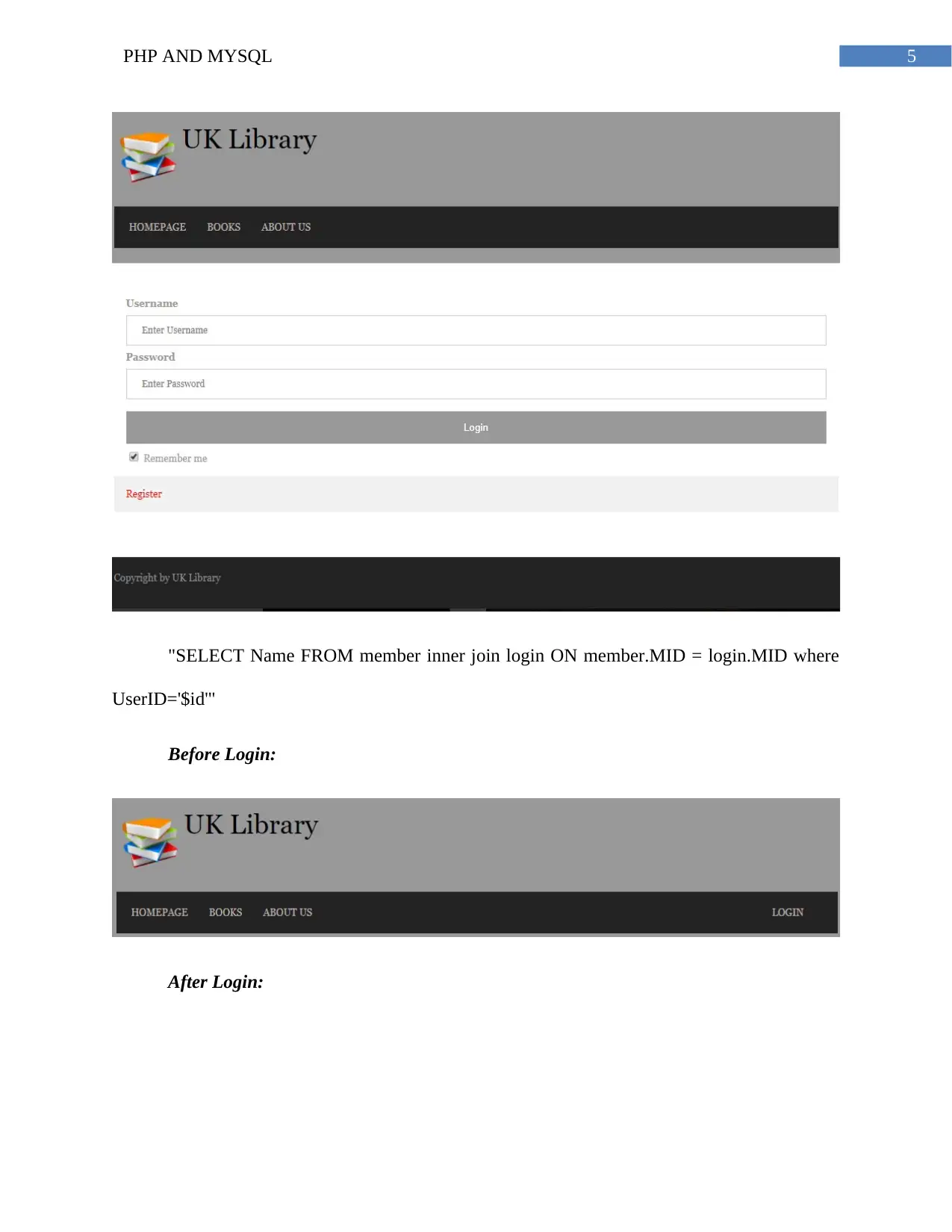
"select * from login where Password='$password' AND UserID='$username'"
Document Page
5PHP AND MYSQL
"SELECT Name FROM member inner join login ON member.MID = login.MID where
UserID='$id'"
Before Login:
After Login:
Document Page
6PHP AND MYSQL
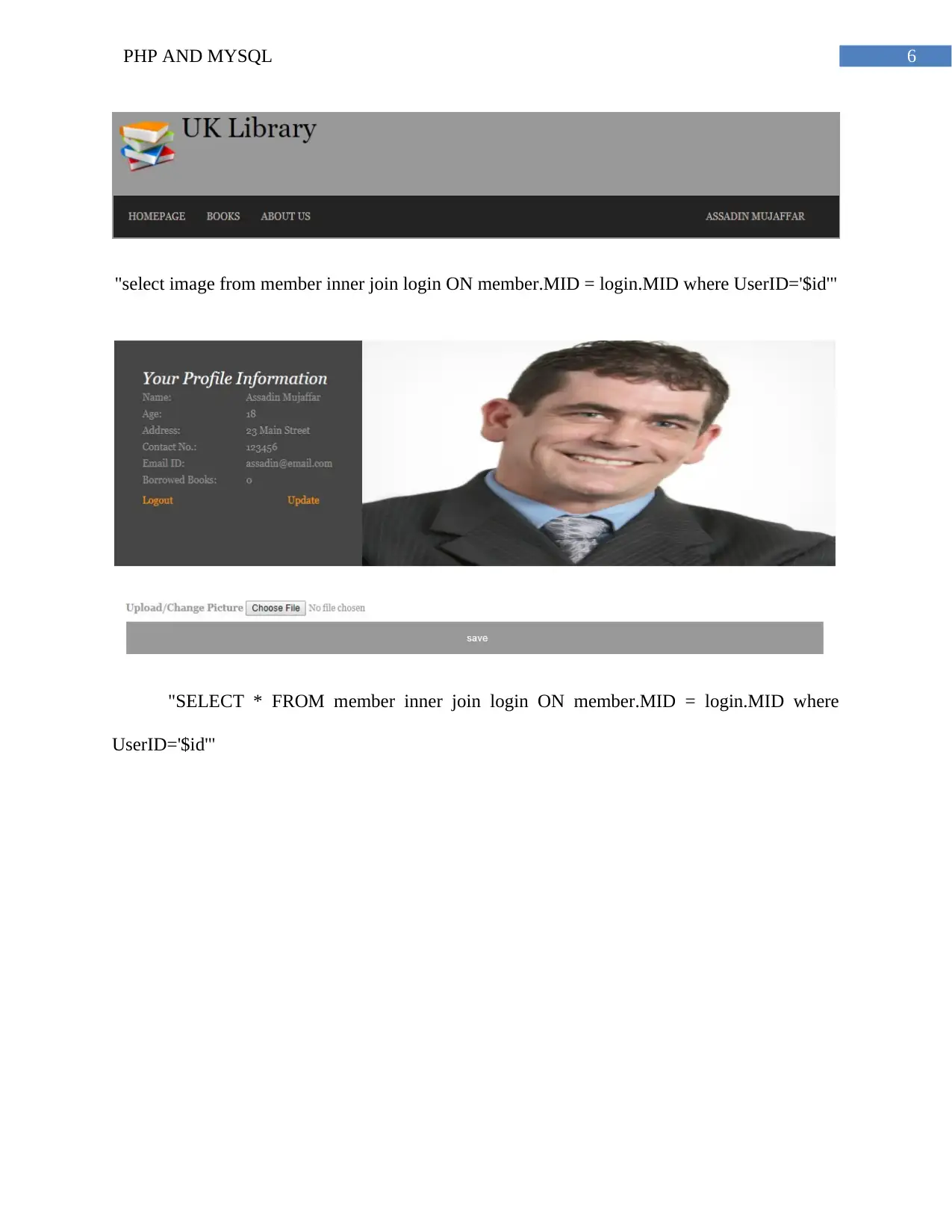
"select image from member inner join login ON member.MID = login.MID where UserID='$id'"
"SELECT * FROM member inner join login ON member.MID = login.MID where
UserID='$id'"
tabler-icon-diamond-filled.svg

Paraphrase This Document

Need a fresh take? Get an instant paraphrase of this document with our AI Paraphraser
Document Page
7PHP AND MYSQL
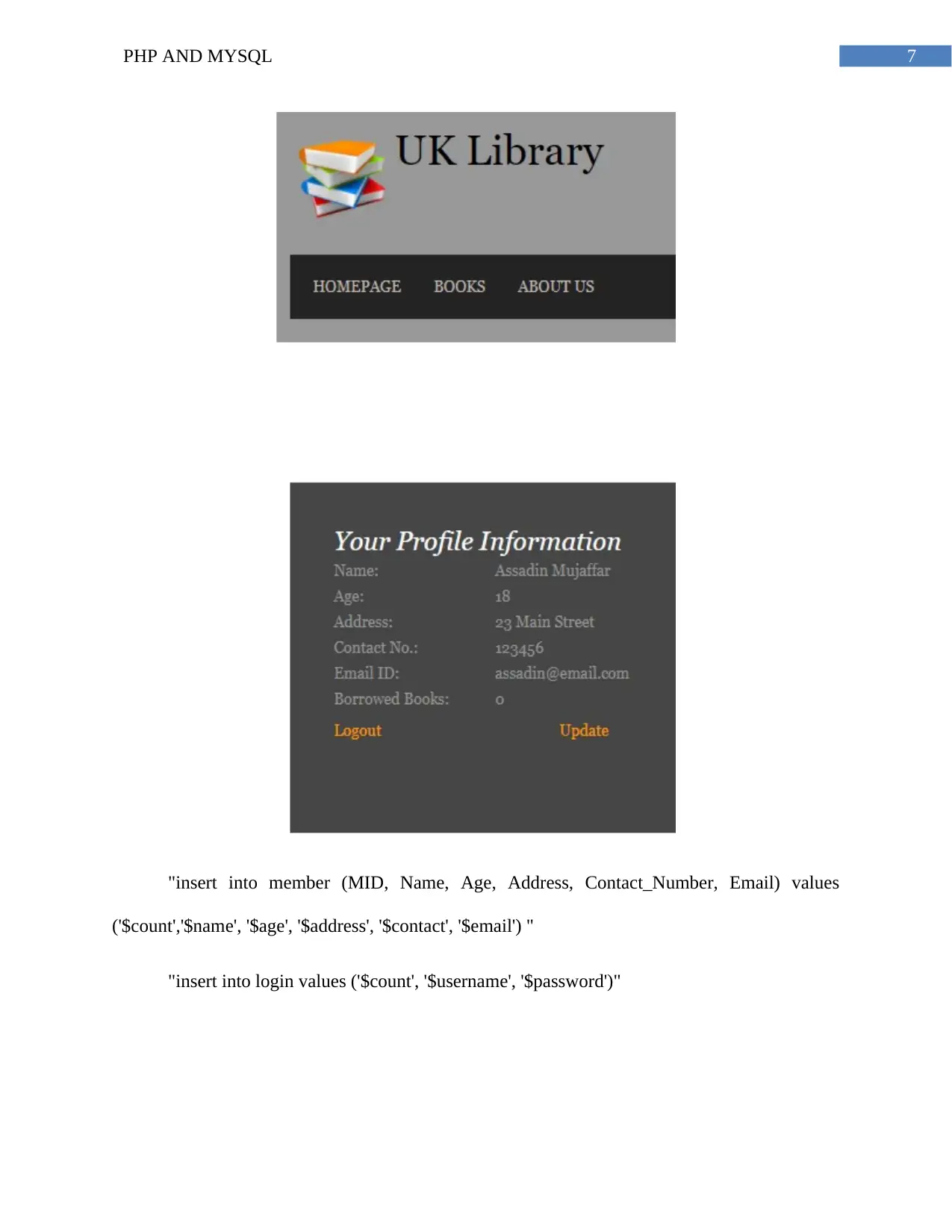
"insert into member (MID, Name, Age, Address, Contact_Number, Email) values
('$count','$name', '$age', '$address', '$contact', '$email') "
"insert into login values ('$count', '$username', '$password')"
Document Page
8PHP AND MYSQL
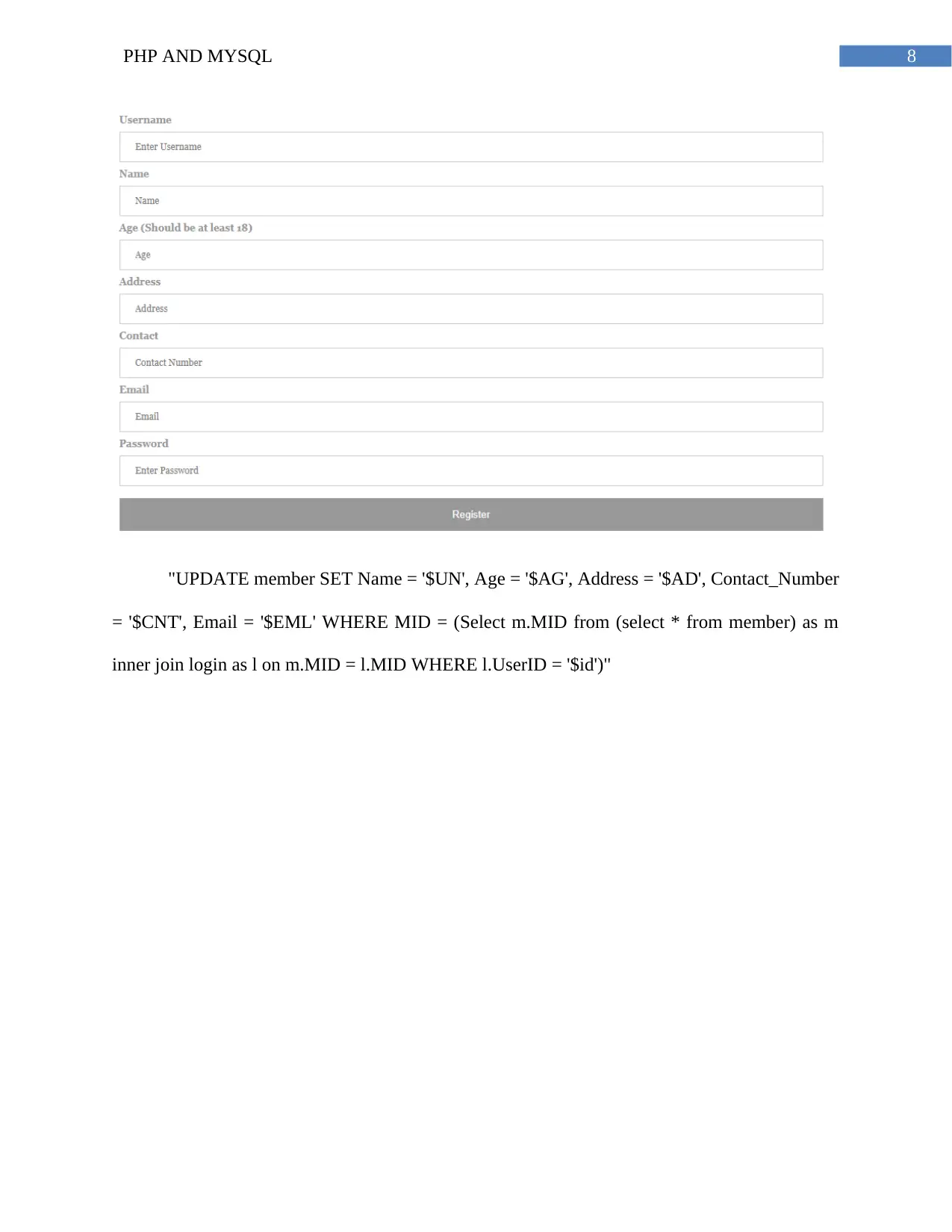
"UPDATE member SET Name = '$UN', Age = '$AG', Address = '$AD', Contact_Number
= '$CNT', Email = '$EML' WHERE MID = (Select m.MID from (select * from member) as m
inner join login as l on m.MID = l.MID WHERE l.UserID = '$id')"
Document Page
9PHP AND MYSQL
3. Task 3:
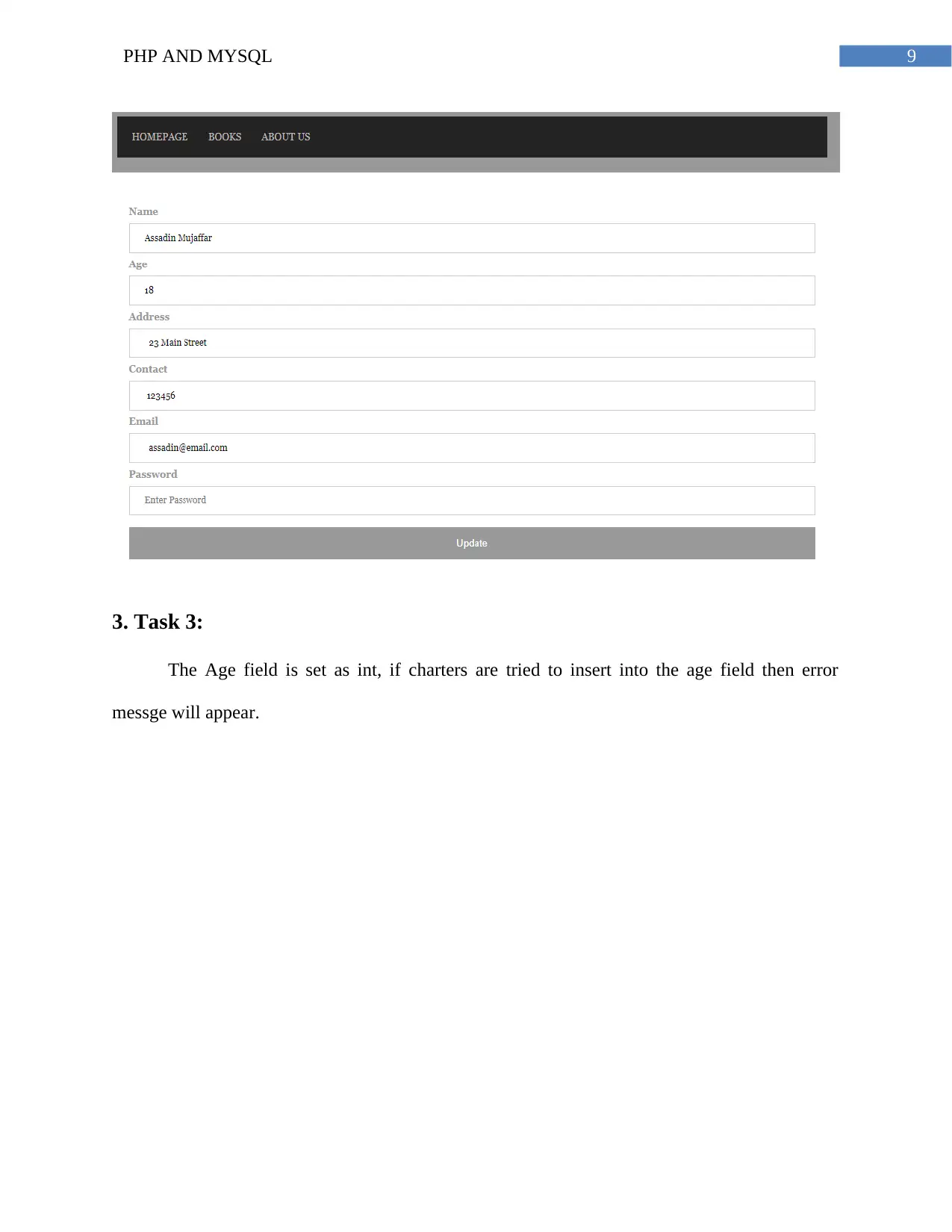
The Age field is set as int, if charters are tried to insert into the age field then error
messge will appear.
tabler-icon-diamond-filled.svg

Paraphrase This Document

Need a fresh take? Get an instant paraphrase of this document with our AI Paraphraser
Document Page
10PHP AND MYSQL
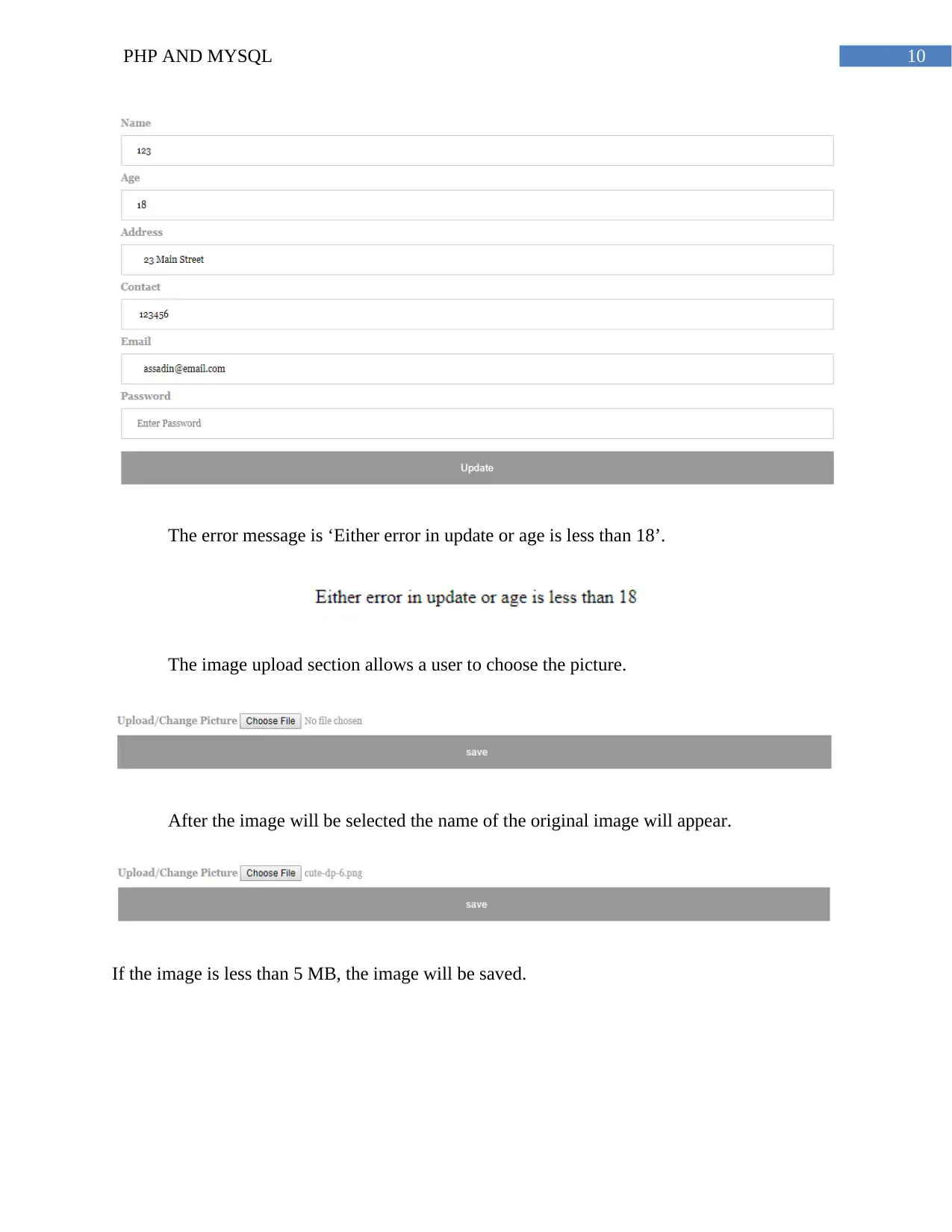
The error message is ‘Either error in update or age is less than 18’.
The image upload section allows a user to choose the picture.
After the image will be selected the name of the original image will appear.
If the image is less than 5 MB, the image will be saved.
Document Page
11PHP AND MYSQL
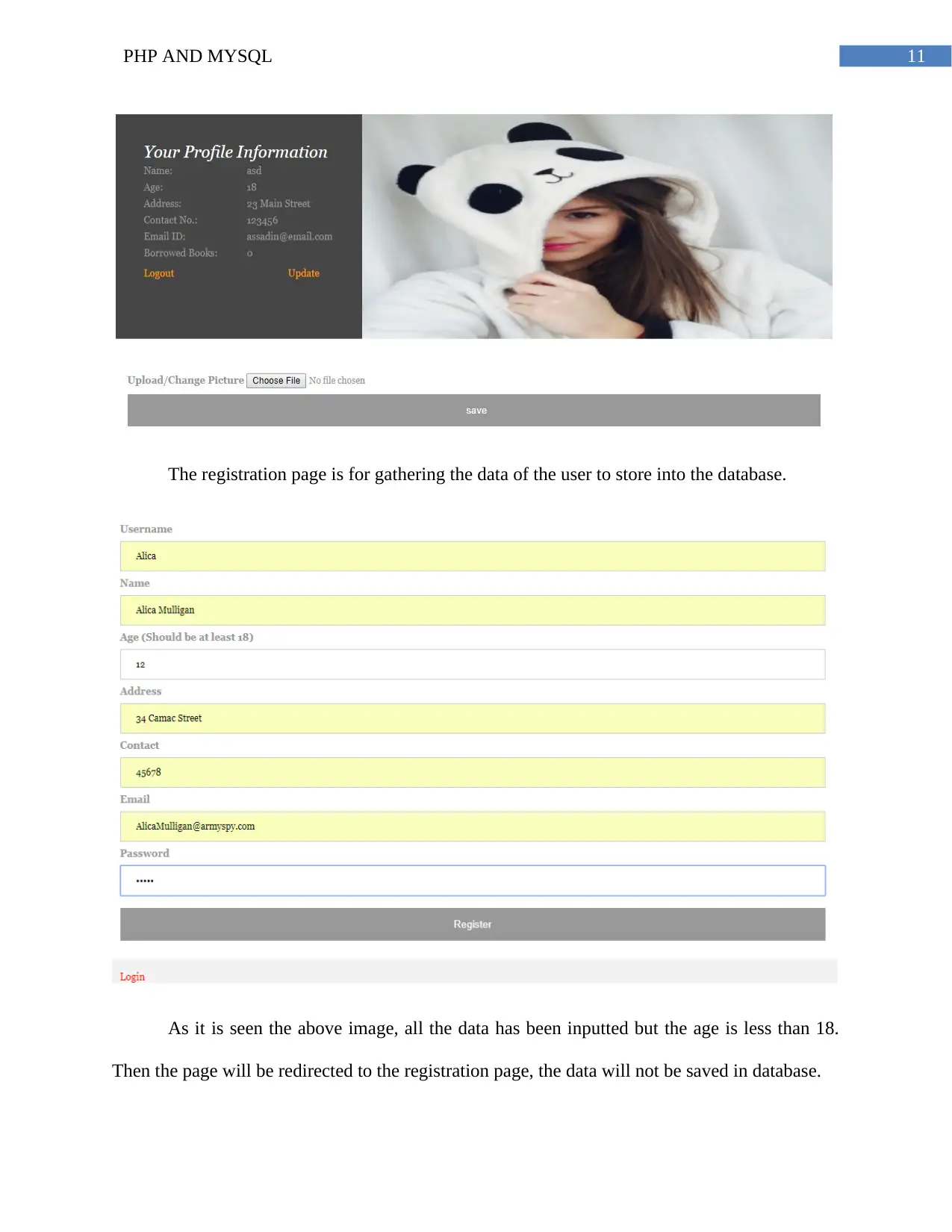
The registration page is for gathering the data of the user to store into the database.
As it is seen the above image, all the data has been inputted but the age is less than 18.
Then the page will be redirected to the registration page, the data will not be saved in database.
chevron_up_icon
1 out of 19
circle_padding
hide_on_mobile
zoom_out_icon
[object Object]