MIS501 Software Development Project: Principles of Programming

Verified

Added on  2023/03/17

|4
|546
|118
Project
AI Summary
This document presents a solution for the MIS501 Principles of Programming project at Torrens University, focusing on the development of a Student Information System (SIS) using C++. The project utilizes object-oriented programming concepts, including the creation of classes such as Course, Subject, and Student, along with access specifiers, setters, and getters for data abstraction. The solution emphasizes error handling to prevent runtime issues and includes comprehensive documentation, including comments and doc strings. The program's functionality includes menu options for managing courses, subjects, and students, with features such as student enrollment, subject enrollment, and transcript generation. The solution also details the compilation process using a Makefile and the use of g++ for creating the executable. The project addresses the core requirements of the assignment, offering a practical demonstration of programming principles and software development best practices.
Document Page
Principles of Programming
Compiling The C++ Program.
An automation file, Makefile, has been provided to assist in compiling the program.
To utilize it, run “make” command while in the same directory as the C++ source files.
Alternatively, running “g++ *.cpp -o SIS” produces the same results. Upon successful compilation, an
executable fill called “SIS” is generated.
Running The Program
With the executable file having been generated, we can run the program be issues the following
command:
./SIS
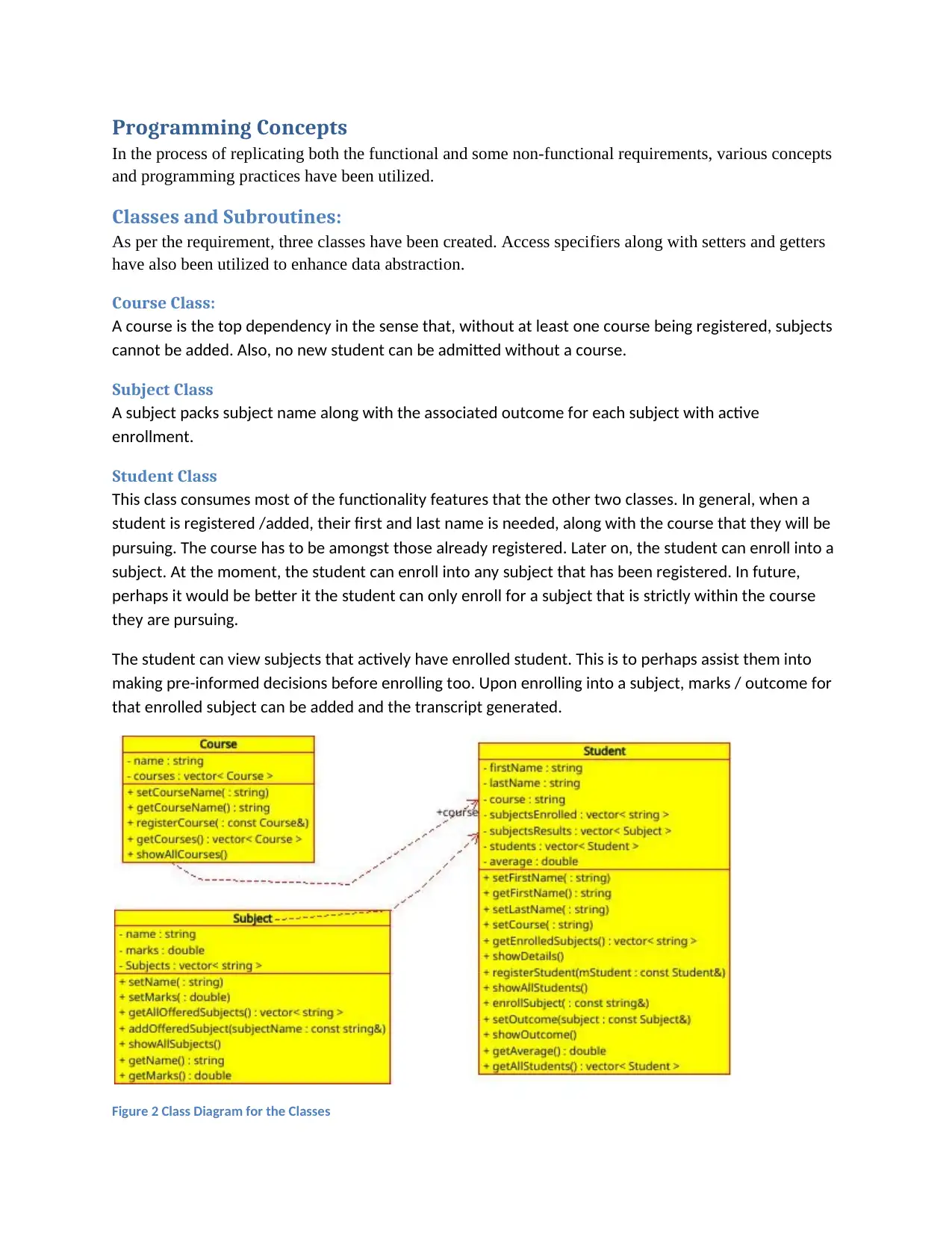
This displays the program’s Menu Options as show in the image below.
Figure 1 SIS Menu Options
tabler-icon-diamond-filled.svg

Paraphrase This Document

Need a fresh take? Get an instant paraphrase of this document with our AI Paraphraser
Document Page
Programming Concepts
In the process of replicating both the functional and some non-functional requirements, various concepts
and programming practices have been utilized.
Classes and Subroutines:
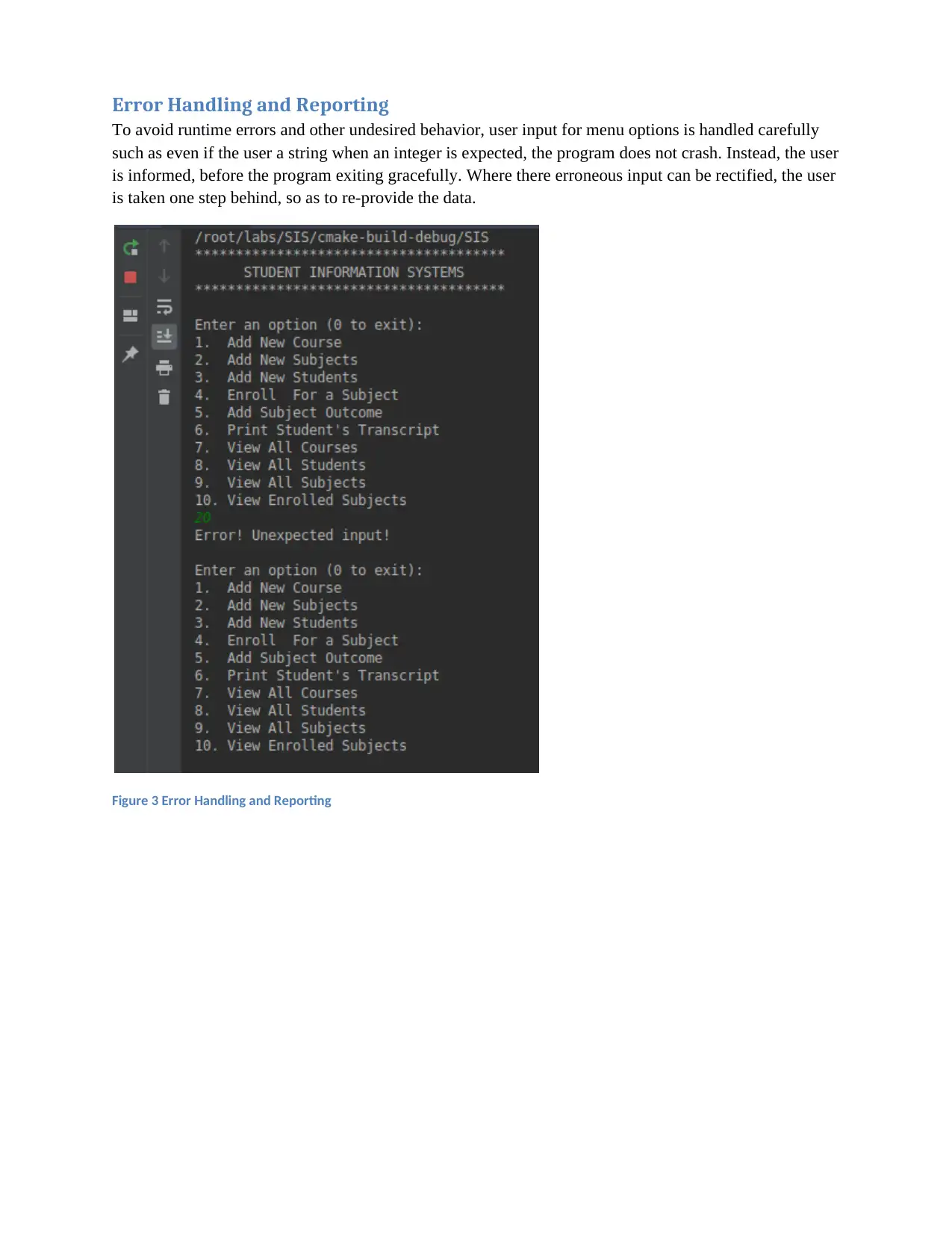
As per the requirement, three classes have been created. Access specifiers along with setters and getters
have also been utilized to enhance data abstraction.
Course Class:
A course is the top dependency in the sense that, without at least one course being registered, subjects
cannot be added. Also, no new student can be admitted without a course.
Subject Class
A subject packs subject name along with the associated outcome for each subject with active
enrollment.
Student Class
This class consumes most of the functionality features that the other two classes. In general, when a
student is registered /added, their first and last name is needed, along with the course that they will be
pursuing. The course has to be amongst those already registered. Later on, the student can enroll into a
subject. At the moment, the student can enroll into any subject that has been registered. In future,
perhaps it would be better it the student can only enroll for a subject that is strictly within the course
they are pursuing.
The student can view subjects that actively have enrolled student. This is to perhaps assist them into
making pre-informed decisions before enrolling too. Upon enrolling into a subject, marks / outcome for
that enrolled subject can be added and the transcript generated.
Figure 2 Class Diagram for the Classes
Document Page
Error Handling and Reporting
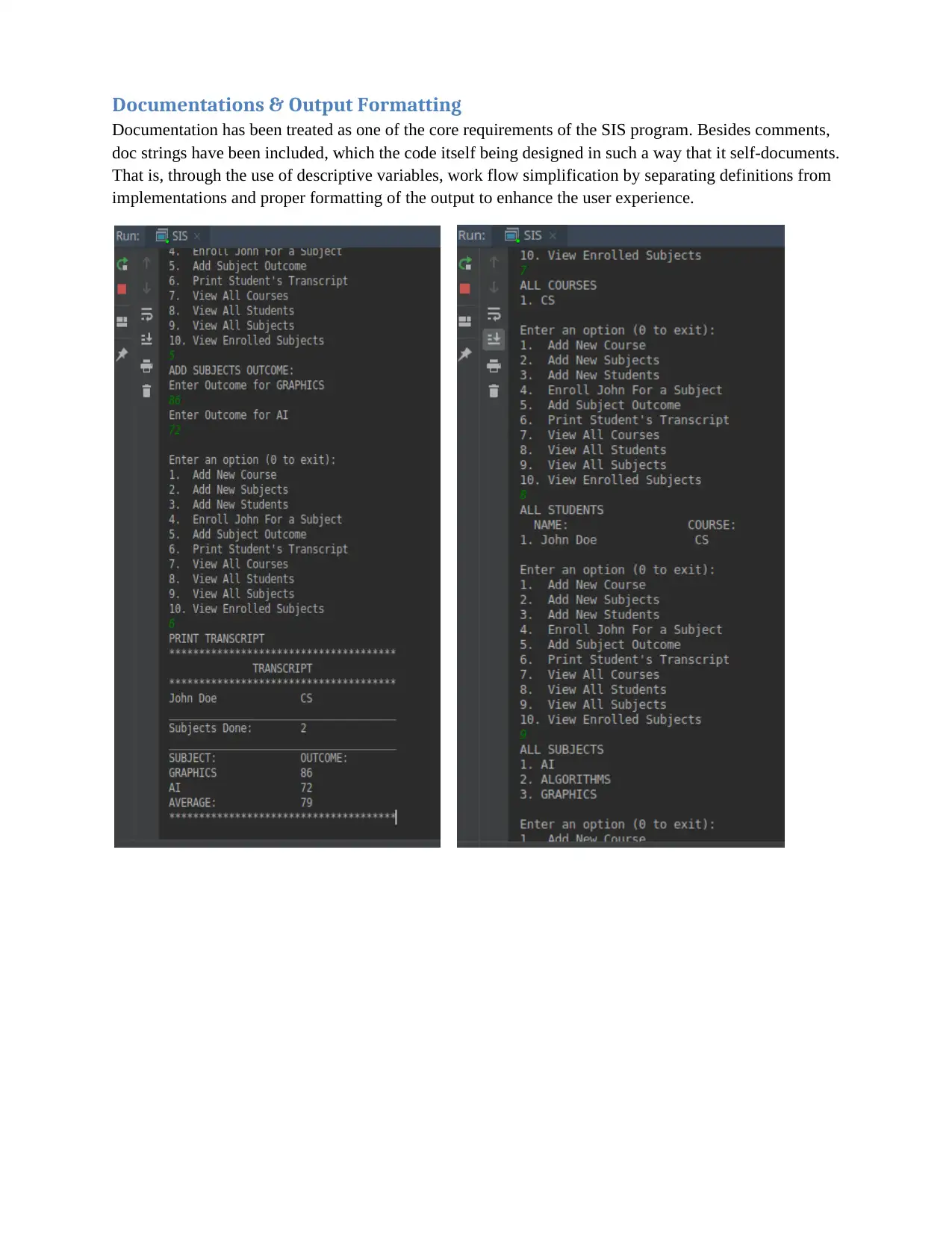
To avoid runtime errors and other undesired behavior, user input for menu options is handled carefully
such as even if the user a string when an integer is expected, the program does not crash. Instead, the user
is informed, before the program exiting gracefully. Where there erroneous input can be rectified, the user
is taken one step behind, so as to re-provide the data.
Figure 3 Error Handling and Reporting
Document Page
Documentations & Output Formatting
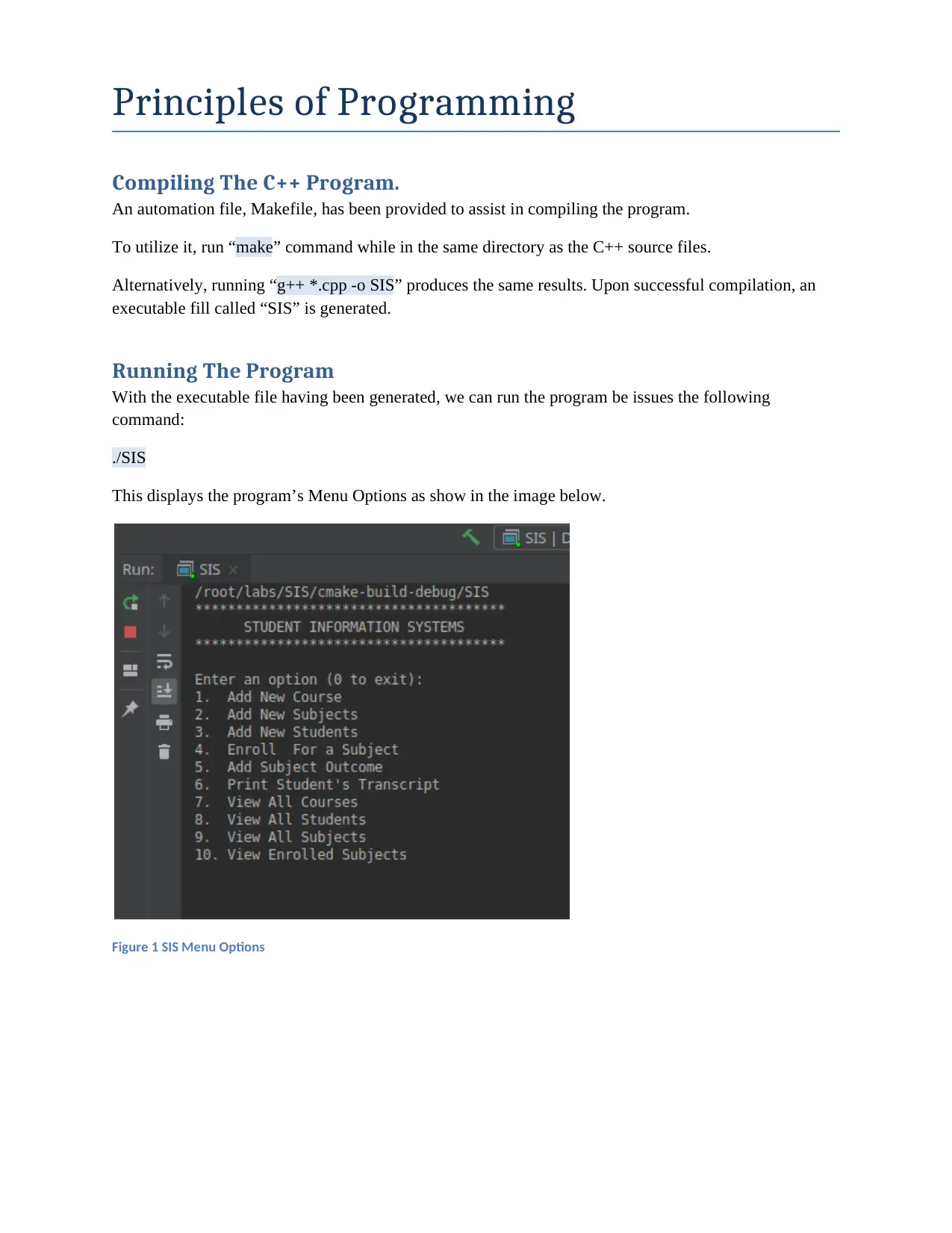
Documentation has been treated as one of the core requirements of the SIS program. Besides comments,
doc strings have been included, which the code itself being designed in such a way that it self-documents.
That is, through the use of descriptive variables, work flow simplification by separating definitions from
implementations and proper formatting of the output to enhance the user experience.
chevron_up_icon
1 out of 4
circle_padding
hide_on_mobile
zoom_out_icon
[object Object]