Single-Player Game Development Project Using Google Web Designer

Verified

Added on  2023/03/17

|6
|440
|34
Project
AI Summary
This project involves the development of a single-player platform game using Google Web Designer. The game will allow the player to navigate a maze while avoiding obstacles. The project covers the use of Google Web Designer's features, including the quick mode for animations and the advanced mode for controlling page elements, along with 3D rendering tools. The game's genre is a platformer, focusing on running, jumping, and avoiding obstacles. The project includes details on character controls for jump height and distance, and the potential for vertically exaggerated terrain when obstacles are encountered. The assignment provides a framework for developing a game using the Google Web Designer tool, which is a web-based tool that provides the necessary tools to build a game.
Document Page
Game Development project
Name of the Student
Name of the University
Authors note
tabler-icon-diamond-filled.svg

Paraphrase This Document

Need a fresh take? Get an instant paraphrase of this document with our AI Paraphraser
Document Page
Part A
Introduction
For this project, a simple run and jump game will be developed using the google web
designer tool. The game will be single player game. The objective of the player will be to
navigate the character over the maze while avoiding different incoming obstacles to score.
Along with this the player will be able to earn extra points after completing certain level in
order to improve score.
Background
Most of the game development platforms requires a lot of technical knowledge as
well as other relevant knowledge according to the genre of the game but with the use of the
google web designer it becomes easy to develop flash or web based games with different
ready to used tools. Google Web Designer provides bigger central area in order to create a
scene or frame of a game in the projects as well as editing code for the different areas. The
provided area is surrounded by different tool options bar, timeline for the events, panels that
can be used as the objects. Using this tools that helps the developers accomplish tasks such as
modification of the different elements, adding components, as well as events.
Description
With the use of the Google web designer tool it is possible to build animations scene
for the game with the use of the Quick mode. With the advanced mode of the web designer,
developers have the option for adding additional control over the different page elements. Ini
addition to that, Web Designer also provides suite of 3D rendering tools that can help with
the additional illustration features.
Document Page
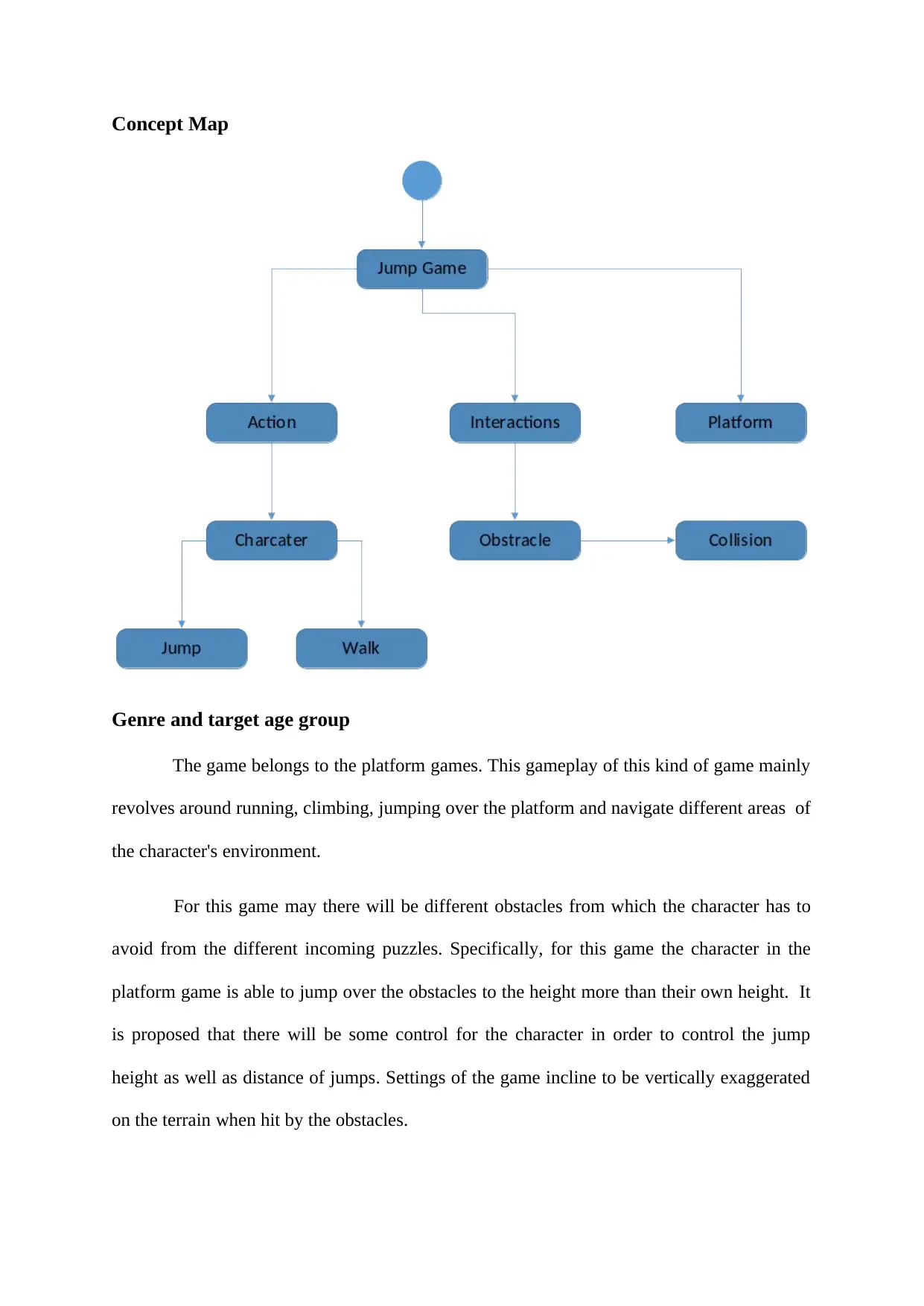
Concept Map
Genre and target age group
The game belongs to the platform games. This gameplay of this kind of game mainly
revolves around running, climbing, jumping over the platform and navigate different areas of
the character's environment.
For this game may there will be different obstacles from which the character has to
avoid from the different incoming puzzles. Specifically, for this game the character in the
platform game is able to jump over the obstacles to the height more than their own height. It
is proposed that there will be some control for the character in order to control the jump
height as well as distance of jumps. Settings of the game incline to be vertically exaggerated
on the terrain when hit by the obstacles.
Document Page
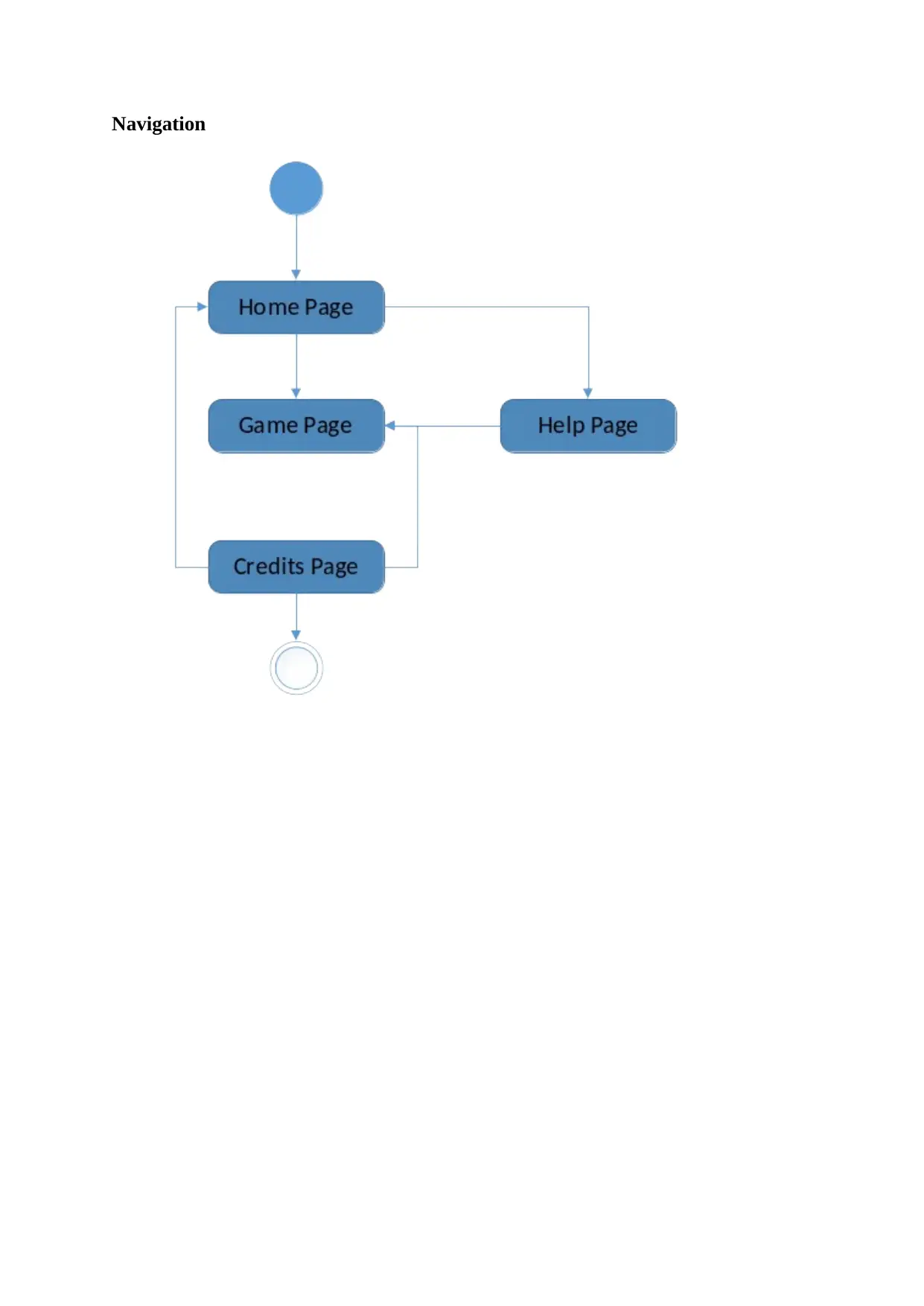
Navigation
tabler-icon-diamond-filled.svg

Paraphrase This Document

Need a fresh take? Get an instant paraphrase of this document with our AI Paraphraser
Document Page
Part B
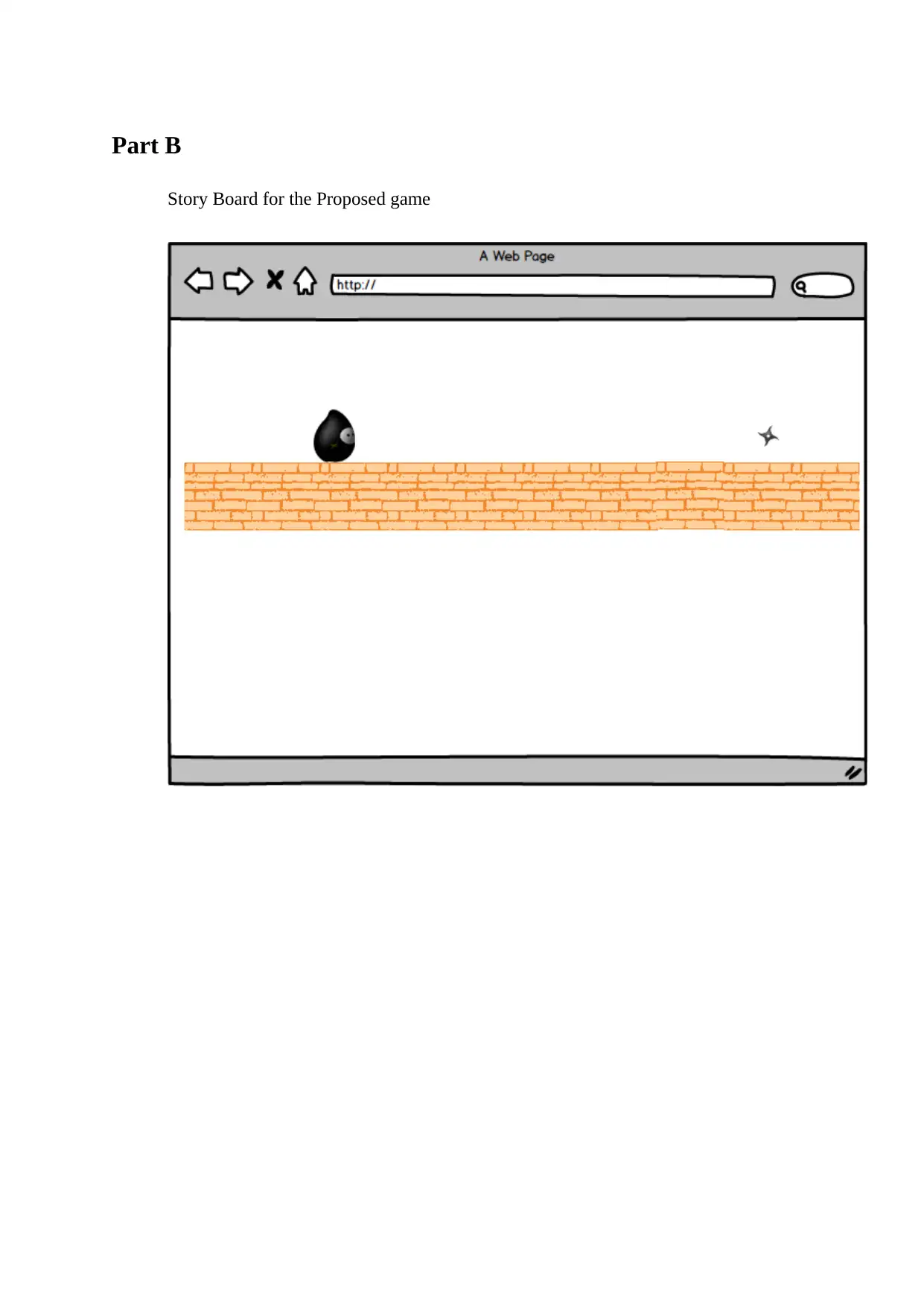
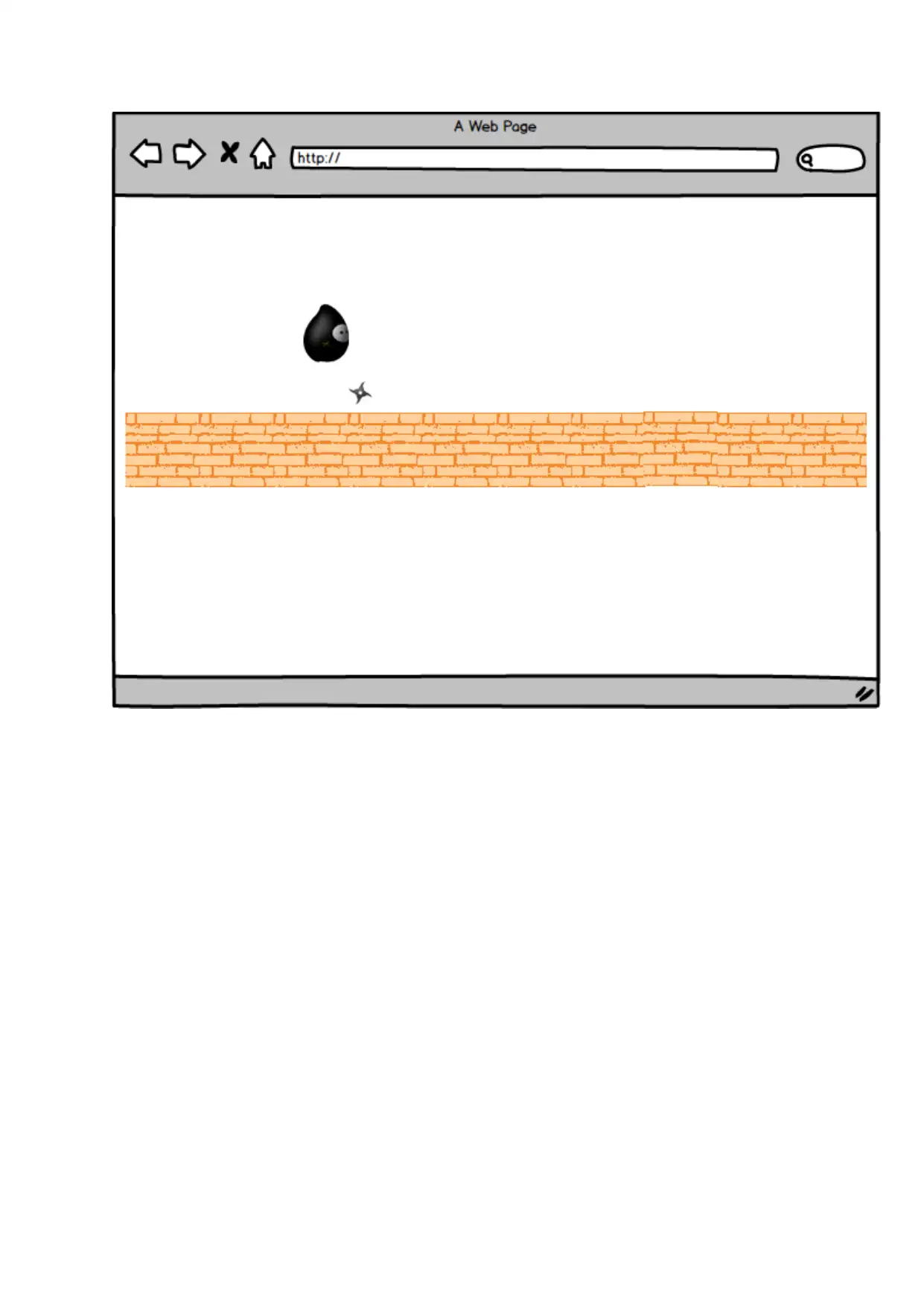
Story Board for the Proposed game
Document Page
chevron_up_icon
1 out of 6
circle_padding
hide_on_mobile
zoom_out_icon
[object Object]