Cloud Based Smart Application Management using IBM Bluemix Tool

Verified

Added on  2023/06/12

|19
|892
|267
Report
AI Summary
This report details the development and deployment of a cloud-based smart application for AB pty Ltd using IBM Bluemix to address product delivery issues. The application leverages geospatial analytics to track vehicle locations and improve delivery efficiency. The report outlines the process of creating the application, including database setup, code editing, configuration, and deployment. It also discusses challenges encountered during the development process, such as code editing, database creation, application configuration and deployment, and geospatial analytics integration. The project successfully delivers a smart application aimed at enhancing the product delivery system for AB pty Ltd.
Document Page
CLOUD BASED SMART APPLICATION MANAGEMENT
tabler-icon-diamond-filled.svg

Paraphrase This Document

Need a fresh take? Get an instant paraphrase of this document with our AI Paraphraser
Document Page
Table of Contents
Introduction......................................................................................................................................3
IBM Blue mix..................................................................................................................................3
Case Study Analysis........................................................................................................................9
Business Problems.......................................................................................................................9
Possible Solutions........................................................................................................................9
Deployment and configuration of Smart Applications..................................................................10
Difficulties.....................................................................................................................................18
Conclusion.....................................................................................................................................18
References......................................................................................................................................19
2
Document Page
Introduction
This project is to create the cloud based smart applications for AB pty Ltd Company. The
AB pty Ltd Company is a product delivers company by using trucks to their customers and third
parties. This company has potential issues on deliver the products. So, it needs to resolved by
create the smart applications. This application will be used to provide the effective delivery
system for a company. These are will be analyzed and discussed in detail.
IBM Blue mix
Here, we will use IBM blue mix to create the smart application for a company and this
process is discussed in below (Antonopoulos and Gillam, 2017).
To access the IBM blue mix by create the IBM account and login the account by using the
below link.
https://idaas.iam.ibm.com/idaas/mtfim/sps/authsvc?
PolicyId=urn:ibm:security:authentication:asf:basicldapuser
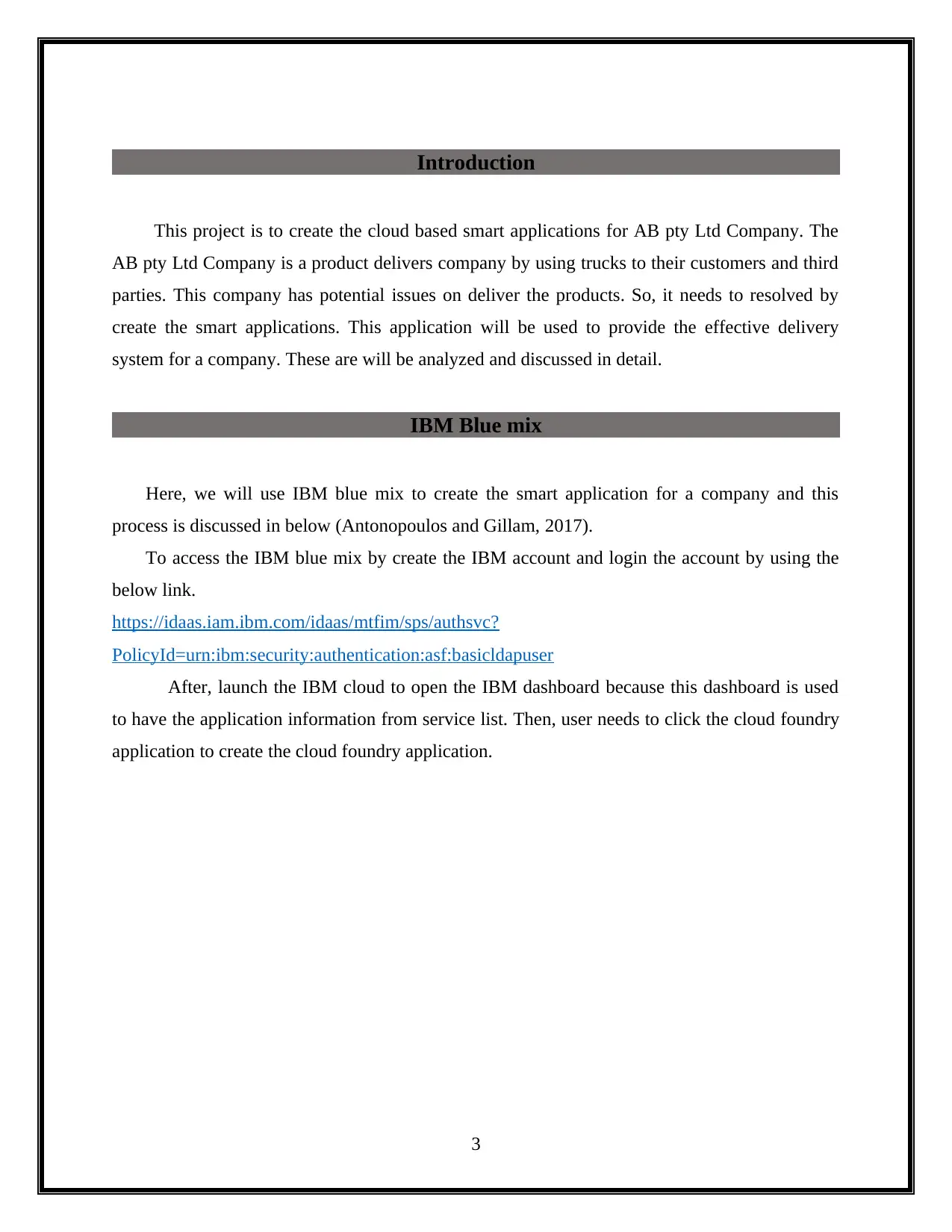
After, launch the IBM cloud to open the IBM dashboard because this dashboard is used
to have the application information from service list. Then, user needs to click the cloud foundry
application to create the cloud foundry application.
3
Document Page
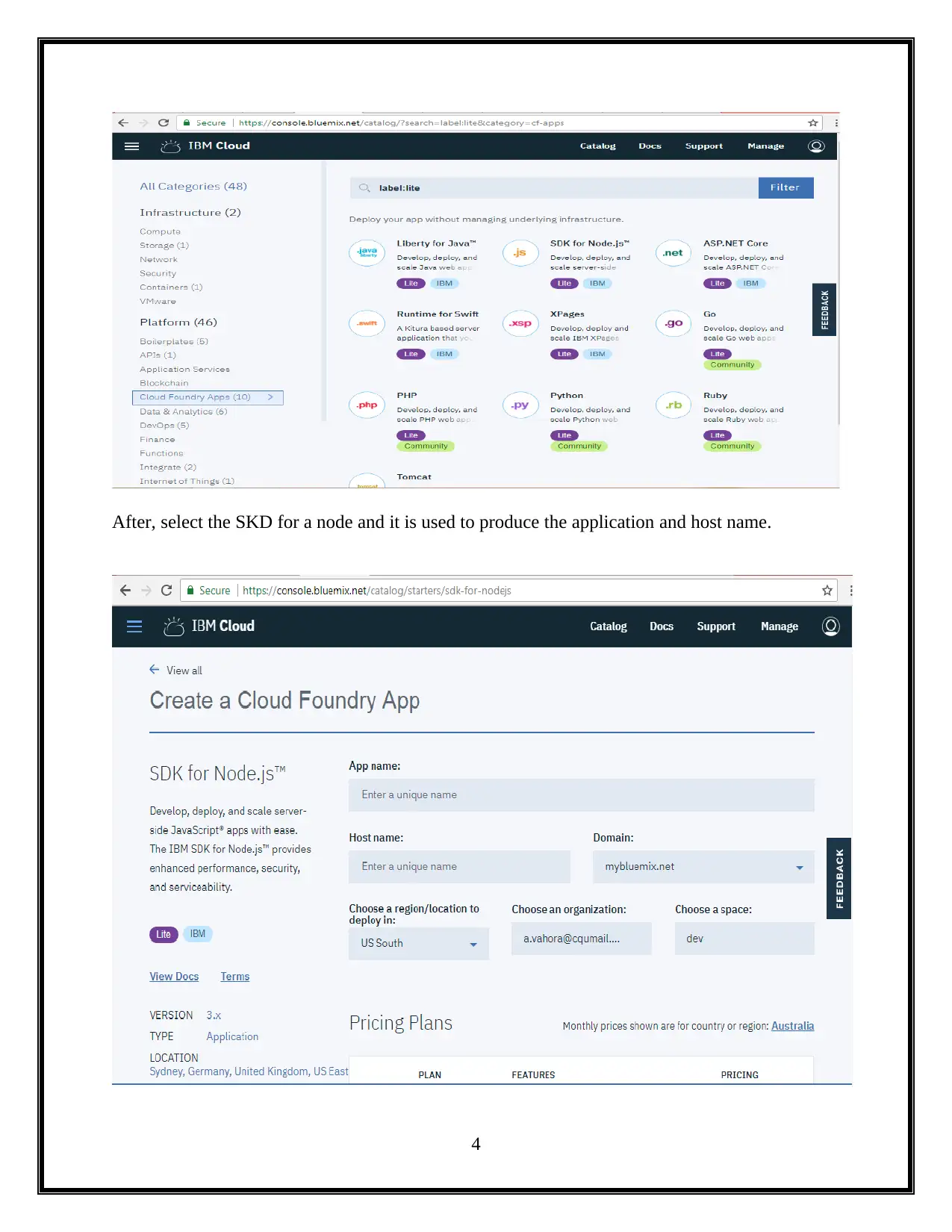
After, select the SKD for a node and it is used to produce the application and host name.
4
tabler-icon-diamond-filled.svg

Paraphrase This Document

Need a fresh take? Get an instant paraphrase of this document with our AI Paraphraser
Document Page
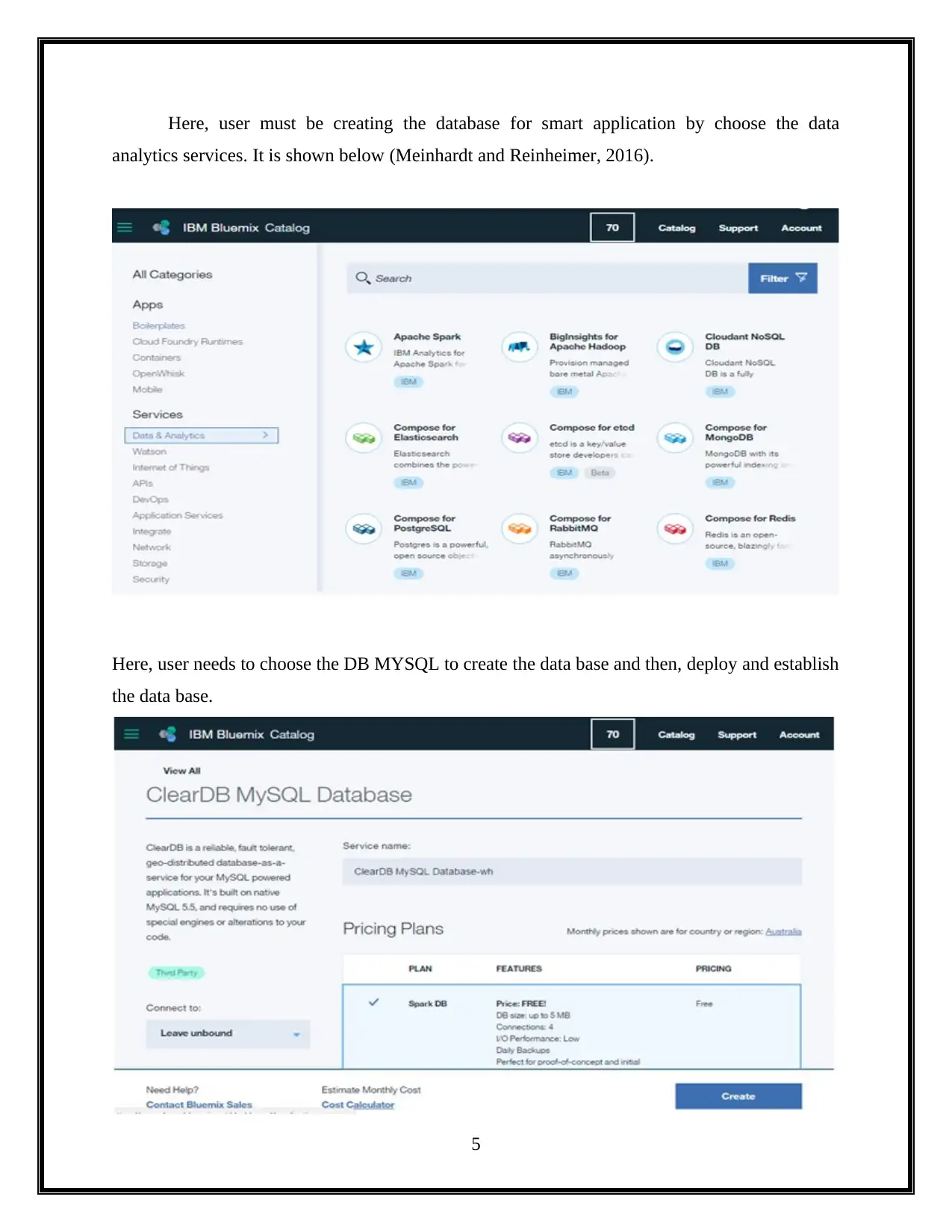
Here, user must be creating the database for smart application by choose the data
analytics services. It is shown below (Meinhardt and Reinheimer, 2016).
Here, user needs to choose the DB MYSQL to create the data base and then, deploy and establish
the data base.
5
Document Page
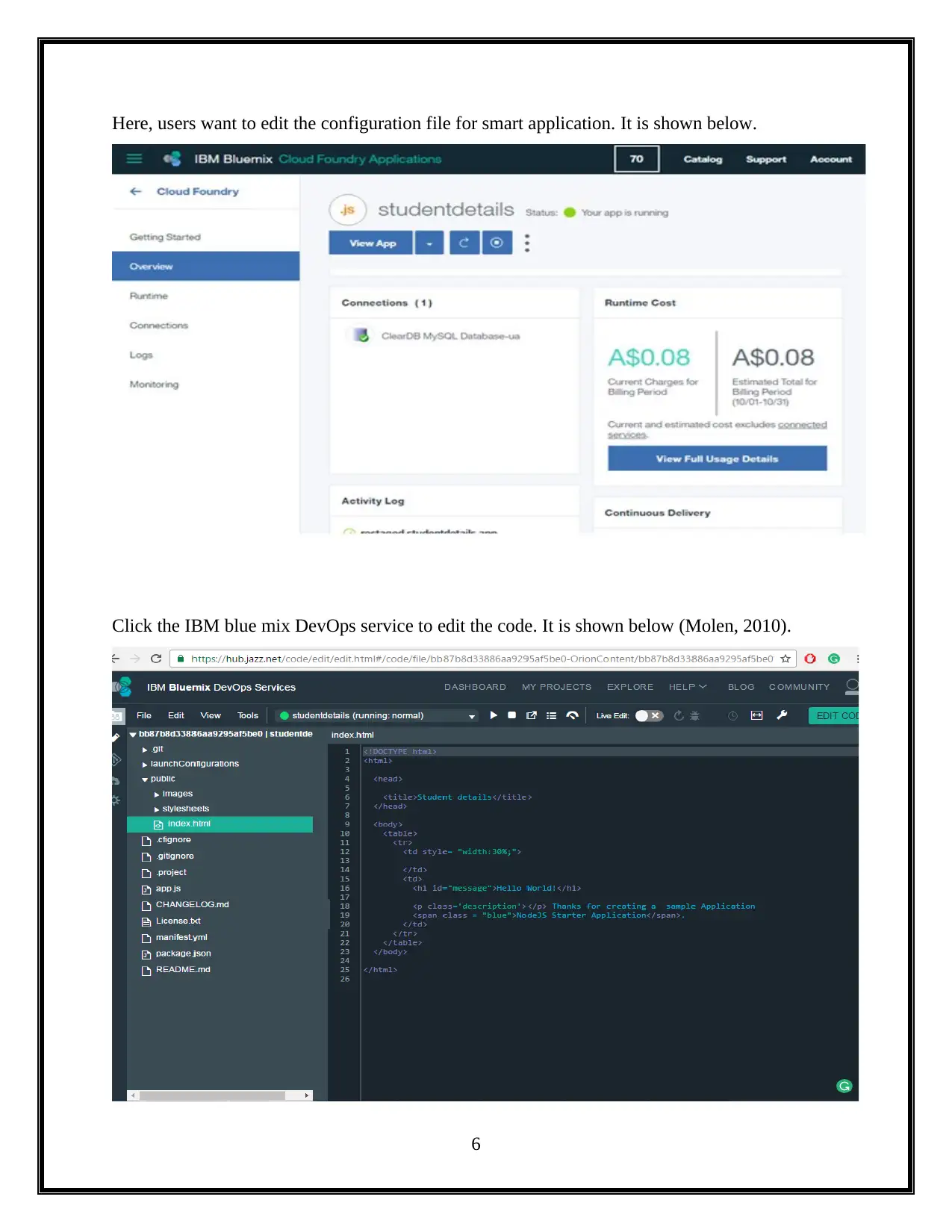
Here, users want to edit the configuration file for smart application. It is shown below.
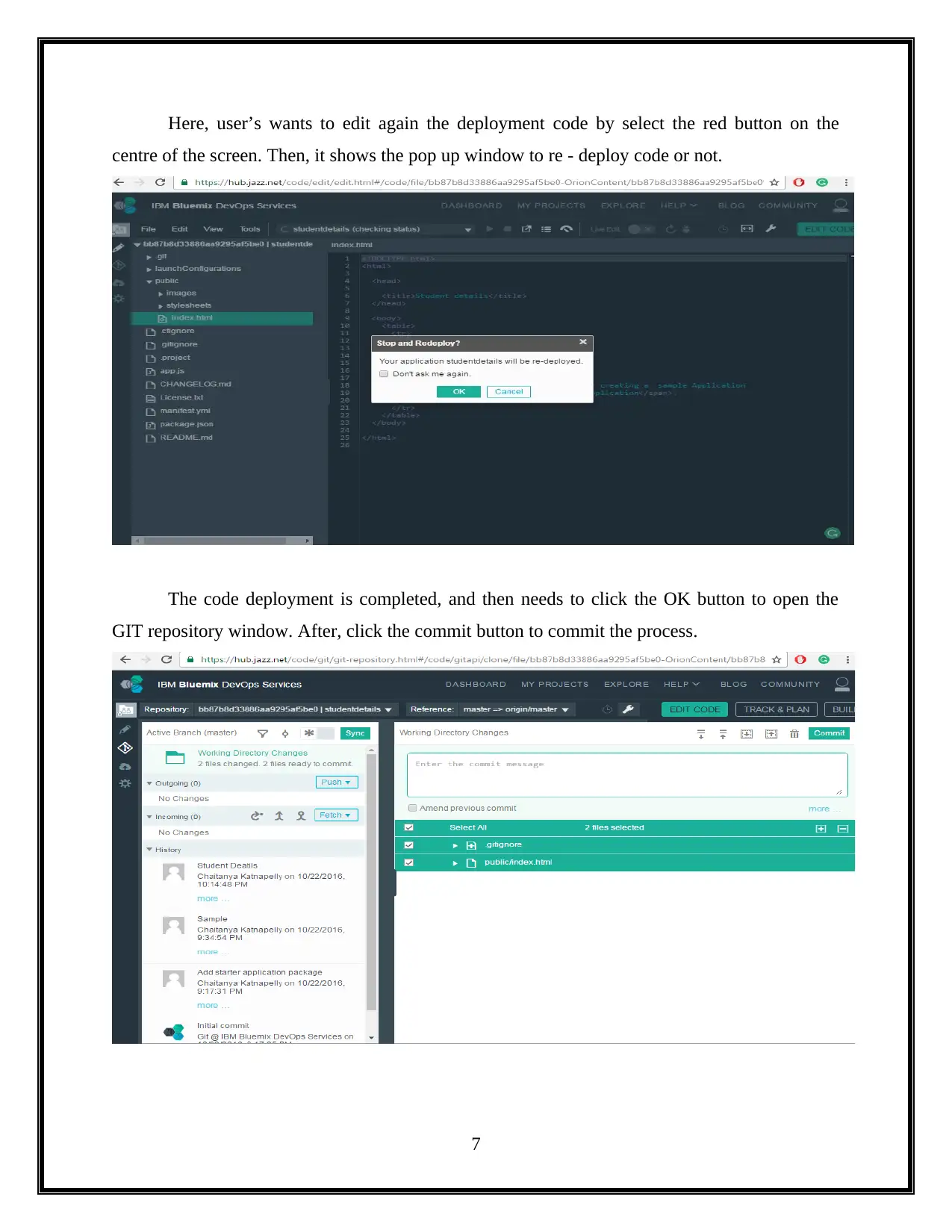
Click the IBM blue mix DevOps service to edit the code. It is shown below (Molen, 2010).
6
Document Page
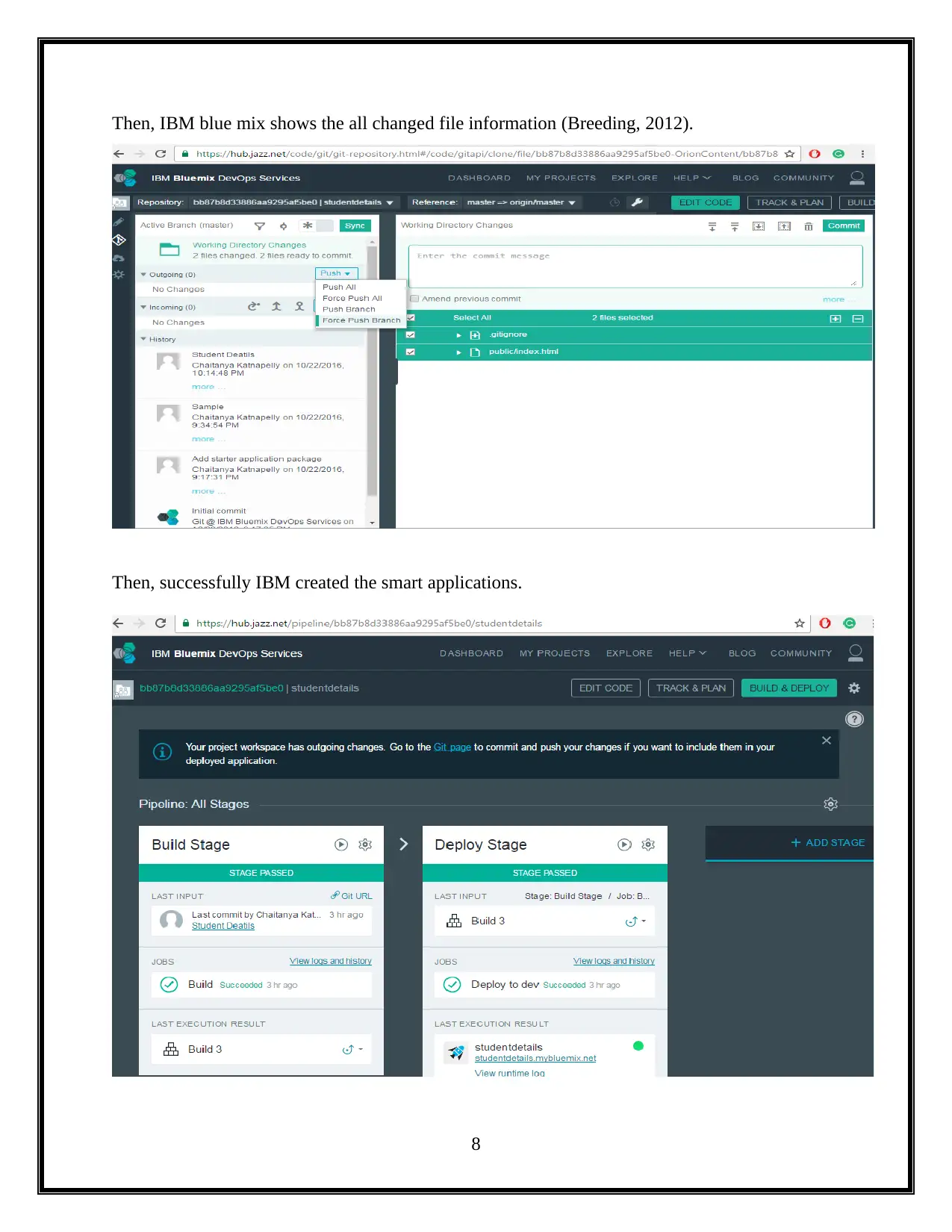
Here, user’s wants to edit again the deployment code by select the red button on the
centre of the screen. Then, it shows the pop up window to re - deploy code or not.
The code deployment is completed, and then needs to click the OK button to open the
GIT repository window. After, click the commit button to commit the process.
7
tabler-icon-diamond-filled.svg

Paraphrase This Document

Need a fresh take? Get an instant paraphrase of this document with our AI Paraphraser
Document Page
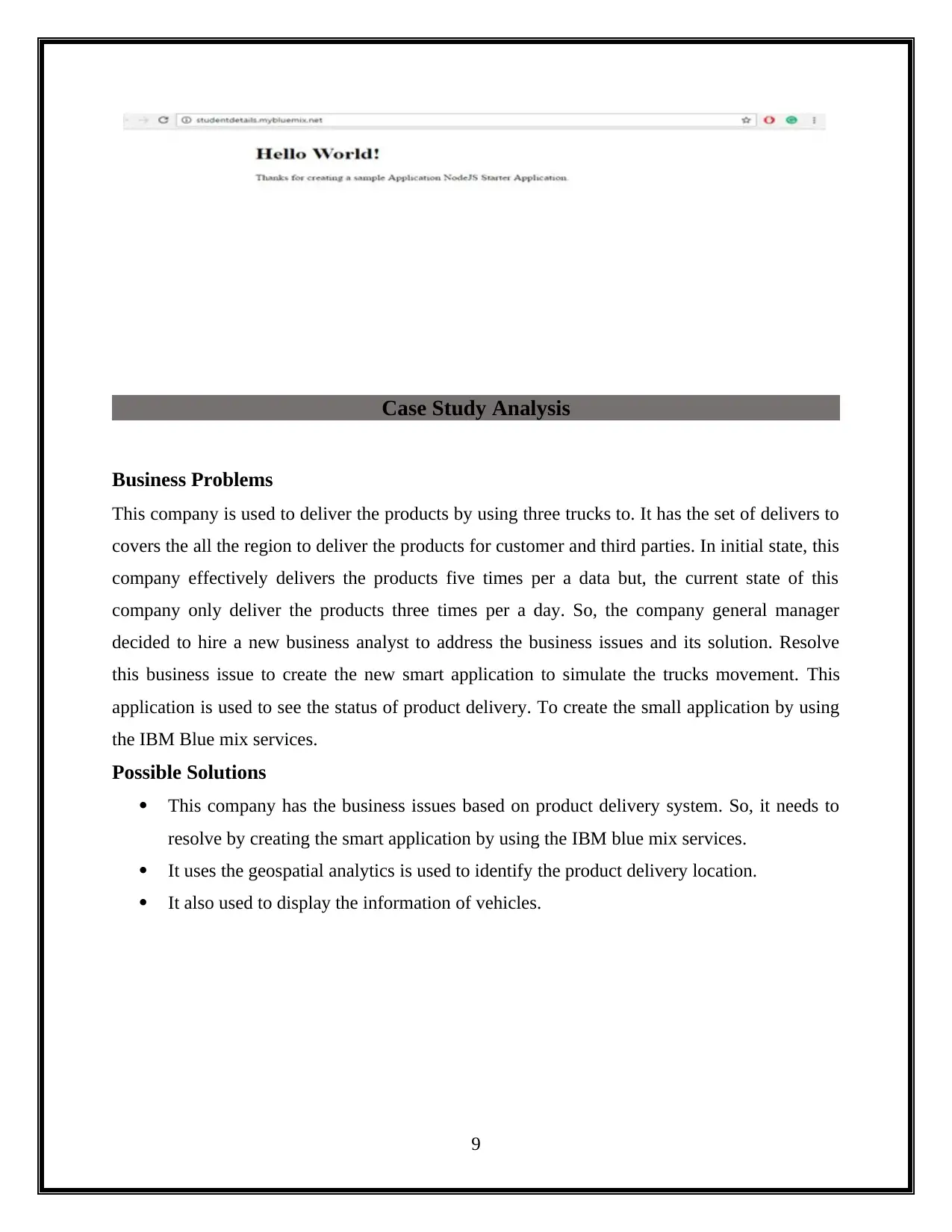
Then, IBM blue mix shows the all changed file information (Breeding, 2012).
Then, successfully IBM created the smart applications.
8
Document Page
Case Study Analysis
Business Problems
This company is used to deliver the products by using three trucks to. It has the set of delivers to
covers the all the region to deliver the products for customer and third parties. In initial state, this
company effectively delivers the products five times per a data but, the current state of this
company only deliver the products three times per a day. So, the company general manager
decided to hire a new business analyst to address the business issues and its solution. Resolve
this business issue to create the new smart application to simulate the trucks movement. This
application is used to see the status of product delivery. To create the small application by using
the IBM Blue mix services.
Possible Solutions
This company has the business issues based on product delivery system. So, it needs to
resolve by creating the smart application by using the IBM blue mix services.
It uses the geospatial analytics is used to identify the product delivery location.
It also used to display the information of vehicles.
9
Document Page
Deployment and configuration of Smart Applications
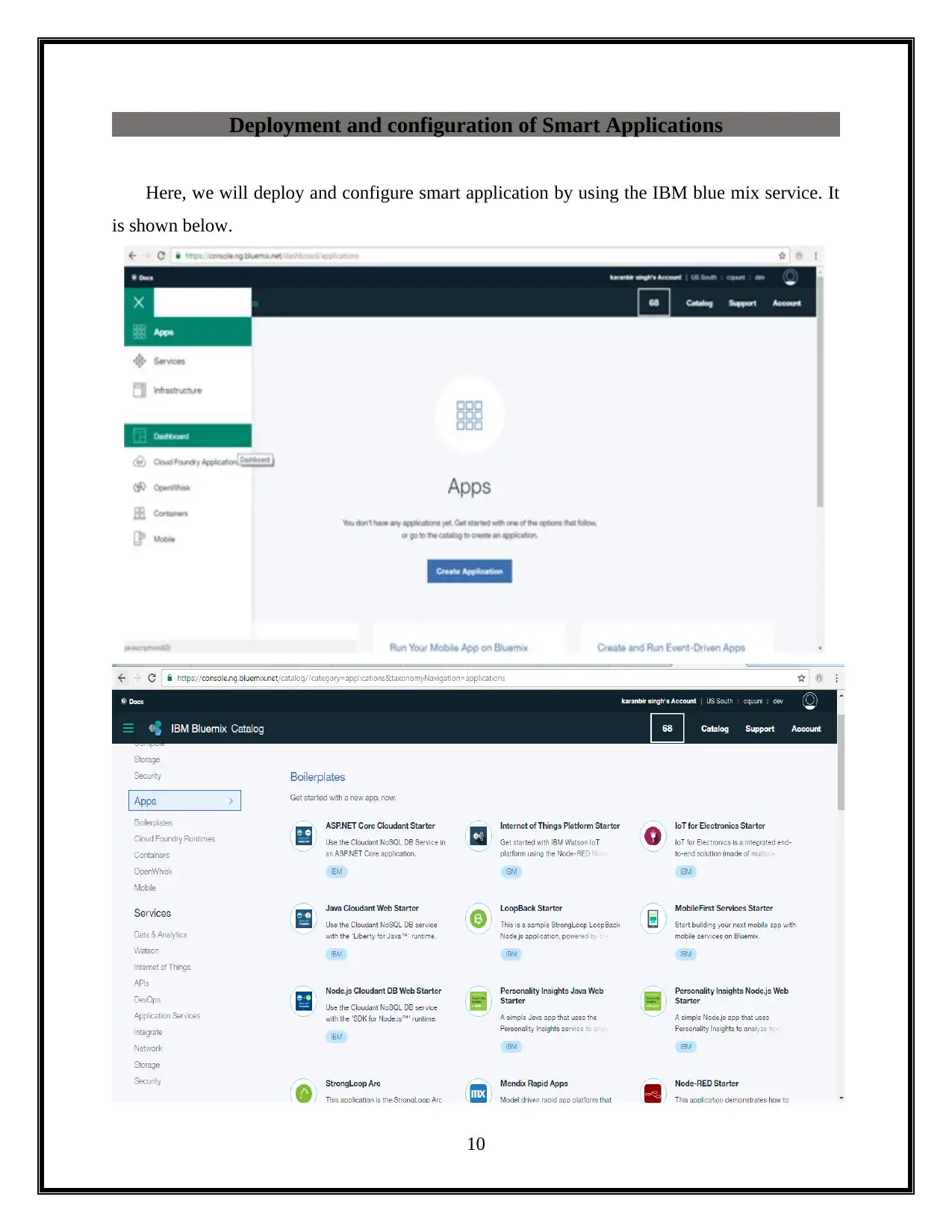
Here, we will deploy and configure smart application by using the IBM blue mix service. It
is shown below.
10
tabler-icon-diamond-filled.svg

Paraphrase This Document

Need a fresh take? Get an instant paraphrase of this document with our AI Paraphraser
Document Page
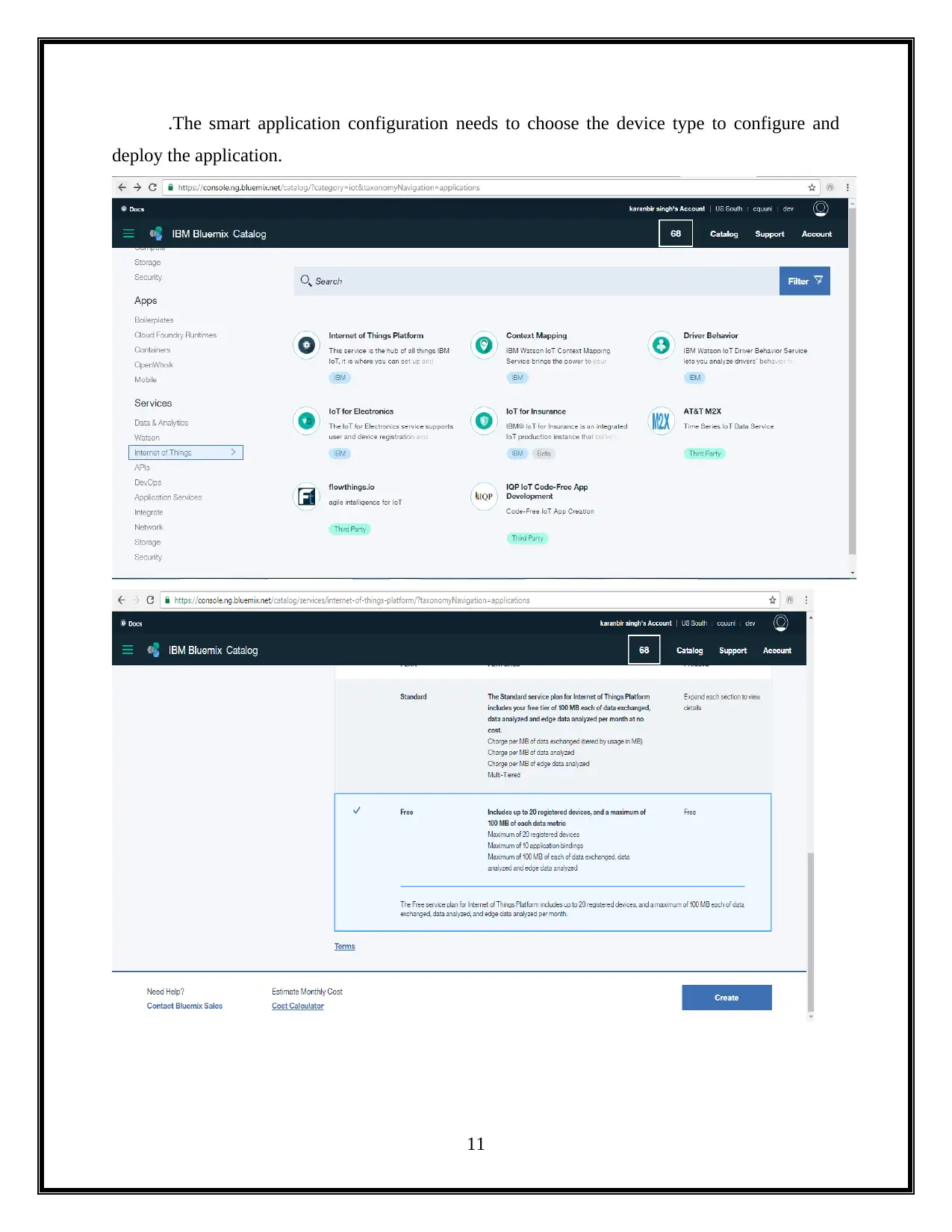
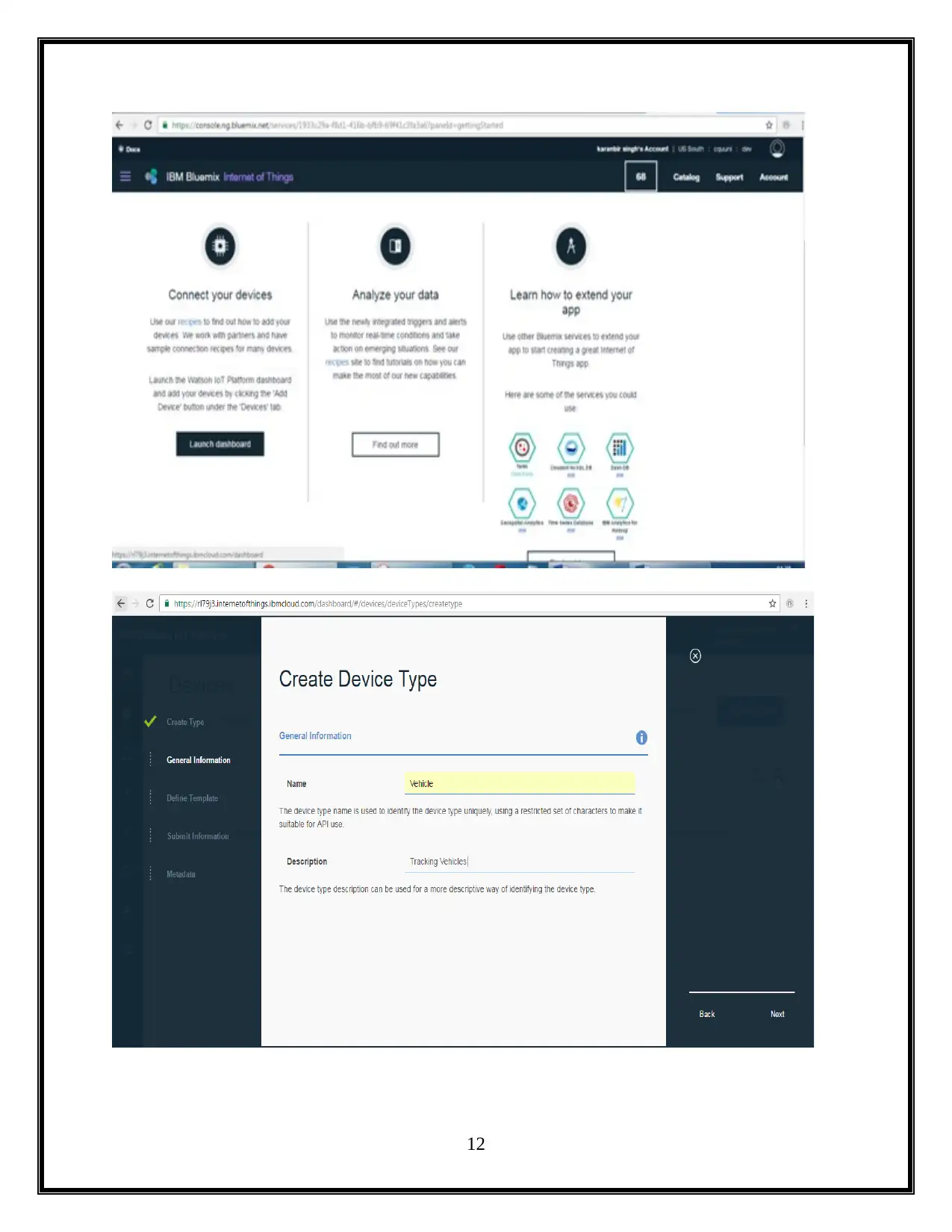
.The smart application configuration needs to choose the device type to configure and
deploy the application.
11
Document Page
12
chevron_up_icon
1 out of 19
circle_padding
hide_on_mobile
zoom_out_icon
[object Object]