TCP/IP Networking Project: Designing and Configuring a Network

Verified

Added on  2019/11/20

|21
|1497
|169
Project
AI Summary
This project report details the design and configuration of a TCP/IP network using Cisco Packet Tracer. The network architecture includes two routers, with client PCs connected to the first router and servers connected to the second. The project involves the setup of a DHCP server for IP address allocation, a DNS server for hostname resolution, and a web server configured with HTTP. A firewall is implemented to restrict access to the web server from one of the client PCs. The report includes configurations of the PC, server, and router interfaces, along with ping tests and traceroute commands to verify network connectivity. The configuration steps for DHCP, web server, DNS, and firewall are also documented with screenshots. The bibliography includes references to relevant research papers and articles on networking concepts and technologies.
Document Page
Running head: TCP/IP NETWORKING
TCP/IP Networking
Name of the Student
Name of the University
Author’s note
tabler-icon-diamond-filled.svg

Paraphrase This Document

Need a fresh take? Get an instant paraphrase of this document with our AI Paraphraser
Document Page
1
TCP/IP NETWORKING
Executive Summary
The report is prepared for designing and configuring a network using multiple network interface that are
connected with routers. Two routers are used for designing the network and the client Pc are connected
with the interface of the first router and the servers are connected with the interface of the second
router. Three routers are installed in the network such as the DHCP, Web server and the DNS server. The
DHCP server is used for allocation of IP address to the client machine connected with the interface on
the first router and the DNS server contains the IP address and the host name of the network and used
for communication with the client. The web server is configured with HTTP for serving the client users
with the webpages and respond to their request. A firewall is configured in the network to block one of
the client PC to access the WEB server and the screenshots are attached in the document.
Document Page
2
TCP/IP NETWORKING
Table of Contents
Task 1: Setting up a Network..........................................................................................................3
1.1. Configuration of the PC, Server and Router interface.........................................................3
1.2. Configuration of the router.................................................................................................7
1.3. Pinging from the client end.................................................................................................9
1.4. Traceroute command from the client to the server..........................................................13
Task 2- Configuration of the network service...............................................................................14
2.1. DHCP..................................................................................................................................14
2.2. WEB Server........................................................................................................................14
2.3. DNS....................................................................................................................................15
2.4. Firewall..............................................................................................................................16
Bibliography..................................................................................................................................18
Document Page
3
TCP/IP NETWORKING
Task 1: Setting up a Network
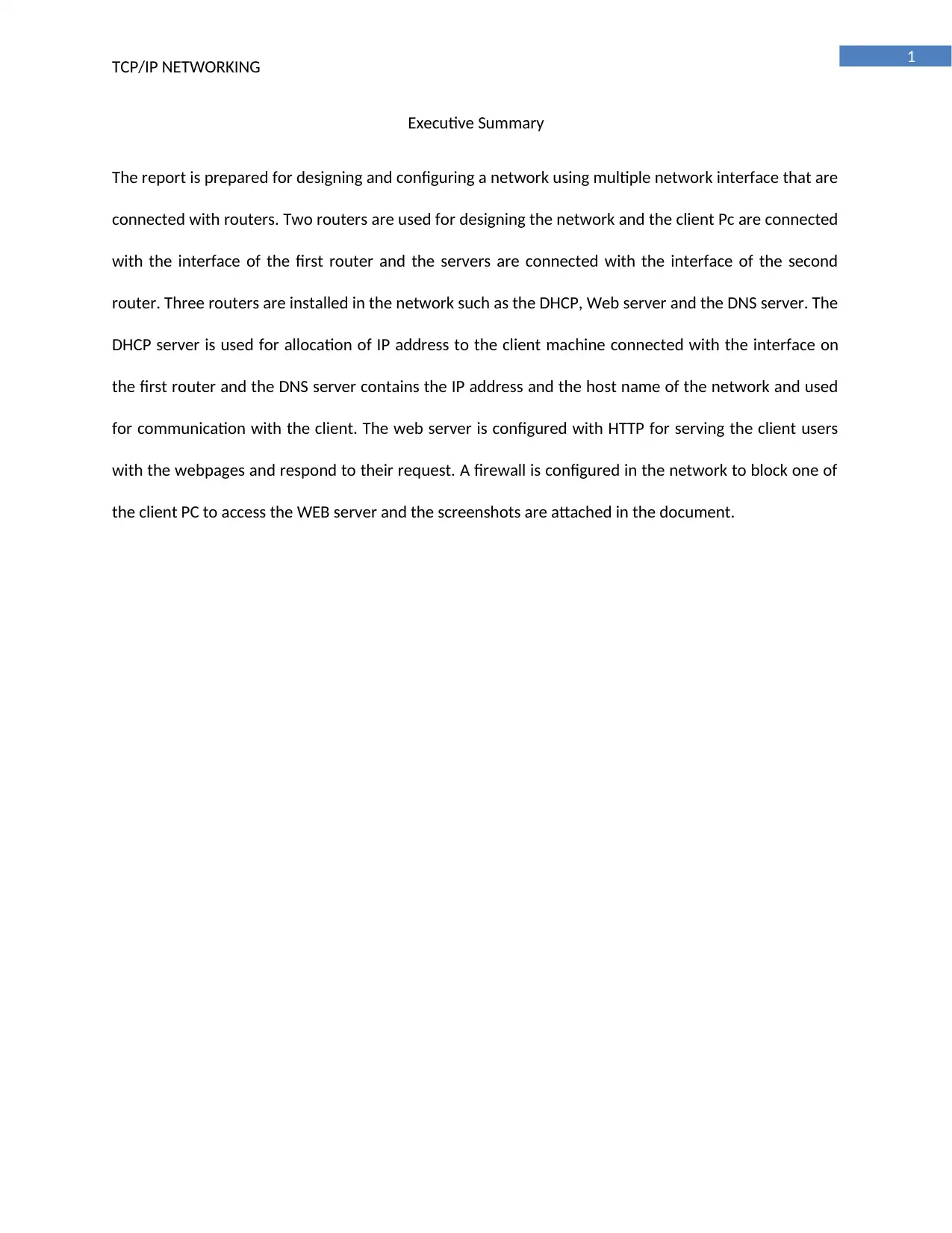
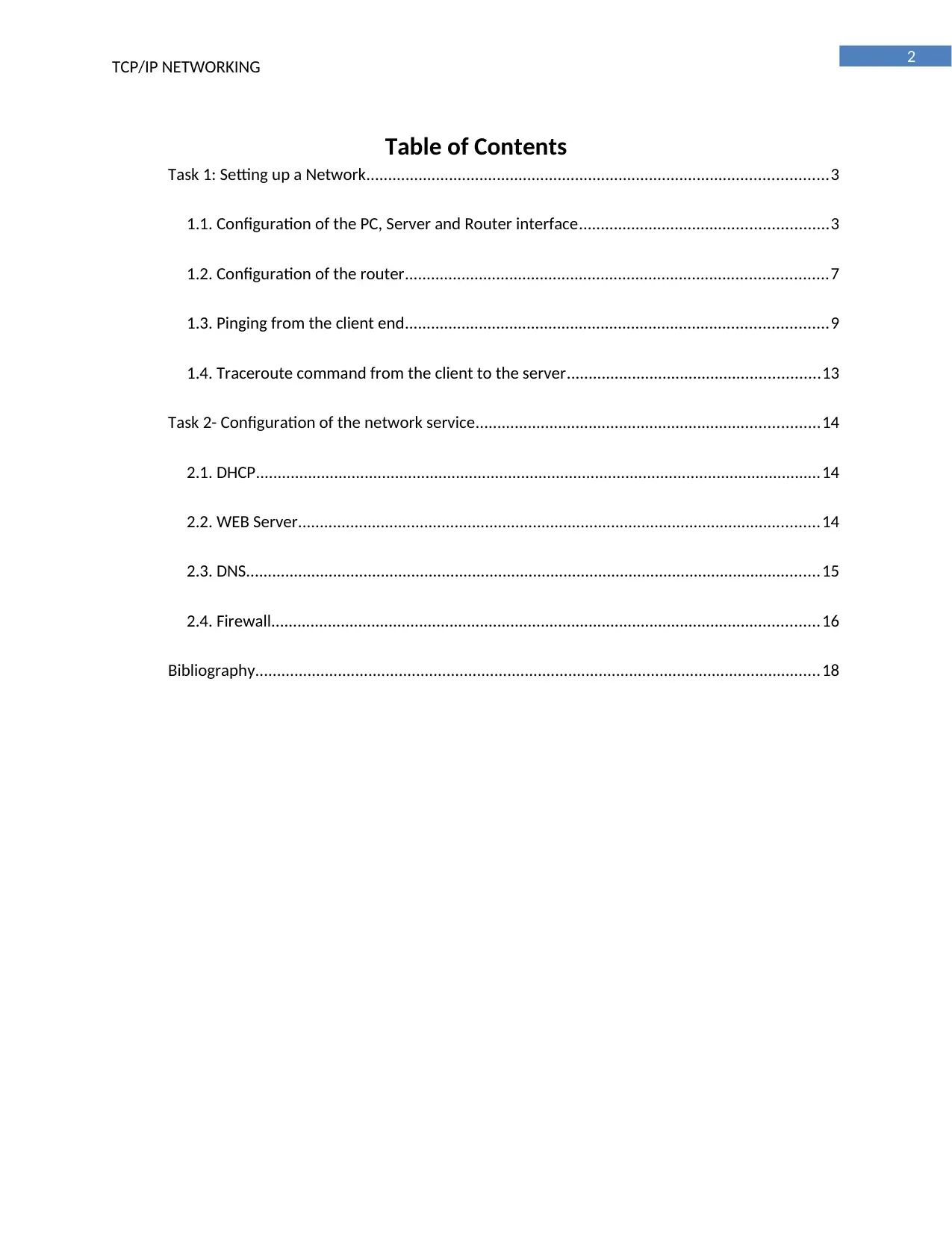
1.1. Configuration of the PC, Server and Router interface
Configuration of the PC0
Configuration of the PC1
tabler-icon-diamond-filled.svg

Paraphrase This Document

Need a fresh take? Get an instant paraphrase of this document with our AI Paraphraser
Document Page
4
TCP/IP NETWORKING
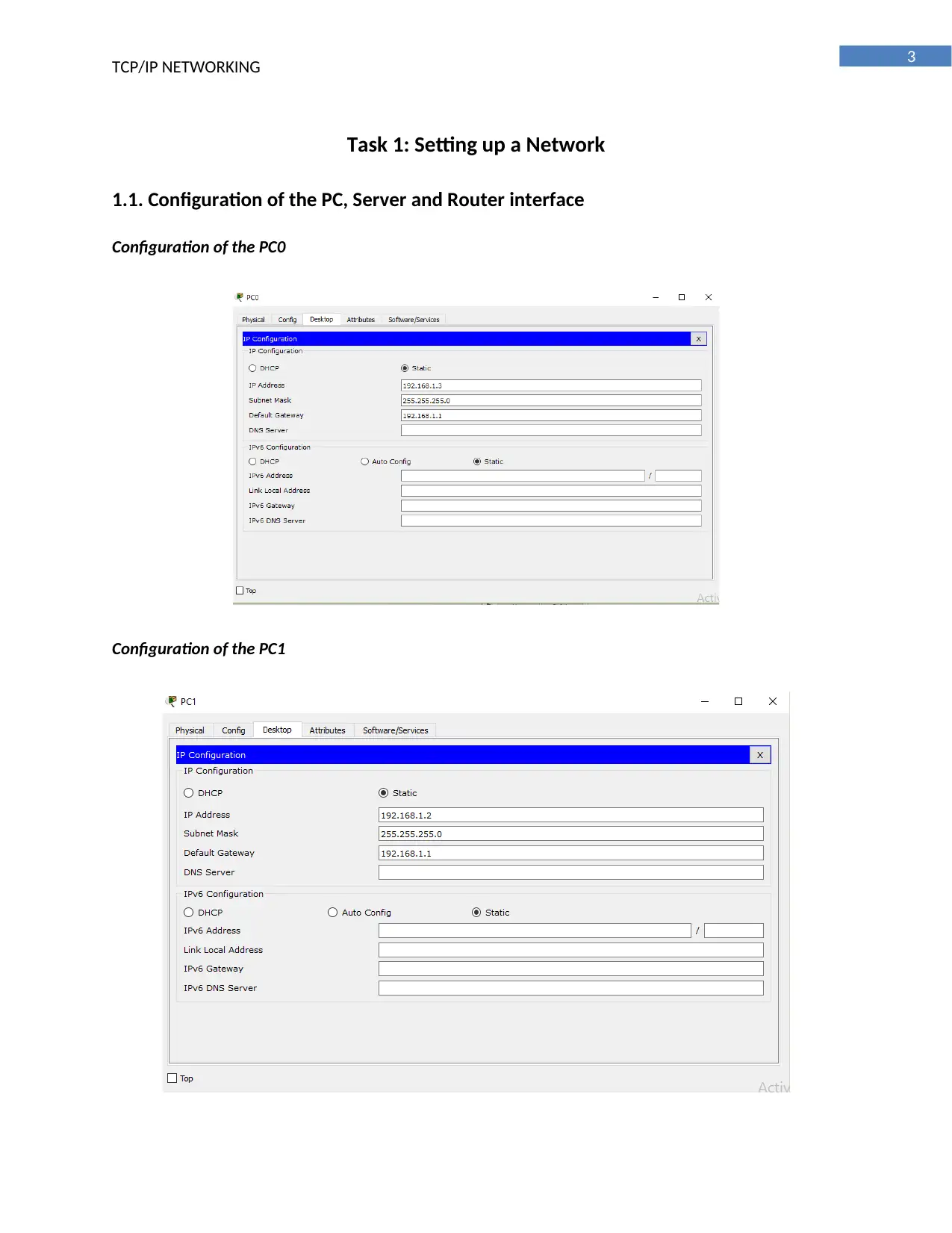
Configuration of the WEB server
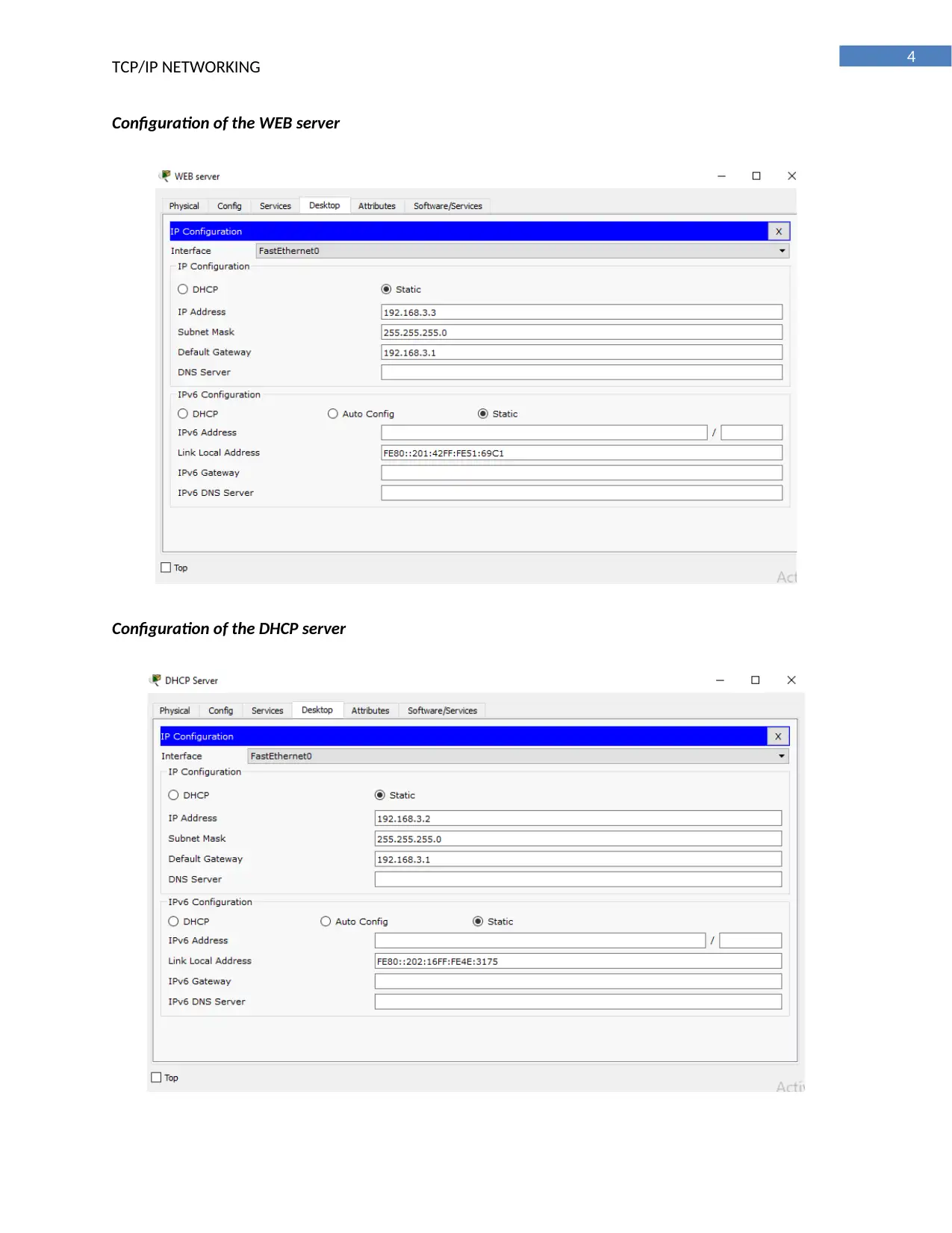
Configuration of the DHCP server
Document Page
5
TCP/IP NETWORKING
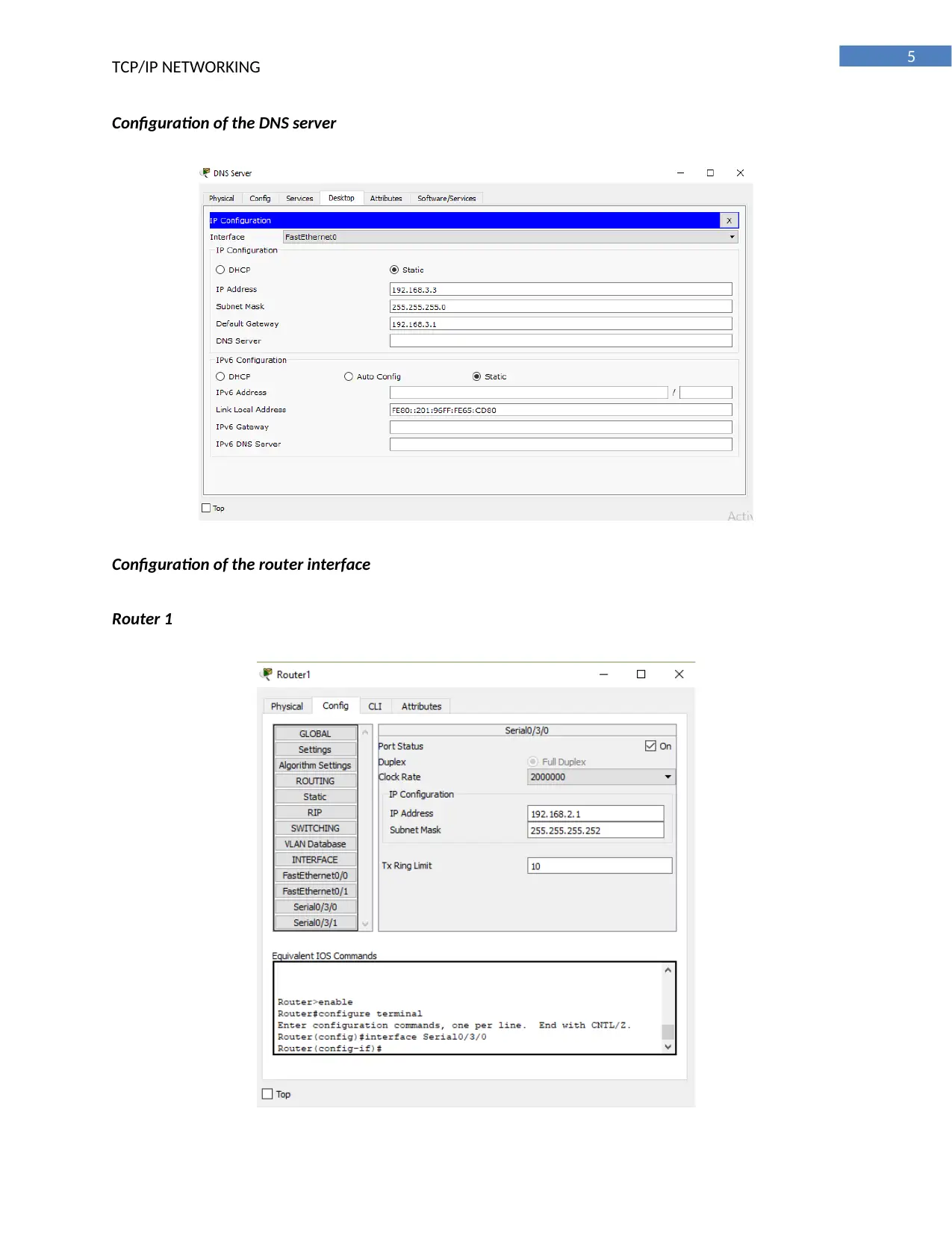
Configuration of the DNS server
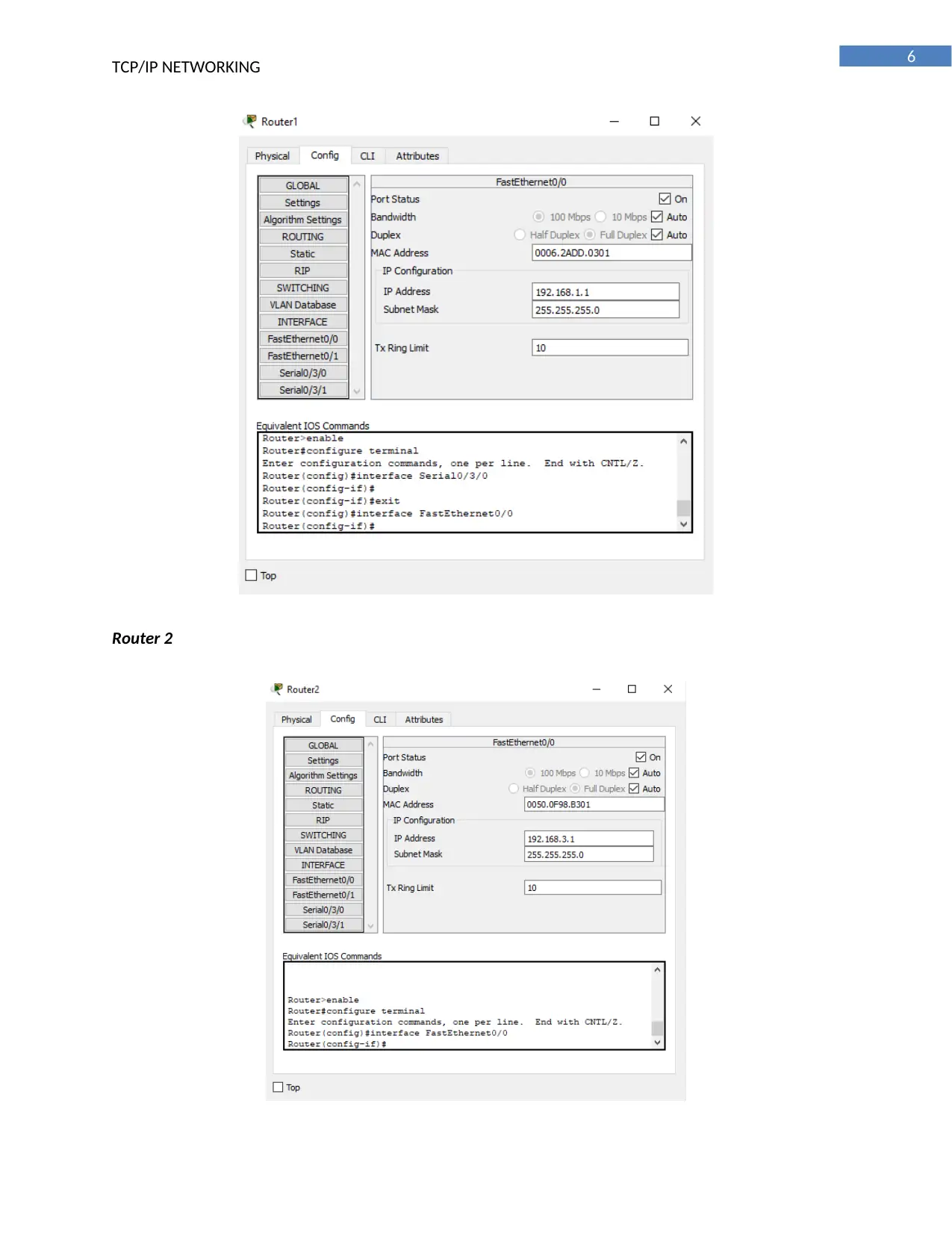
Configuration of the router interface
Router 1
Document Page
6
TCP/IP NETWORKING
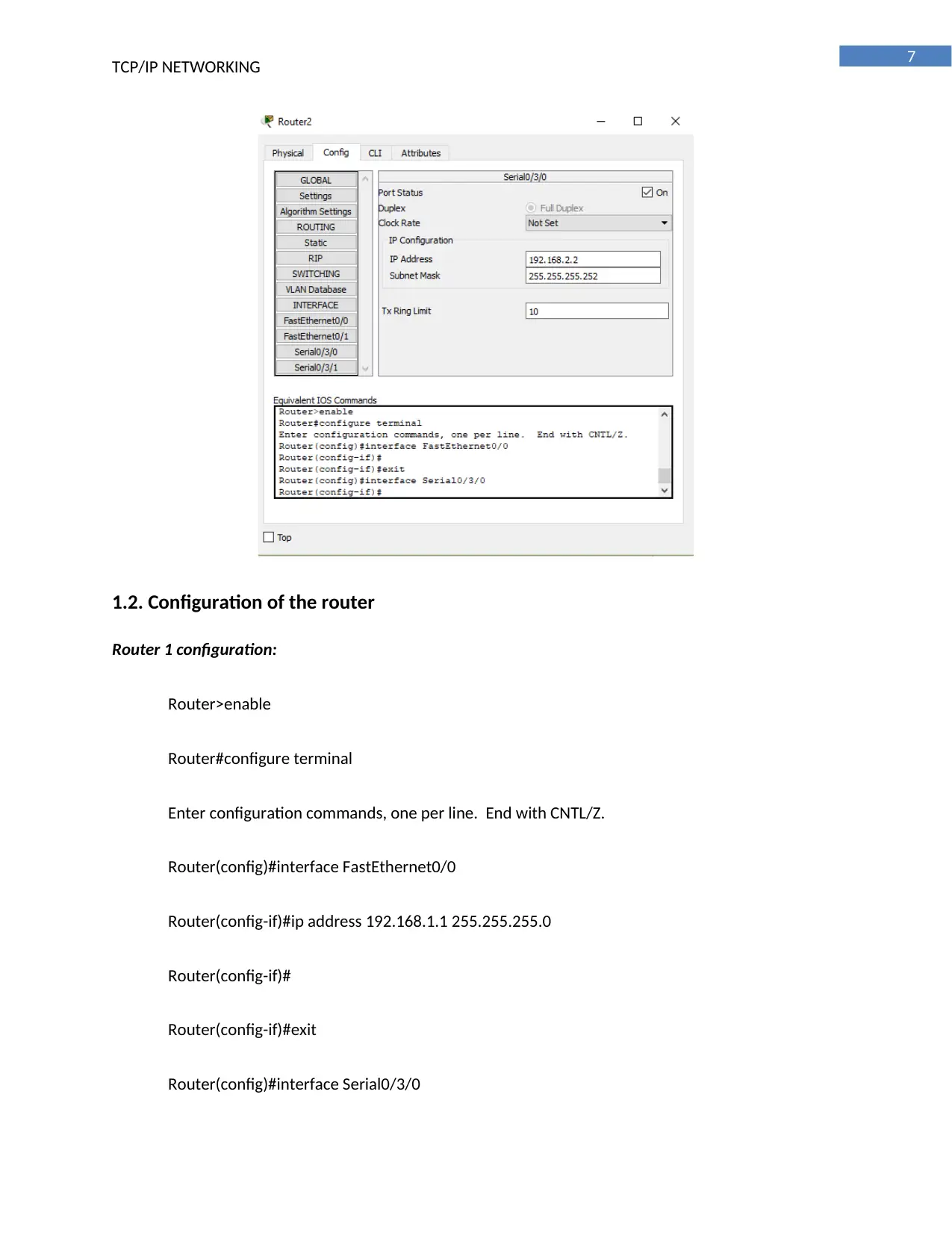
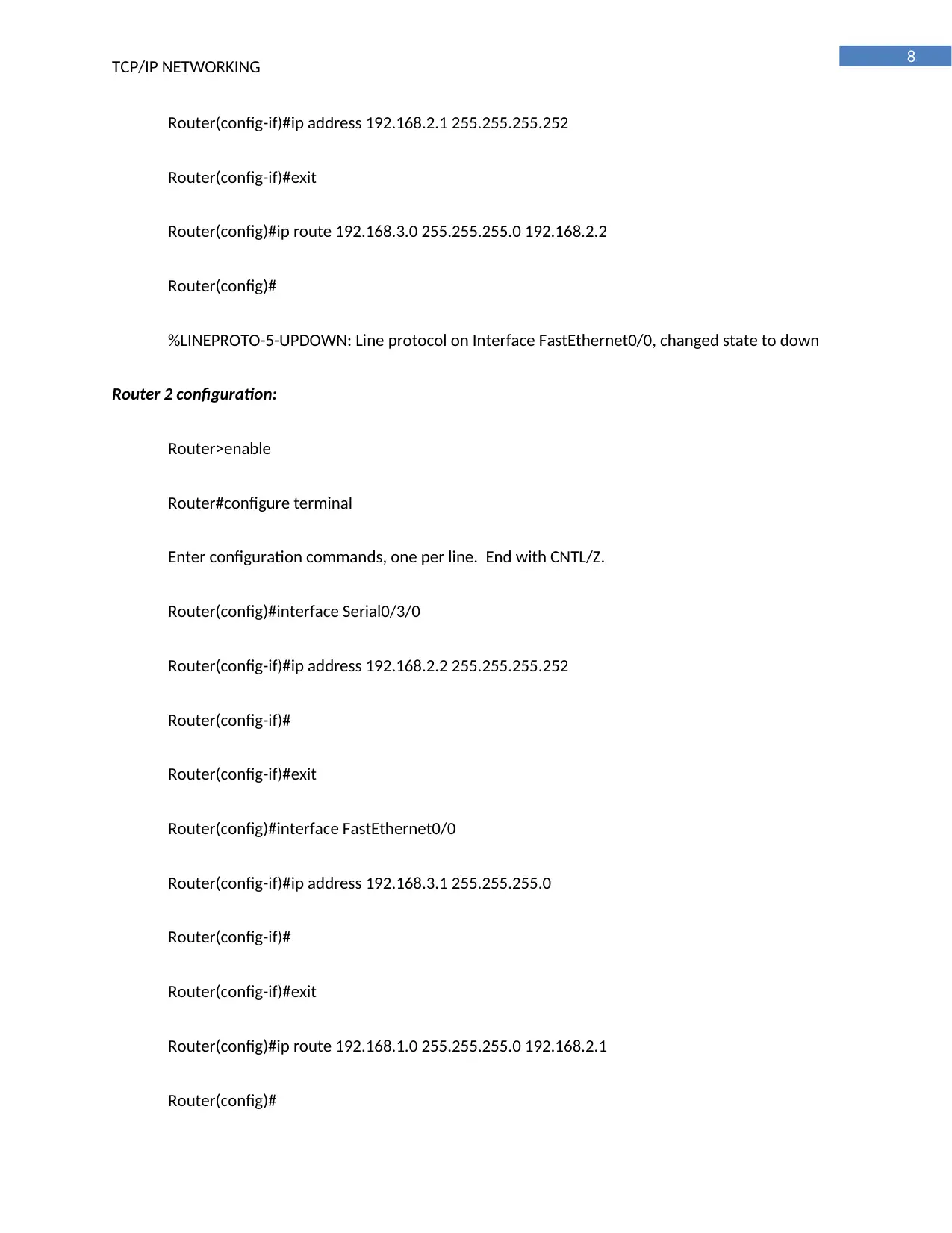
Router 2
tabler-icon-diamond-filled.svg

Paraphrase This Document

Need a fresh take? Get an instant paraphrase of this document with our AI Paraphraser
Document Page
7
TCP/IP NETWORKING
1.2. Configuration of the router
Router 1 configuration:
Router>enable
Router#configure terminal
Enter configuration commands, one per line. End with CNTL/Z.
Router(config)#interface FastEthernet0/0
Router(config-if)#ip address 192.168.1.1 255.255.255.0
Router(config-if)#
Router(config-if)#exit
Router(config)#interface Serial0/3/0
Document Page
8
TCP/IP NETWORKING
Router(config-if)#ip address 192.168.2.1 255.255.255.252
Router(config-if)#exit
Router(config)#ip route 192.168.3.0 255.255.255.0 192.168.2.2
Router(config)#
%LINEPROTO-5-UPDOWN: Line protocol on Interface FastEthernet0/0, changed state to down
Router 2 configuration:
Router>enable
Router#configure terminal
Enter configuration commands, one per line. End with CNTL/Z.
Router(config)#interface Serial0/3/0
Router(config-if)#ip address 192.168.2.2 255.255.255.252
Router(config-if)#
Router(config-if)#exit
Router(config)#interface FastEthernet0/0
Router(config-if)#ip address 192.168.3.1 255.255.255.0
Router(config-if)#
Router(config-if)#exit
Router(config)#ip route 192.168.1.0 255.255.255.0 192.168.2.1
Router(config)#
Document Page
9
TCP/IP NETWORKING
%LINEPROTO-5-UPDOWN: Line protocol on Interface FastEthernet0/0, changed state to down
1.3. Pinging from the client end
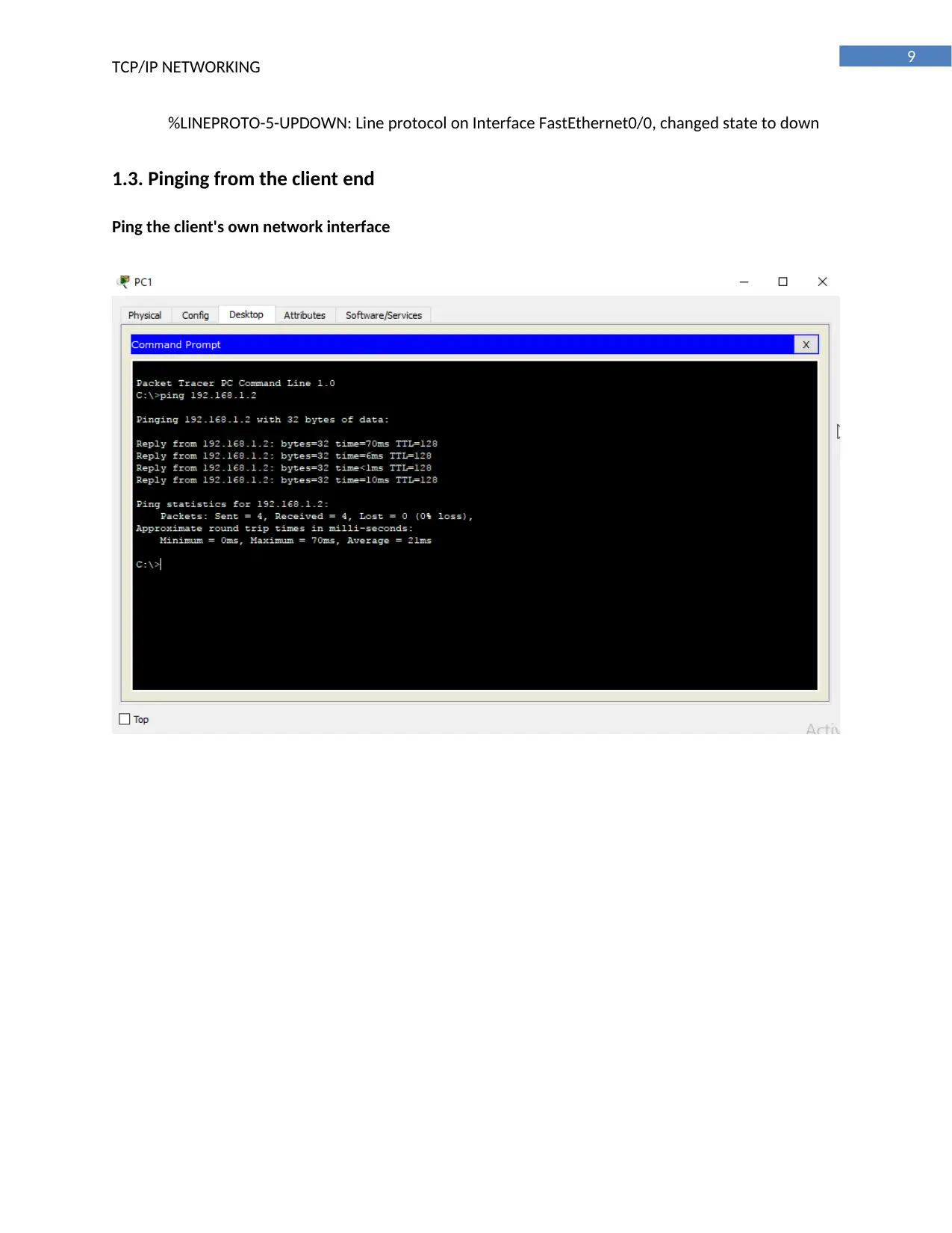
Ping the client's own network interface
tabler-icon-diamond-filled.svg

Paraphrase This Document

Need a fresh take? Get an instant paraphrase of this document with our AI Paraphraser
Document Page
10
TCP/IP NETWORKING
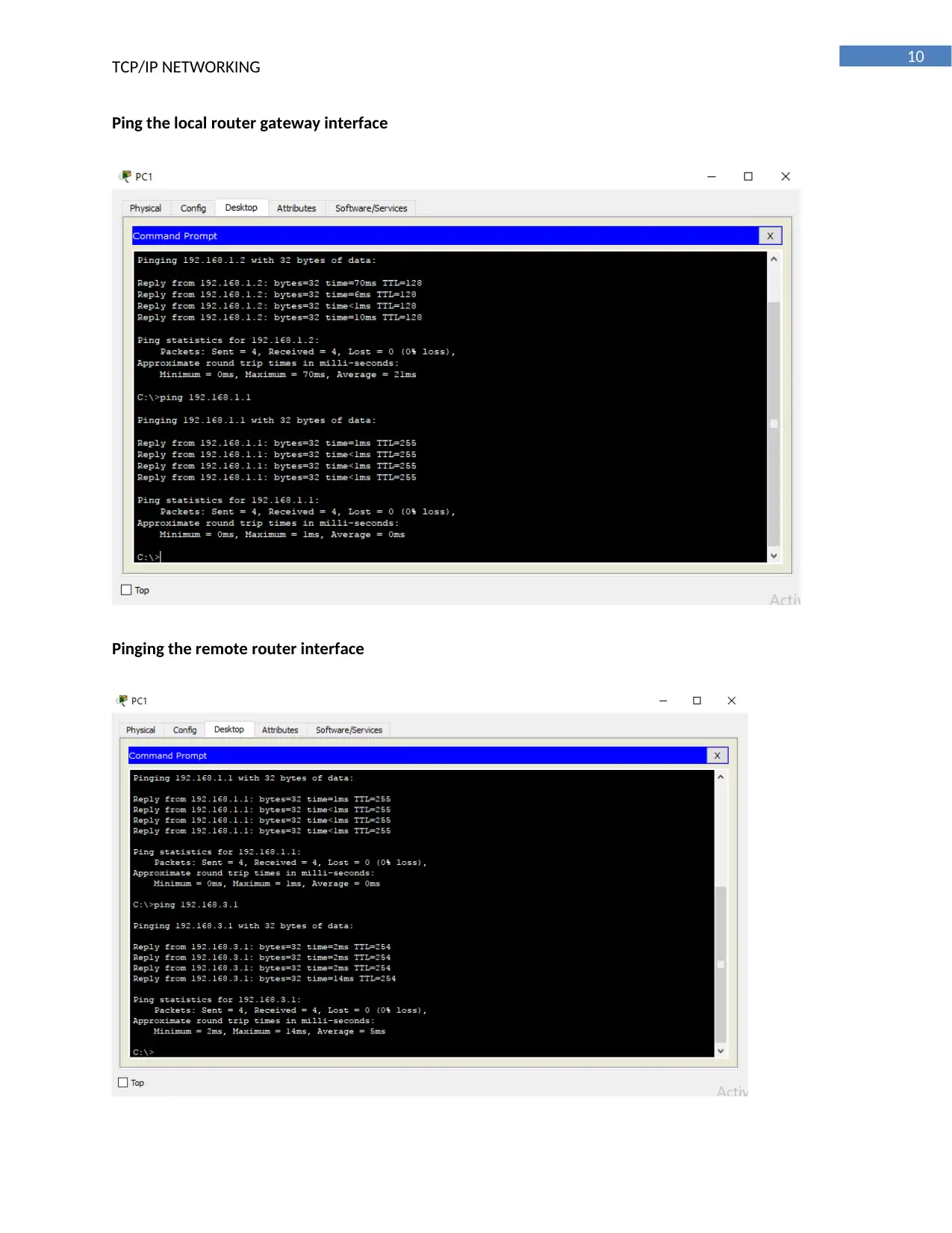
Ping the local router gateway interface
Pinging the remote router interface
Document Page
11
TCP/IP NETWORKING
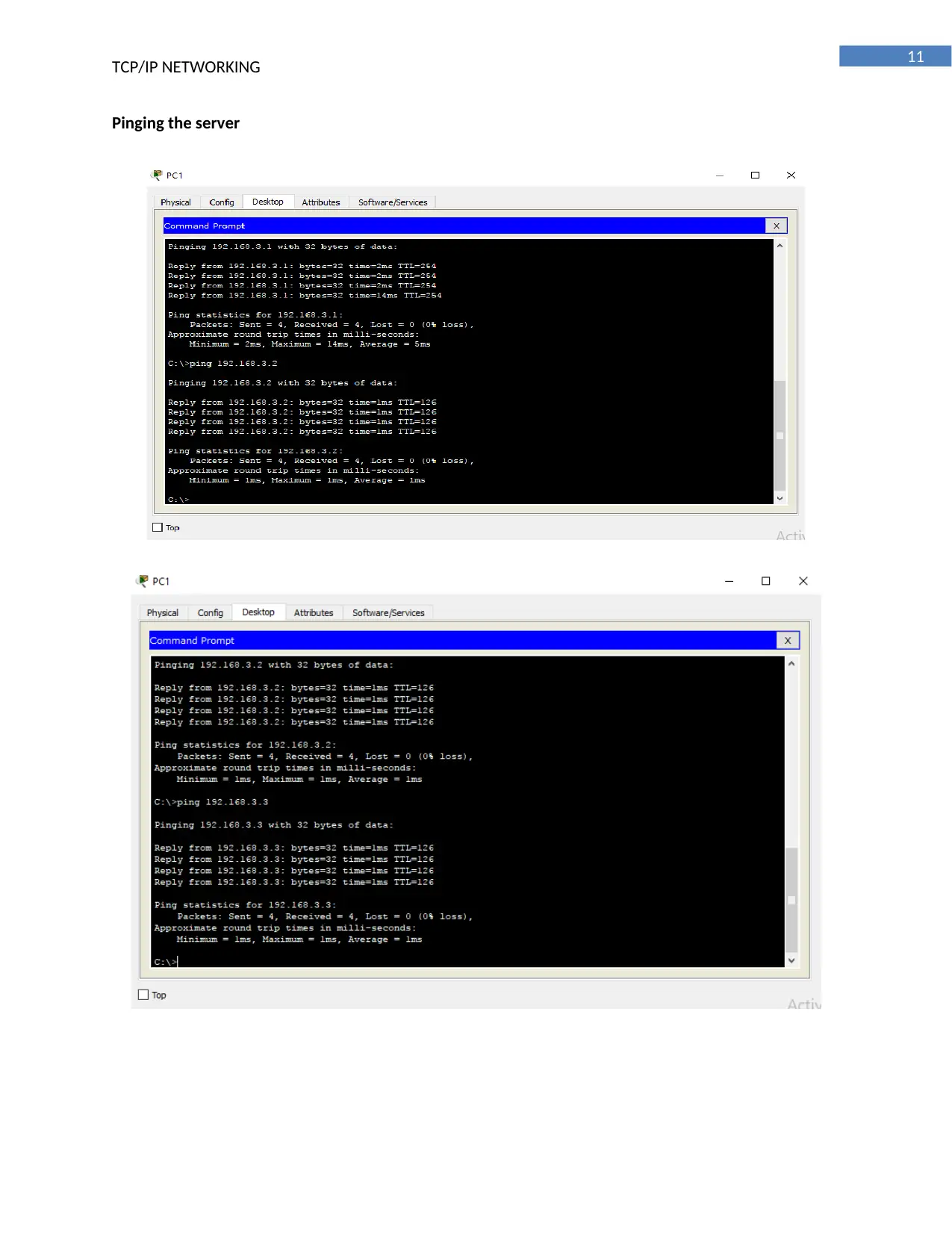
Pinging the server
chevron_up_icon
1 out of 21
circle_padding
hide_on_mobile
zoom_out_icon
[object Object]