CSC A20 Exercise 5: Temperature Data Analysis

Verified

Added on  2019/09/16

|2
|694
|400
Homework Assignment
AI Summary
This is a homework assignment for CSC A20, requiring students to write Python functions to analyze temperature data from a CSV file. The assignment involves creating functions to open the file, extract monthly temperatures, calculate average temperatures, compare monthly averages, and identify the month with the highest average temperature. Students must submit their code in a file named 'e5.py' and ensure it passes the style checker. The assignment emphasizes testing and pre-marking to ensure the code functions correctly before the final submission deadline.
Document Page
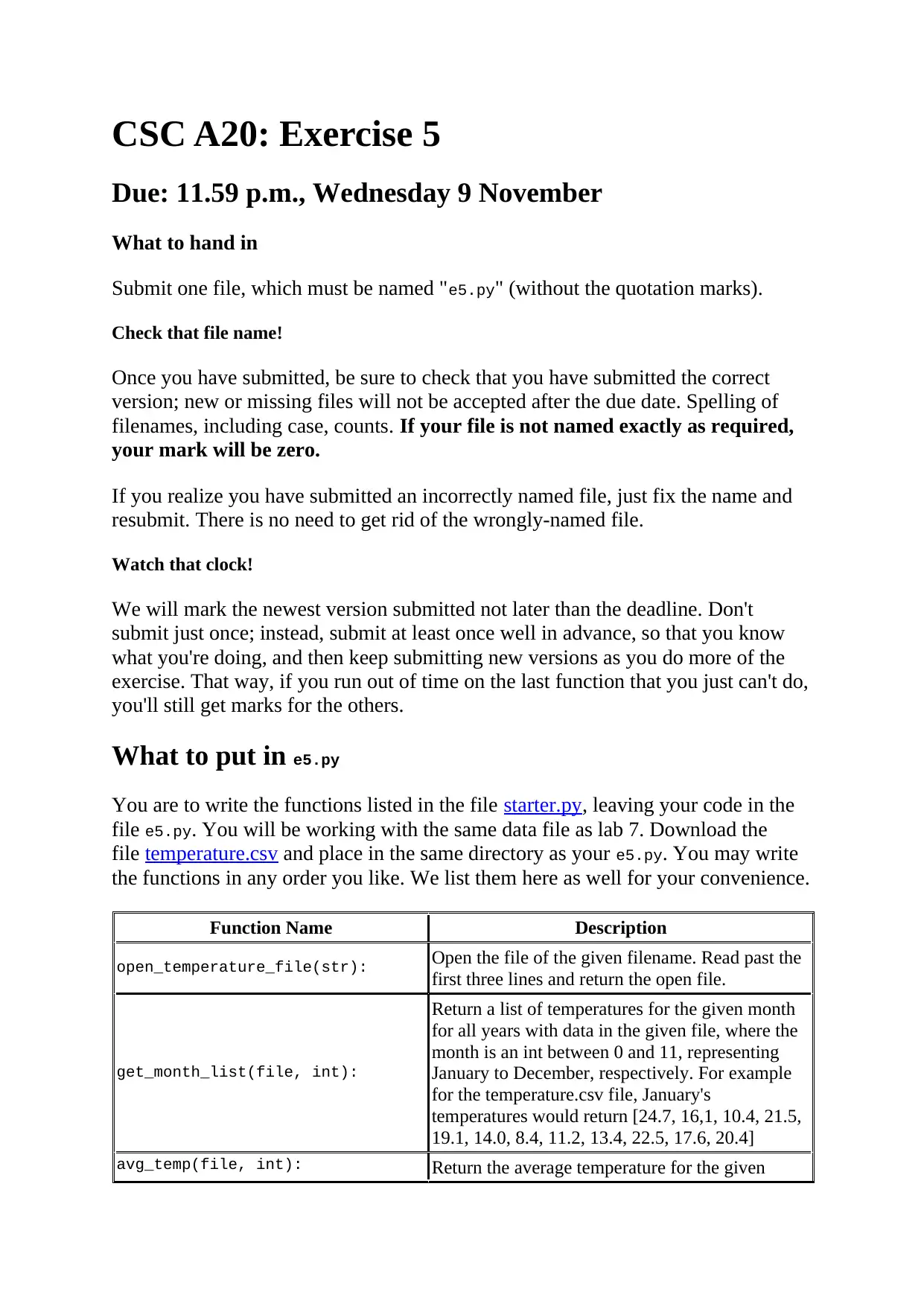
CSC A20: Exercise 5
Due: 11.59 p.m., Wednesday 9 November
What to hand in
Submit one file, which must be named "e5.py" (without the quotation marks).
Check that file name!
Once you have submitted, be sure to check that you have submitted the correct
version; new or missing files will not be accepted after the due date. Spelling of
filenames, including case, counts. If your file is not named exactly as required,
your mark will be zero.
If you realize you have submitted an incorrectly named file, just fix the name and
resubmit. There is no need to get rid of the wrongly-named file.
Watch that clock!
We will mark the newest version submitted not later than the deadline. Don't
submit just once; instead, submit at least once well in advance, so that you know
what you're doing, and then keep submitting new versions as you do more of the
exercise. That way, if you run out of time on the last function that you just can't do,
you'll still get marks for the others.
What to put in e5.py
You are to write the functions listed in the file starter.py, leaving your code in the
file e5.py. You will be working with the same data file as lab 7. Download the
file temperature.csv and place in the same directory as your e5.py. You may write
the functions in any order you like. We list them here as well for your convenience.
Function Name Description
open_temperature_file(str): Open the file of the given filename. Read past the
first three lines and return the open file.
get_month_list(file, int):
Return a list of temperatures for the given month
for all years with data in the given file, where the
month is an int between 0 and 11, representing
January to December, respectively. For example
for the temperature.csv file, January's
temperatures would return [24.7, 16,1, 10.4, 21.5,
19.1, 14.0, 8.4, 11.2, 13.4, 22.5, 17.6, 20.4]
avg_temp(file, int): Return the average temperature for the given
tabler-icon-diamond-filled.svg

Paraphrase This Document

Need a fresh take? Get an instant paraphrase of this document with our AI Paraphraser
Document Page
month for all years with data in the given file,
where the month is an integer between 0 and 11,
representing January to December, respectively.
higher_avg_temp(file, int, int):
Return either the first int or the second int
(integers representing months in the range 0 to
11), whichever has the higher average temperature
for all years with data in the given file. If the
months have the same average temperature, then
return -1.
highest_avg_temp(file):
Return the name of the month that has the highest
average temperature for all years with data in the
file called filename. If more than one month has
the highest average temperature return all of the
months as a comma separated string.
Do not call print or input in your functions. Doing so may cause your code to fail
the tests.
How to check your code
You will make mistakes! Be sure to check your functions by running them in
Wing. Test your functions on several examples!
For this exercise you will need to make sure your code passes the stylechecker!
See the resources page for information on how to do this. It is picky!
Pre-marking
Another way to find out whether your functions are working is to take a look at the
pre-marking results. We will test your most recent submission at scheduled times,
leaving the results in a file called "test_e5.out" on MarkUs. The (tentative)
schedule of the test run is Tuesday November 8 at 5p.m. and then the final run is
after the deadline.
chevron_up_icon
1 out of 2
circle_padding
hide_on_mobile
zoom_out_icon
[object Object]