NMAP in Cyber Security: Scanning and Analyzing Network Devices

Verified

Added on  2023/06/03

|6
|502
|339
Practical Assignment
AI Summary
This assignment employs the NMAP network scanning tool to analyze a home network and identify connected devices. The analysis begins by using the command '-sn' to determine the number of IP addresses connected to the network, revealing five hosts including a router, Techno Mobile device, Liteon technology device, and a TP-Link device. Each device's IP address is identified, and the assignment includes screenshots demonstrating the commands used and the results obtained. The acceptable use policy of NMAP is respected, ensuring the project adheres to the legal rights stated on the NMAP website. The aim is to provide a preemptive understanding and knowledge level deemed safe by the NMAP organization, enhancing network security awareness.
Document Page
Running head: NMAP
NMAP: CYBER SECURITY
(Name)
(Tutor’s Name)
(Unit Title)
(Date)
tabler-icon-diamond-filled.svg

Paraphrase This Document

Need a fresh take? Get an instant paraphrase of this document with our AI Paraphraser
Document Page
NMAP 2
Introduction
NMAP is one of the networking tools which is used to scan networks so as to determine
those hosts which are up and are connected to what services. The network tool supports scanning
techniques like TCP connect, ftp proxy, null scan, and SYN sweep. This paper is used uses
NMAP tool so as to quantify a home network. Specifically, the paper will use NMAP to identify
the type and number of systems which are attached to the organizational network. Second,
NMAP will be used to determine what and who is on the network (Lyon, 2017).
The type and number of systems on the network
This command requires one to find the number of IP addresses that my home network is
connected to. To achieve this target, one uses the command –sn; this is a type have a meaning of
port scan (Arkin, 2008). This command performs a port scan by doing the following result was
found as shown by screen shot below
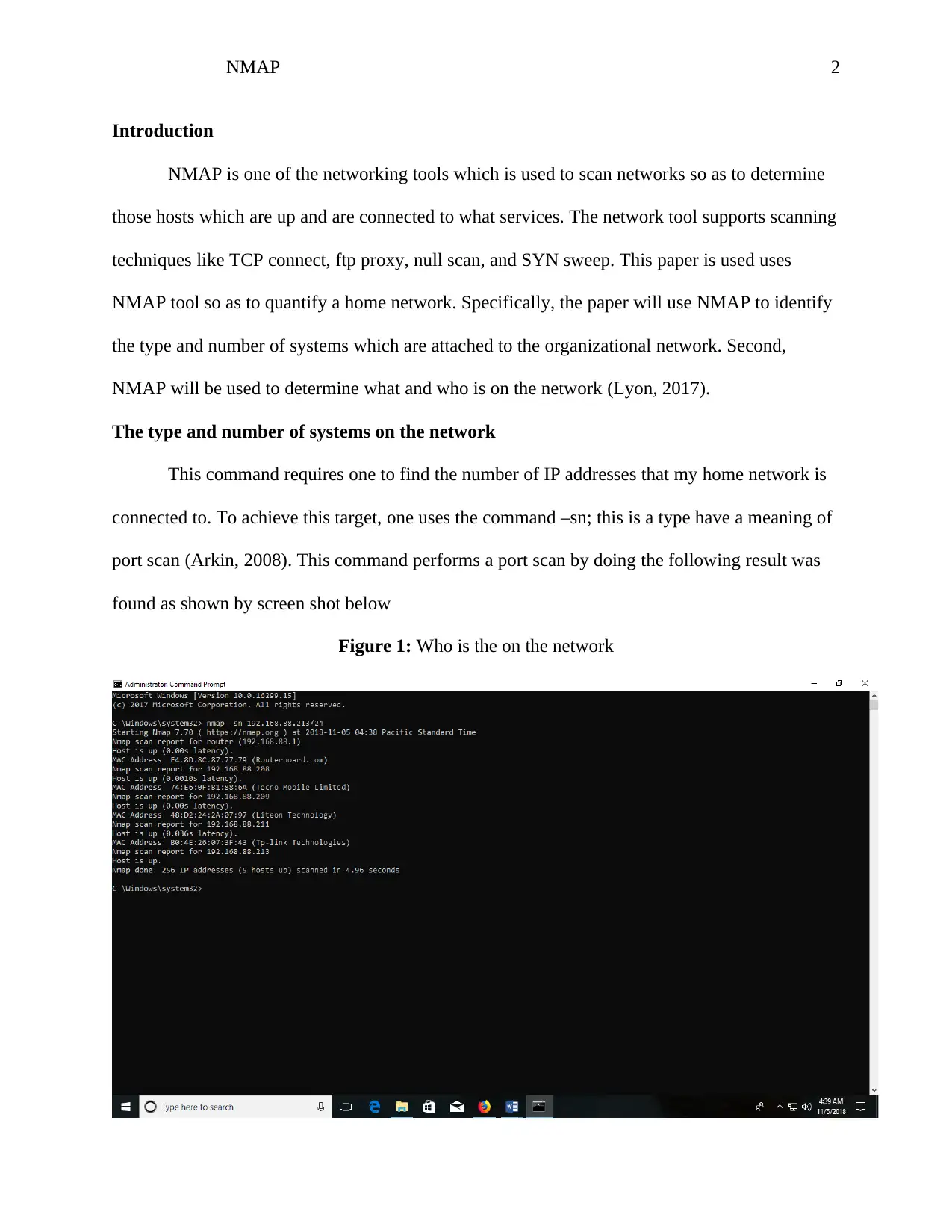
Figure 1: Who is the on the network
Document Page
NMAP 3
By typing the command, nmap –sn 192.168.88.213/24 it is evident that in my home
network there is only five host which is on my network. The result was displayed after 4.96
seconds as shown from the figure above. There are five hosts of types router board, techno
mobile limited, Liteon technology, and TP technologies.
What is on then network
From then figure above (fig 1) it is evident that there five gadgets: The first device found
on my network was a router with an ip address of 192.168.88.1, a techno mobile was also found
on my network with an Ip address of 192.1689.88.209, TP link device was also found on my
network with an IP address of 192.168.88.213 and a device made of Liteon technology was also
found with an IP address of 192.168.88.211
Document Page
NMAP 4
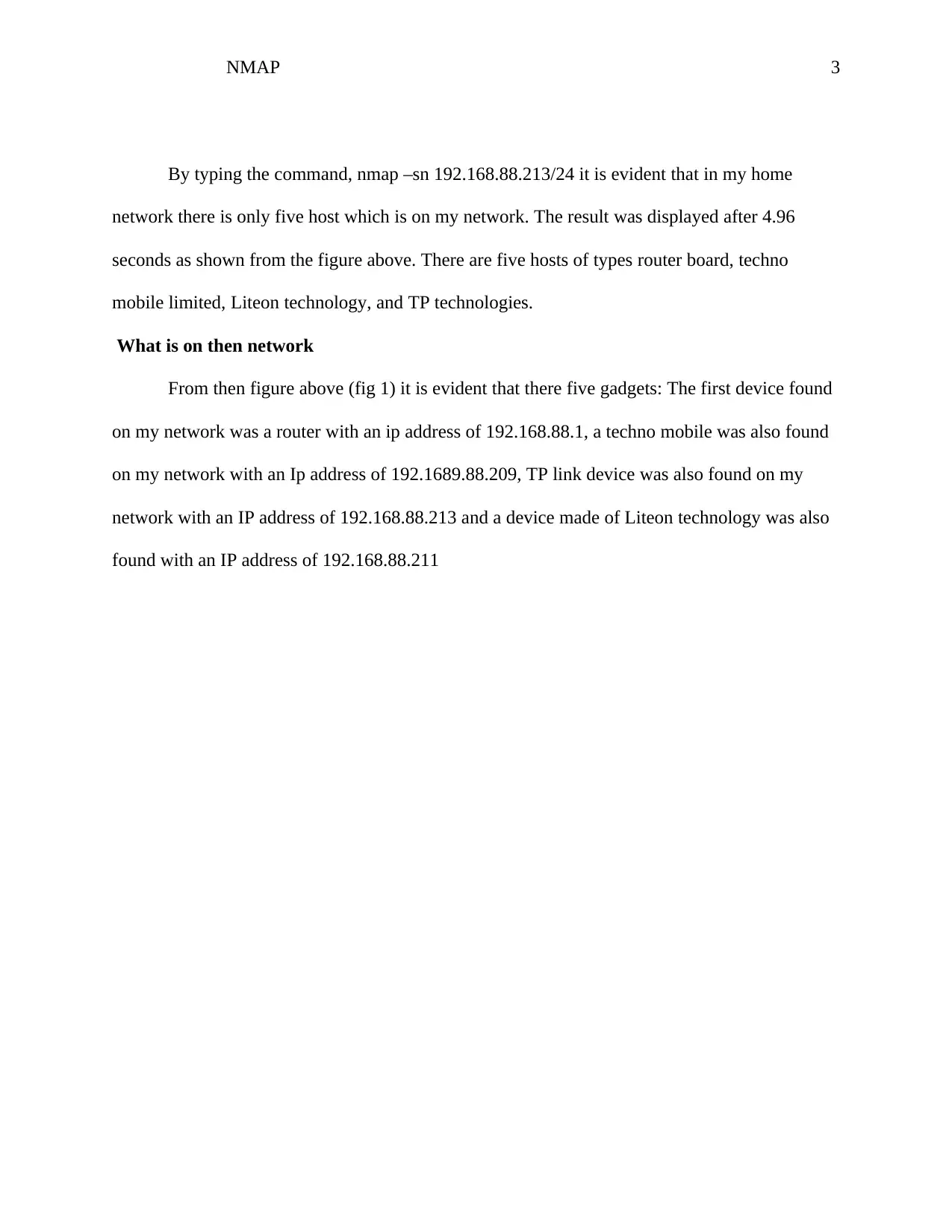
Who is on the network
The following figure depicts who is on the network
Figure 2: Commands used
tabler-icon-diamond-filled.svg

Paraphrase This Document

Need a fresh take? Get an instant paraphrase of this document with our AI Paraphraser
Document Page
NMAP 5
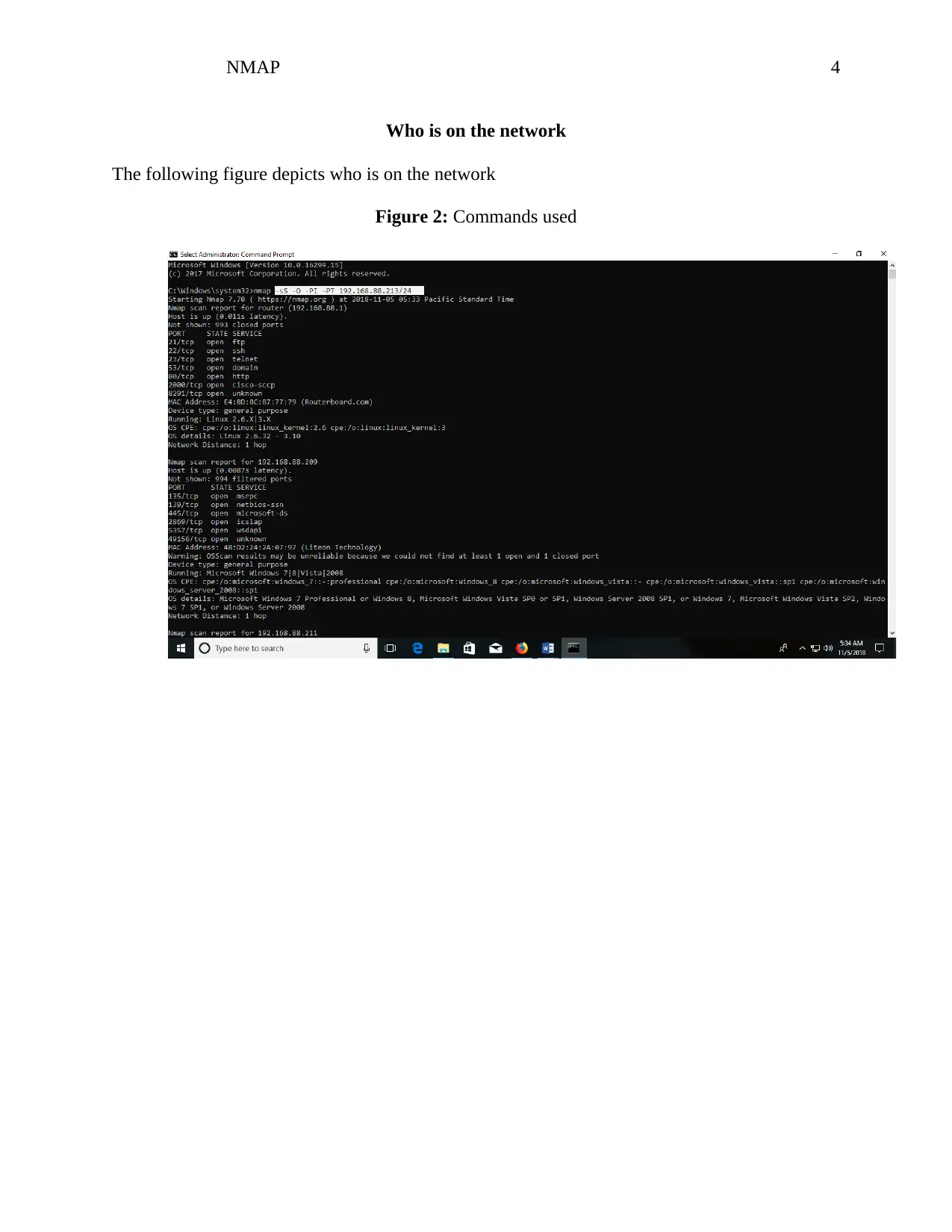
Figure 3: shows who is on the network the highlighted one
The acceptable use policy
Nmap network scanning tool is an open source. For this scenario nmap copyright have
been respected. This project has implemented Nmap in accordance with legal rights stated in
nmap website so as to provide a pre-emptive thought and the level of knowledge which is said to
safe by the nmap organization.
Document Page
NMAP 6
References
Arkin. (2008). Network scanning techniques. Publicom Communications Solutions., 34-78.
Lyon. (2017). Nmap network scanning. The official Nmap project guide to network discovery
and security scanning, 23-56.
chevron_up_icon
1 out of 6
circle_padding
hide_on_mobile
zoom_out_icon
[object Object]